CloudMounter
Conecte a nuvem ao Finder

Mac
Versão 4.18
macOS 12.4 ou posterior
231.9 MB
18 idiomas
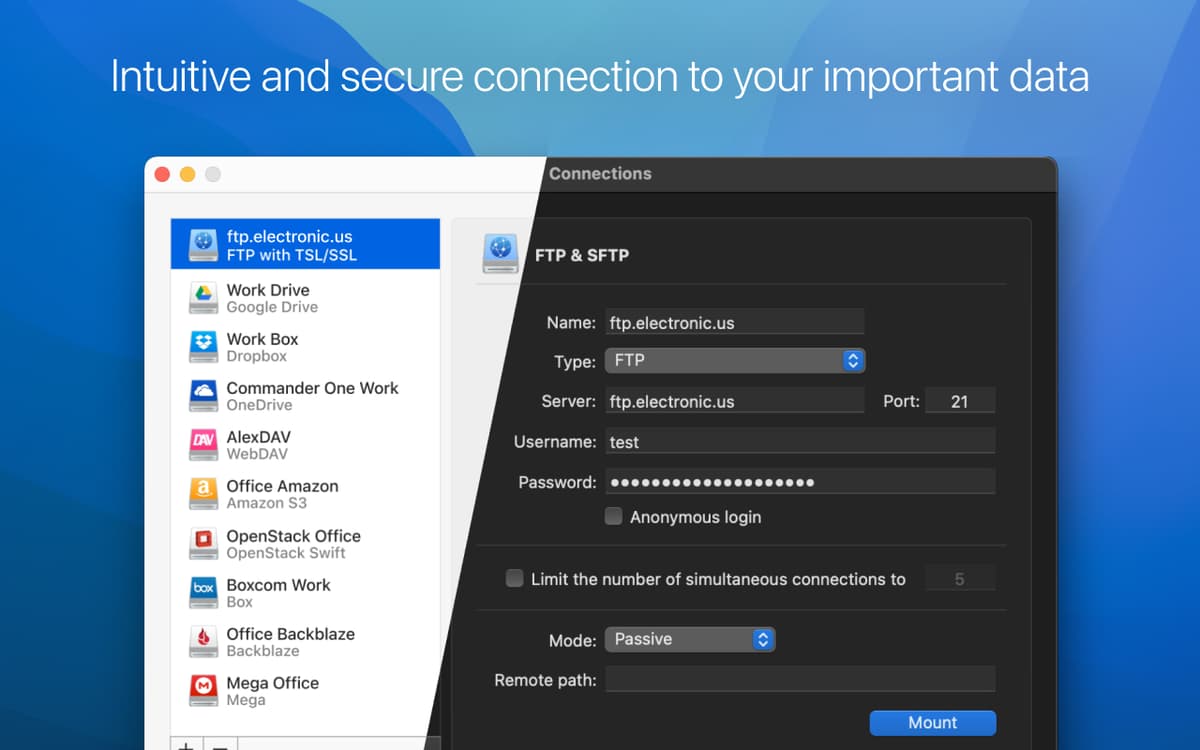
Expanda facilmente o espaço de armazenamento do seu computador como se ele tivesse outros HDs. O CloudMounter conecta suas contas de armazenamento na nuvem — como Google Drive, Dropbox, Amazon S3, OneDrive e outras — ao Finder do Mac, para que você as use como discos locais comuns. Adicione criptografia para ter segurança extra e nunca mais se preocupe com a falta de espaço.
Amplie o espaço do Mac com armazenamentos de nuvem
Conecte armazenamentos de nuvem como discos locais
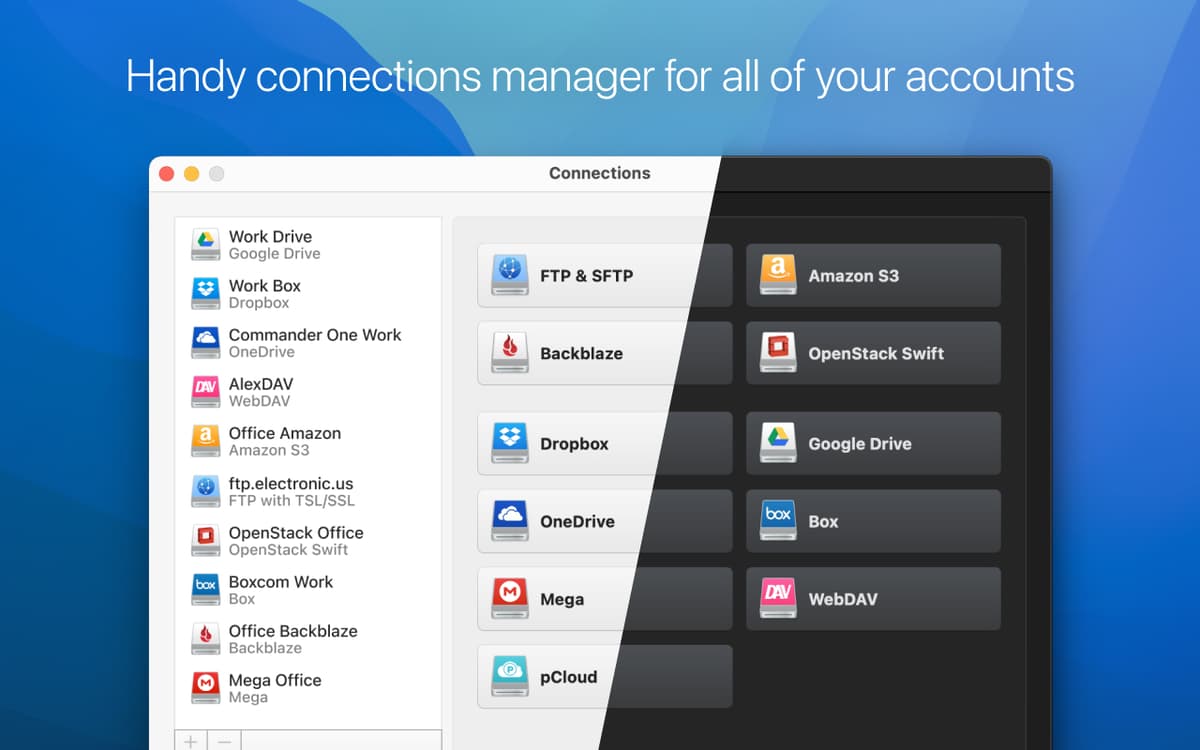
Unifique o acesso a todo o seu conteúdo na nuvem
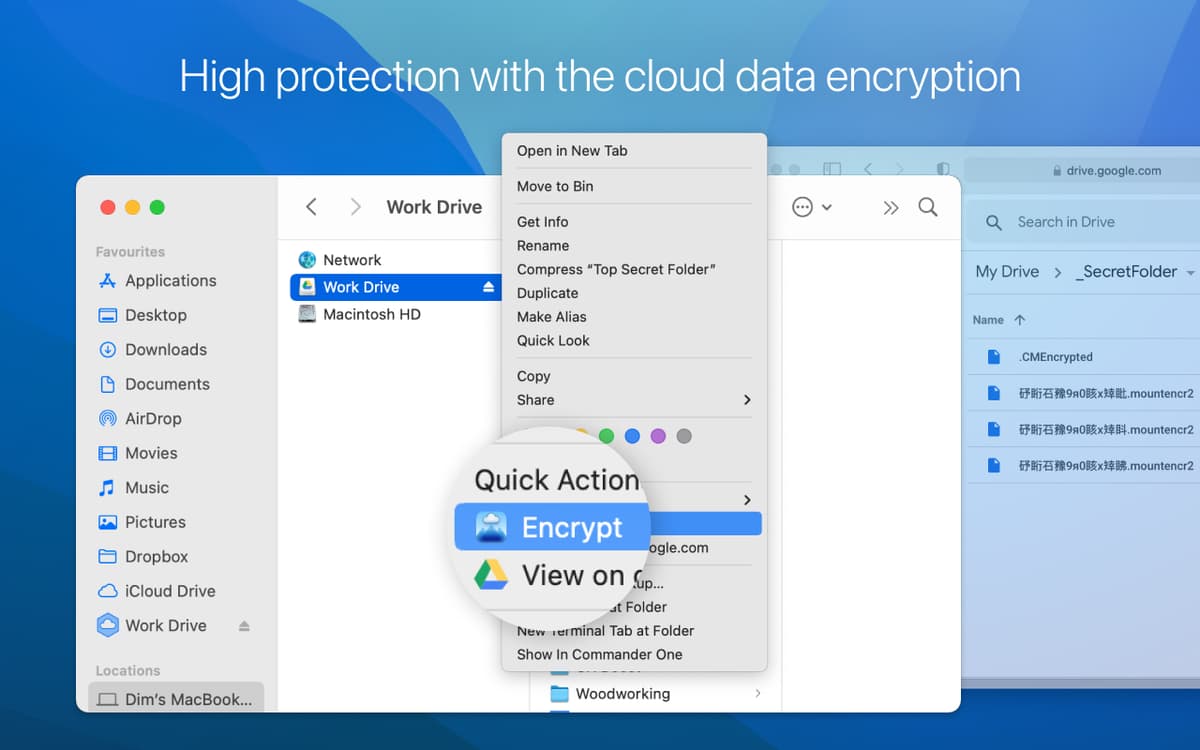
Aplique criptografia adicional aos itens na nuvem
Recursos do CloudMounter
Monte armazenamentos de nuvem como discos locais
O CloudMounter se conecta perfeitamente aos serviços de nuvem mais populares do mundo, os quais oferecem diversos planos de armazenamento. Ele é perfeito para laptops com pouco espaço de armazenamento ou HDs cheios que precisam de uma folga. O CloudMounter não sincroniza arquivos automaticamente com o disco local, o que garante espaço livre para outras tarefas importantes.
Integração perfeita ao Finder
Você não precisa mais iniciar a sessão em serviços pelo navegador para acessar seus arquivos. O CloudMounter oferece um jeito rápido de acesso a qualquer disco de armazenamento na nuvem a partir do Finder, como se ele fosse um disco local. Agora, com todo o espaço de armazenamento ao seu dispor, você pode buscar, arrastar, soltar e acessar arquivos mais rápido do que nunca.
Acesse várias contas na nuvem
Acesse todos os arquivos de todas as contas de armazenamento na nuvem de um só lugar. Configure credenciais e autorizações para cada provedor de armazenamento na nuvem a partir do menu do CloudMounter. Atualmente, ele é compatível com: Dropbox, Google Drive, Microsoft OneDrive, Amazon S3 com endpoints de servidor personalizados, FTP/SFTP/FTPS, OpenStack Swift, Box, BackBlaze B2 e WebDAV, com outros por vir.
Criptografia segura de dados na nuvem
Criptografe dados confidenciais em cada disco de armazenamento na nuvem e proteja‑os com uma chave de descriptografia. O CloudMounter usa o protocolo de criptografia padrão AES‑256 para garantir a segurança dos arquivos. Mesmo que um improvável ataque ou falha de segurança ocorra, você tem tranquilidade, pois sabe que os seus dados pessoais estão protegidos.
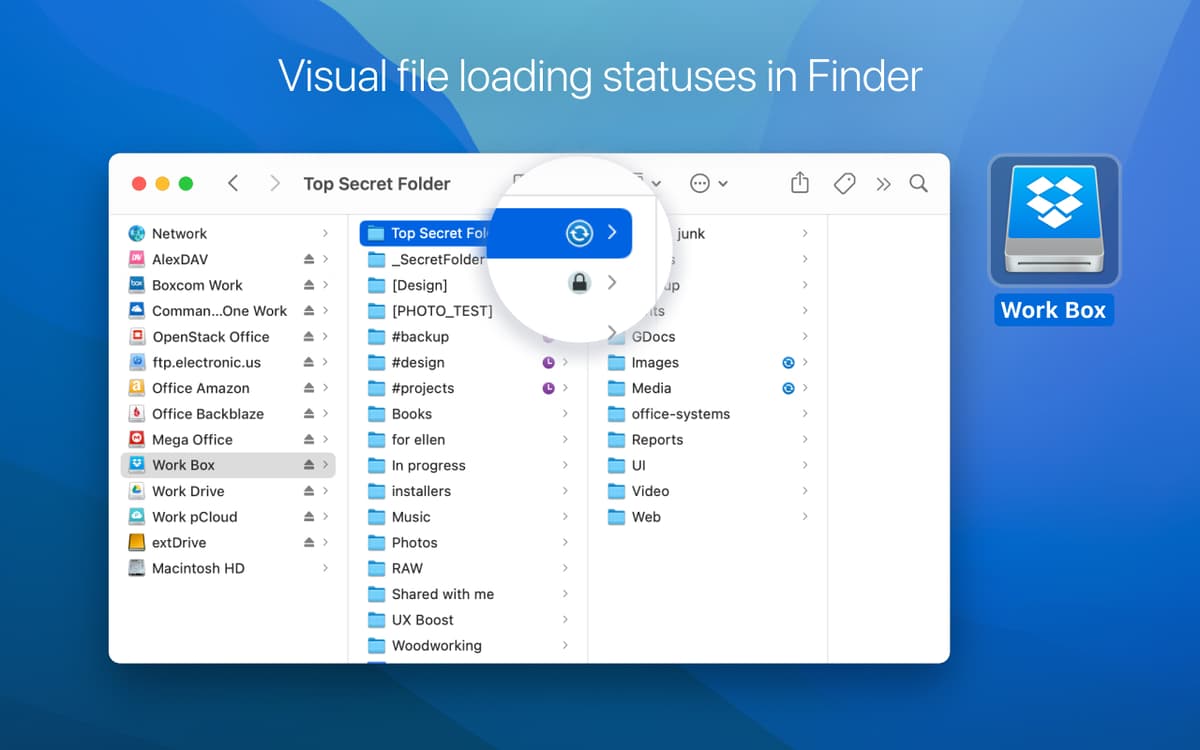
Atualizações de estado práticas
Veja rapidamente o estado de qualquer arquivo. Com o CloudMounter, você visualiza o progresso de transferências, envios, movimentações e atualizações com ícones informativos bem desenhados. Você pode até mover arquivos entre as plataformas na nuvem diretamente do Finder e monitorar o processo como se fossem tarefas locais.
Melhorias constantes
Com o CloudMounter, você está sempre à frente com atualizações e novos recursos. O CloudMounter acompanha o desenvolvimento de plataformas de armazenamento na nuvem e as integra ao app para ampliar as opções de armazenamento e facilitar o acesso. A equipe de segurança também assegura que os protocolos de criptografia mais recentes sejam usados assim que forem lançados.
Classificações e avaliações
CloudMounter
•
1040 classificações
Reny Grando
5 de ago. de 2026
Versão do app: 4.18
O melhor app de nuvem, muito bom, recomendo a todos!
Jen Yontz-Orlando
29 de jun. de 2026
Versão do app: 4.18
it works
Aizat
29 de jun. de 2026
Versão do app: 4.18
Very good
Obtenha centenas de apps com o Membership
Obtenha um membership do Setapp e use centenas de apps estelares numa única assinatura.
Experimente grátis por 7 dias. Depois, pague um valor único.
Instale o Setapp no Mac
Explore apps para Mac, iOS e web. Encontre formas fáceis de lidar com as tarefas do dia a dia.

Obtenha o app que chamou sua atenção
Aquele app especial está esperando você no Setapp. Instale‑o com um clique.

CloudMounter
Escolha uma assinatura
Um ou mais apps com um membership do Setapp. Obtenha os apps que você quer.

Obtenha centenas de apps com o Membership
Obtenha um membership do Setapp e use centenas de apps estelares numa única assinatura.
Experimente grátis por 7 dias. Depois, pague um valor único.
1
Instale o Setapp no Mac
Explore apps para Mac, iOS e web. Encontre formas fáceis de lidar com as tarefas do dia a dia.
2
Obtenha o app que chamou sua atenção
Aquele app especial está esperando você no Setapp. Instale‑o com um clique.
CloudMounter
3
Escolha uma assinatura
Um ou mais apps com um membership do Setapp. Obtenha os apps que você quer.
A casa dos melhores apps
Desde tarefas rotineiras e de planejamento a atividades criativas e de programação, encare suas tarefas com os apps do Setapp.

TypingMind
IU alternativa para conversar com IA
gere ou resuma textos
use uma biblioteca de ações
IA

Spark Mail
Gerencie e‑mails
IA

CleanMyMac
Limpe os detritos

Bartender
Personalize a barra de menus

CleanShot X
Capturas de tela versáteis

Luminar Neo
Edite suas fotos
IA

ClearVPN
Conecte‑se com mais segurança

Craft
Trabalhe com documentos
IA
CloudMounter
Conecte a nuvem ao Finder