Boom
Grave e apresente com estilo
Mac
Versão 2.4.0
macOS 13.0 ou posterior
195.4 MB
1 idiomas
O Boom é o app que você usa sempre que precisa ensinar, fazer uma venda ou demonstração, ou gravar algo que precise daquele acabamento profissional. Use‑o para reuniões ao vivo, gravar lições ou fazer demonstrações de produtos ou anúncios rápidos. Com o Boom, você tem layout, controles da câmera e ferramentas de gravação para transmitir sua mensagem claramente.
Apresente‑se ao vivo com visual profissional
Grave vídeos e tutoriais do YouTube
Controles para melhorar a câmera
Personalize e ponha sua marca nas gravações
Recursos do Boom
Apresente‑se ao vivo com visual profissional
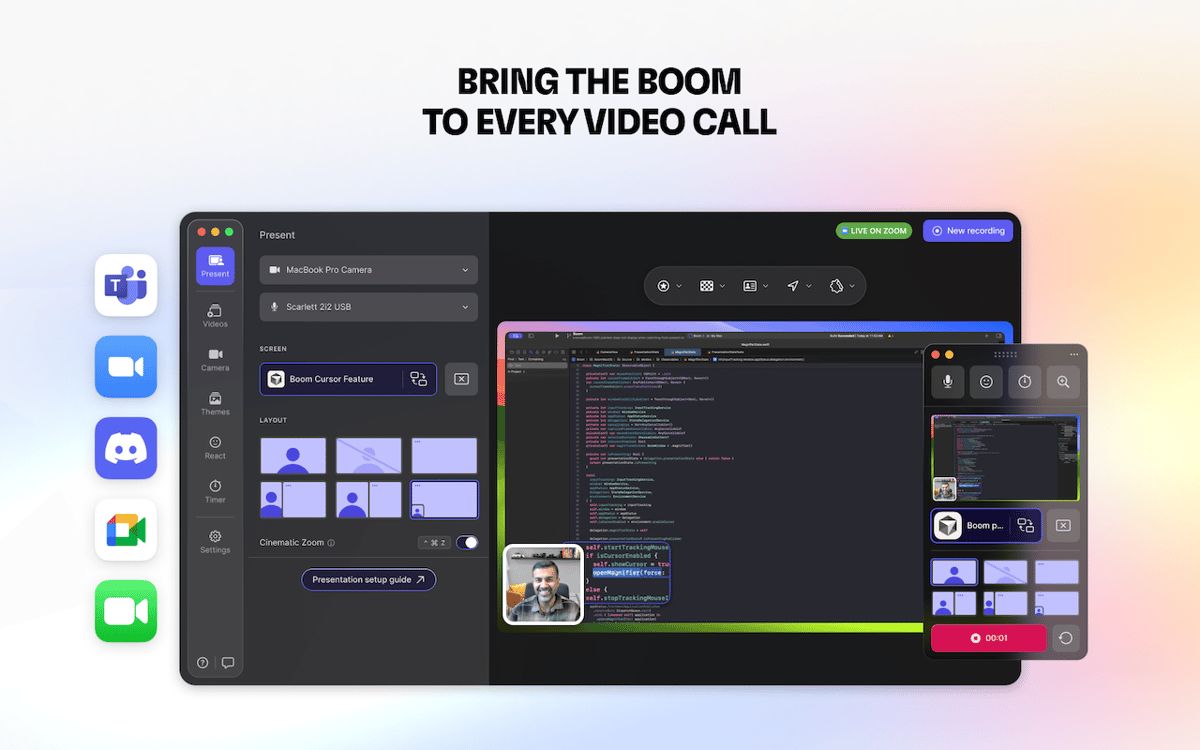
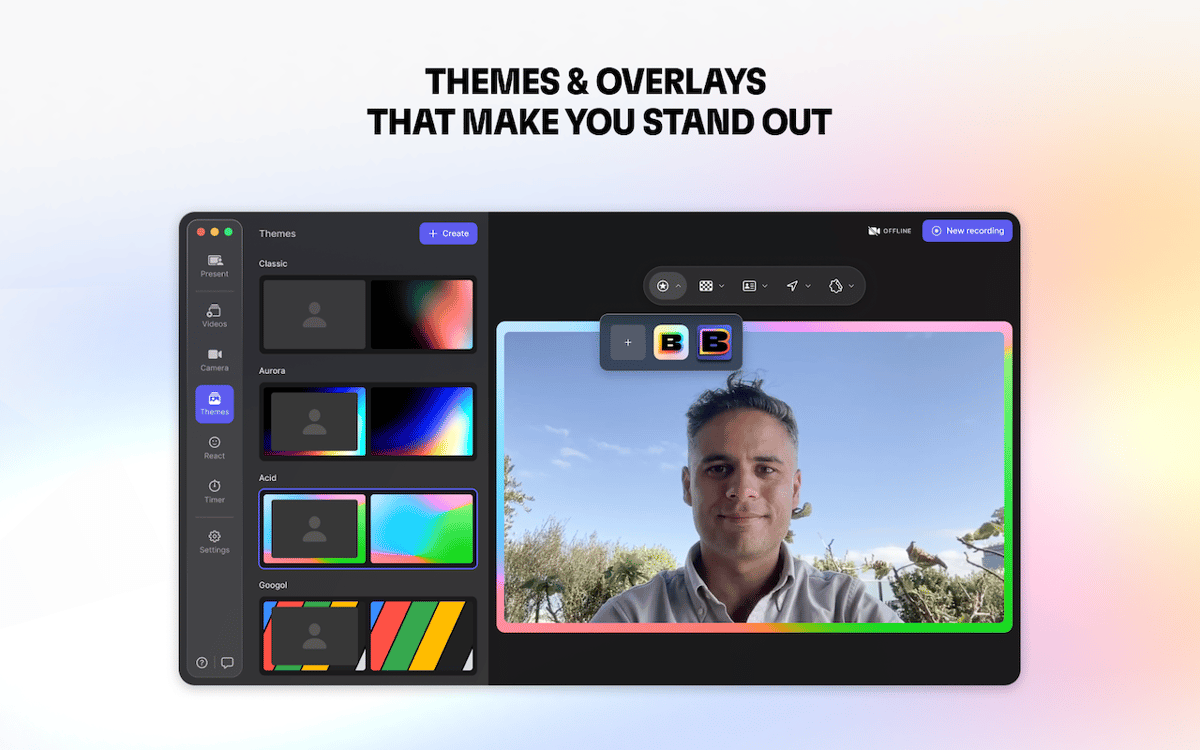
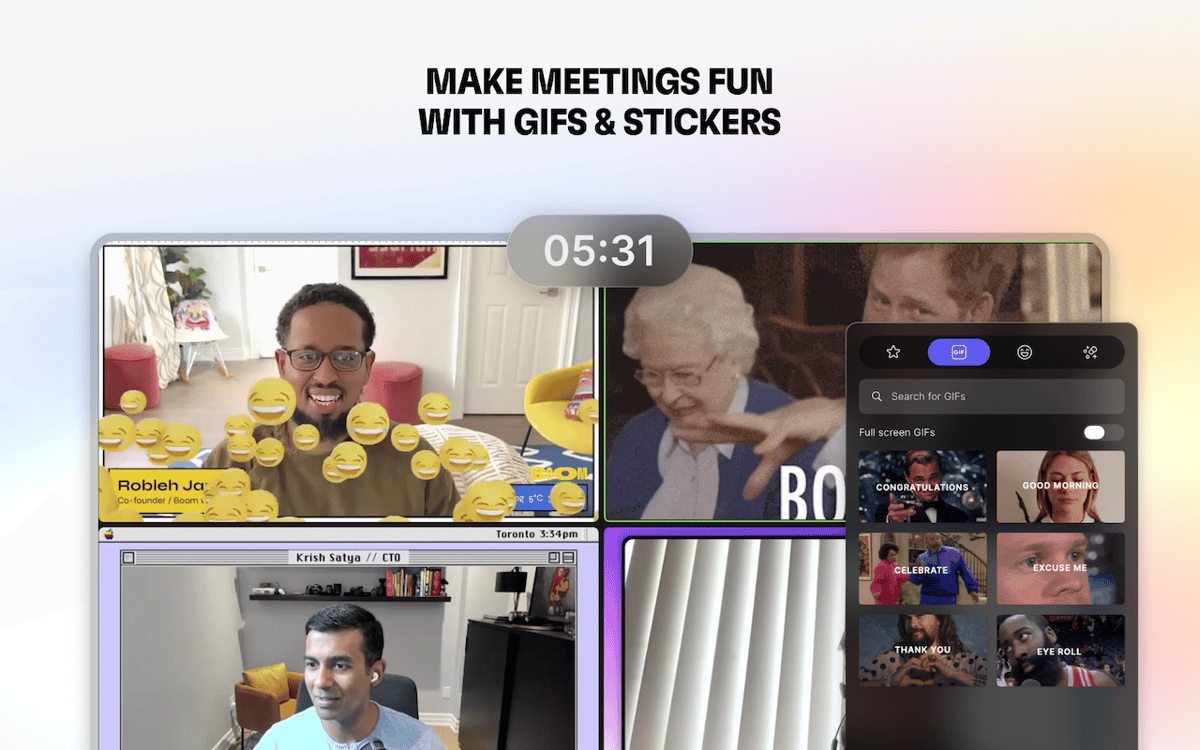
Conecte o Boom ao app que você usa em ligações de vídeo, como o Zoom, Google Meet ou Teams. O Boom ajudará a melhorar o seu vídeo e compartilhamento de tela com fundos personalizados, adesivos, conjuntos de cores, timers e sobreposições. Escolha entre seis layouts e mude entre eles em tempo real ou use um zoom de cinema para manter o foco no que importa. Seus slides e câmeras aparecem de forma dinâmica e profissional, o que ajuda a reter a atenção de forma fácil.
Grave lições, tutoriais e guias passo a passo
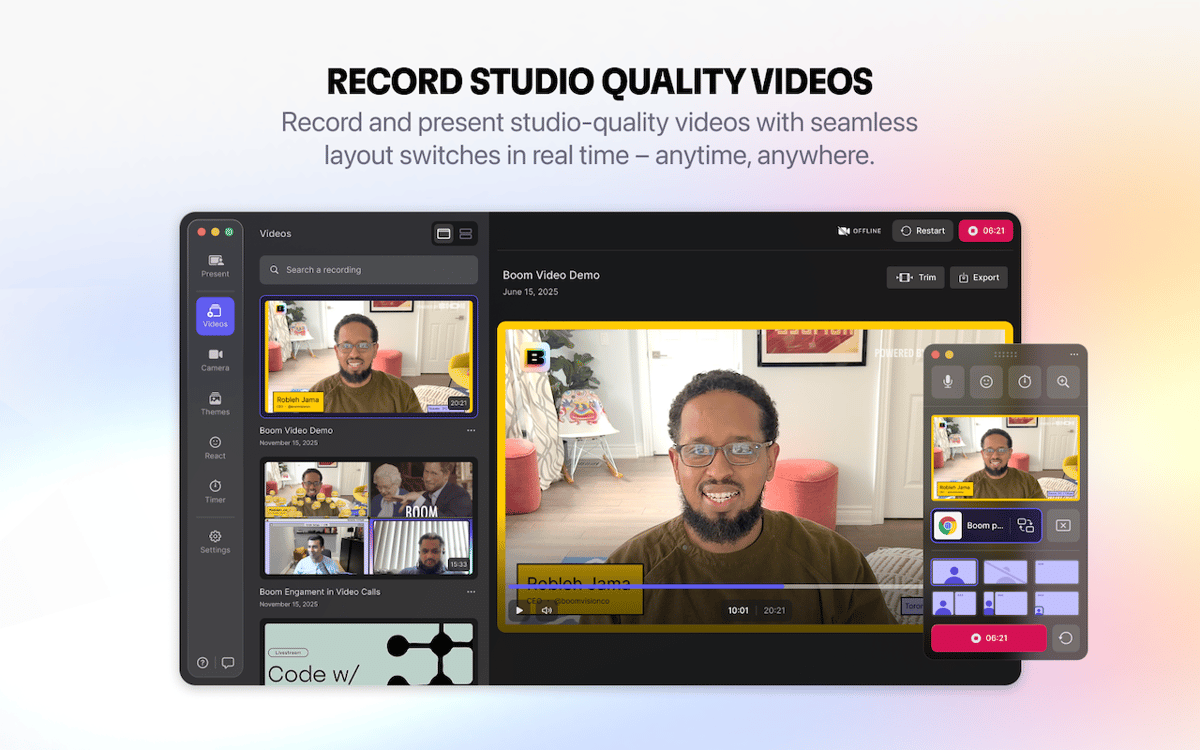
Se você cria cursos, tutoriais ou vídeos no YouTube, o Boom captura sua tela e câmera no layout que você quiser. Mude instantaneamente entre as visualizações, adicione timers, sobreposições e efeitos para manter seu conteúdo engajante e com bom acabamento. Você pode até conectar um iPhone ou iPad para apresentar a tela do dispositivo numa moldura perfeita.
Melhore a câmera de forma simples
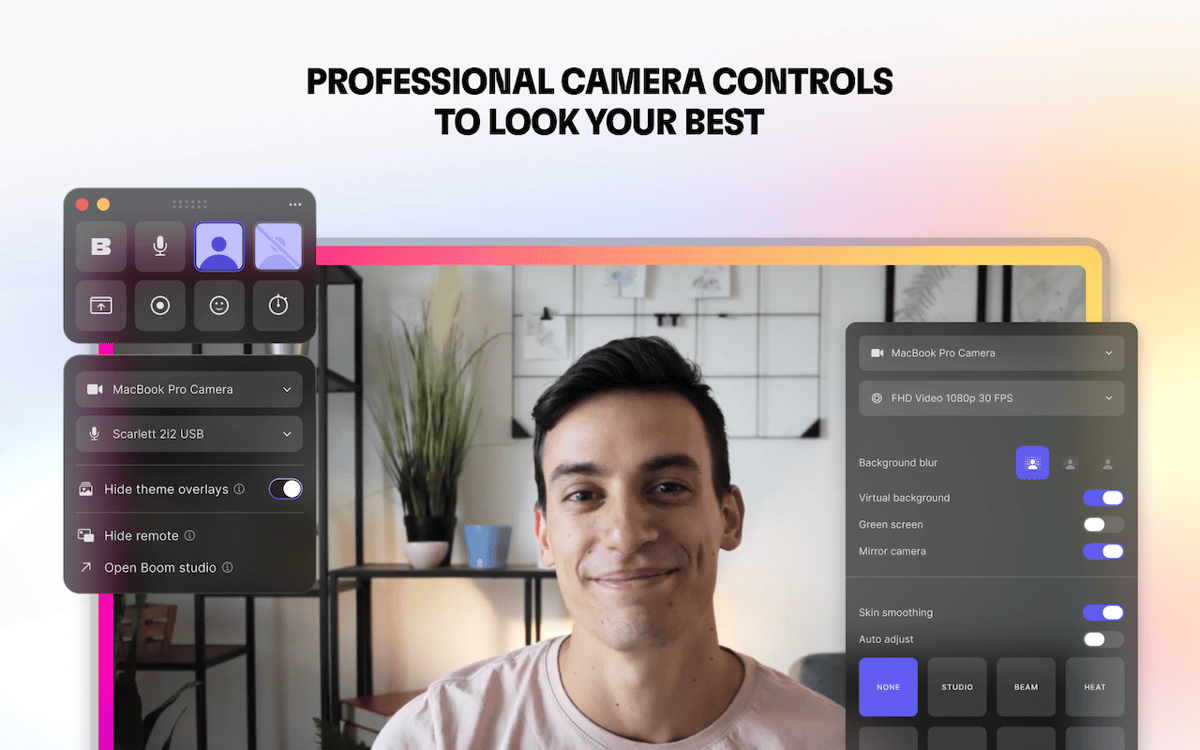
Você não tem uma iluminação profissional? Com o Boom, você não precisa abrir mão de ter a melhor aparência possível, pois ele deixa sua webcam existente mais nítida e refinada. Cuide de tudo com controles para ajustar brilho, contraste, saturação, altas‑luzes, sombras, matiz, exposição e temperatura. Espelhe a câmera, ajuste a distorção, adicione um fundo virtual e aprimore sua aparência com uma suavização sutil da pele.
Edite e exporte sem sair do Boom
Refine as gravações sem interromper seu fluxo de trabalho. Recorte o início e o fim dos clipes, grave uma tomada extra (se necessário) ou duplique as gravações para ter a versão perfeita. Quando tudo estiver pronto, exporte na qualidade certa: HD completo para o YouTube, cursos ou clientes, otimizada para redes sociais e web, ou até arquivos menores para compartilhar por e‑mail. Tudo acontece dentro do Boom para que você mantenha o ritmo: desde o início da gravação até o vídeo pronto.
Classificações e avaliações
Boom
•
216 classificações
Gabriel Barreto Abdala
7 de out. de 2026
Versão do app: 2.4.0
excelente app
Doug Harris
21 de jul. de 2026
Versão do app: 2.4.0
The feature I use most, by far, is the ability to zoom my webcam’s view and adjust the frame. This allows me to hide the messier parts of my workspace when on Zoom meetings. Boom’s background blurring tech is also superior to Zoom’s blurring for those of us with thinning hair. Zoom’s blur algorithm makes me look bald (I’m not there yet, thankyouverymuch). My wish list item is for Boom to add something like “location presets.” I work a hybrid home/office schedule and have different camera setups in each location. When I change locations, I have to manually re-adjust camera settings. It’d be really nice to click a button or hotkey to change to a pre-set collection of camera settings.
ST
4 de jul. de 2026
Versão do app: 2.4.0
Not bad but the themes are really old school, not modern professional looking. Also, when sharing the screen there are two mouse pointers at the same time which makes it inaccurate to navigate on the screen that needs to be shared. Doesn’t come with any annotation and drawing tools.
Obtenha centenas de apps com o Membership
Obtenha um membership do Setapp e use centenas de apps estelares numa única assinatura.
Experimente grátis por 7 dias. Depois, pague um valor único.
Instale o Setapp no Mac
Explore apps para Mac, iOS e web. Encontre formas fáceis de lidar com as tarefas do dia a dia.

Obtenha o app que chamou sua atenção
Aquele app especial está esperando você no Setapp. Instale‑o com um clique.

Boom
Escolha uma assinatura
Um ou mais apps com um membership do Setapp. Obtenha os apps que você quer.

Obtenha centenas de apps com o Membership
Obtenha um membership do Setapp e use centenas de apps estelares numa única assinatura.
Experimente grátis por 7 dias. Depois, pague um valor único.
1
Instale o Setapp no Mac
Explore apps para Mac, iOS e web. Encontre formas fáceis de lidar com as tarefas do dia a dia.
2
Obtenha o app que chamou sua atenção
Aquele app especial está esperando você no Setapp. Instale‑o com um clique.
Boom
3
Escolha uma assinatura
Um ou mais apps com um membership do Setapp. Obtenha os apps que você quer.
A casa dos melhores apps
Desde tarefas rotineiras e de planejamento a atividades criativas e de programação, encare suas tarefas com os apps do Setapp.

TypingMind
IU alternativa para conversar com IA
gere ou resuma textos
use uma biblioteca de ações
IA

Spark Mail
Gerencie e‑mails
IA

CleanMyMac
Limpe os detritos

Bartender
Personalize a barra de menus

CleanShot X
Capturas de tela versáteis

Luminar Neo
Edite suas fotos
IA

ClearVPN
Conecte‑se com mais segurança

Craft
Trabalhe com documentos
IA
Boom
Grave e apresente com estilo