
Keep It Shot
Use IA para renomear capturas
Mac
Versão 0.1.5
macOS 10.15 ou posterior
548.9 MB
1 idiomas
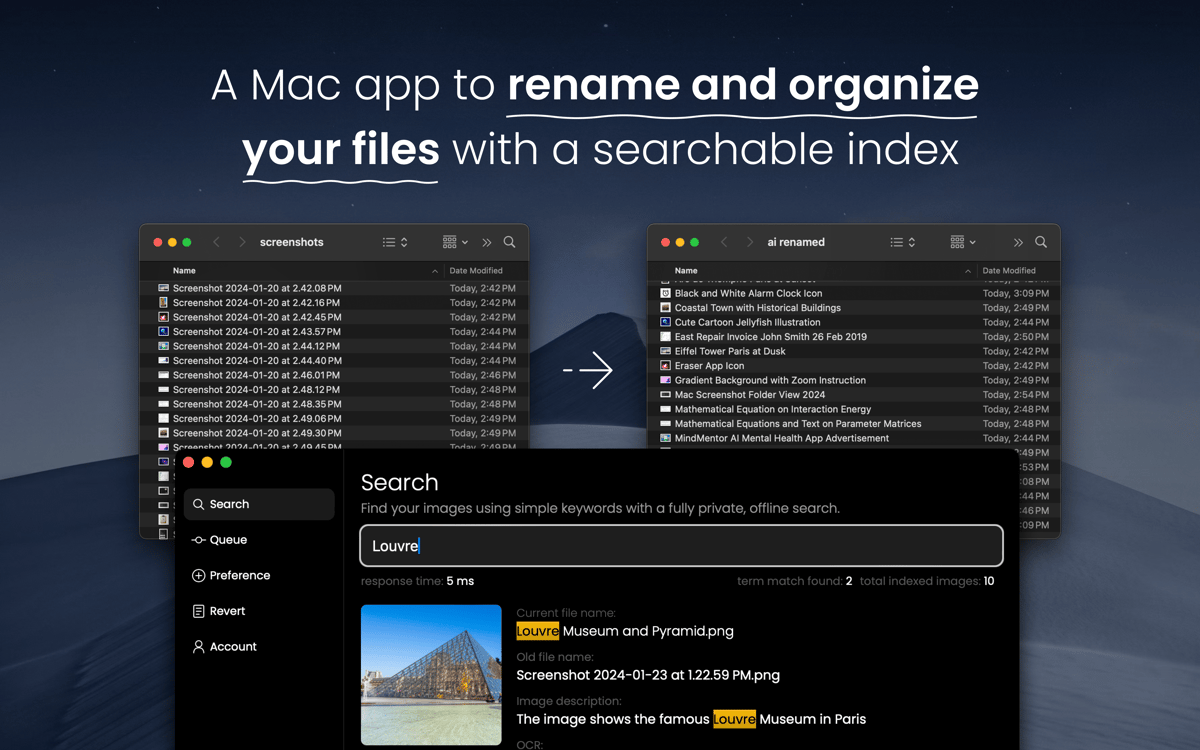
Renomeie arquivos e vídeos em lote com o Keep It Shot. Este app auxiliado por IA gera nomes de arquivos que refletem o que aparece nas capturas de tela para facilitar o gerenciamento e a busca de arquivos.
Gere nomes apropriados em instantes
Renomeie capturas e vídeos em lote
Use uma busca integrada e privada
Automatize a renomeação de capturas
Recursos do Keep It Shot
Renomeie as capturas de tela
Dê nomes adequados às suas capturas de tela com este app. Com o auxílio de IA, ele analisa as capturas de tela e gera nomes que facilitam a busca e o armazenamento dos arquivos.
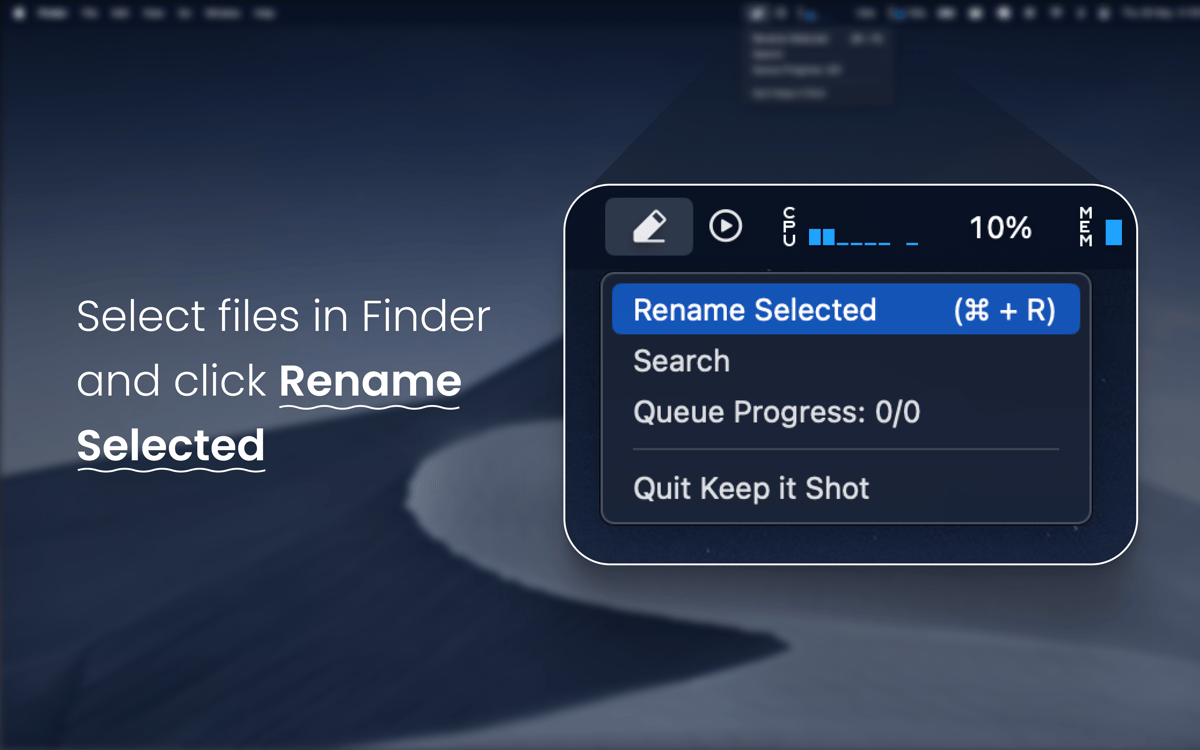
Mude os nomes em lote
Não perca tempo gerenciando capturas ou gravações de tela. Basta selecionar várias delas e deixar que o Keep It Shot gere os nomes apropriados para cada arquivo.
Reverta os nomes
Não gostou do nome que o app gerou para um arquivo? Basta revertê‑lo ao original com um clique.
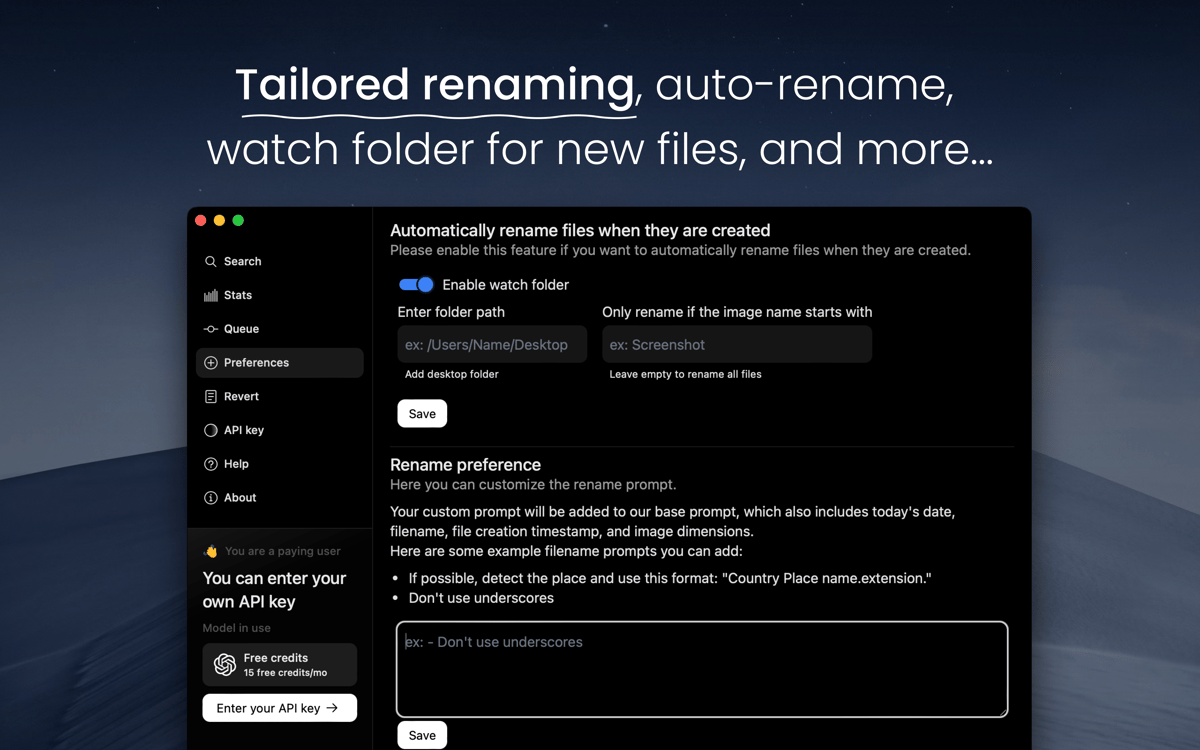
Automatize a renomeação
Para que o Keep It Shot renomeie as capturas de tela de acordo com o conteúdo assim que você as cria, só é preciso configurar o app e personalizar essa opção para ter resultados mais precisos.
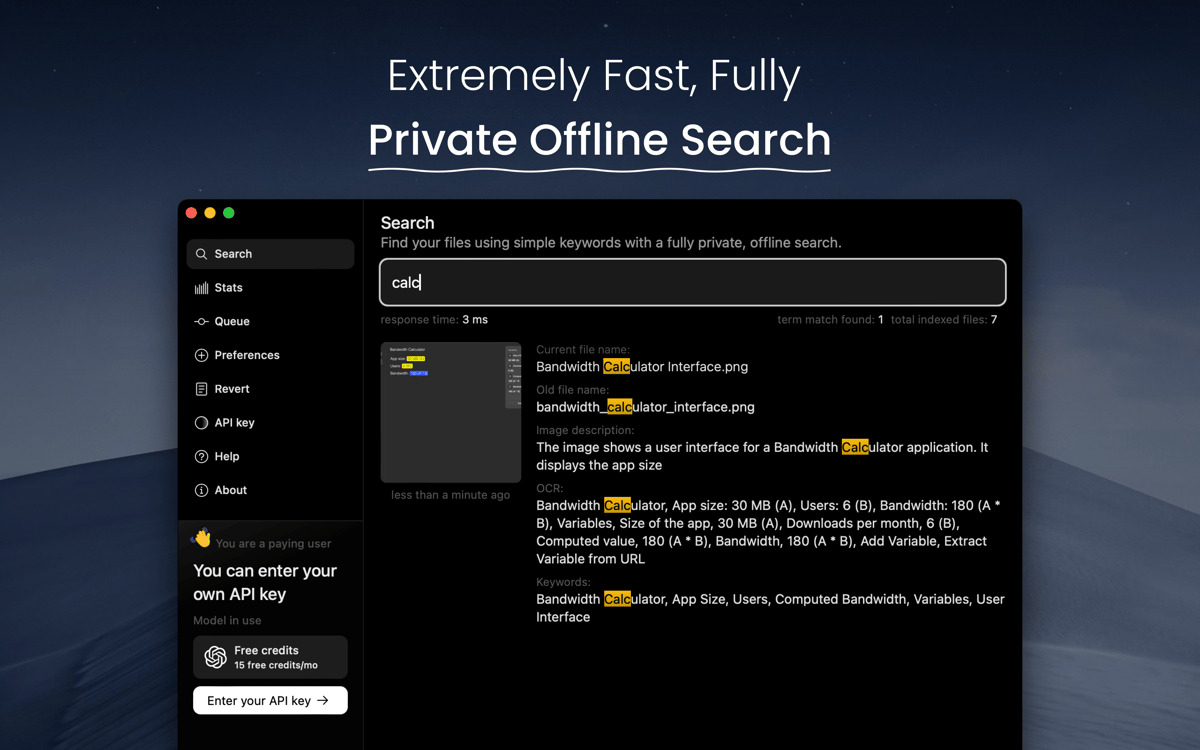
Busque os arquivos renomeados
Qual é o sentido de renomear as capturas de tela se você não pode buscá‑las? Use a busca off‑line e privada do Keep It Shot para pesquisar itens específicos na biblioteca.
Classificações e avaliações
Keep It Shot
•
245 classificações
Patrick Butler
30 de set. de 2026
Versão do app: 0.1.5
Buggy and seems to no longer work with the latest Mac OS
J
15 de mai. de 2026
Versão do app: 0.1.5
Great app, but needs to be updated.
Tad G
18 de mar. de 2026
Versão do app: 0.1.5
One of my most important apps now!
Obtenha centenas de apps com o Membership
Obtenha um membership do Setapp e use centenas de apps estelares numa única assinatura.
Experimente grátis por 7 dias. Depois, pague um valor único.
Instale o Setapp no Mac
Explore apps para Mac, iOS e web. Encontre formas fáceis de lidar com as tarefas do dia a dia.

Obtenha o app que chamou sua atenção
Aquele app especial está esperando você no Setapp. Instale‑o com um clique.

Keep It Shot
Escolha uma assinatura
Um ou mais apps com um membership do Setapp. Obtenha os apps que você quer.

Obtenha centenas de apps com o Membership
Obtenha um membership do Setapp e use centenas de apps estelares numa única assinatura.
Experimente grátis por 7 dias. Depois, pague um valor único.
1
Instale o Setapp no Mac
Explore apps para Mac, iOS e web. Encontre formas fáceis de lidar com as tarefas do dia a dia.
2
Obtenha o app que chamou sua atenção
Aquele app especial está esperando você no Setapp. Instale‑o com um clique.
Keep It Shot
3
Escolha uma assinatura
Um ou mais apps com um membership do Setapp. Obtenha os apps que você quer.
A casa dos melhores apps
Desde tarefas rotineiras e de planejamento a atividades criativas e de programação, encare suas tarefas com os apps do Setapp.

TypingMind
IU alternativa para conversar com IA
gere ou resuma textos
use uma biblioteca de ações
IA

Spark Mail
Gerencie e‑mails
IA

CleanMyMac
Limpe os detritos

Bartender
Personalize a barra de menus

CleanShot X
Capturas de tela versáteis

Luminar Neo
Edite suas fotos
IA

ClearVPN
Conecte‑se com mais segurança

Craft
Trabalhe com documentos
IA
Keep It Shot
Use IA para renomear capturas