
Keep It Shot
Rename screenshots with AI
Mac
Version 0.1.5
macOS 10.15 or later
548.9 MB
1 languages
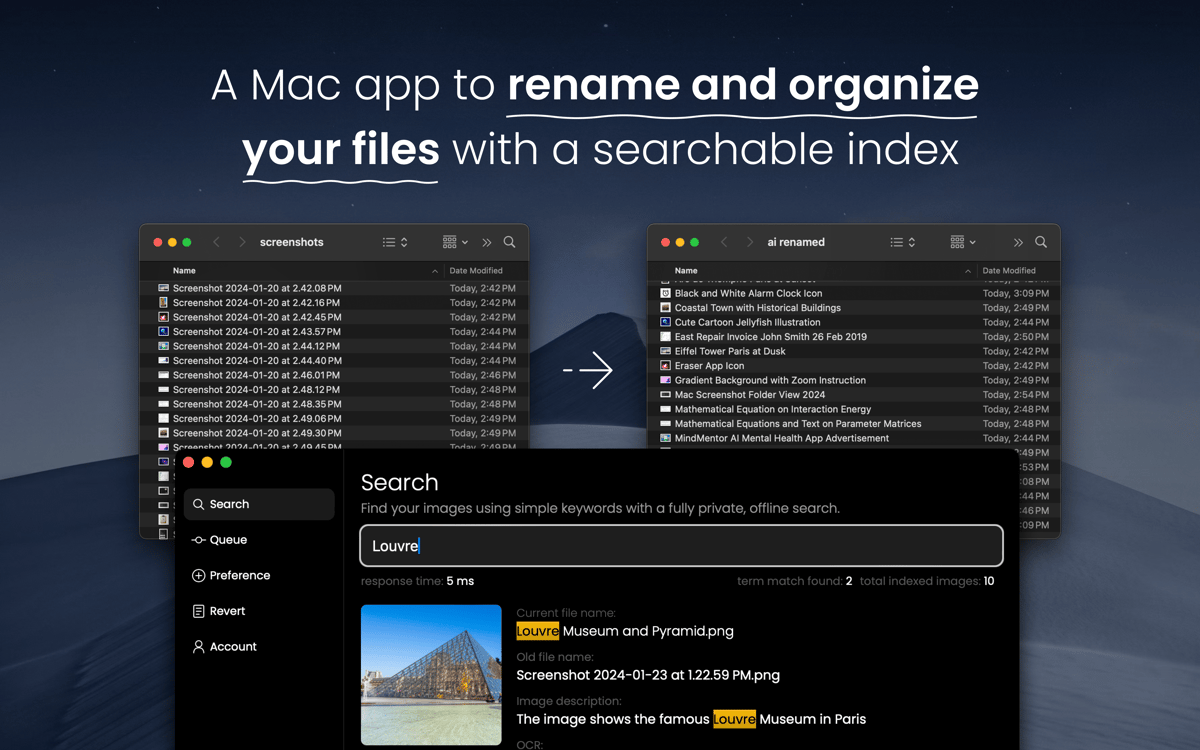
Rename images and videos in bulk with Keep It Shot. This AI-powered app generates meaningful names for your files that reflect the content of your screenshot for easier file management and search.
Generate meaningful file names in moments
Rename screenshots and videos in bulk
Use private built-in search
Automate screenshot renaming
Keep It Shot features
Rename screenshots
Add meaningful names to your screenshots in moments with this AI-powered helper. The app uses AI to analyze your screenshot and generate a name for it that makes it easier to search and file.
Change names in batches
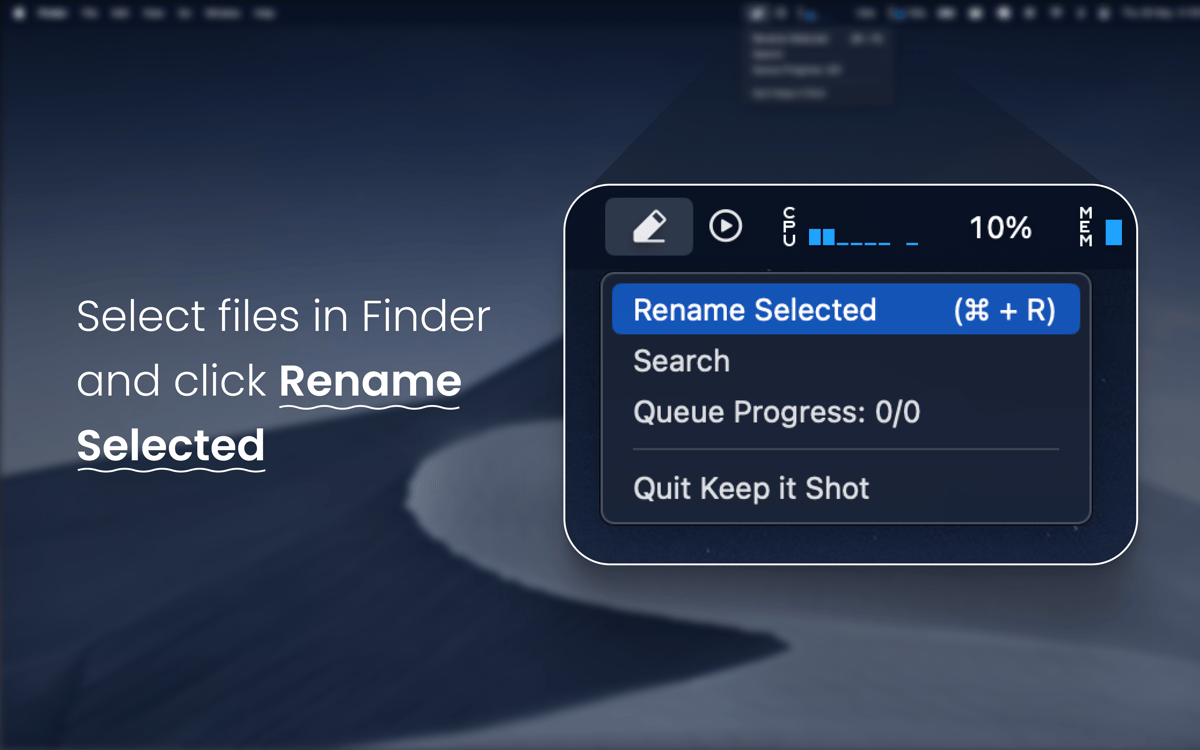
Don’t waste any time managing your screenshots or screen recordings — simply select multiples and let Keep It Shot generate meaningful names for your files.
Revert names
Don’t like a filename that the app generated? No problem — simply revert it back to your file’s original name in just a click.
Automate your renaming
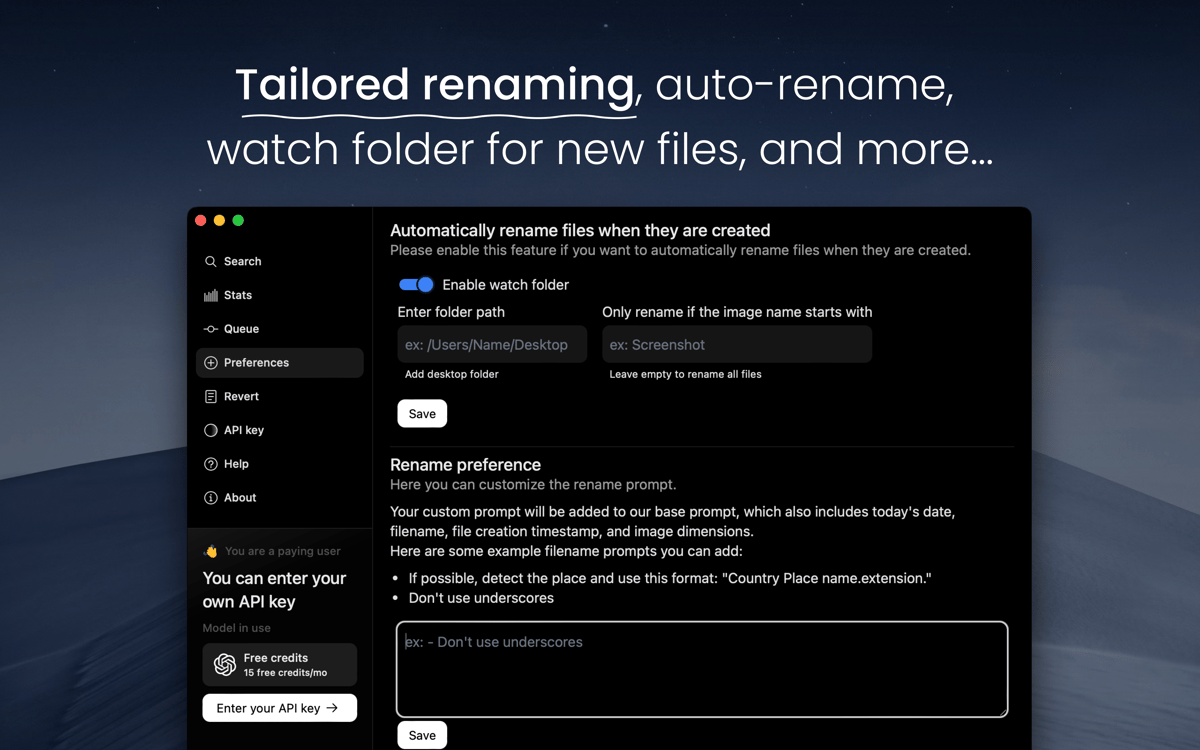
If you want all your screenshots neatly named according to their content as soon as they are created, set Keep It Shot to automatically rename your files. Customize the rename prompt for more precise results.
Search renamed files
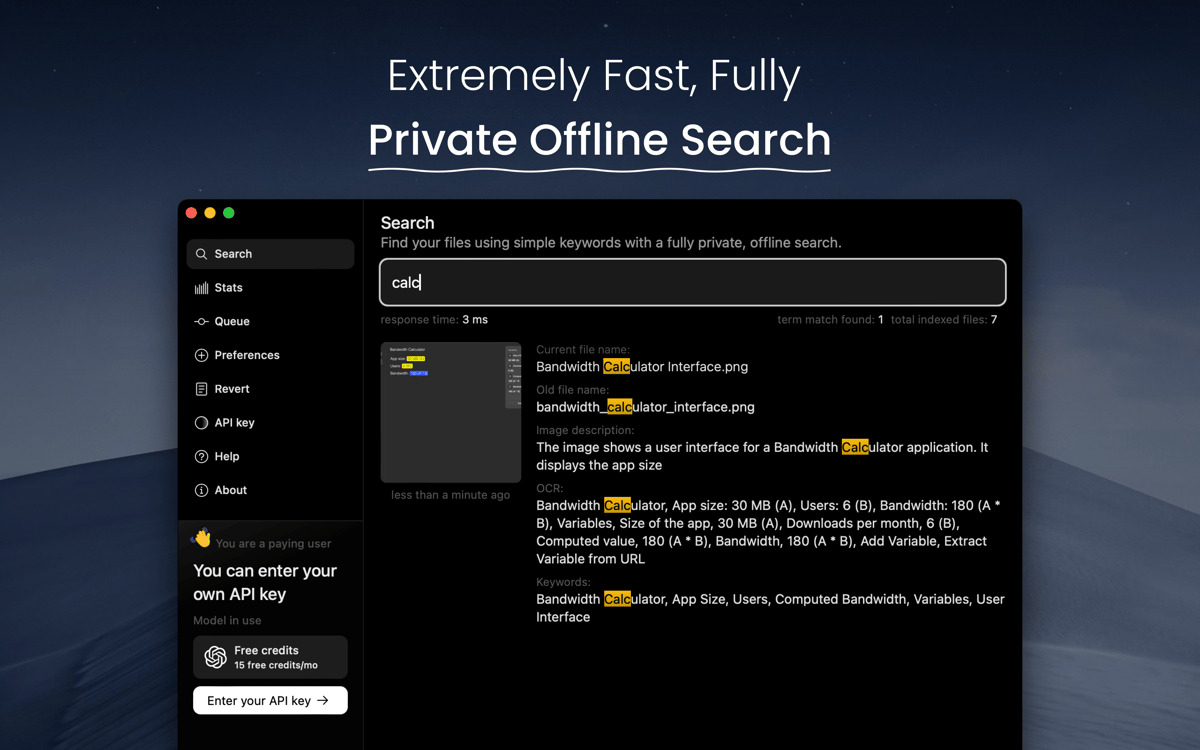
What’s the point of renaming your screenshots to reflect their content unless you can search them? Use Keep It Shot’s built-in private offline search to look for specific items in your library.
Ratings and reviews
Keep It Shot
•
245 ratings
Patrick Butler
Sep 30, 2026
App version: 0.1.5
Buggy and seems to no longer work with the latest Mac OS
J
May 15, 2026
App version: 0.1.5
Great app, but needs to be updated.
Tad G
Mar 18, 2026
App version: 0.1.5
One of my most important apps now!
Get hundreds of apps with Membership
Become Setapp member and use hundreds of stellar apps with one subscription.
Try 7 days free, then pay one simple fee.
Install Setapp on Mac
Explore apps for Mac, iOS, and web. Find easy ways to solve daily tasks.

Get the app you came for
That one shiny app is waiting inside Setapp. Install with a click.

Keep It Shot
Choose your subscription
One app or more with a Setapp membership. Get apps the way you want.

Get hundreds of apps with Membership
Become Setapp member and use hundreds of stellar apps with one subscription.
Try 7 days free, then pay one simple fee.
1
Install Setapp on Mac
Explore apps for Mac, iOS, and web. Find easy ways to solve daily tasks.
2
Get the app you came for
That one shiny app is waiting inside Setapp. Install with a click.
Keep It Shot
3
Choose your subscription
One app or more with a Setapp membership. Get apps the way you want.
Home to the top apps
From planning and routine tasks to creative pursuits and coding, tackle tasks with apps on Setapp.


Keep It Shot
Rename screenshots with AI