
Usage
Monitore seus dispositivos
Mac, iOS
Versão 2.16.3
macOS 14.0 ou posterior
152.7 MB
13 idiomas
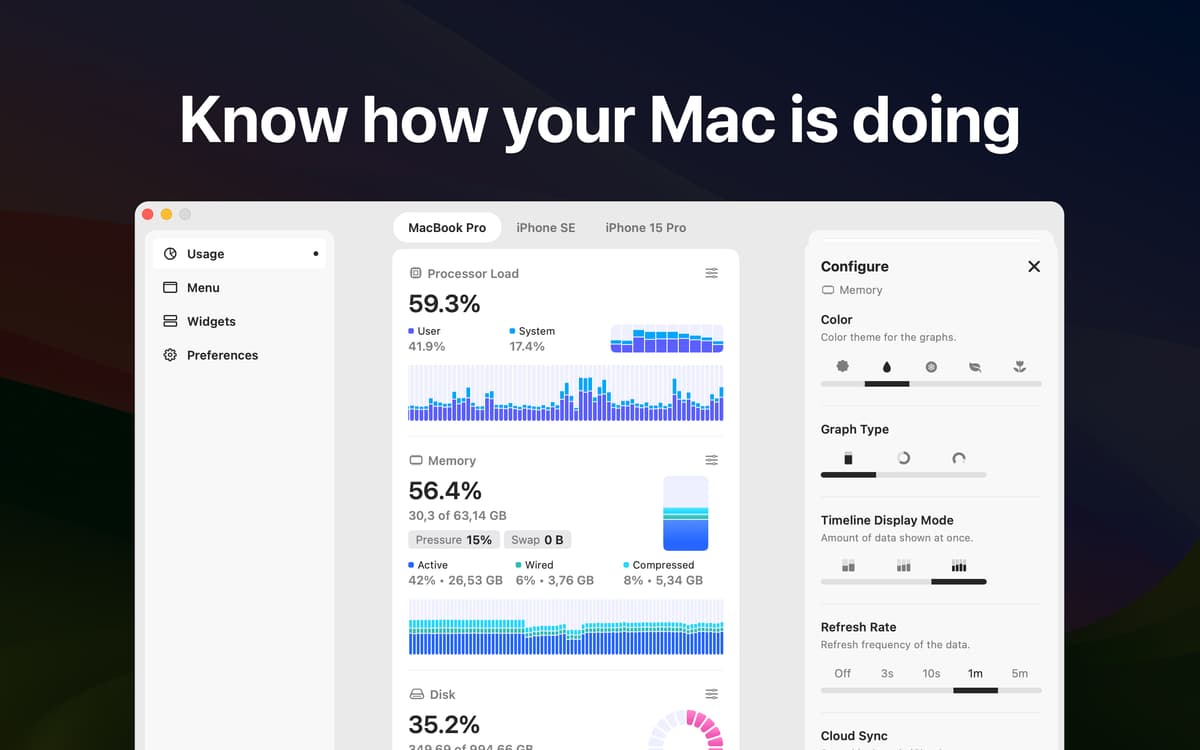
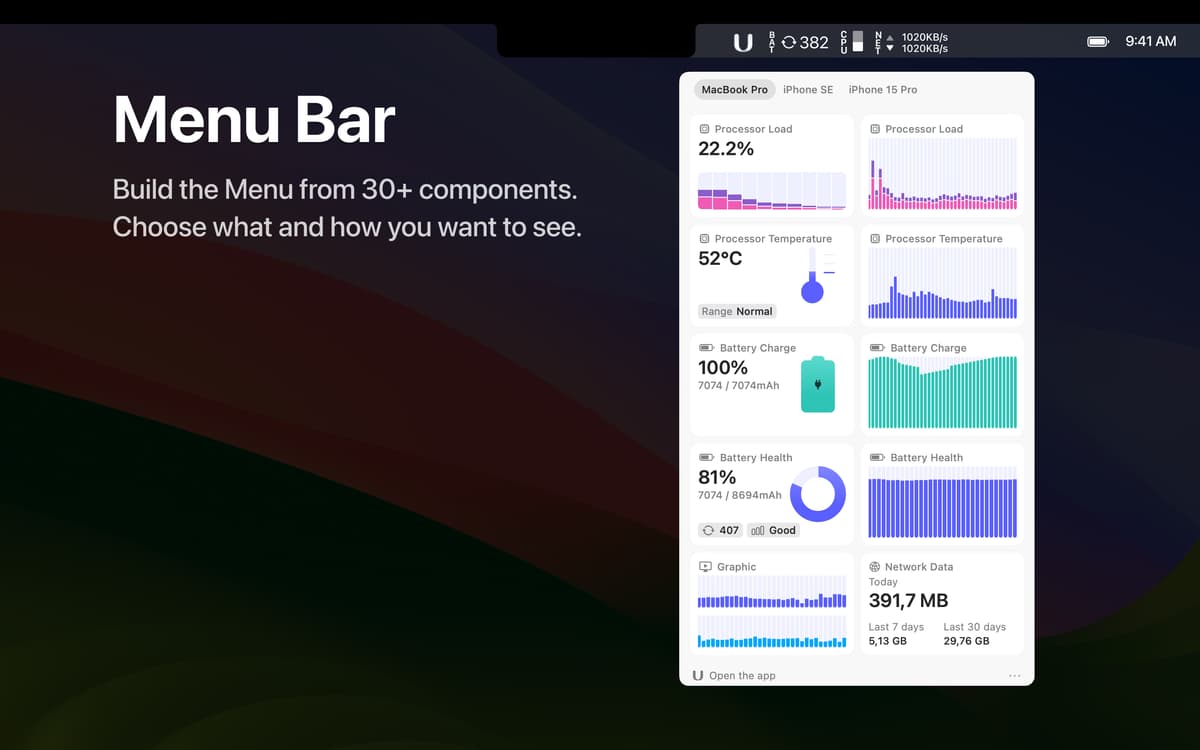
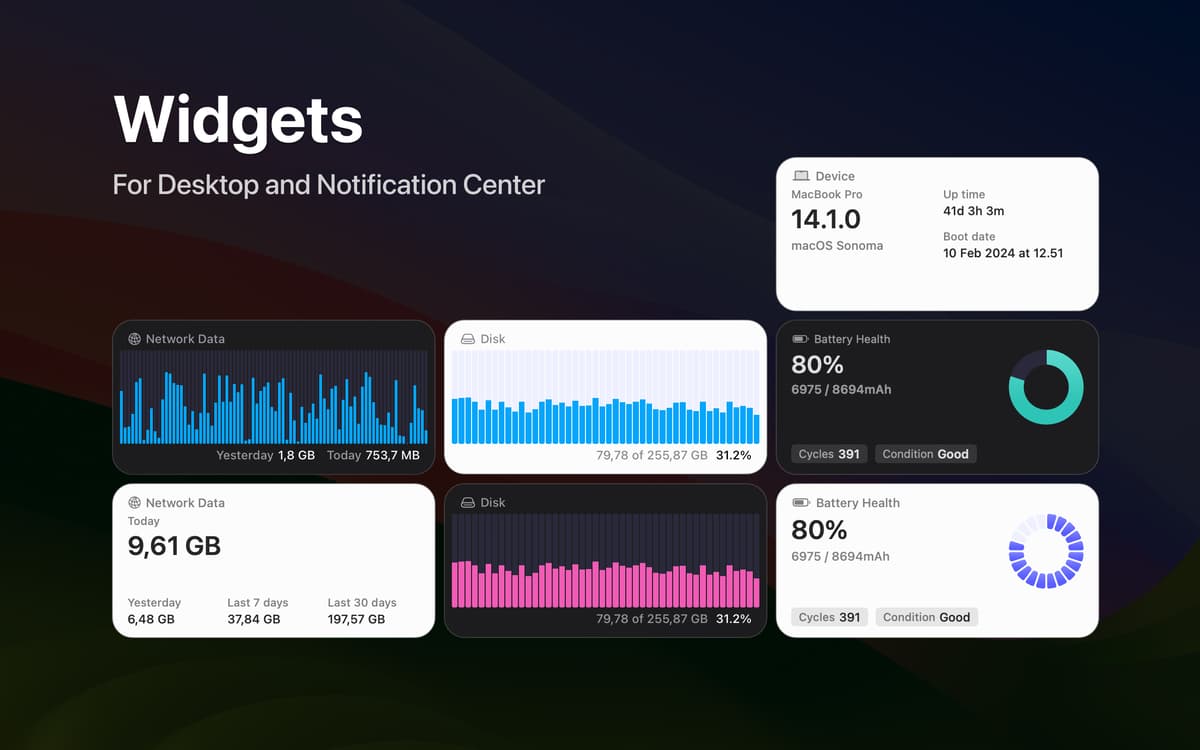
Você tem um Mac ou iPhone? Use este utilitário para ver como está o desempenho dos seus dispositivos. O Usage permite ver facilmente a carga do processador, o uso de memória, a conectividade de rede, a saúde e carga da bateria e muito mais, seja via widgets, na barra de menus ou no app.
Monitore a carga do processador
Veja a saúde da bateria
Verifique o uso de memória
Veja informações sobre a atividade de rede
Recursos do Usage
Acompanhe a carga do processador
Fique de olho na carga do processador durante o dia com o prático monitor de CPU do Usage: compare as cargas de usuário e do sistema e veja a carga por núcleo. Veja ainda os dados de temperatura do processador.
Verifique o uso de memória
Veja a carga do disco e explore a carga de RAM nas seções correspondentes no Usage. Visualize a alocação de troca de memória e a pressão para entender melhor o uso de memória no dispositivo.
Monitore a saúde da bateria
Descubra as condições, saúde e número de ciclos atuais da bateria, numa seção dedicada à bateria do dispositivo no app. Fique de olho nos níveis de bateria dos dispositivos conectados via Bluetooth.
Personalize a aparência
Ajuste como os dados são exibidos para analisar e acompanhar as informações de maneira mais fácil. Nos ajustes do app, você define o esquema de cores dos dados exibidos, a frequência de atualização dos dados, o tipo de gráfico e muito mais.
Veja em widgets ou na barra de menus
Veja todas as informações necessárias em um widget do Usage. Você também pode configurar o app para mostrar as informações mais importantes na barra de menus do Mac e poupar ainda mais tempo!
Classificações e avaliações
Usage
•
224 classificações
Marco Marrama
2 de set. de 2026
Versão do app: 2.16.3
pratico e intuitivo
Jan
29 de abr. de 2026
Versão do app: 2.16.3
Plenty of informative widgets!
Jamin
5 de dez. de 2025
Versão do app: 2.16.3
It’s okay, I like the looks but would like to be able to see more details
Obtenha centenas de apps com o Membership
Obtenha um membership do Setapp e use centenas de apps estelares numa única assinatura.
Experimente grátis por 7 dias. Depois, pague um valor único.
Instale o Setapp no Mac
Explore apps para Mac, iOS e web. Encontre formas fáceis de lidar com as tarefas do dia a dia.

Obtenha o app que chamou sua atenção
Aquele app especial está esperando você no Setapp. Instale‑o com um clique.

Usage
Escolha uma assinatura
Um ou mais apps com um membership do Setapp. Obtenha os apps que você quer.

Obtenha centenas de apps com o Membership
Obtenha um membership do Setapp e use centenas de apps estelares numa única assinatura.
Experimente grátis por 7 dias. Depois, pague um valor único.
1
Instale o Setapp no Mac
Explore apps para Mac, iOS e web. Encontre formas fáceis de lidar com as tarefas do dia a dia.
2
Obtenha o app que chamou sua atenção
Aquele app especial está esperando você no Setapp. Instale‑o com um clique.
Usage
3
Escolha uma assinatura
Um ou mais apps com um membership do Setapp. Obtenha os apps que você quer.
A casa dos melhores apps
Desde tarefas rotineiras e de planejamento a atividades criativas e de programação, encare suas tarefas com os apps do Setapp.

TypingMind
IU alternativa para conversar com IA
gere ou resuma textos
use uma biblioteca de ações
IA

Spark Mail
Gerencie e‑mails
IA

CleanMyMac
Limpe os detritos

Bartender
Personalize a barra de menus

CleanShot X
Capturas de tela versáteis

Luminar Neo
Edite suas fotos
IA

ClearVPN
Conecte‑se com mais segurança

Craft
Trabalhe com documentos
IA
Usage
Monitore seus dispositivos