Make the most of time tracking
Tick-tock is no TikTok. And if there’s too much TikTok in your life, you’ll inevitably feel pressed for time — all the time. Read our time tracking tips to hit your deadlines stress-free.
Time tracking tools that won’t stress you out
Eliminate all hard and fast rules
People who say they hate Pomodoro usually hate it because “I don’t want anyone to decide for me if I should focus for 25 minutes or 5!” And you’re totally right. Everyone’s attention span is different, and even though you should try and train your brain to stay focused, a strict timeline is not the best way to achieve this.
Go flexible with Session, a Pomodoro tracker that lets you set up your custom work and rest sessions. At the end of each session, you’ll be asked to rate it — add a personal note or just choose a smiley to indicate how the session went for you.
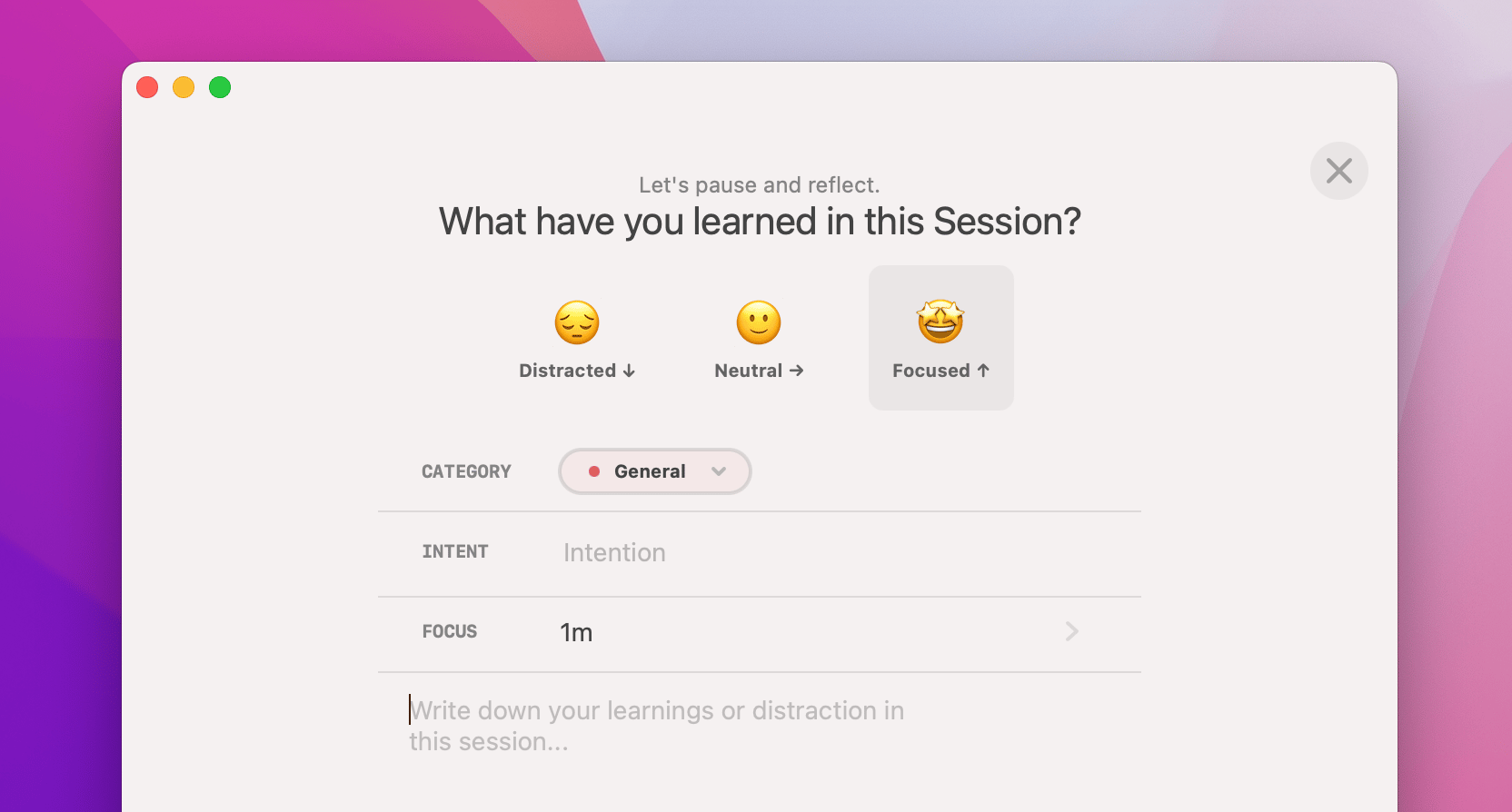
And here’s a hack: experiment with different time spans for different tasks during a few days, and then compare how you’ve rated the sessions over those days. See a trend? Congrats, you’ve found your perfect focus time!
If rating sessions is too much of a trouble for you, a simpler flexible timer you might like is Be Focused. Jot down your to-dos for today and set a timer for each of them — all of that is done in a handy menu bar app. You can break big tasks into as many small ones as you like, and assign custom timers on the go.
Automate time tracking
If time tracking feels like an additional task on your to-do list, and you don’t want to waste time on it, try automatic time tracking.
Timing is our all-time favorite for background time tracking. Log your major projects and Timing will do its work, tracking how much time you spend on each of them. Timing achieves this by tracking how your usage of apps and documents on Mac.
What’s more, Timing syncs with your calendar, so it takes into account all your meetings (warning: you might be horrified by how much time you spend in meetings!)
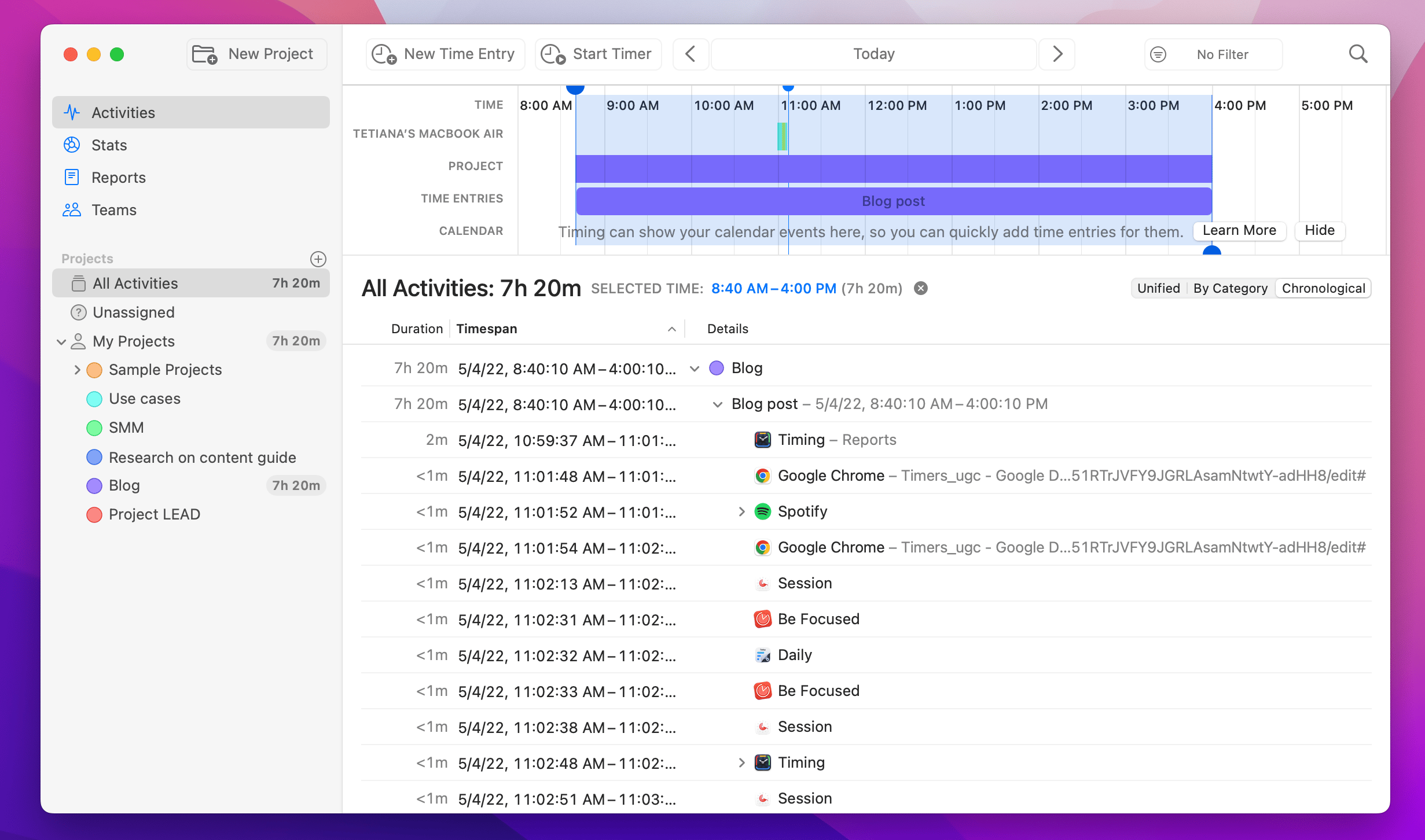
If you don’t need to track everything (we get it, no one wants to know how much time they spend on Twitter), Timemator has a more project-focused approach. You can set up your own rules — let’s say, track time when you work in Google Docs, Ulysses, and Grammarly (the tools you use for your writing project). It’s very easy to then turn Timemator’s tracking results into reports for your clients and have all your billable hours calculated automatically.
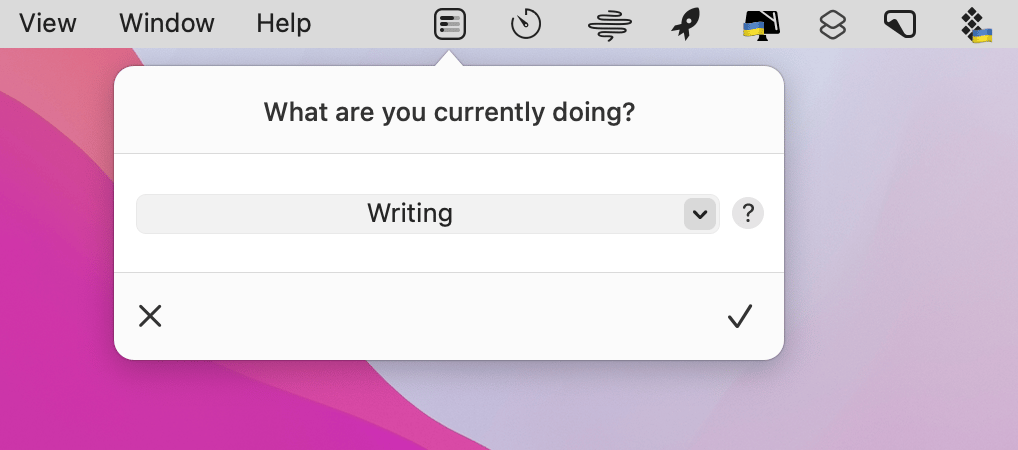
You can also have your timesheets managed by Daily, an app that is more of a buddy who checks in on you rather than a time tracking tool, really. You can set up a timer for any activity manually, but what’s really neat is that Daily can just ask you what you’re working on and log your activities in this way. So you don’t have to keep any timers in mind, Daily got it.
Take meeting minutes
Nothing can burn daylight faster than online meetings. Here’s an interesting way to try and fix this: take meeting notes. NotePlan has a fully automated flow for adding meeting notes to your calendar events. How does it help? When you look at the notes at the end of the day, you’ll see which parts of your meetings are totally unproductive and can start looking for solutions.
Hope this use case will help you solve tasks faster, and enjoy solving them, too! Check out more use cases picked for you below.