
DCommander
Manage files in a dual-pane view
Mac
Version 3.10.0
macOS 11.0 or later
11.2 MB
3 languages
DCommander is a straightforward file manager built to handle jobs of any size. Its dual-panel interface is the fastest way to copy files and keep track of both source files and destination files, reducing guesswork and ensuring the transparency of each operation. Packed with supportive features, the app is a one-stop multifunctional toolkit that provides effective consistency. Some features make file management accessible and easy for beginners; others give more complex options to seasoned coders. The app interface is designed to make any sync or transfer easy, with pop-out windows, convenient tabs, and other user-friendly touches. Take the fear out of technical work with DCommander and manage files confidently.
Drag and drop files through the operating system
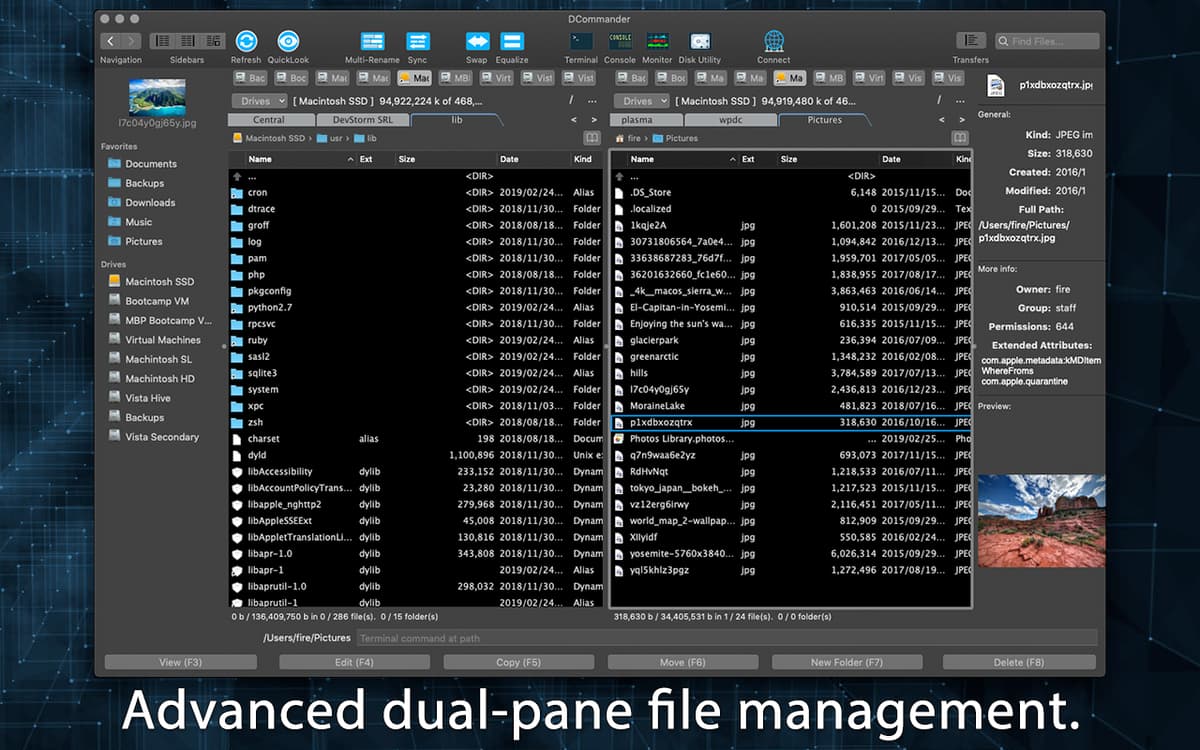
Get better data visualization with dual-pane UI
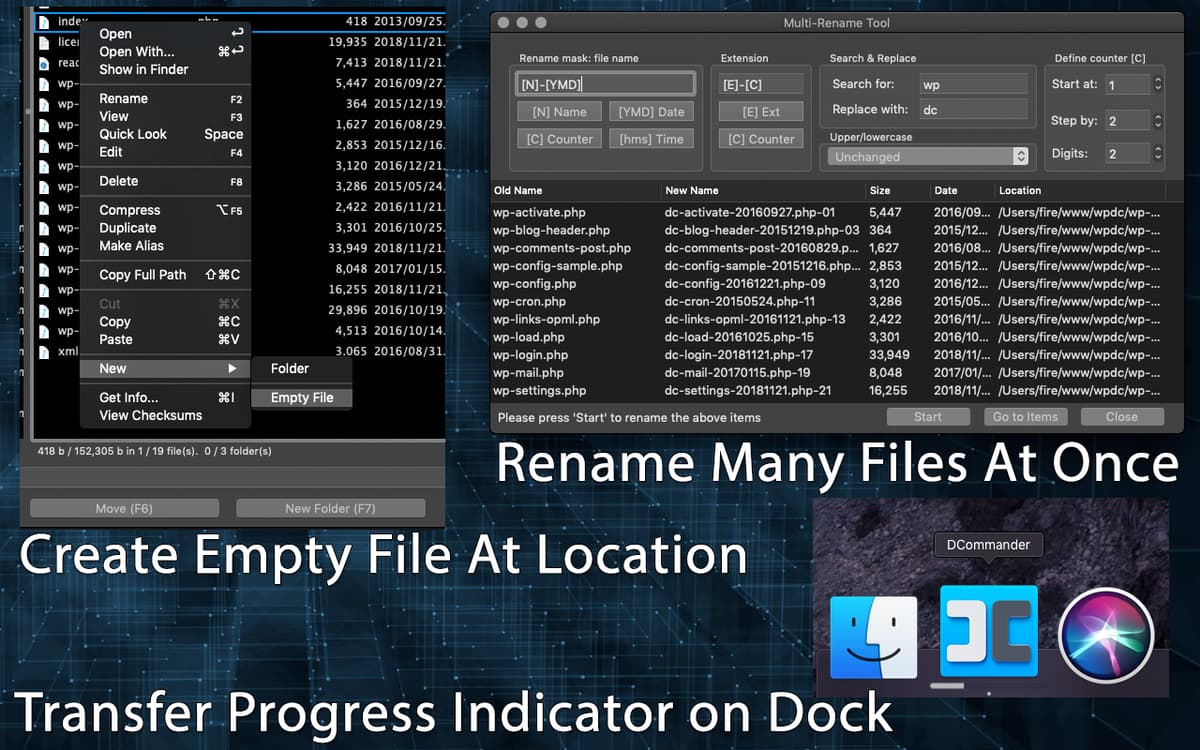
Transfer, batch rename, and create empty files
Add outside storage and remote connections
DCommander features
Dual-pane interface
DCommander is a two-pane file manager that gives you a side-by-side view of any two locations on your computer or network. Whether you’re syncing, moving, or condensing your target files, you always have a sense of where they’re coming from, and where they’re headed. This intuitive dual-panel display makes connections and transfer direction easy to read, whether you’re working between folders or between servers.
Quick batch operations
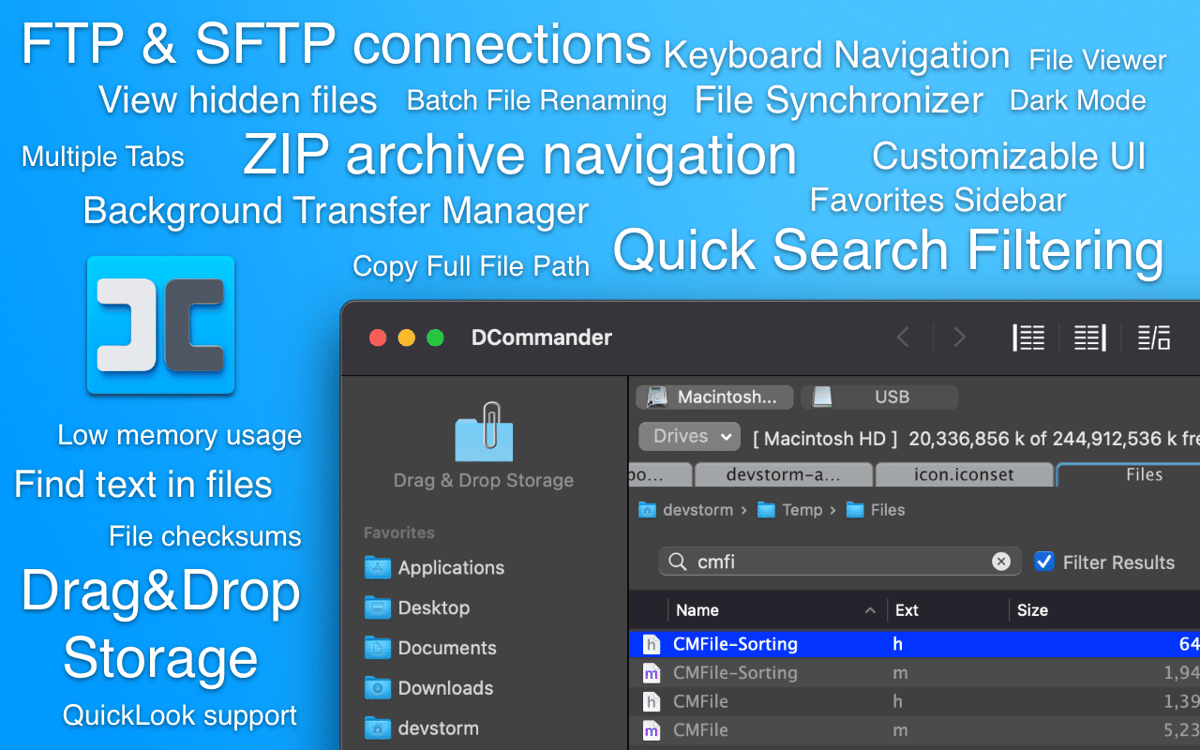
The app’s batch processing features make it easy to handle a high volume of files at once and copy files faster overall. Batch process whole folders with just a click, cutting down on repetitive busywork. DCommander’s tab feature allows you to set up and manage multiple files at once, so you’re never stuck waiting for a transfer to finish.
Customizable appearance
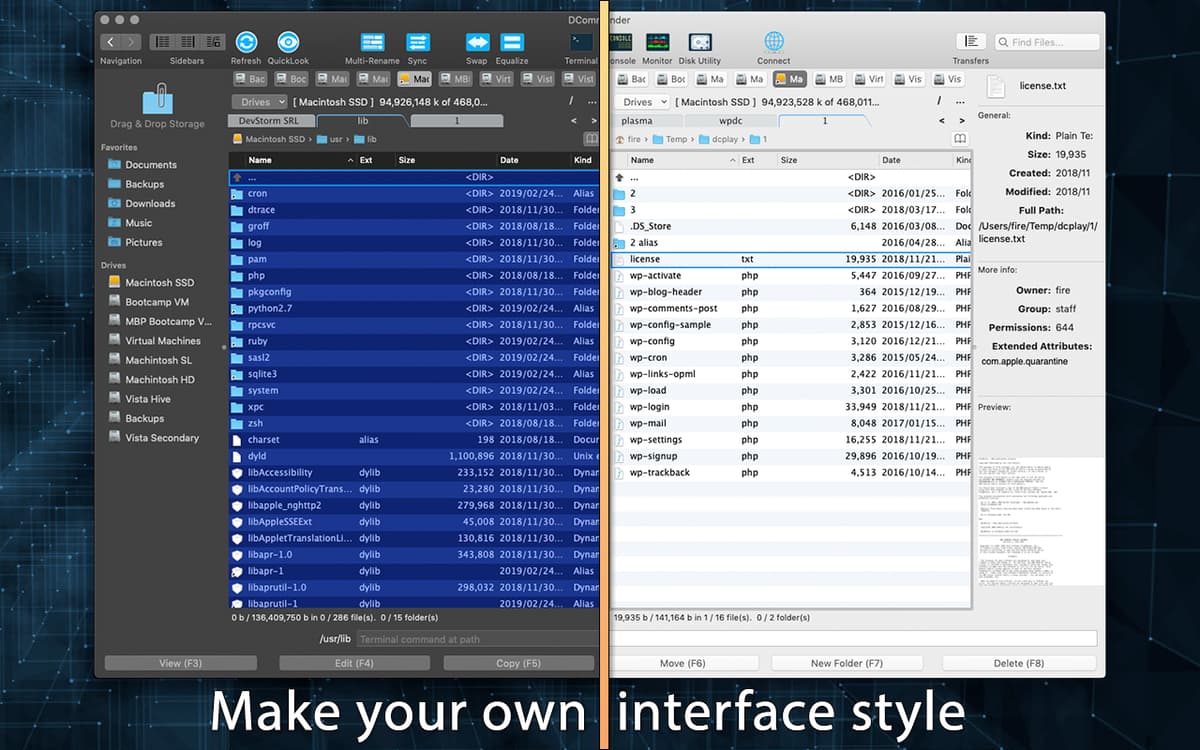
DCommander looks right at home on your Mac with a slick, lightweight look. Its intuitive interface assigns large, colorful icons to the app’s main functions so beginners can get the hang of it quickly. Users can switch between the standard view and a darkened night-time mode designed to relieve late-night eyestrain.
Seamless background work
File transfers, especially complicated ones, don’t happen instantly. With the app’s background transfer manager, you can keep an eye on how your operations are going without opening the app menu. A quick click in the menu bar lets you see how far along your syncs and transfers are and alerts you to any issues that might need a closer look.
Deep dives for pro-level users
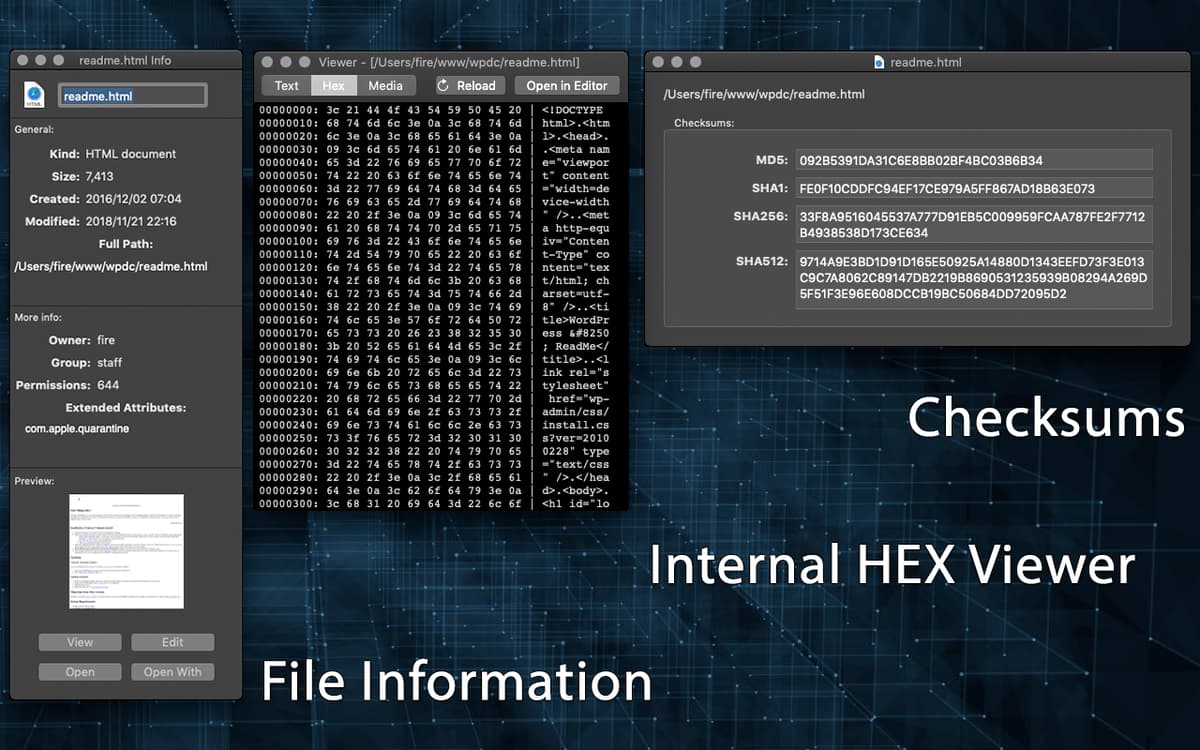
While accessible to beginners, DCommander also packs the tools more advanced users need to get the job done. A HEX viewer, checksums, and in-depth file information features give you all the detail you need to make an informed decision about where, when, and how to move your files.
Outside storage assistance
A built-in manager makes adding outside servers and other storage setups a snap. Not only can you connect with FTP and SCP drives, you can even preview and open non-local files on those drives. It’s just another way Dcommander gives you total access when you need it.
Ratings and reviews
DCommander
•
157 ratings
Mark Geib
Sep 13, 2025
App version: 3.9.8
Very Robust with excellent command set!
A
Apr 20, 2025
App version: 3.9.7
Keeps crashing…to remove connection from connection list, crash. Disconnect, crash. I almost lost count how many times it crashed. Also while connecting, I wish I could see the log connection like Filezilla to see what’s wrong if a connection fails.
Web Bixby
Apr 17, 2025
App version: 3.9.7
For what it is supposed to do I find it complicated and coud use a much better user interface.
Get hundreds of apps with Membership
Become Setapp member and use hundreds of stellar apps with one subscription.
Try 7 days free, then pay one simple fee.
Install Setapp on Mac
Explore apps for Mac, iOS, and web. Find easy ways to solve daily tasks.

Get the app you came for
That one shiny app is waiting inside Setapp. Install with a click.

DCommander
Choose your subscription
One app or more with a Setapp membership. Get apps the way you want.

Get hundreds of apps with Membership
Become Setapp member and use hundreds of stellar apps with one subscription.
Try 7 days free, then pay one simple fee.
1
Install Setapp on Mac
Explore apps for Mac, iOS, and web. Find easy ways to solve daily tasks.
2
Get the app you came for
That one shiny app is waiting inside Setapp. Install with a click.
DCommander
3
Choose your subscription
One app or more with a Setapp membership. Get apps the way you want.
Home to the top apps
From planning and routine tasks to creative pursuits and coding, tackle tasks with apps on Setapp.


DCommander
Manage files in a dual-pane view