
BusyCal
Sync your tasks with calendar

Mac
Version 2026.4.2
macOS 13.5 or later
113.3 MB
11 languages
When your day is scheduled down to the minute, you need a calendar that isn’t another chore to use. Enter BusyCal, an elegant and easy to use calendar designed to make your life easier. Packed with handy features like travel time trackers, integrated to-do lists, and quick-add events, it’s sure to save you time and stress. Plus, its immediate syncing makes it easy to switch devices or manage multiple calendars for work and personal events.
Replace Calendar with a more robust solution
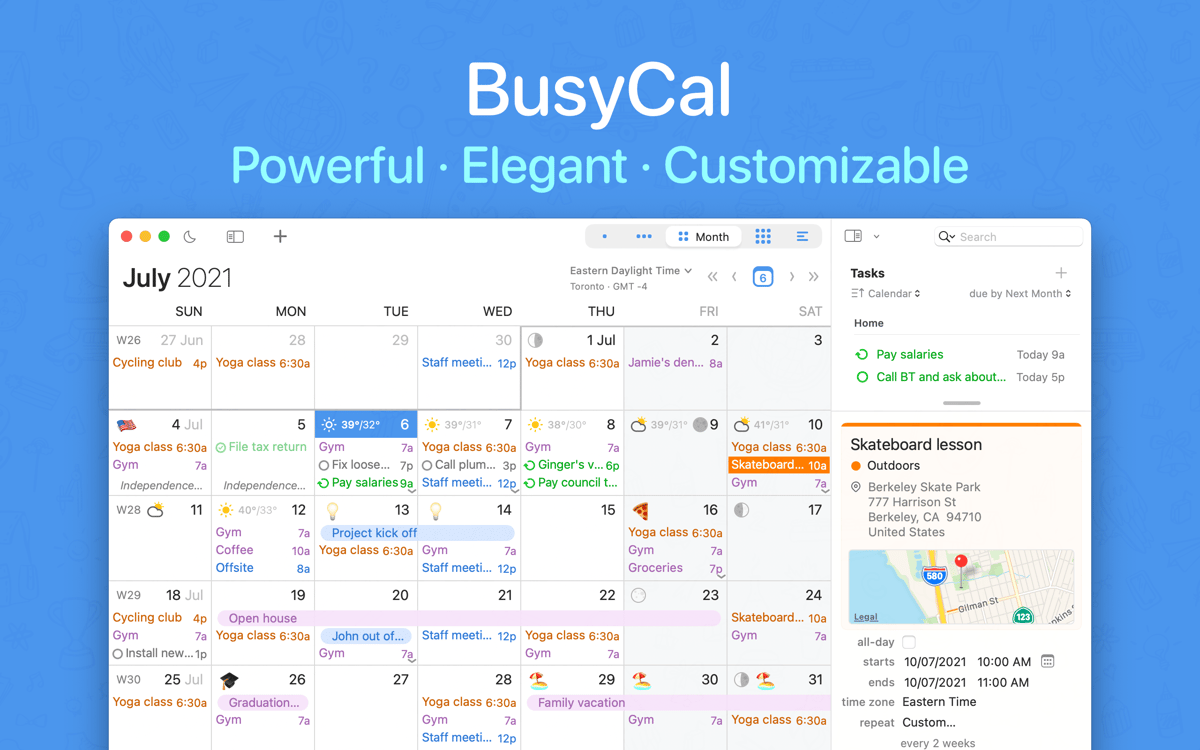
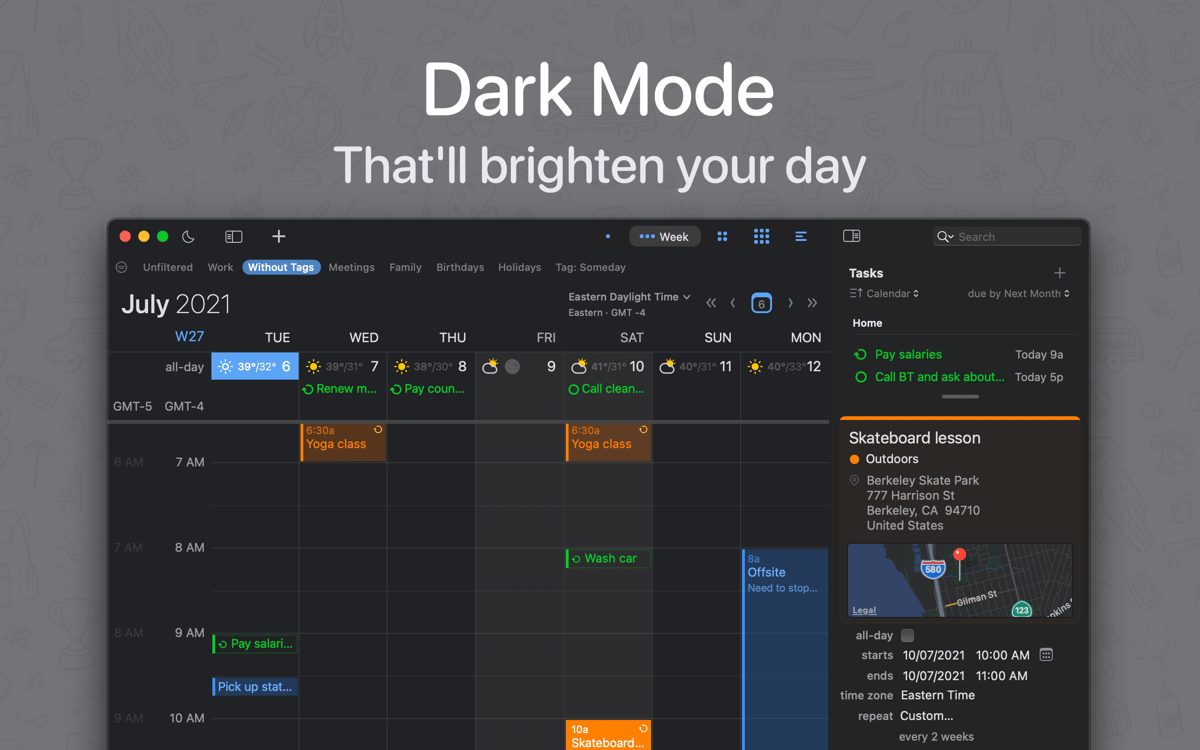
Personalise monthly, weekly, and daily views
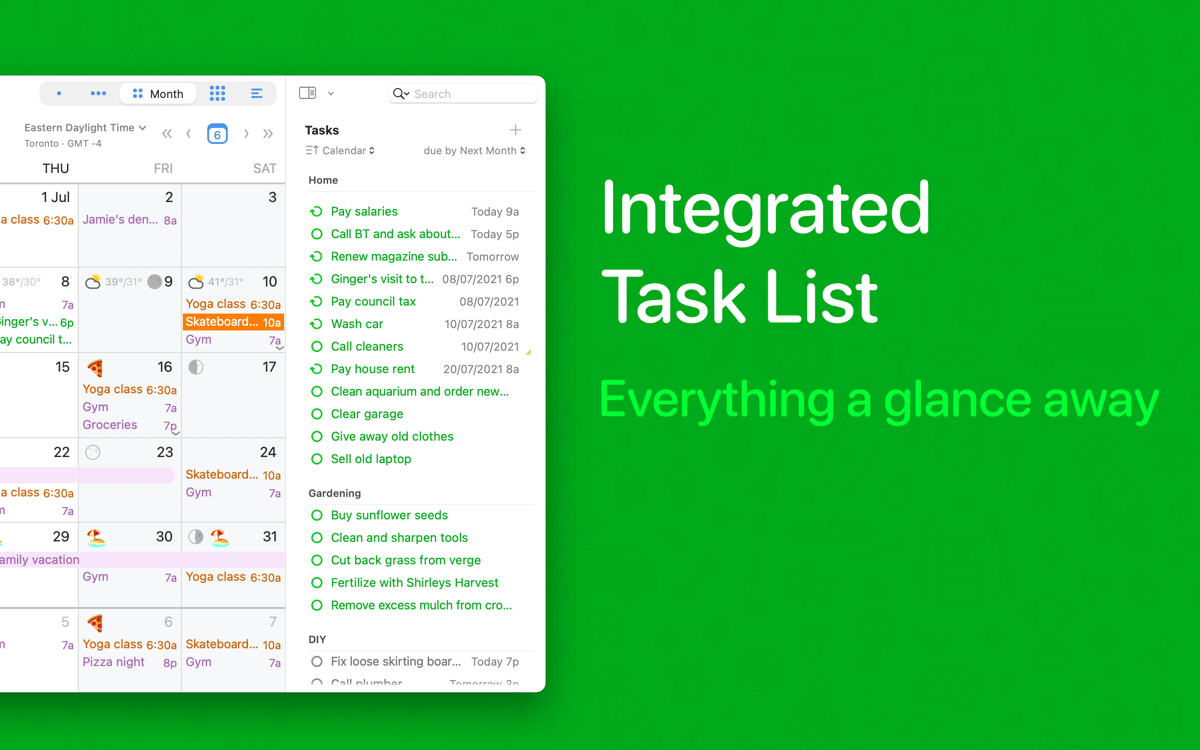
Add to-dos and weather to your calendar view
Copy and edit calendar events faster
BusyCal features
Flexible interface
Switch effortlessly between daily, monthly, and weekly view with the app’s clean and easy-to-read panel of your upcoming events. Plus, customize the layout even further. Not only can you choose font style and size, and color-code events, you can also set how many weeks are displayed in the month view and the days in the week view. The interface is built to fit your needs exactly.
Handy to-dos
Schedule and track your to-do items as the calendar seamlessly incorporates them into your life. BusyCal keeps your to-dos in sight and in mind as you go about your week, which is also great for long-term planning. In addition, your checklist syncs with other reminder apps automatically, so you’ll never lose track of what’s next. The app even has a separate to-do list display that you can access with a click.
Quick edits
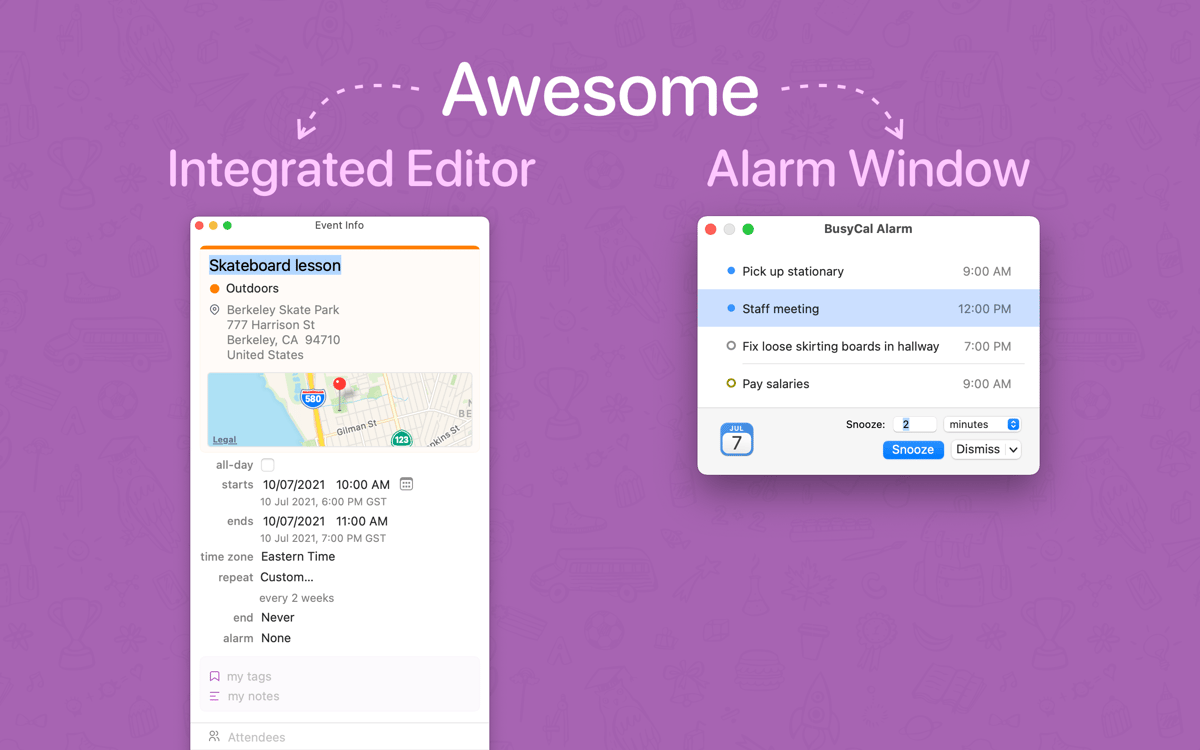
Easily add and edit events using BusyCal’s info panel feature. The panel occupies the app’s sidebar and allows you to update notes, times, tags, and locations, among other things. Best of all, the info panel itself is customizable, letting you choose the important information you want to see for different events.
Built-in travel time
Never be late again with one of BusyCal’s most useful features — its integrated travel time calculator. Scheduling events is only half the battle when you have to contend with traffic or transit problems. The app integrates with Maps and Location Services on your Mac to give you a good estimate of how long your trip should take, and lets you incorporate that time into your schedule.
Natural language
Quickly pen in events even while you multitask by writing as you speak. Type in location, participants, or time, and a natural language processor will interpret what you write and schedule it accordingly. This allows your schedule to understand words like “tomorrow” and respond to them with concrete dates, saving you the hassle of manual scheduling.
Custom alerts
Create specific reminders that work for you, from pop-up notifications to audio alerts. Alarms can be snoozed, paused, and repeated as necessary, and they work even when the BusyCal app window is closed. It’s a great way to make sure you are always on time and that careful planning pays off.
Ratings and reviews
BusyCal
•
2120 ratings
Rémi GOMES
Sep 30, 2026
App version: 2026.3.3
Je laisse un avis positif malgré le retard de mise à jour de SetApp sur la dernière version 2026.3.3 qui bogue sur l’autentification de Google Workspace. S’il vous plaît, l’équipe de SetApp, pouvez-vous valider la dernière version de Busycal.
Christian Wuest
Sep 21, 2026
App version: 2026.3.3
Please update and complete your Internet Access Policy for Little Snitch. BusyCal and BusyContacts perform connections that are not clarified why they are necessary.
Response from Developer
Sep 21, 2026
Please kindly reach out to us and let us know which connection isn’t recognized. Thanks: [email protected]
thinkmac
Sep 17, 2026
App version: 2026.3.3
I like Busycal, but.. before I installed Busycal from Setapp, I was using a non-setapp version / licence of Busycal. Now that licence has expired and since I discovered Setapp months before, I was not worried, because Busycal was one of the main reasons I subscribed Setapp. But now installed the Setapp Version which seems to use different preference files.. because all my configured calendars and settings are missing.. and it would take a lot of time to do all those configurations again. So now I am stuck to keep using my previous Busycall app which I cannot update anymore..
Get hundreds of apps with Membership
Become Setapp member and use hundreds of stellar apps with one subscription.
Try 7 days free, then pay one simple fee.
Install Setapp on Mac
Explore apps for Mac, iOS, and web. Find easy ways to solve daily tasks.

Get the app you came for
That one shiny app is waiting inside Setapp. Install with a click.

BusyCal
Choose your subscription
One app or more with a Setapp membership. Get apps the way you want.

Get hundreds of apps with Membership
Become Setapp member and use hundreds of stellar apps with one subscription.
Try 7 days free, then pay one simple fee.
1
Install Setapp on Mac
Explore apps for Mac, iOS, and web. Find easy ways to solve daily tasks.
2
Get the app you came for
That one shiny app is waiting inside Setapp. Install with a click.
BusyCal
3
Choose your subscription
One app or more with a Setapp membership. Get apps the way you want.
Home to the top apps
From planning and routine tasks to creative pursuits and coding, tackle tasks with apps on Setapp.


BusyCal
Sync your tasks with calendar