
BusyCal
Sincronize tarefas com o calendário

Mac
Versão 2026.4.2
macOS 13.5 ou posterior
112.2 MB
11 idiomas
Quando você vive com a agenda lotada, você não precisa de um calendário que seja mais uma tarefa no seu dia. Conheça o BusyCal, um calendário elegante e fácil de usar, feito para facilitar a sua vida. Com recursos práticos — como tempo de viagem, listas de tarefas integradas e adição rápida de eventos — você ganha tempo e se estressa menos. Além disso, sua sincronização imediata permite que você mude entre dispositivos ou gerencie vários calendários de eventos pessoais e profissionais.
Substitua o Calendário por uma solução melhor
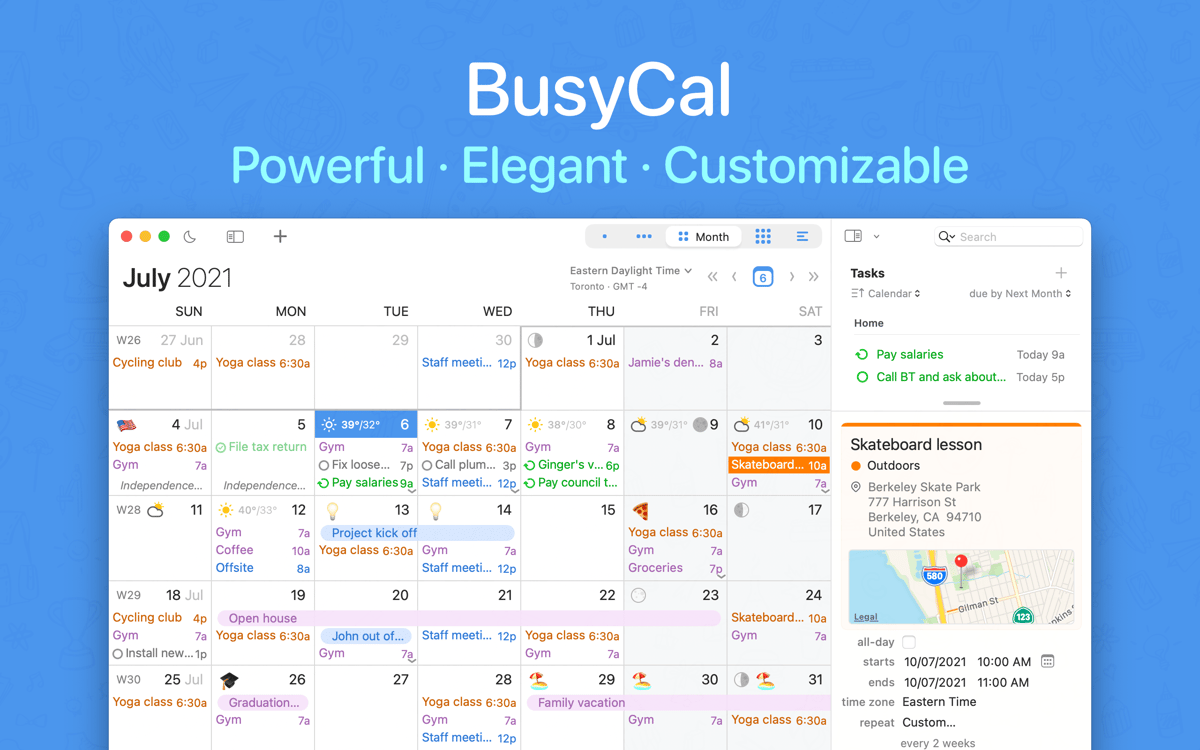
Personalize as visualizações de mês, semana e dia
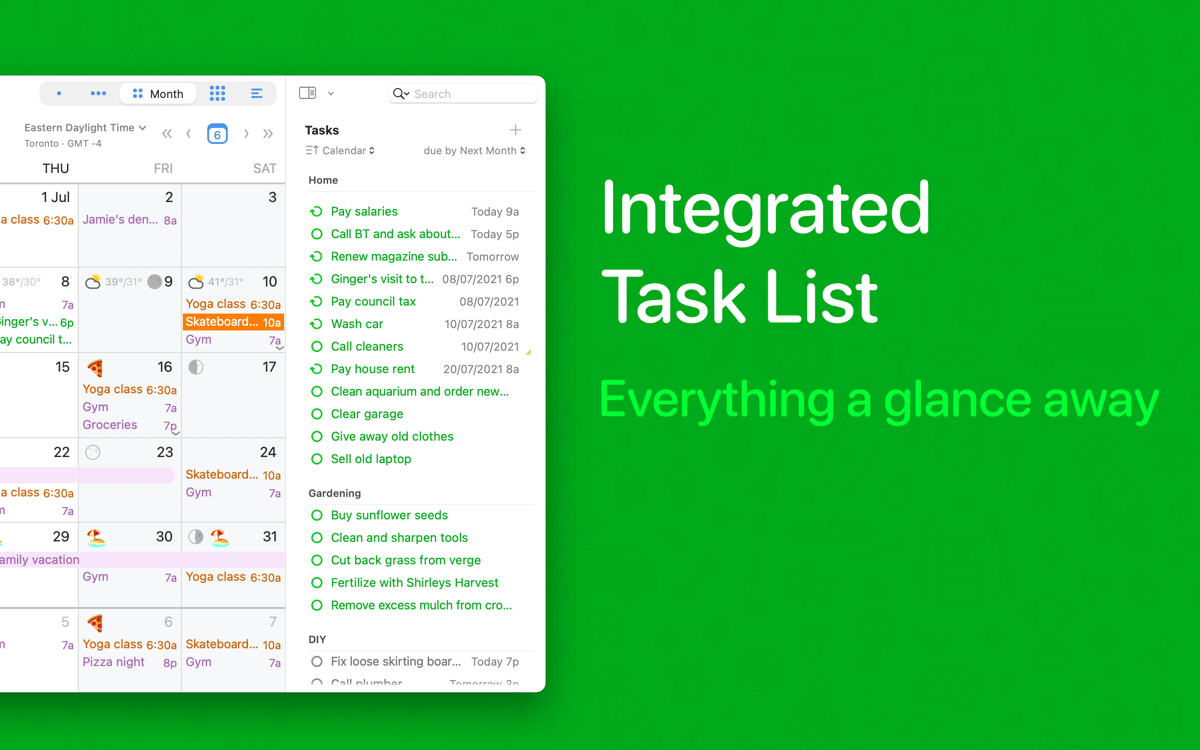
Adicione tarefas e tempo ao calendário
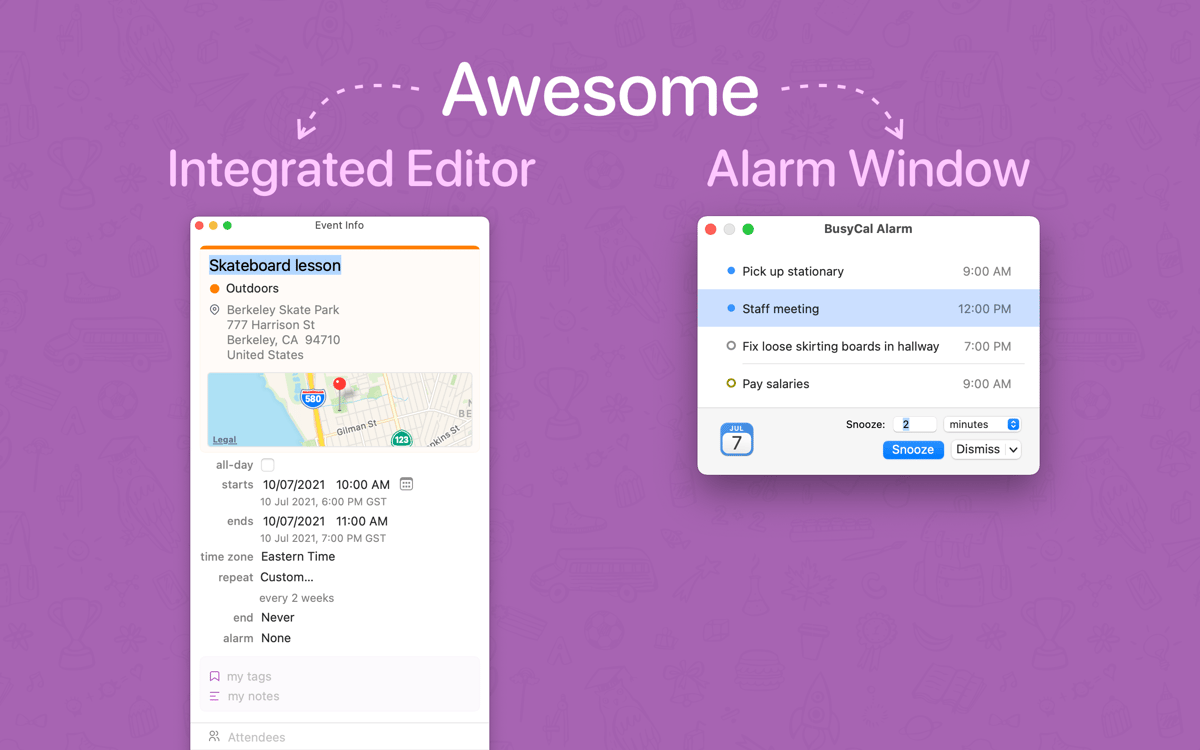
Copie e edite eventos do calendário mais rápido
Recursos do BusyCal
Interface flexível
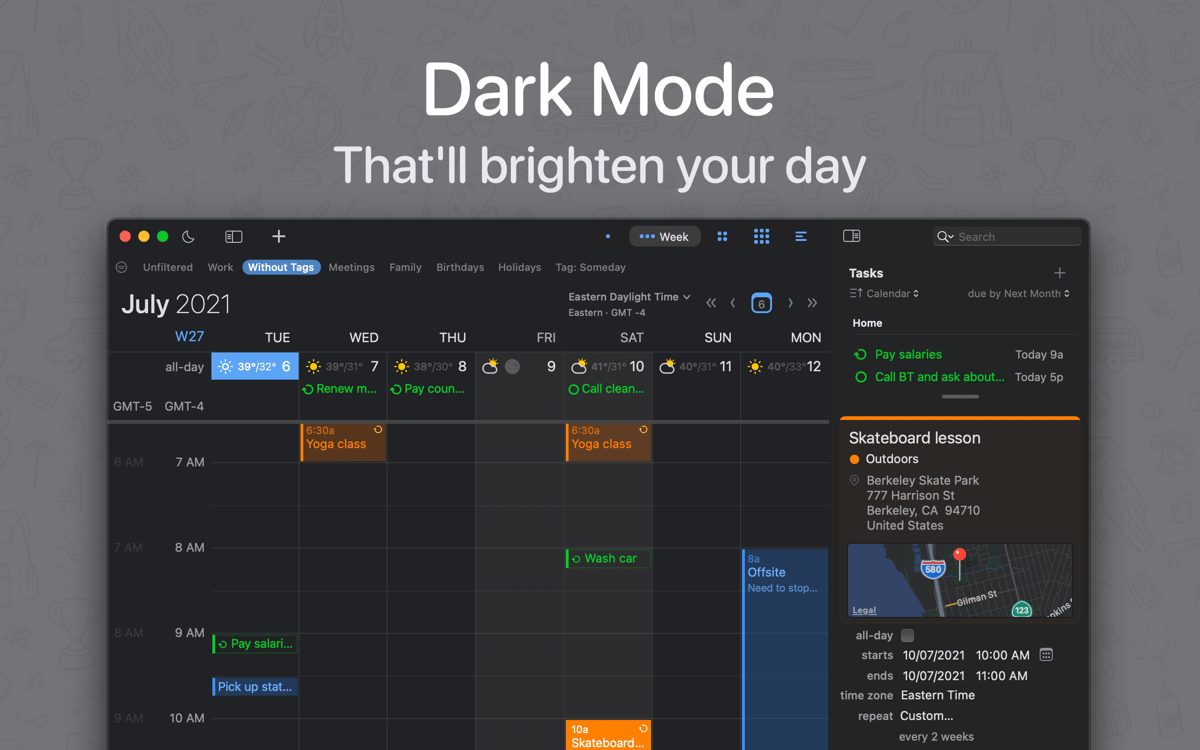
Alterne facilmente entre as visualizações diária, semanal e mensal em um painel limpo e objetivo para ver os eventos futuros. E você pode personalizar o layout extensivamente: escolher o estilo e o tamanho da fonte, aplicar cores a eventos e definir quantas semanas aparecem na visualização mensal ou quantos dias aparecem na visualização semanal. Uma interface feita para se adequar perfeitamente ao que você precisa.
Tarefas práticas
Agende e controle suas tarefas diretamente no calendário, integrando‑as ao resto dos seus compromissos. O BusyCal as mantêm em perspectiva ao longo da semana, o que também é ótimo ao fazer planos a longo prazo. Além disso, as checklists são sincronizadas automaticamente com outros apps de lembretes para que você não perca de vista o que vem a seguir. O BusyCal oferece até uma visualização independente da lista de tarefas que pode ser acessada com um clique.
Edições rápidas
Use o painel de informações do BusyCal para adicionar e editar eventos facilmente. O painel ocupa a barra lateral do app e permite que você atualize notas, horários, etiquetas e localizações, dentre outros detalhes. Ainda melhor: o painel de informações pode ser personalizado e permite que você escolha as informações essenciais mostradas em cada evento.
Tempo de viagem integrado
Nunca se atrase novamente, graças a um dos recursos mais úteis do BusyCal: uma calculadora integrada do tempo de viagem. Ter seus eventos agendados é apenas a metade da batalha quando você precisa lidar com um trânsito imprevisível. O BusyCal se integra ao app Mapas e aos Serviços de Localização do Mac para oferecer uma estimativa precisa do tempo de duração da viagem, permitindo que você o adicione à agenda.
Linguagem natural
Escreva da mesma maneira que você fala para inserir eventos rapidamente, mesmo enquanto você estiver fazendo outras coisas. Digite uma localização, participantes ou horário para que um processador de linguagem natural interprete o que foi escrito e agende tudo devidamente. Isso permite que você use palavras como “amanhã” e obtenha datas concretas, sem se incomodar em agendá‑las manualmente.
Alertas personalizados
Crie lembretes específicos que funcionam do seu jeito, desde notificações a alertas audíveis. Os alarmes podem ser adiados, pausados e repetidos conforme for necessário, e funcionam mesmo quando a janela do BusyCal estiver fechada. Uma ótima maneira de garantir que você seja sempre pontual e possa desfrutar de uma vida bem planejada.
Classificações e avaliações
BusyCal
•
2120 classificações
Rémi GOMES
30 de set. de 2026
Versão do app: 2026.3.3
Je laisse un avis positif malgré le retard de mise à jour de SetApp sur la dernière version 2026.3.3 qui bogue sur l’autentification de Google Workspace. S’il vous plaît, l’équipe de SetApp, pouvez-vous valider la dernière version de Busycal.
Christian Wuest
21 de set. de 2026
Versão do app: 2026.3.3
Please update and complete your Internet Access Policy for Little Snitch. BusyCal and BusyContacts perform connections that are not clarified why they are necessary.
Resposta do Desenvolvedor
21 de set. de 2026
Please kindly reach out to us and let us know which connection isn’t recognized. Thanks: [email protected]
thinkmac
17 de set. de 2026
Versão do app: 2026.3.3
I like Busycal, but.. before I installed Busycal from Setapp, I was using a non-setapp version / licence of Busycal. Now that licence has expired and since I discovered Setapp months before, I was not worried, because Busycal was one of the main reasons I subscribed Setapp. But now installed the Setapp Version which seems to use different preference files.. because all my configured calendars and settings are missing.. and it would take a lot of time to do all those configurations again. So now I am stuck to keep using my previous Busycall app which I cannot update anymore..
Obtenha centenas de apps com o Membership
Obtenha um membership do Setapp e use centenas de apps estelares numa única assinatura.
Experimente grátis por 7 dias. Depois, pague um valor único.
Instale o Setapp no Mac
Explore apps para Mac, iOS e web. Encontre formas fáceis de lidar com as tarefas do dia a dia.

Obtenha o app que chamou sua atenção
Aquele app especial está esperando você no Setapp. Instale‑o com um clique.

BusyCal
Escolha uma assinatura
Um ou mais apps com um membership do Setapp. Obtenha os apps que você quer.

Obtenha centenas de apps com o Membership
Obtenha um membership do Setapp e use centenas de apps estelares numa única assinatura.
Experimente grátis por 7 dias. Depois, pague um valor único.
1
Instale o Setapp no Mac
Explore apps para Mac, iOS e web. Encontre formas fáceis de lidar com as tarefas do dia a dia.
2
Obtenha o app que chamou sua atenção
Aquele app especial está esperando você no Setapp. Instale‑o com um clique.
BusyCal
3
Escolha uma assinatura
Um ou mais apps com um membership do Setapp. Obtenha os apps que você quer.
A casa dos melhores apps
Desde tarefas rotineiras e de planejamento a atividades criativas e de programação, encare suas tarefas com os apps do Setapp.

TypingMind
IU alternativa para conversar com IA
gere ou resuma textos
use uma biblioteca de ações
IA

Spark Mail
Gerencie e‑mails
IA

CleanMyMac
Limpe os detritos

Bartender
Personalize a barra de menus

CleanShot X
Capturas de tela versáteis

Luminar Neo
Edite suas fotos
IA

ClearVPN
Conecte‑se com mais segurança

Craft
Trabalhe com documentos
IA
BusyCal
Sincronize tarefas com o calendário