ChronoSync Express
Sync and back up folders
Mac
Version 1.5.0
macOS 10.14 or later
125.2 MB
4 languages
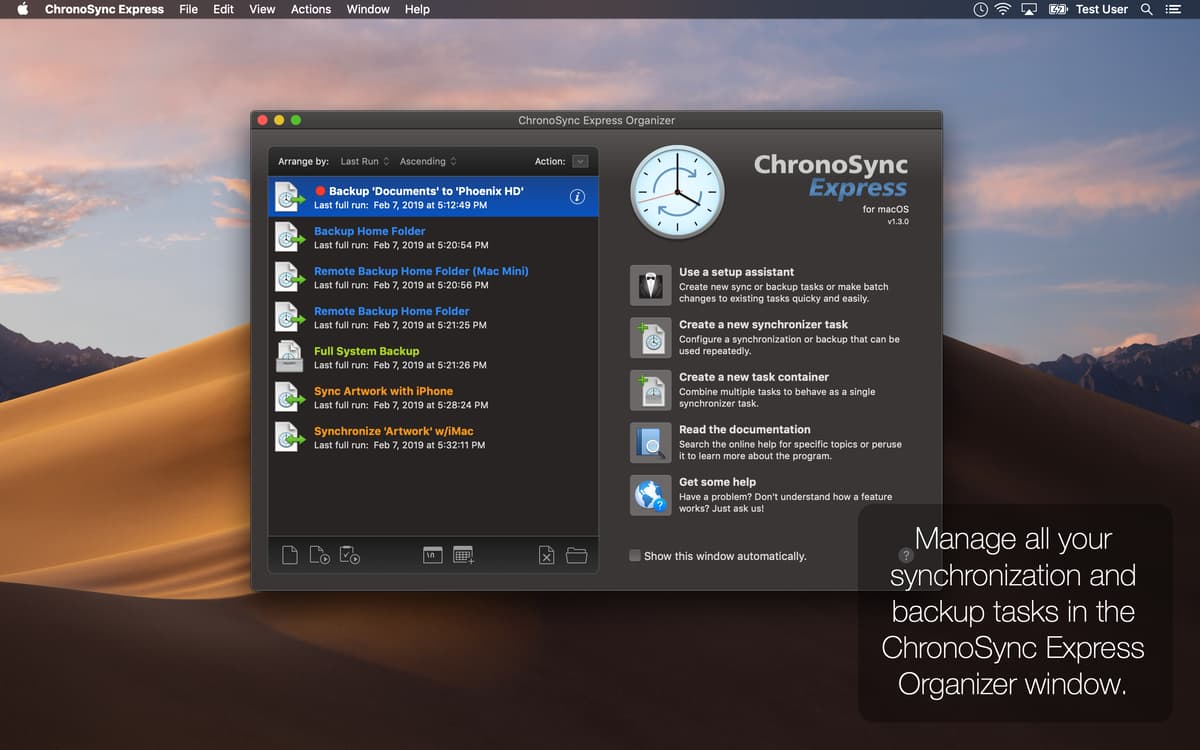
Do you find yourself thinking about the most suitable data sync app for Mac? Chronosync Express gives you peace of mind for the security of your files, office and personal data. This consistent application keeps your data safe and updated, no matter where you happen to be. And the fun doesn’t stop here - it also makes a great option if you need to remotely synchronize data with other Macs, iPads, and even iPhones.
Easily transfer files between your devices
Sync the contents of multiple folders
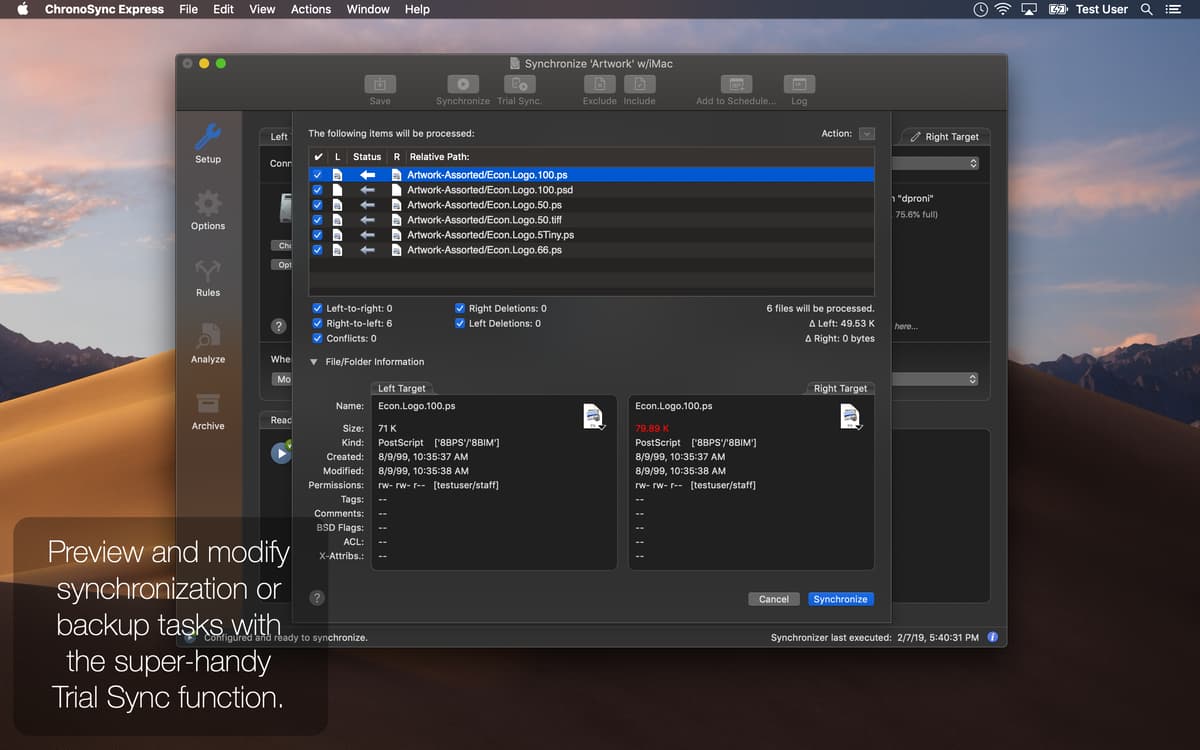
Back up your most valuable files and folders
Schedule regular sync and backup tasks
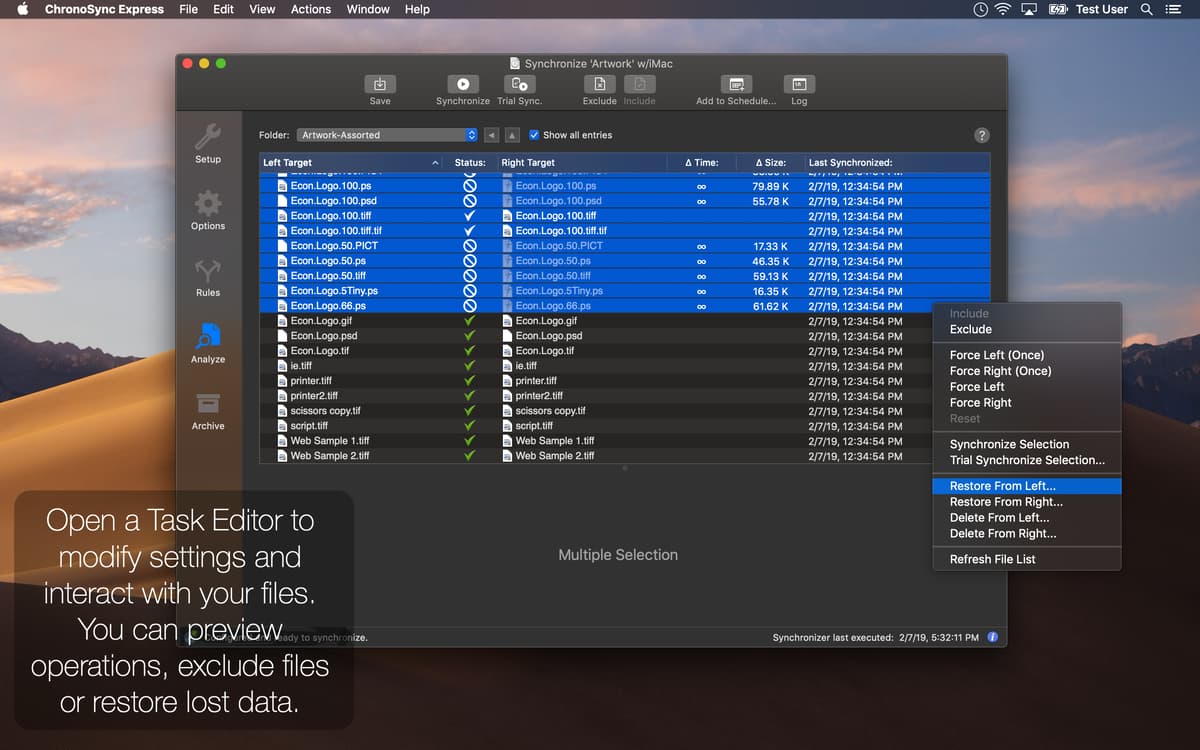
ChronoSync Express features
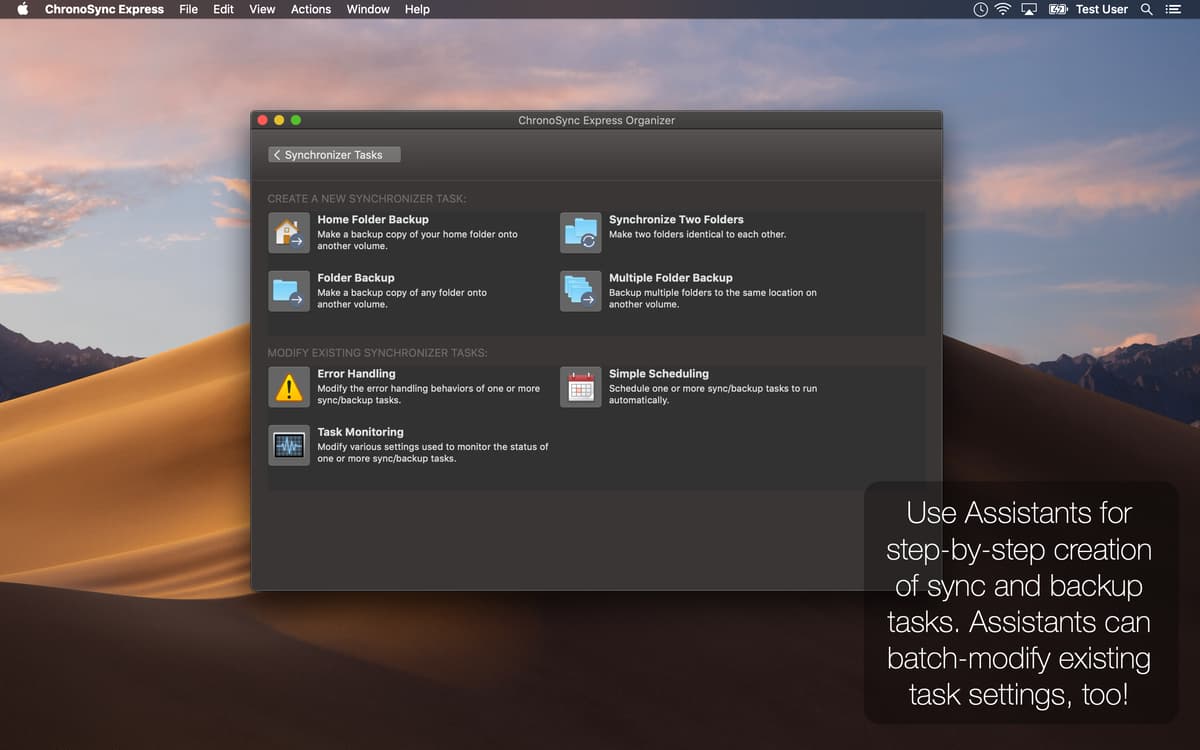
Home folder backup or sync
Got a number of folders and dozens of files, which you want to be synchronized? It’s easy and fast with this sync file app. Use it anytime once you need to effortlessly backup or sync files on your Mac.
Runs on all your Macs
Have several Macs, each having important files and documents? It’s not a problem! Use this fancy file sync app to keep all your data backed up and synced. But don’t forget to install it on all of your computers along with Setapp.
Email and system notifications supported
Enable Chronosync Express to send email and system notifications to stay in the know with everything happening on your computer when it’s not with you. Once enabled, it will automatically deliver all notifications right to your email.
Easy connection to Macs, iPhones and iPads
Have you thought of comfortably accessing data on other Macs or iOS devices? This Mac sync software has got any backup/sync scenarios covered. Install InterConneX on any of your iPads and iPhones to access their storage from your Mac.
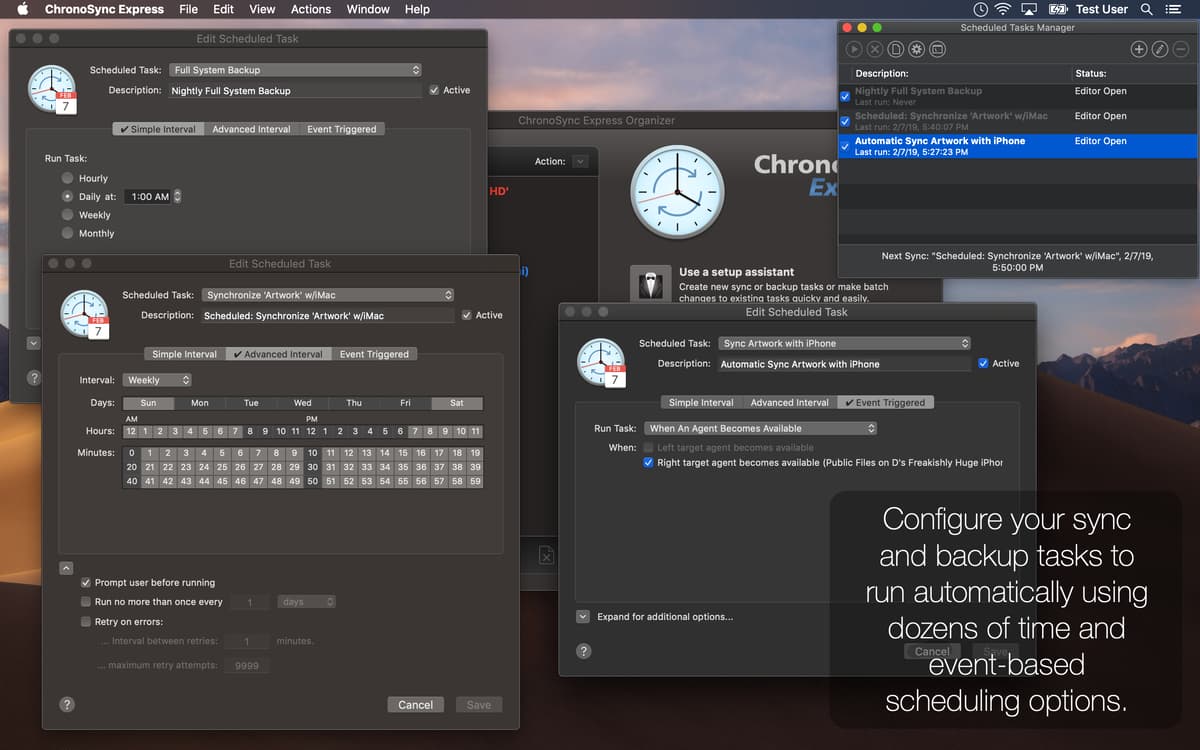
Customizable schedules
Got some tasks which you need to run within the specified interval? Schedule them to run automatically on a daily, weekly or monthly basis. Plus, you can set the time for tasks to run if volumes mount or computers join the network.
File servers backup and auto mount
This elegant backup sync app can effortlessly move files and folders to virtually any of your file servers. The app provides a straightforward interface allowing to enter your credentials to all sorts of file servers for easy auto connection afterwards.
Ratings and reviews
ChronoSync Express
•
454 ratings
Håkan Liljegren
Sep 9, 2026
App version: 1.5.0
Over and over I got problem with Timemachine as I use two differnt disks for backup. Replaced it by creating a few rules and it works llike a charm and runs auomatically when I connect my backup drive. And YES it saves versions of my files! Thank you!
Betty Larsen
Apr 26, 2026
App version: 1.5.0
At first I thought I couldn’t make it work for me. Figured it out and synced some drives.
Dr. Karl D. Schubert
Mar 28, 2026
App version: 1.5.0
Was not able to do what I wanted which was to synchronize two folders but unidirectionally transfer.
Get hundreds of apps with Membership
Become Setapp member and use hundreds of stellar apps with one subscription.
Try 7 days free, then pay one simple fee.
Install Setapp on Mac
Explore apps for Mac, iOS, and web. Find easy ways to solve daily tasks.

Get the app you came for
That one shiny app is waiting inside Setapp. Install with a click.

ChronoSync Express
Choose your subscription
One app or more with a Setapp membership. Get apps the way you want.

Get hundreds of apps with Membership
Become Setapp member and use hundreds of stellar apps with one subscription.
Try 7 days free, then pay one simple fee.
1
Install Setapp on Mac
Explore apps for Mac, iOS, and web. Find easy ways to solve daily tasks.
2
Get the app you came for
That one shiny app is waiting inside Setapp. Install with a click.
ChronoSync Express
3
Choose your subscription
One app or more with a Setapp membership. Get apps the way you want.
Home to the top apps
From planning and routine tasks to creative pursuits and coding, tackle tasks with apps on Setapp.


ChronoSync Express
Sync and back up folders