ChronoSync Express
Sincronize e faça backup de pastas
Mac
Versão 1.5.0
macOS 10.14 ou posterior
125.2 MB
4 idiomas
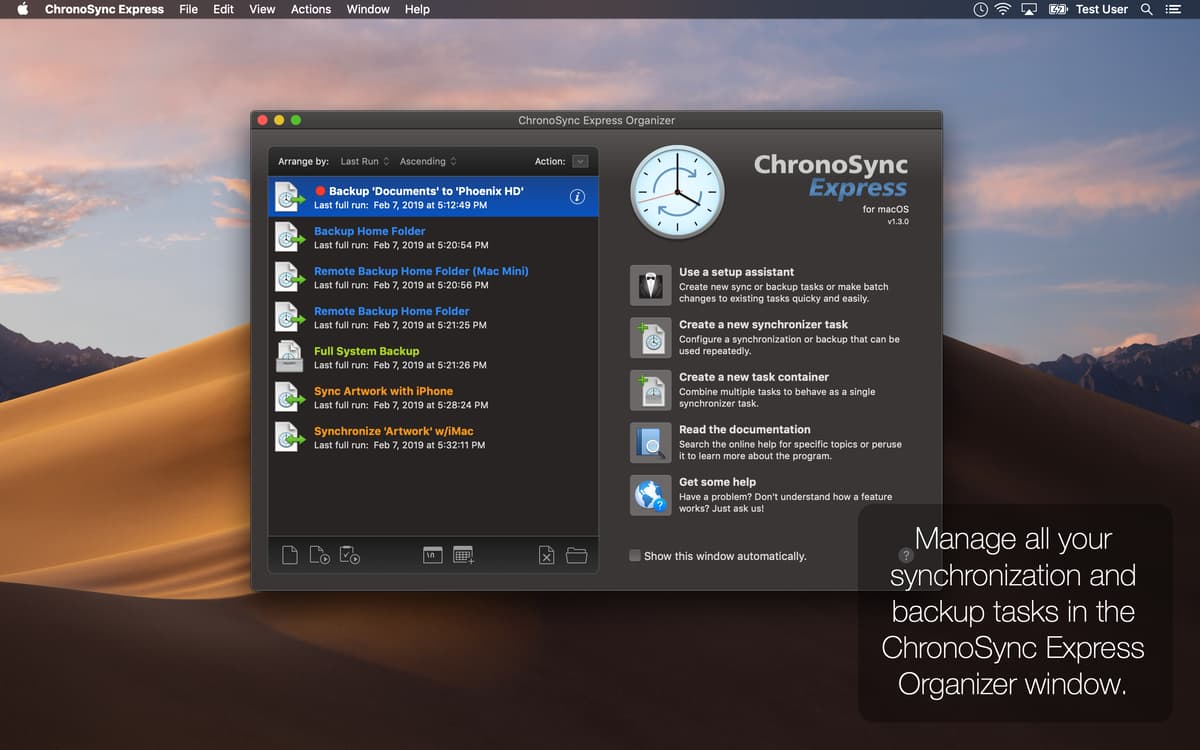
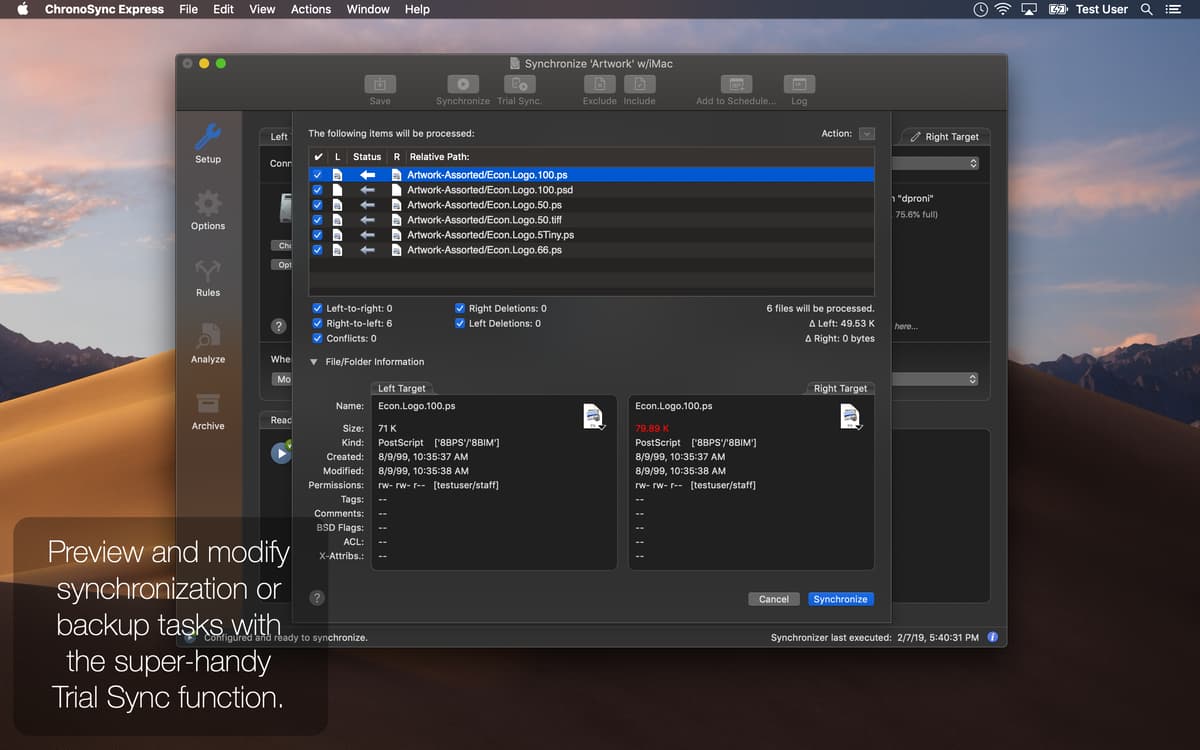
Em dúvida sobre qual app usar para sincronizar dados no Mac? Com o Chronosync Express você tem tranquilidade e segurança para sincronizar arquivos empresariais e dados pessoais. Ele mantém seus dados em segurança e atualizados, não importa onde você esteja. E mais: ele também é uma ótima opção quando você precisa sincronizar dados remotamente com outros Macs, iPads e iPhones.
Transfira facilmente entre os seus dispositivos
Sincronize o conteúdo de várias pastas
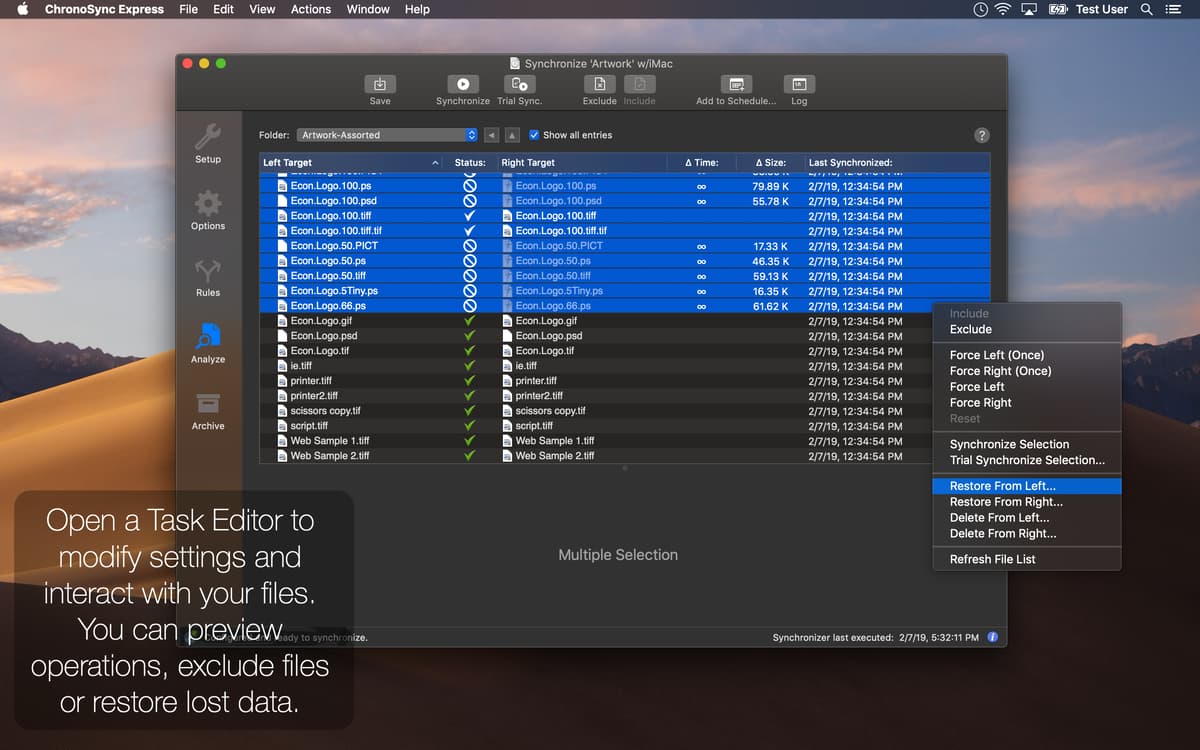
Faça um backup de arquivos e pastas valiosos
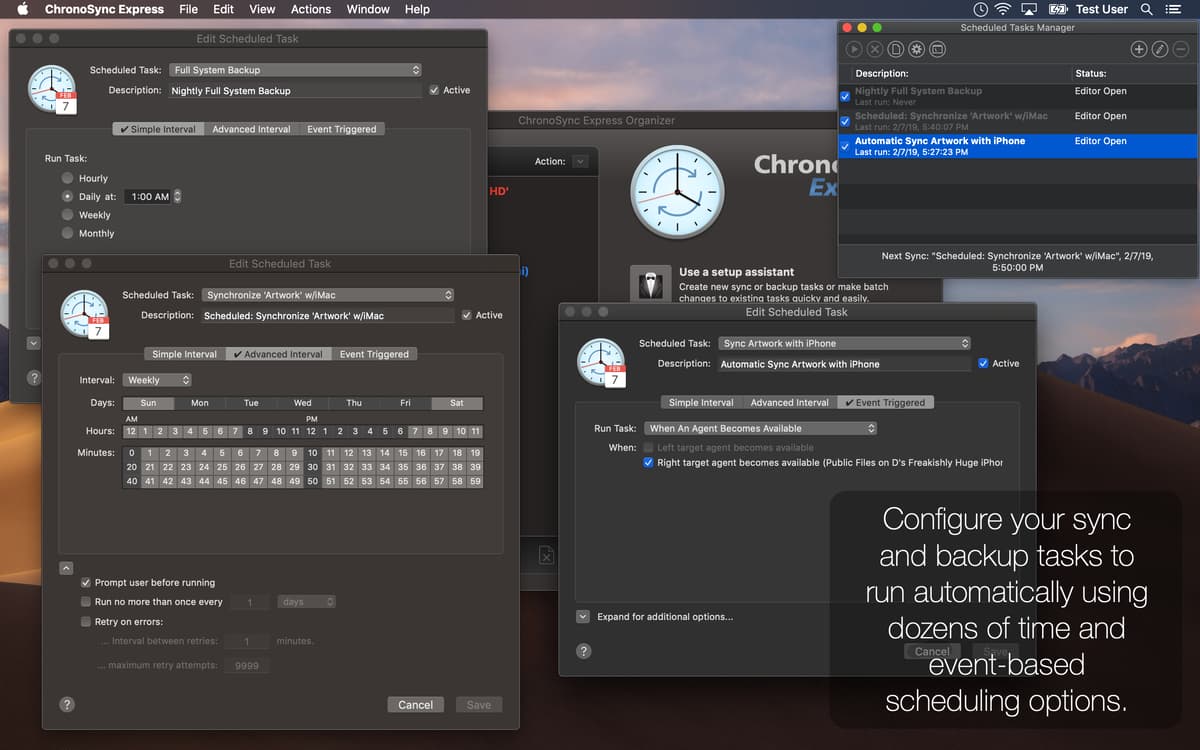
Agende tarefas regulares de sincronização e backup
Recursos do ChronoSync Express
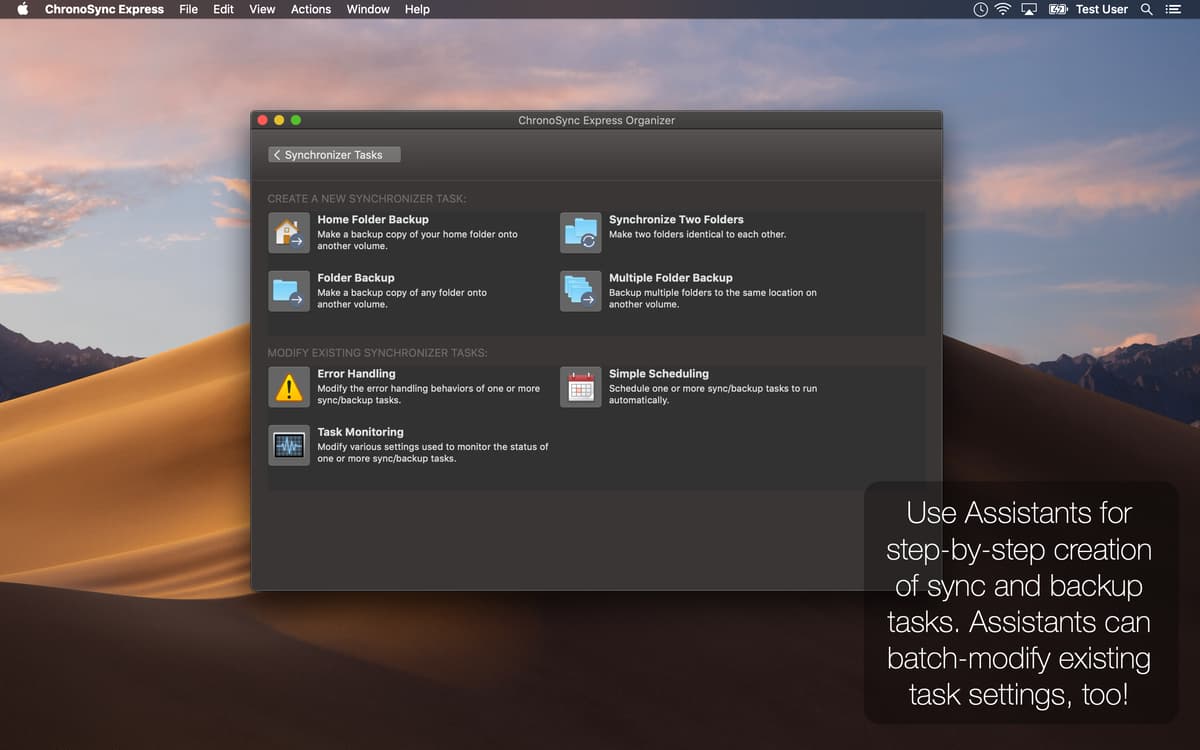
Backup e sincronização da pasta Pessoal
Muitas pastas e arquivos para manter sincronizados? Com o Chronosync Express, a sincronização é fácil e rápida. Use‑o sempre que precisar fazer um backup ou sincronizar a sua pasta Pessoal no Mac.
Funciona em qualquer Mac
Arquivos e documentos importantes armazenados em Macs diferentes? Sem problemas! Use o Chronosync Express para manter qualquer item sincronizado. Você só precisa se lembrar de instalá‑lo em todos os seus computadores, junto com o Setapp.
Notificações do sistema por e‑mail
Configure o Chronosync Express para enviar notificações do sistema por e‑mail e ficar por dentro de tudo o que estiver acontecendo no computador quando você não estiver por perto. Depois de ativadas, as notificações são enviadas automaticamente.
Conexão fácil a Macs, iPhones e iPads
Já pensou na comodidade de acessar dados de outros Macs ou dispositivos iOS? O Chronosync Express cobre qualquer tipo de cenário de backup e sincronização. Instale o InterConneX em qualquer iPad ou iPhone para acessá‑los do Mac.
Agendamento personalizável
Precisa executar tarefas em intervalos específicos? Agende‑as para execução automática diária, semanal ou mensal. Além disso, você também pode configurar a execução de tarefas ao montar volumes ou conectar computadores à rede.
Backup de servidores e montagem automática
Com o Chronosync Express é fácil mover arquivos e pastas para praticamente qualquer servidor. Ele fornece uma interface simples e intuitiva, que permite que você digite suas credenciais em todos os tipos de servidores e conecte‑se automaticamente no futuro.
Classificações e avaliações
ChronoSync Express
•
456 classificações
Håkan Liljegren
9 de set. de 2026
Versão do app: 1.5.0
Over and over I got problem with Timemachine as I use two differnt disks for backup. Replaced it by creating a few rules and it works llike a charm and runs auomatically when I connect my backup drive. And YES it saves versions of my files! Thank you!
Betty Larsen
26 de abr. de 2026
Versão do app: 1.5.0
At first I thought I couldn’t make it work for me. Figured it out and synced some drives.
Dr. Karl D. Schubert
28 de mar. de 2026
Versão do app: 1.5.0
Was not able to do what I wanted which was to synchronize two folders but unidirectionally transfer.
Obtenha centenas de apps com o Membership
Obtenha um membership do Setapp e use centenas de apps estelares numa única assinatura.
Experimente grátis por 7 dias. Depois, pague um valor único.
Instale o Setapp no Mac
Explore apps para Mac, iOS e web. Encontre formas fáceis de lidar com as tarefas do dia a dia.

Obtenha o app que chamou sua atenção
Aquele app especial está esperando você no Setapp. Instale‑o com um clique.

ChronoSync Express
Escolha uma assinatura
Um ou mais apps com um membership do Setapp. Obtenha os apps que você quer.

Obtenha centenas de apps com o Membership
Obtenha um membership do Setapp e use centenas de apps estelares numa única assinatura.
Experimente grátis por 7 dias. Depois, pague um valor único.
1
Instale o Setapp no Mac
Explore apps para Mac, iOS e web. Encontre formas fáceis de lidar com as tarefas do dia a dia.
2
Obtenha o app que chamou sua atenção
Aquele app especial está esperando você no Setapp. Instale‑o com um clique.
ChronoSync Express
3
Escolha uma assinatura
Um ou mais apps com um membership do Setapp. Obtenha os apps que você quer.
A casa dos melhores apps
Desde tarefas rotineiras e de planejamento a atividades criativas e de programação, encare suas tarefas com os apps do Setapp.

TypingMind
IU alternativa para conversar com IA
gere ou resuma textos
use uma biblioteca de ações
IA

Spark Mail
Gerencie e‑mails
IA

CleanMyMac
Limpe os detritos

Bartender
Personalize a barra de menus

CleanShot X
Capturas de tela versáteis

Luminar Neo
Edite suas fotos
IA

ClearVPN
Conecte‑se com mais segurança

Craft
Trabalhe com documentos
IA
ChronoSync Express
Sincronize e faça backup de pastas