
Dato
Stay on top of your schedule

Mac
Version 5.8.3
macOS 26.0 or later
47.4 MB
1 languages
From a floating clock to a helpful week counter in your menu bar — Dato knows all the small things that make schedule management smooth and perfectly organized. Cruise through your agenda with no sweat with the help of Dato’s comprehensive schedule-management tools in a simple interface.
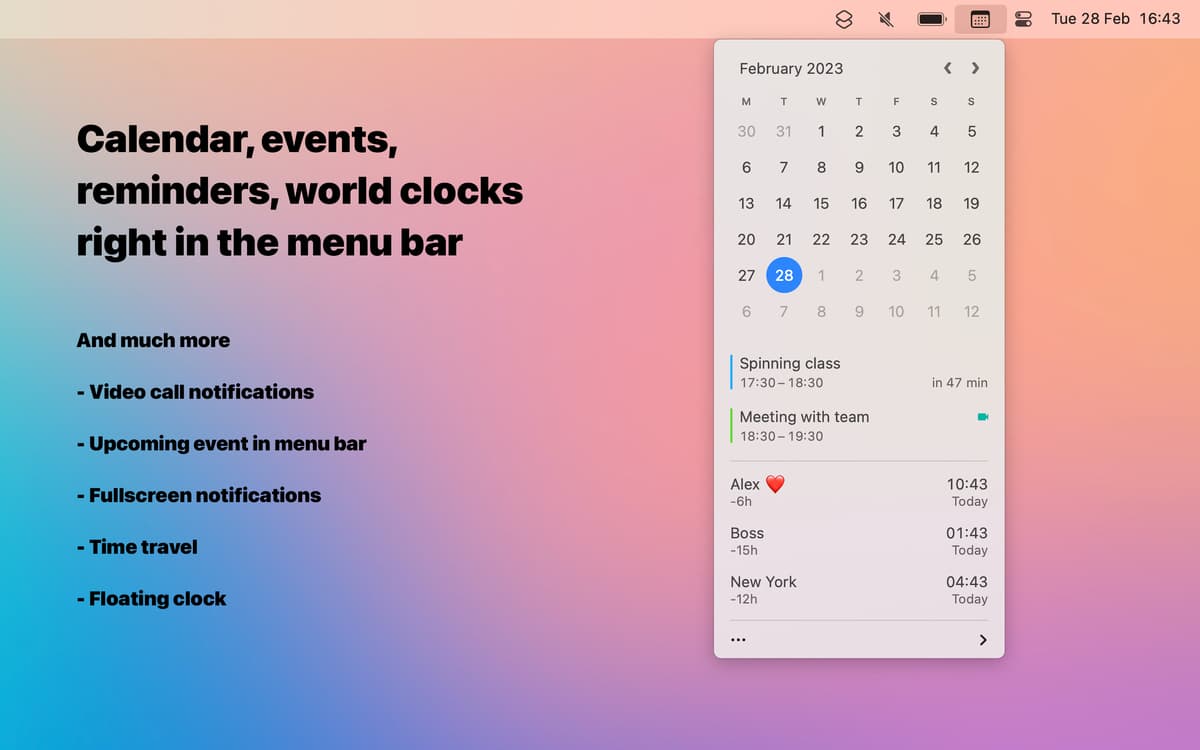
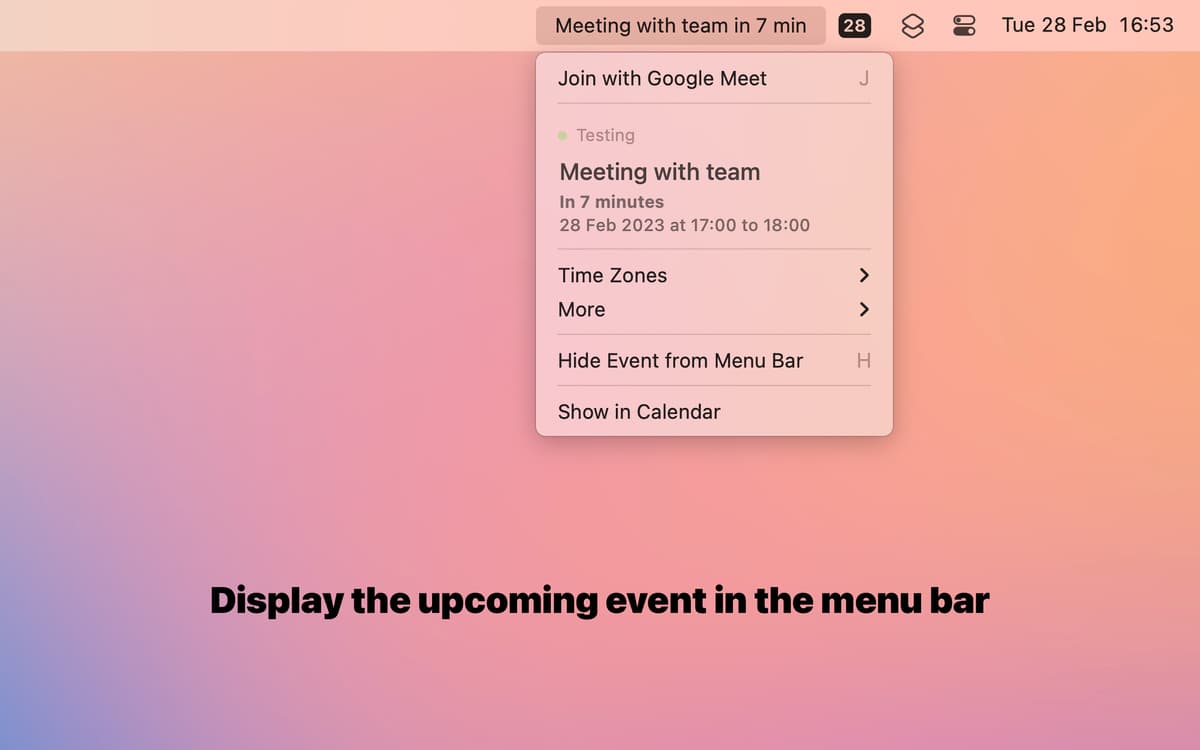
View upcoming events from menu bar
Get full-screen notifications
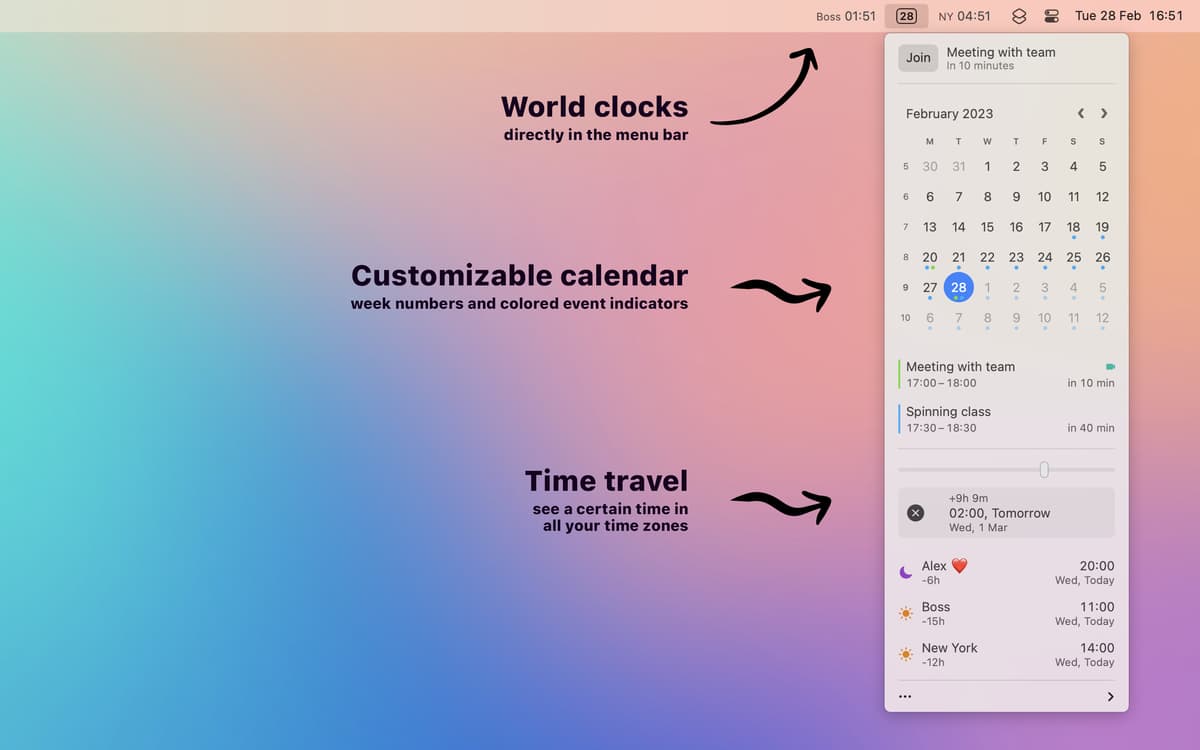
Check time in a different time zone
Easily join meetings
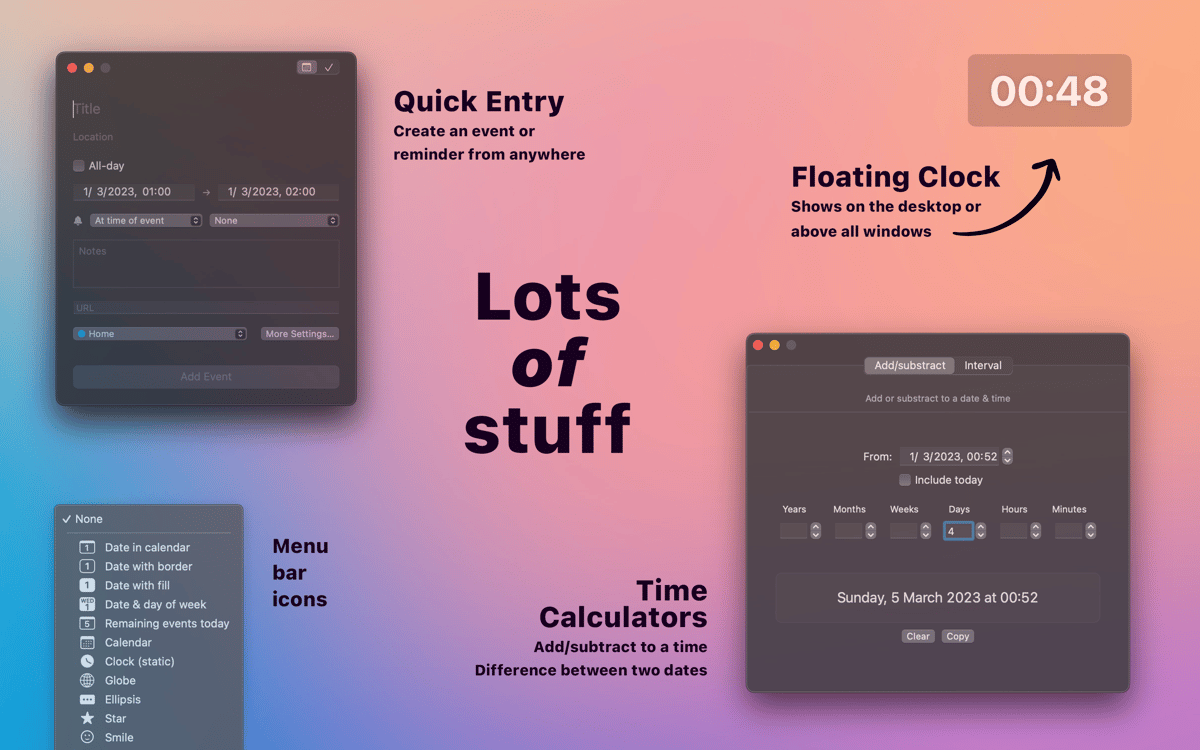
Dato features
Track your schedule in the menu bar
Sync your calendars into Dato’s customizable menu bar preview calendar. The app allows you to add events to your calendars, join meetings and preview your schedule — all from a convenient drop-down menu bar utility.
Manage time zones
Add world clocks straight to your menu bar and check the time in your target time zone at a glance! Convert a specific time into a different time zone with a simple slider. Calculate time intervals in seconds with Dato’s handy time calculator.
Get full-screen alerts
Ever dismissed an alert from your calendar on autopilot and forgot to join your meeting anyway? We know we did. Dato understands that our brains are distracted by repetitive alerts that all look the same and often pop up way too often. Enjoy the app’s full-screen notifications that help really tune in and be on time for the important things in your life.
Join meetings and more
Dato is perfect for power users. Customize your experience with the app’s versatile setting choices. Join your Zoom, Meet and Teams meetings directly from the menu bar with just a click or use the app’s keyboard shortcut (pro tip: you can customize it, too).
Ratings and reviews
Dato
•
872 ratings
Christopher Mansfield
Sep 20, 2026
App version: 5.8.3
Great Program!! Greay Apps!!
Joshua Richardson
Aug 17, 2026
App version: 5.8.2
Love this app!
Showbiz
Jul 22, 2026
App version: 5.8.2
A great fantastical alternative.
Get hundreds of apps with Membership
Become Setapp member and use hundreds of stellar apps with one subscription.
Try 7 days free, then pay one simple fee.
Install Setapp on Mac
Explore apps for Mac, iOS, and web. Find easy ways to solve daily tasks.

Get the app you came for
That one shiny app is waiting inside Setapp. Install with a click.

Dato
Choose your subscription
One app or more with a Setapp membership. Get apps the way you want.

Get hundreds of apps with Membership
Become Setapp member and use hundreds of stellar apps with one subscription.
Try 7 days free, then pay one simple fee.
1
Install Setapp on Mac
Explore apps for Mac, iOS, and web. Find easy ways to solve daily tasks.
2
Get the app you came for
That one shiny app is waiting inside Setapp. Install with a click.
Dato
3
Choose your subscription
One app or more with a Setapp membership. Get apps the way you want.
Home to the top apps
From planning and routine tasks to creative pursuits and coding, tackle tasks with apps on Setapp.


Dato
Stay on top of your schedule