
Leave Me Alone
Manage email subscriptions

Web
Version 1.0
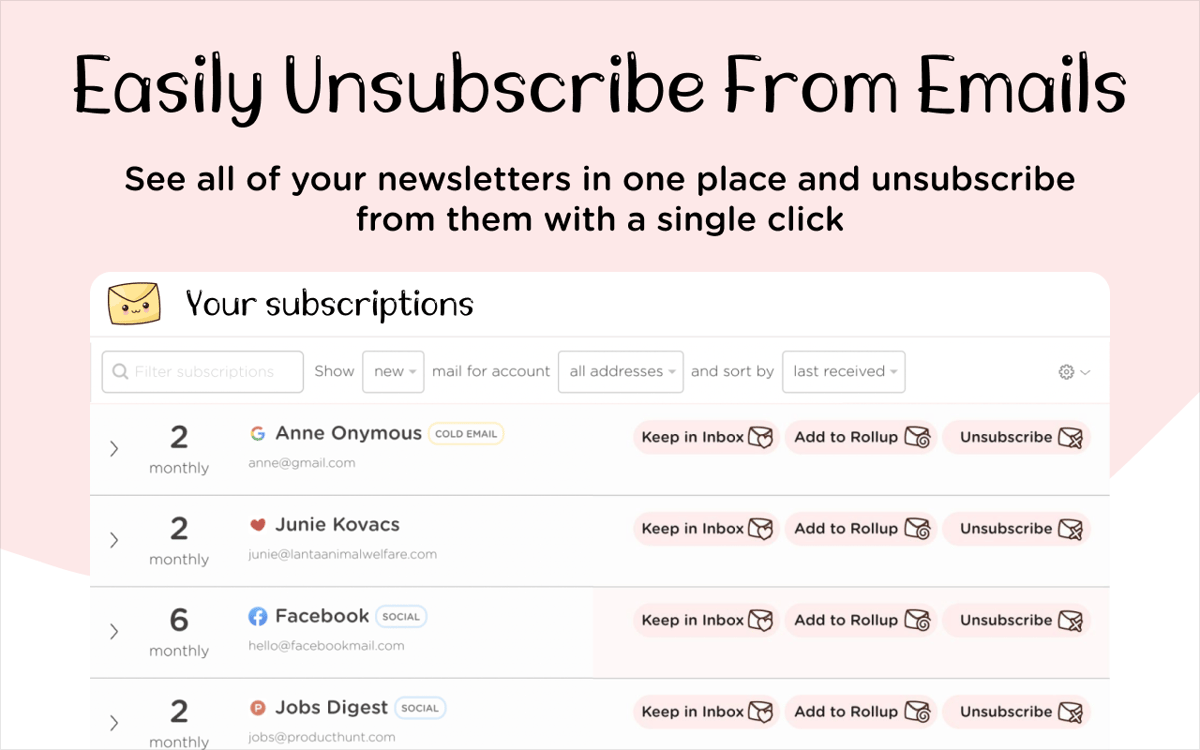
If your mailbox is overflowing with email newsletters you forgot you subscribed to, you are not alone. Save time opening them all and unsubscribing one by one with Leave Me Alone. The app allows you to easily opt out of email lists, roll up multiple newsletters into one digest, block cold emails, and more.
Unsubscribe from email newsletters
Get one digest with multiple newsletters
Allow only trusted senders
Add multiple email accounts
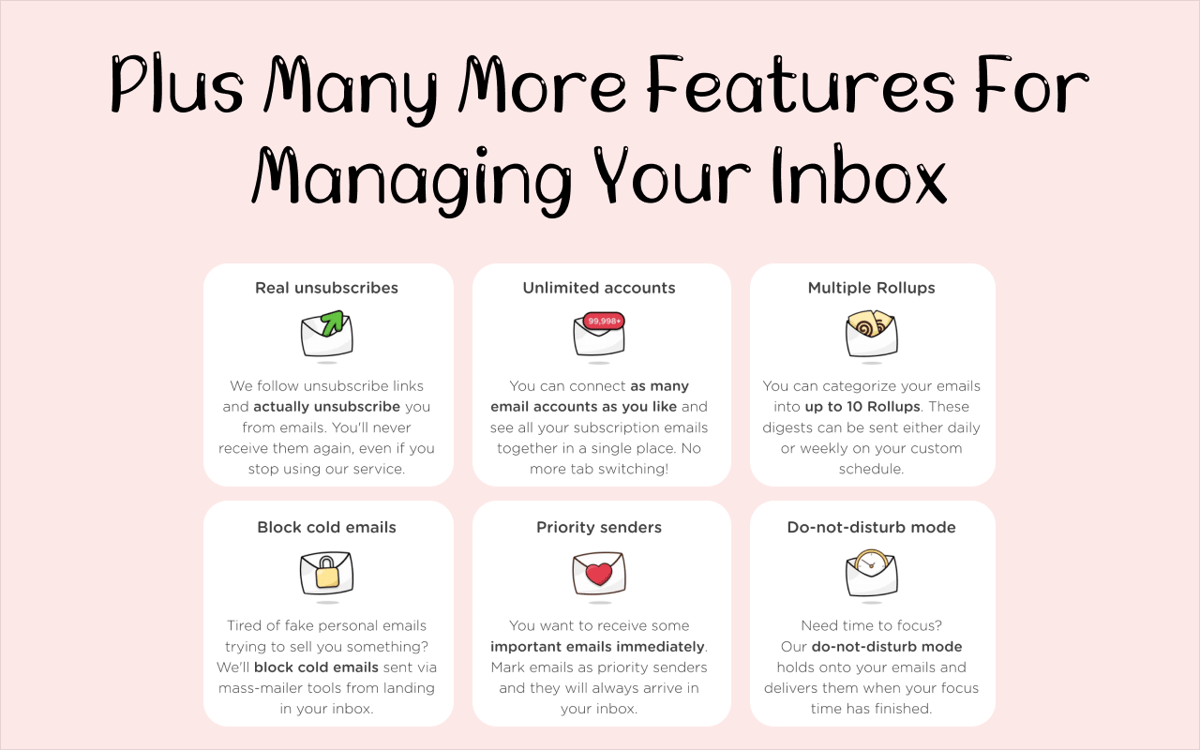
Leave Me Alone features
Unsubscribe from emails
Save time opening, reading, and unsubscribing from email newsletters you no longer want with Leave Me Alone. The app allows you to easily manage your subscriptions, including for multiple email accounts at once. Select what you want to unsubscribe from and never get that email again!
Get a newsletter digest
Sometimes you do want to get the updates from your favorite companies, brands, or influencers, but it’s all just a little too much. Leave Me Alone can solve this problem too — simply combine your newsletters into one (or several) digest with the app’s Rollup feature. Set a custom schedule to get daily or weekly digests.
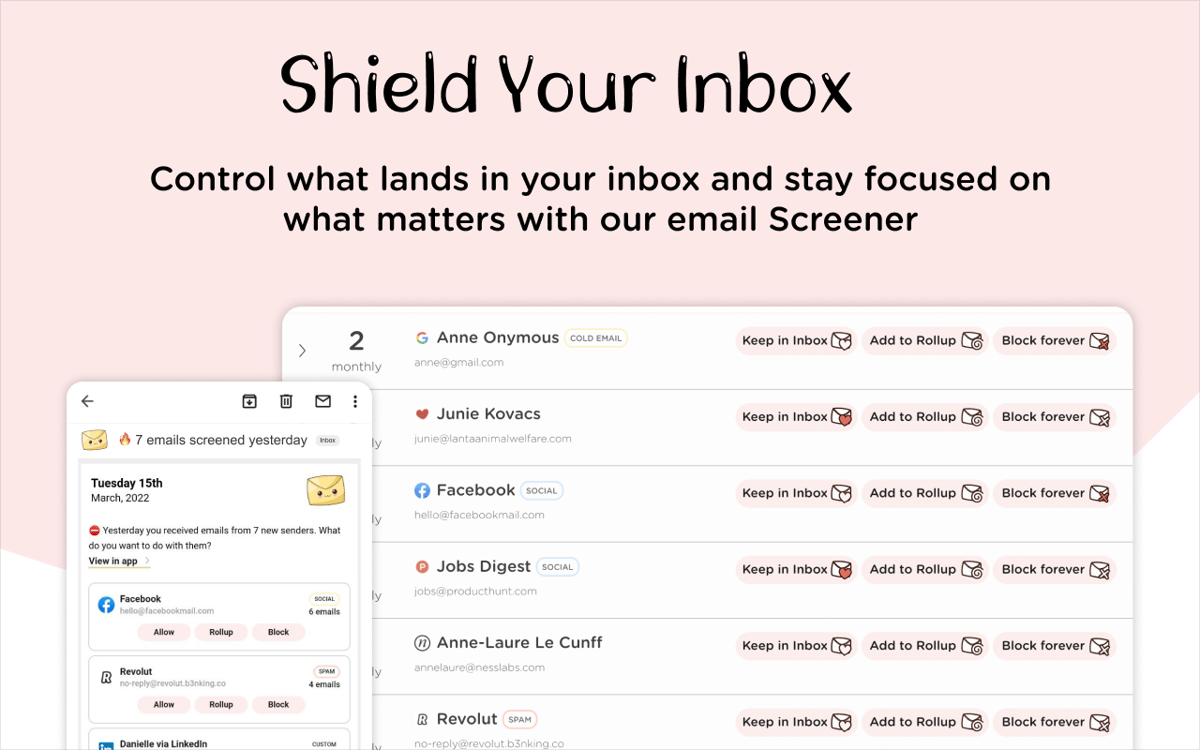
Block cold emails
If your battle is spam emails you’ve never even subscribed to, Leave Me Alone can help. The app can block cold emails that are sent using mass-emailing software and help reinforce your inbox zen.
Use Do-not-disturb mode
Some projects need your undivided attention and Leave Me Alone gets that. Set the app to hold onto your incoming messages while you are focusing and receive your mail after you’ve completed your session. Get the most out of your time with the do-not-disturb mode in the app.
Get hundreds of apps with Membership
Become Setapp member and use hundreds of stellar apps with one subscription.
Try 7 days free, then pay one simple fee.
Install Setapp on Mac
Explore apps for Mac, iOS, and web. Find easy ways to solve daily tasks.

Get the app you came for
That one shiny app is waiting inside Setapp. Install with a click.

Leave Me Alone
Choose your subscription
One app or more with a Setapp membership. Get apps the way you want.

Get hundreds of apps with Membership
Become Setapp member and use hundreds of stellar apps with one subscription.
Try 7 days free, then pay one simple fee.
1
Install Setapp on Mac
Explore apps for Mac, iOS, and web. Find easy ways to solve daily tasks.
2
Get the app you came for
That one shiny app is waiting inside Setapp. Install with a click.
Leave Me Alone
3
Choose your subscription
One app or more with a Setapp membership. Get apps the way you want.
Home to the top apps
From planning and routine tasks to creative pursuits and coding, tackle tasks with apps on Setapp.


Leave Me Alone
Manage email subscriptions