
Leave Me Alone
Gerencie malas diretas

Web
Versão 1.0
Sua caixa de entrada está transbordando de boletins que você sequer se lembra de ter assinado? Isso não é exclusividade sua. Com o Leave Me Alone, você tem um lugar para abrir todos eles e cancelar a assinatura de boletins individuais. Além disso, você pode cancelar o recebimento de malas diretas, resumir diversos boletins em um só, bloquear spam e muito mais.
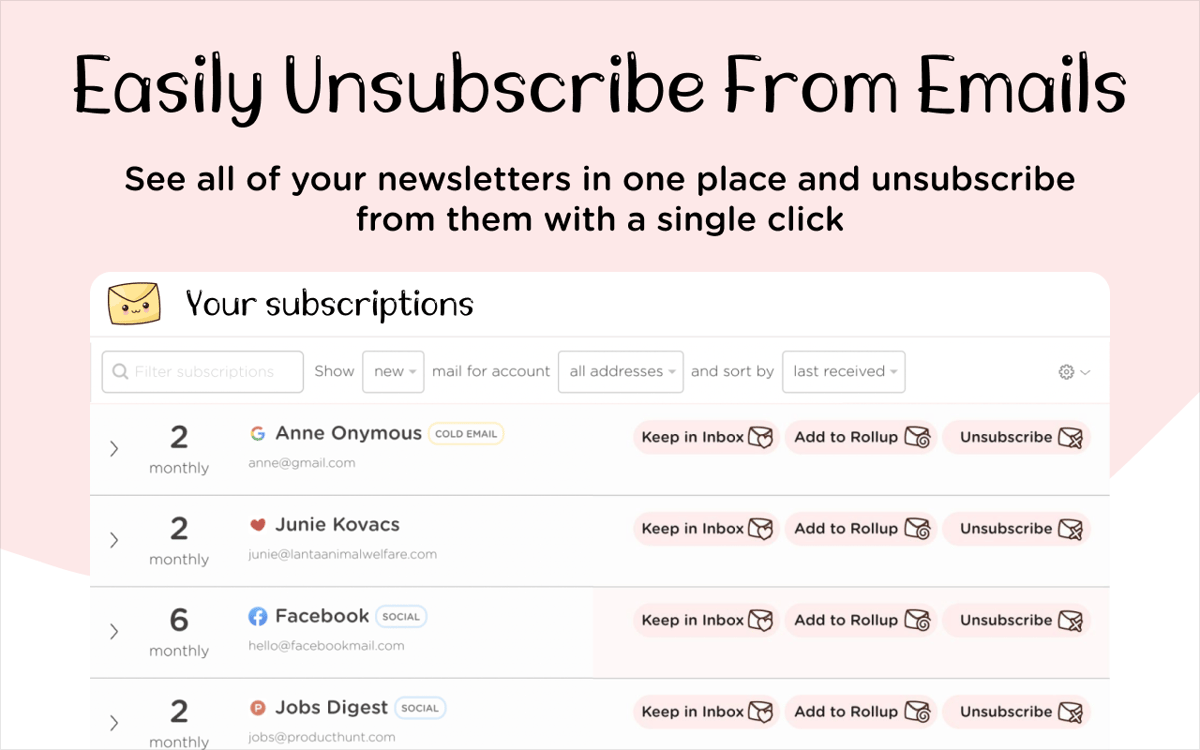
Cancele assinaturas de boletins
Receba um resumo com diversos boletins
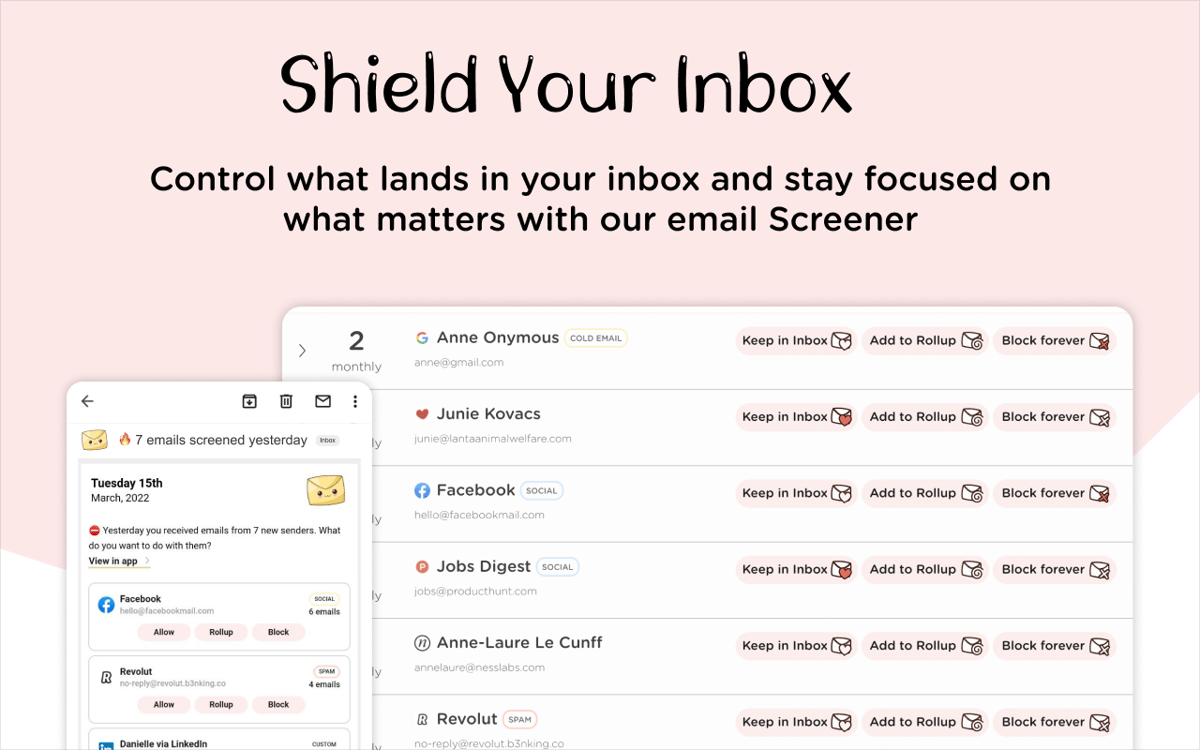
Permita apenas remetentes de confiança
Adicione várias contas de e‑mail
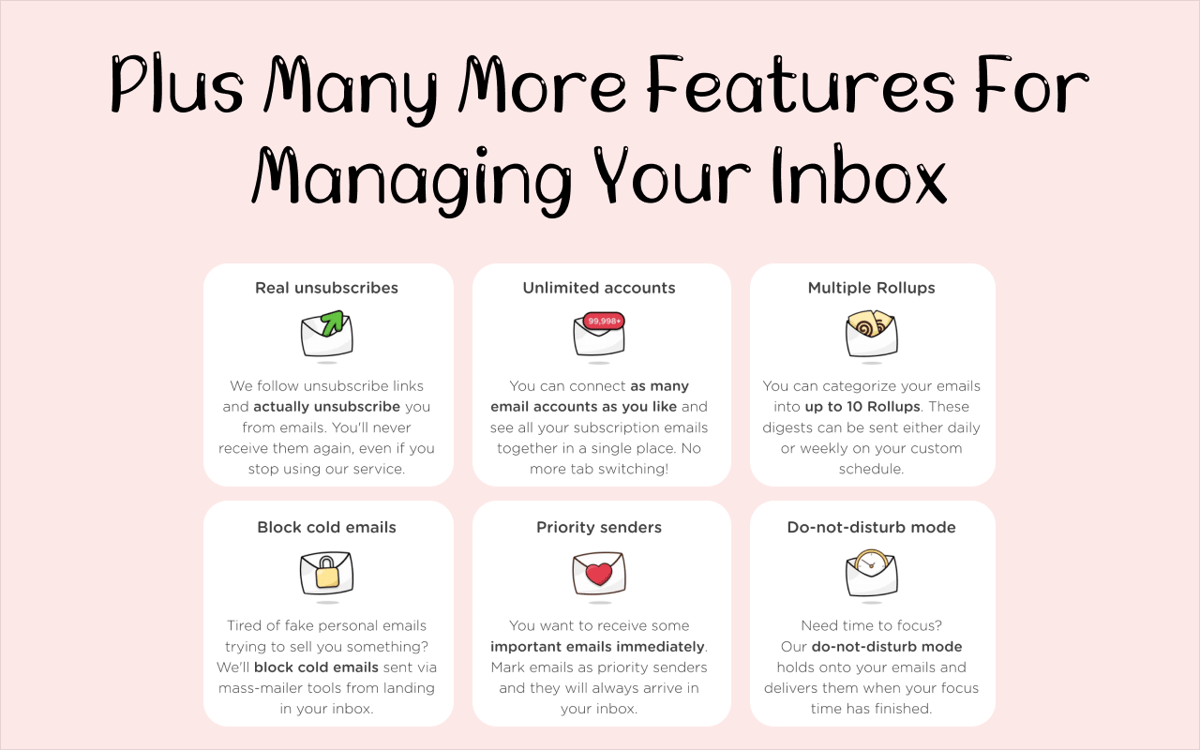
Recursos do Leave Me Alone
Cancele o recebimento de malas diretas
Use o Leave Me Alone e poupe tempo para abrir, ler e cancelar a assinatura de boletins indesejados. Com o app, você gerencia facilmente suas assinaturas, inclusive em várias contas de e‑mail ao mesmo tempo. Selecione as assinaturas que você quer cancelar e nunca mais veja esses e‑mails de novo!
Receba um resumo dos boletins
Às vezes você quer ver as novidades que empresas, marcas ou profissionais de influência que você curte têm a divulgar. O problema é não ter tempo para tudo isso. O Leave Me Alone também resolve esse problema: basta combinar os boletins em um ou mais resumos com o recurso Rollup do app. Defina horários personalizados para receber resumos diários ou semanais.
Bloqueie spams
Se a sua batalha é com spams que você nunca assinou, o Leave Me Alone pode ajudar. O app pode bloquear e‑mails desse tipo, que são enviados por software de envio em lote, e ajudar a reforçar o clima zen da sua caixa de entrada.
Use o modo não perturbe
Alguns projetos precisam de toda a sua atenção. O Leave Me Alone entende isso. Configure o app para entregar qualquer mensagem recebida somente depois que você terminar sua sessão de foco. Aproveite ao máximo seu tempo com o modo não perturbe do app.
Obtenha centenas de apps com o Membership
Obtenha um membership do Setapp e use centenas de apps estelares numa única assinatura.
Experimente grátis por 7 dias. Depois, pague um valor único.
Instale o Setapp no Mac
Explore apps para Mac, iOS e web. Encontre formas fáceis de lidar com as tarefas do dia a dia.

Obtenha o app que chamou sua atenção
Aquele app especial está esperando você no Setapp. Instale‑o com um clique.

Leave Me Alone
Escolha uma assinatura
Um ou mais apps com um membership do Setapp. Obtenha os apps que você quer.

Obtenha centenas de apps com o Membership
Obtenha um membership do Setapp e use centenas de apps estelares numa única assinatura.
Experimente grátis por 7 dias. Depois, pague um valor único.
1
Instale o Setapp no Mac
Explore apps para Mac, iOS e web. Encontre formas fáceis de lidar com as tarefas do dia a dia.
2
Obtenha o app que chamou sua atenção
Aquele app especial está esperando você no Setapp. Instale‑o com um clique.
Leave Me Alone
3
Escolha uma assinatura
Um ou mais apps com um membership do Setapp. Obtenha os apps que você quer.
A casa dos melhores apps
Desde tarefas rotineiras e de planejamento a atividades criativas e de programação, encare suas tarefas com os apps do Setapp.

TypingMind
IU alternativa para conversar com IA
gere ou resuma textos
use uma biblioteca de ações
IA

Spark Mail
Gerencie e‑mails
IA

CleanMyMac
Limpe os detritos

Bartender
Personalize a barra de menus

CleanShot X
Capturas de tela versáteis

Luminar Neo
Edite suas fotos
IA

ClearVPN
Conecte‑se com mais segurança

Craft
Trabalhe com documentos
IA
Leave Me Alone
Gerencie malas diretas