
Proxyman
Debug your web traffic
Mac, iOS
Version 26.2.0
macOS 14.0 or later
67.1 MB
5 languages
Meet a superb debugging proxy that can act like a middleMan, aka Proxyman. Categorize apps and domains, view HTTP/HTTPS requests, proxy on iOS devices, and identify bugs on Mac, iOS Simulator, or remote devices. Fine-tune with a set of debugging tools, effortlessly.
Debug web traffic
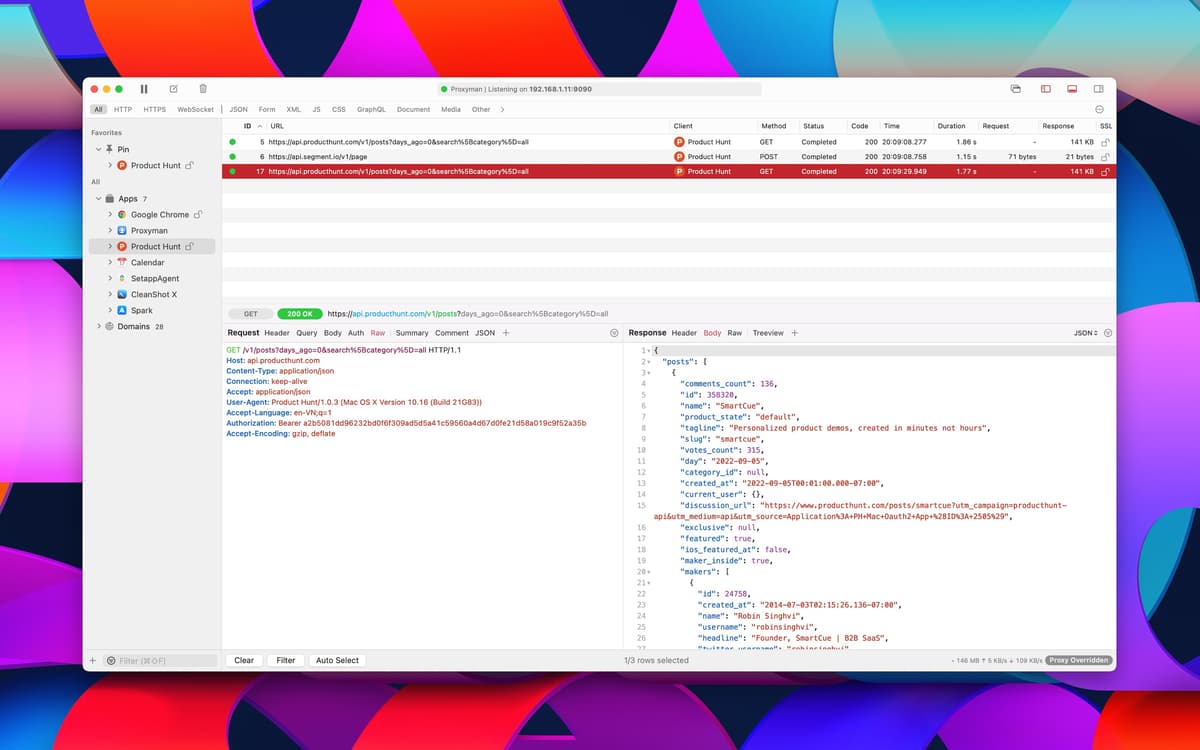
View HTTP/HTTPS traffic in plain text
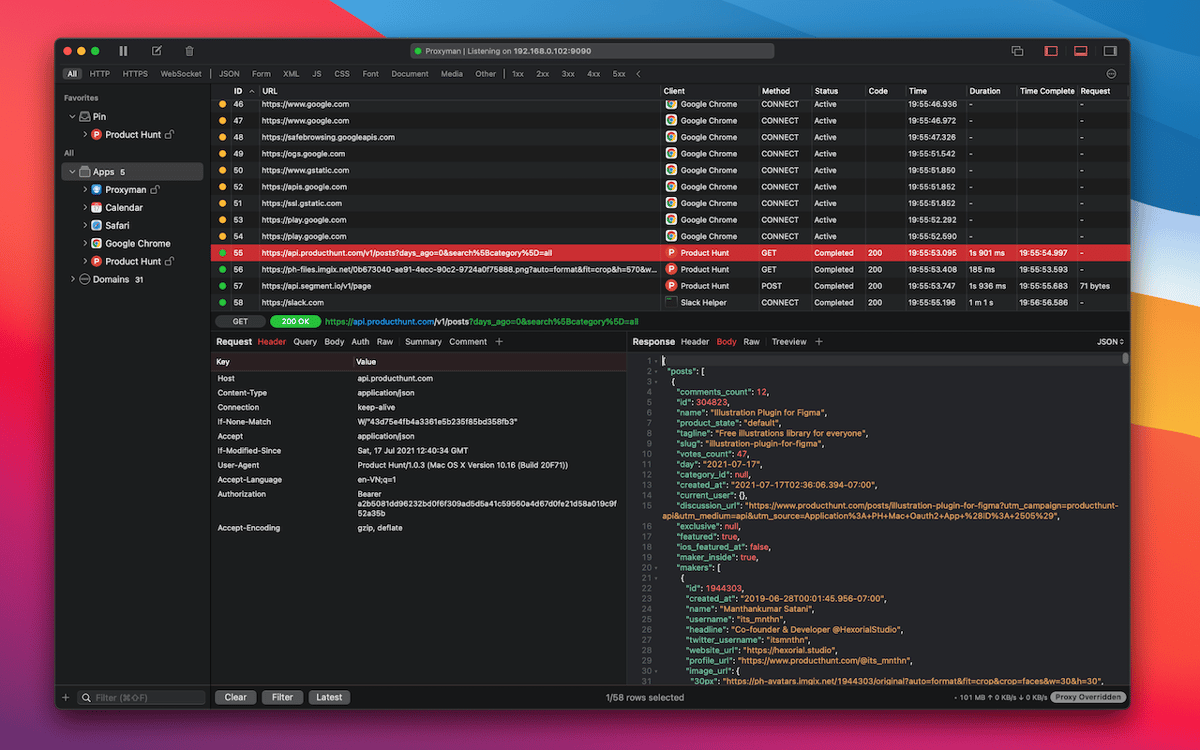
Pin domains
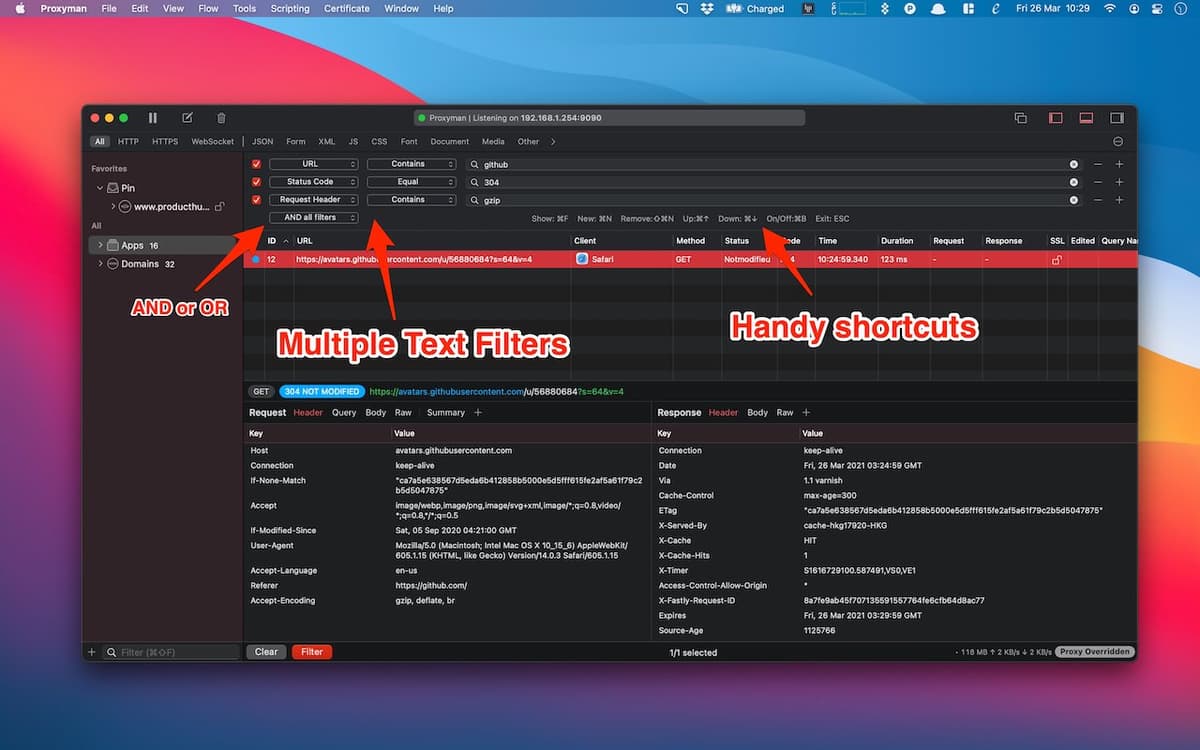
Use filters to target specific traffic
Proxyman features
Intuitive interface
Proxyman is a macOS and iOS app built with a focus on a frictionless user experience. Navigate through three panels in a distraction-free environment. Organize apps and domains in the first one, view the flows in the second, and manage Request/Response content in the third.
Consistent performance
While Proxyman is ready to work on your tasks non-stop, it’s not draining your Mac. The app is written in Swift and C++ to keep your web debugging performance high and ensure overall stability. So no need to worry about your battery use or network connection – they will be taken care of.
A list of sources, organized
Bring order to how you manage and search sources. Based on Finder-like behavior, Proxyman lets you find apps and domains with Ctrl+Shift+F, just as you’re used to. You can drag and drop to organize sources and pin the ones you’re focusing on.
Automatic SSL proxying
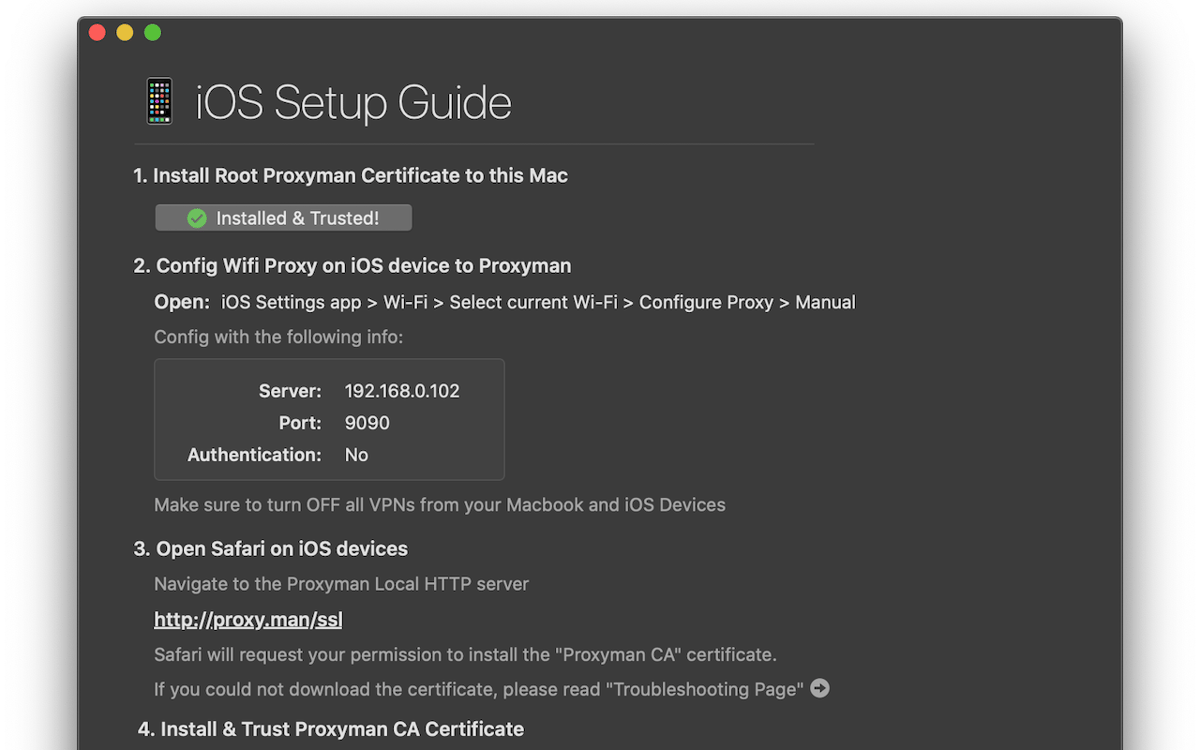
Easily enable SSL proxying for domains. The app generates certificates automatically, so you can install and trust the Proxyman Certificate or add it manually. Acting as a middleMan, Proxyman logs HTTP/HTTPS traffic between SSL Web Server and your app.
View HTTP/HTTPS requests
With Proxyman Certificate installed, you’re all set for a smooth debugging workflow. View HTTP/HTTPS requests in JSON, inspect HTTP(s) traffic from NodeJS, Ruby, Python, and Golang, navigate between Header, Query, Cookies, and JSON response, as well as search the content with in-built tools or your custom editors.
Professional debug toolkit
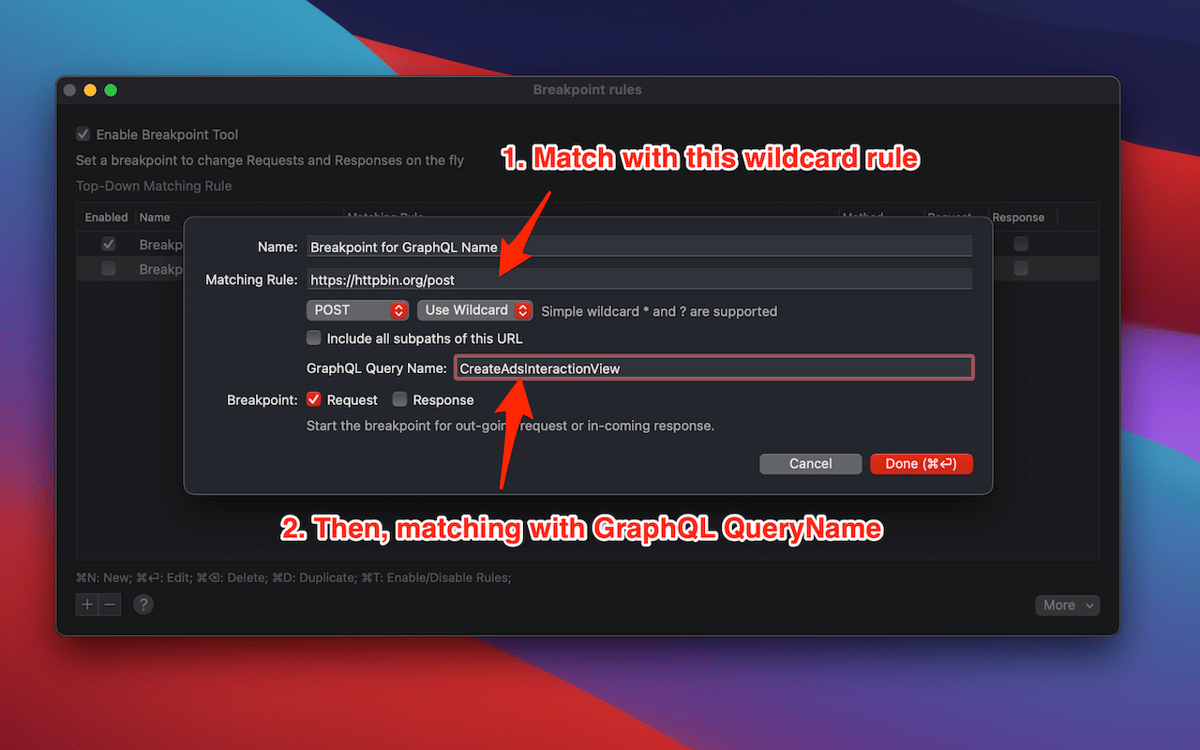
Proxyman comes with a collection of useful tools for refining your debugging. Repeat requests with current params, edit and test the new ones, or share your Proxyman sessions using the export feature. Advanced features also include breakpoints, WebSocket debugging, map local, and more. On top of that, the macOS app enables working across multiple tabs.
Ratings and reviews
Proxyman
•
1076 ratings
Fabricio Vergara
Aug 27, 2026
App version: 6.15.0
Good but unable to pair with proxyman ios
Deric Andrews
Aug 20, 2026
App version: 6.15.0
A crucial go-to tool for debugging, extracting cURLs, creating local responses, redirecting traffic to my localHost while testing on physical devices, and so much more. Outstanding and reliable.
Andrii
Jul 31, 2026
App version: 6.14.0
Perfect
Get hundreds of apps with Membership
Become Setapp member and use hundreds of stellar apps with one subscription.
Try 7 days free, then pay one simple fee.
Install Setapp on Mac
Explore apps for Mac, iOS, and web. Find easy ways to solve daily tasks.

Get the app you came for
That one shiny app is waiting inside Setapp. Install with a click.

Proxyman
Choose your subscription
One app or more with a Setapp membership. Get apps the way you want.

Get hundreds of apps with Membership
Become Setapp member and use hundreds of stellar apps with one subscription.
Try 7 days free, then pay one simple fee.
1
Install Setapp on Mac
Explore apps for Mac, iOS, and web. Find easy ways to solve daily tasks.
2
Get the app you came for
That one shiny app is waiting inside Setapp. Install with a click.
Proxyman
3
Choose your subscription
One app or more with a Setapp membership. Get apps the way you want.
Home to the top apps
From planning and routine tasks to creative pursuits and coding, tackle tasks with apps on Setapp.


Proxyman
Debug your web traffic