
Moonitor
Receive live updates on crypto
Mac
Version 3.0.3
macOS 10.13 or later
397.3 MB
1 languages
Buying and selling cryptocurrency efficiently and effectively, not to mention making a profit, can be tricky enough even without having to think about how to track your investments. Moonitor eliminates the headaches associated with the latter, ridding you of the need to visit different websites to check on the status of your crypto assets. This cryptocurrency app provides details on hundreds of different crypto markets from your Mac’s desktop. With reliable data from two leading exchanges, it’s the only cryptocurrency tracking app you’ll ever need.
Get automatic updated on crypto
Keep track of your current portfolio
Pull data from Binance, Coinbase, etc.
Integrate and track all your wallets
Moonitor features
Pull data from exchanges automatically
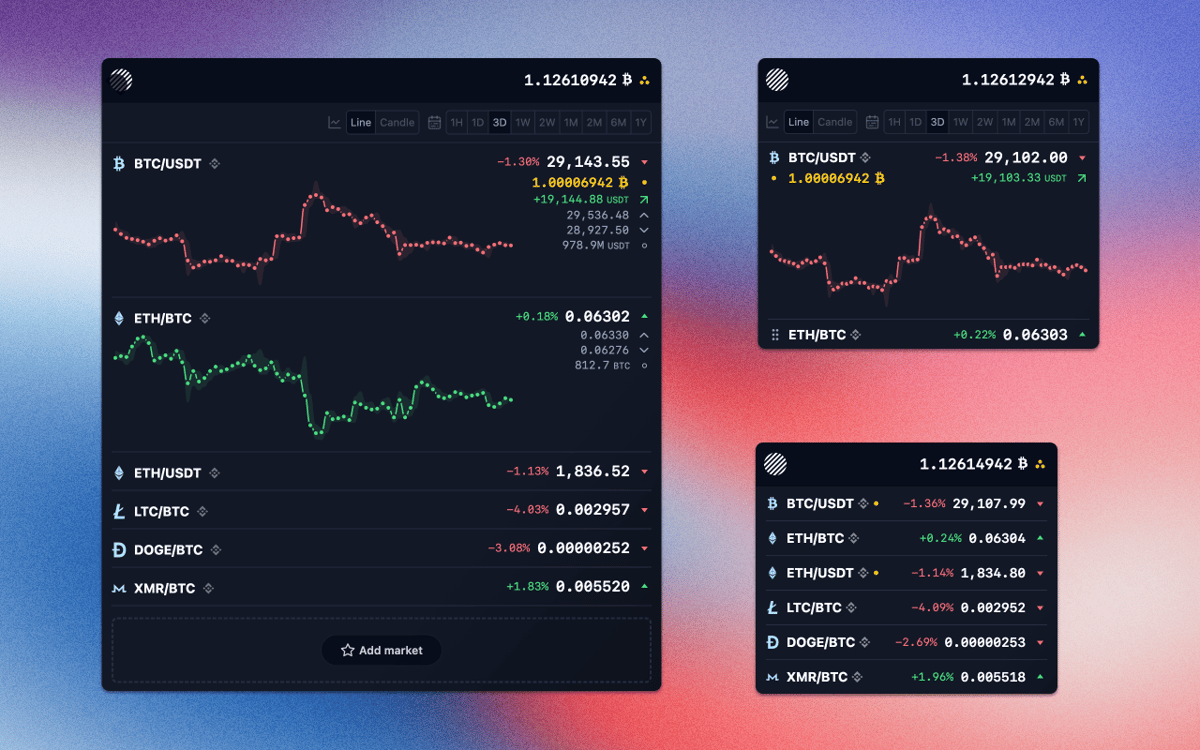
Because Moonitor updates automatically, and in real time, there’s no need to keep refreshing pages like you might when tracking the progress of cryptocurrencies online. The app currently uses Binance and Bittrex exchanges, but is poised to add more in the future, and only sources data that’s 100% trusted from the official APIs.
Only follow assets relevant to you
With a Follow function that resembles one of Twitter or Instagram, you can choose to track only the currencies — including Bitcoin, Litecoin, Dogecoin, Monero, ZCash, Ethereum, and many more — that are relevant to you. This makes the version of Moonitor you use entirely your own, so there’s no need to sift through data that you don’t care about to find what you’re looking for.
Track profits and losses easily
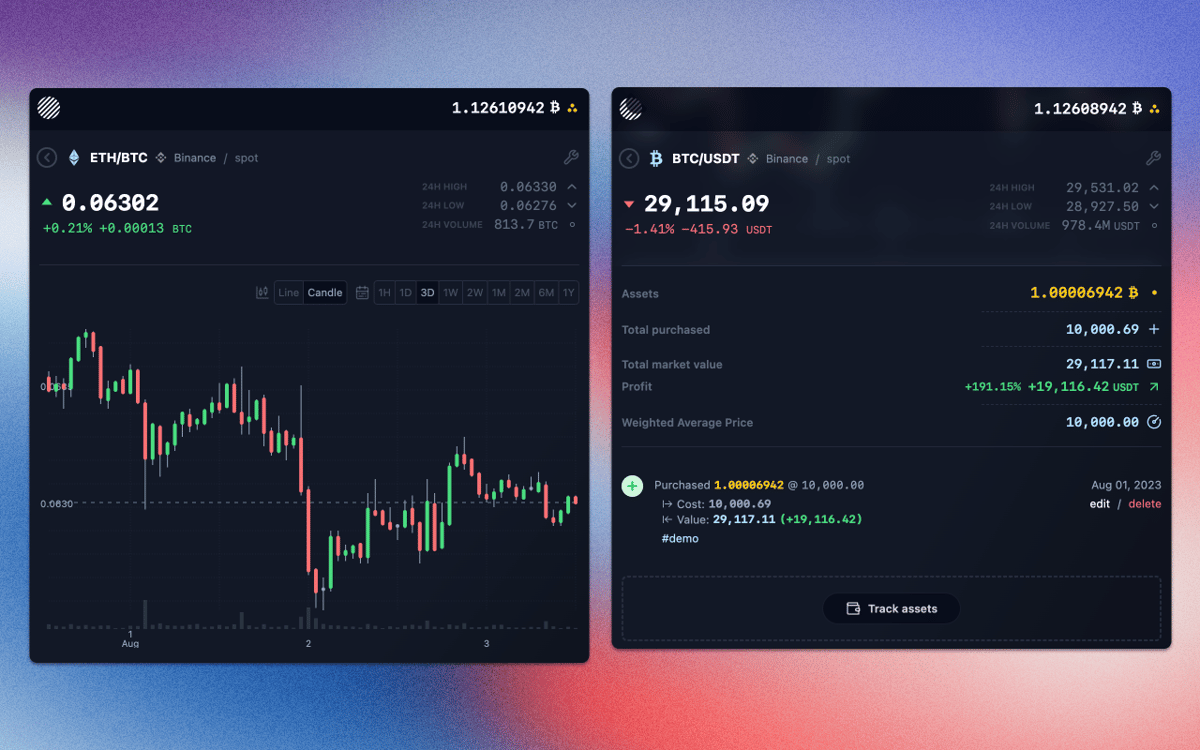
With real-time data that indicates whether the market value of a cryptocurrency is trending up or down, as well as historical markers and candlestick charts monitoring its current performance, Moonitor can help you decide when the time is right to buy or sell. And because data comes directly from exchanges, it’s always up to the minute.
Stay private with read-only APIs
Moonitor allows you to use Binance and Bittrex API keys to import and synchronize your cryptocurrency portfolio automatically without saving any of your data online. The app’s access is read-only and stores all data on your computer, with no hidden intermediaries. That means you always retain your privacy.
Get overviews of all balances
Depending on the number of cryptocurrencies (each with associated exchange rates) you have in your portfolio, you might have previously needed a calculator just to figure out how much it’s all worth. Get an estimate of your balance in over 100 currencies, including $, £, €, and ¥.
Personalize everything
Everything about Moonitor is highly customizable, with the aim of giving you as much control over how you track your portfolio as possible. The menu bar icon, for example, can be set to display BTC price or your total balance, and candlesticks can be configured to show information from 5 minutes, 1 hour, 4 hours, 1 day, or 1 week.
Ratings and reviews
Moonitor
•
46 ratings
Lalo Le Bot
Nov 7, 2025
App version: 3.0.3
No anda, tengo Intel iMac 2017. A JavaScript error occurred in the main process Uncaught Exception: Error: dlopen(/Applications/Setapp/Moonitor.app/Contents/Resources/app/.webpack/main/native_modules/nodejs/dist/lib/binding/node_setapp_binding.node, 0x0001): tried: '/Applications/Setapp/Moonitor.app/Contents/Resources/app/.webpack/main/native_modules/nodejs/dist/lib/binding/node_setapp_binding.node' (mach-o file, but is an incompatible architecture (have 'arm64', need 'x86_64h' or 'x86_64'))
Dark Of Lord
May 2, 2025
App version: 3.0.3
hard to use, not working good
Sid
Mar 16, 2025
App version: 3.0.3
Doesn’t work on Intel Macs. Gave a javascript error upon launching that says that it’s not compatible with certain architecture.
Get hundreds of apps with Membership
Become Setapp member and use hundreds of stellar apps with one subscription.
Try 7 days free, then pay one simple fee.
Install Setapp on Mac
Explore apps for Mac, iOS, and web. Find easy ways to solve daily tasks.

Get the app you came for
That one shiny app is waiting inside Setapp. Install with a click.

Moonitor
Choose your subscription
One app or more with a Setapp membership. Get apps the way you want.

Get hundreds of apps with Membership
Become Setapp member and use hundreds of stellar apps with one subscription.
Try 7 days free, then pay one simple fee.
1
Install Setapp on Mac
Explore apps for Mac, iOS, and web. Find easy ways to solve daily tasks.
2
Get the app you came for
That one shiny app is waiting inside Setapp. Install with a click.
Moonitor
3
Choose your subscription
One app or more with a Setapp membership. Get apps the way you want.
Home to the top apps
From planning and routine tasks to creative pursuits and coding, tackle tasks with apps on Setapp.


Moonitor
Receive live updates on crypto