CodeRunner
Edit and run code faster
Mac
Version 4.5
macOS 10.15 or later
303.4 MB
1 languages
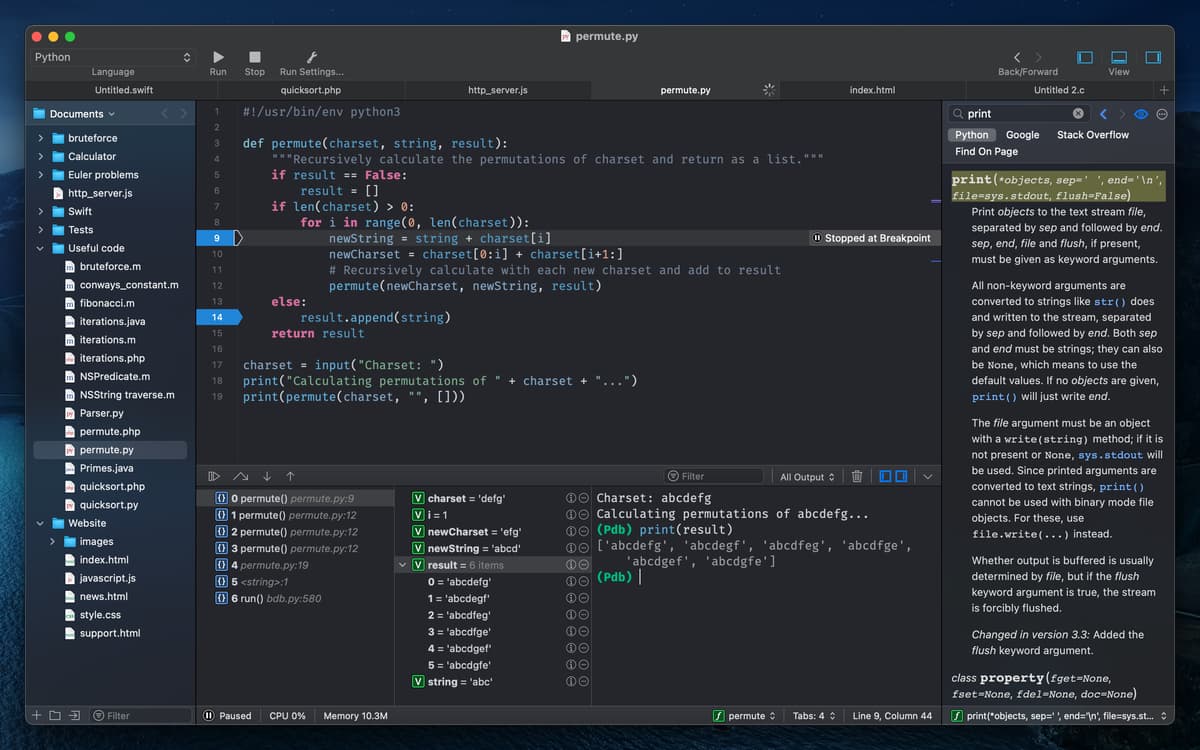
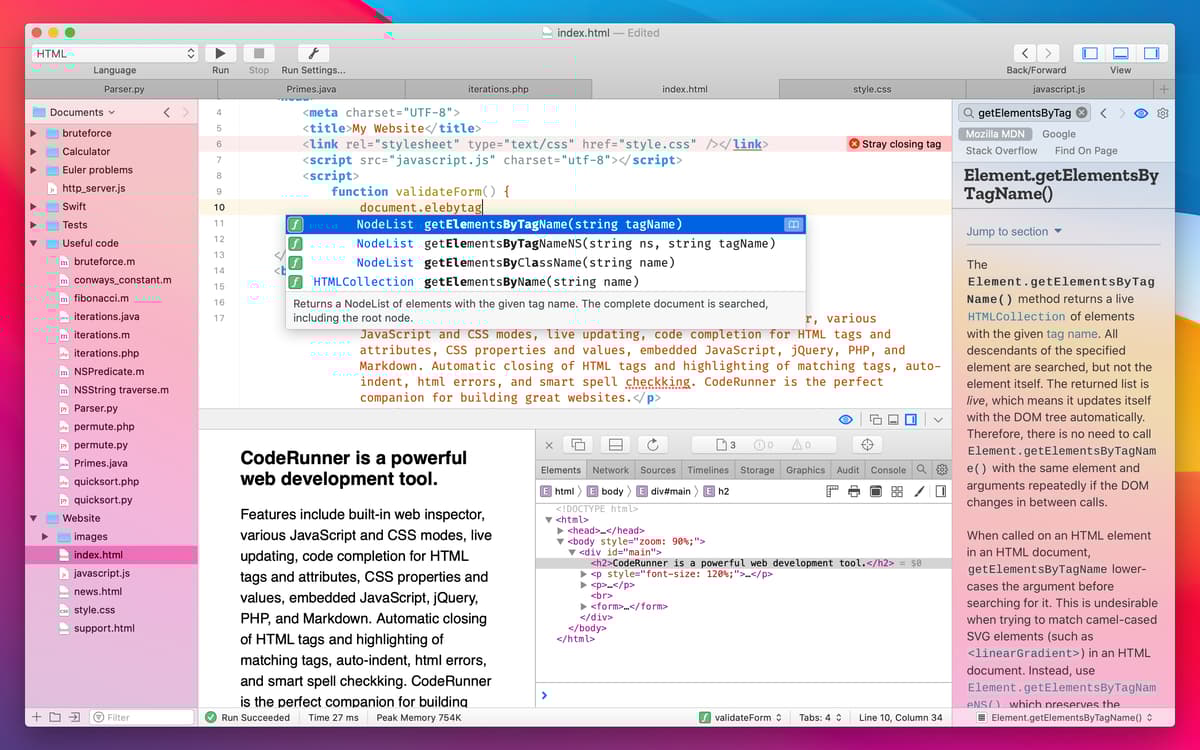
Simplify your software development with the lightning-fast code editor. Write, run, and debug quickly from a single app with out-of-the-box support for more than 25 languages. Fine-tune your work using 230 syntax highlighters, essential IDE features, documentation sidebar, customizable preferences, and dark/light mode. CodeRunner is a fully fledged alternative to any text editor, with developers praising its clean interface and sweet-spot of features.
Write and run code in 25+ languages
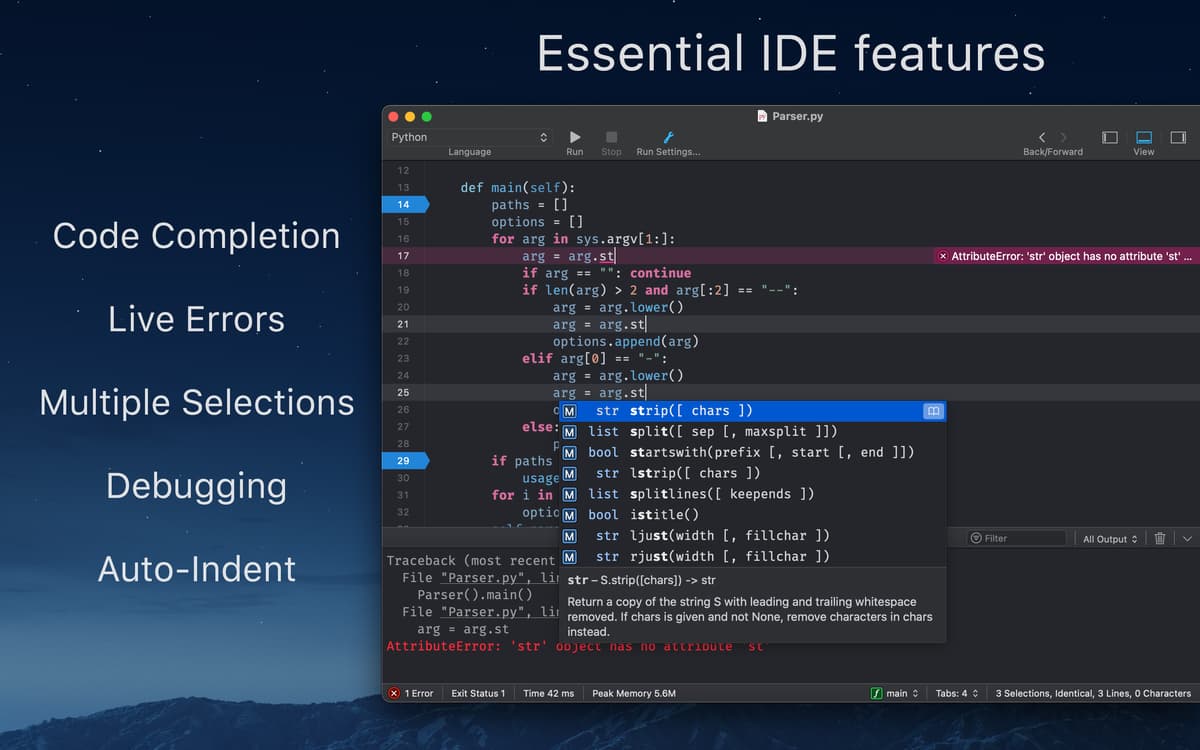
Code faster with advanced code completion
Avoid errors with instant inline feedback
Debug with breakpoints in 10+ languages
CodeRunner features
Build smarter
Get your code to working condition faster than ever. CodeRunner takes code completion, auto-indenting, and bracket management to the next level. Its smart autofill feature not only completes the string but also offers placeholders to write the entire function. Quickly switch between tabs, drag them to order, or hide them when not needed.
Beautify your code
Take noise out of the equation with over 230 syntax highlighters — all updated to the latest language specifications with customizable colors. Select a word or symbol, and then one hotkey later you’re able to view and edit local color scopes. See your current line highlighted and even customize the spacing. Switch between dark and light modes, or select a custom view theme to tie your preferred look together.
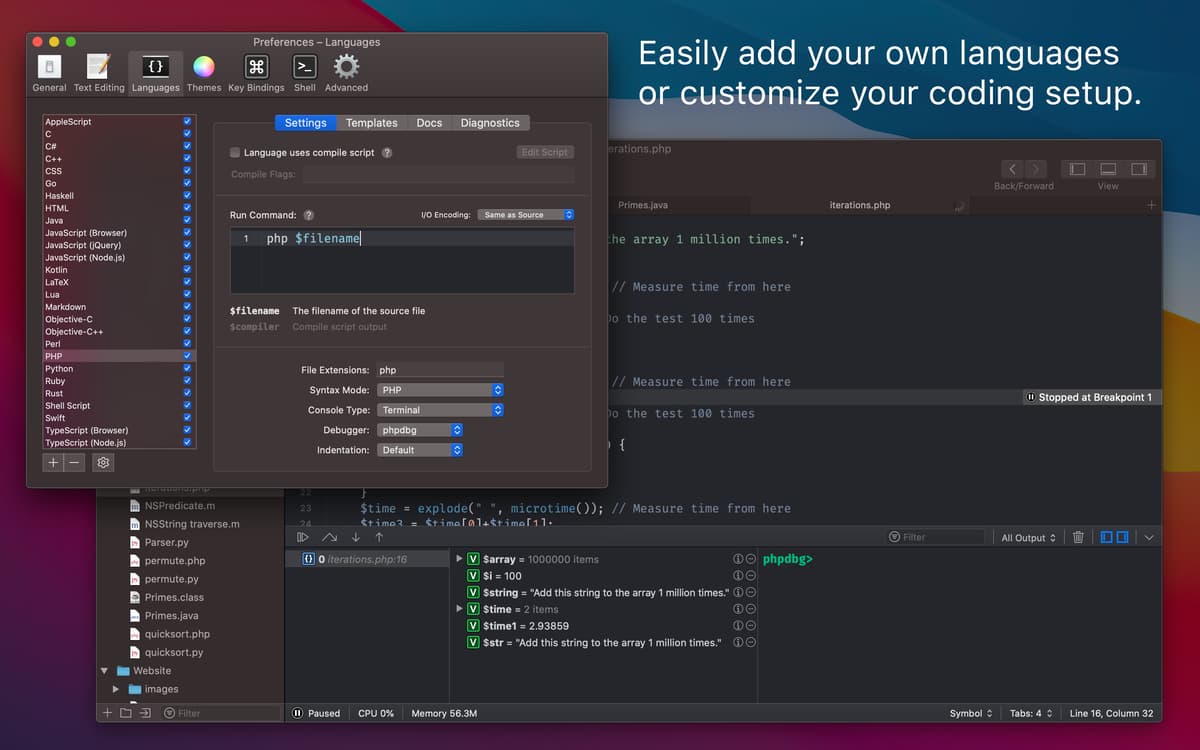
Tweak every preference
Configure CodeRunner to work exactly how you want. Don’t like auto-closing of brackets, indenting of new lines, or syntax highlighting? Simply toggle them off in the preference editor. Is auto-complete getting in the way of your custom functions? Switch it off temporarily while you work. You can even turn off auto-save if you’re just experimenting. Make CodeRunner work for you.
Debug like a dream
Produce quality code without compromise by leveraging useful debugging tools. Use the built-in web inspector to debug quickly or inject your JavaScript and CSS with simple run modes. Switch your PHP output between terminal and web mode for easy comparison. Set a breakpoint, explore the call stack, view and edit variables, and step through the code in a snap.
Search docs swiftly
Browse the online documentation for any programming language without leaving the app. CodeRunner’s new information sidebar lets you look up functions, methods, classes, and other symbols instantly. You can even add your own documentation to the lookup source, so that you spend less time switching apps and more time writing beautiful code.
Use any language
CodeRunner speaks your language, so you can drop into your workflow without a hitch. Select from more than 25 supported languages, including AppleScript, C, C++, C#, Go, Haskell, HTML/CSS, Java, JavaScript, Kotlin, LaTeX, Lua, Markdown, Node.js, Objective-C/C++, Perl, PHP, Python, Ruby, Rust, Shell Script, Swift, and TypeScript. You can even add your own languages with a simple terminal command.
Ratings and reviews
CodeRunner
•
1297 ratings
Dmitrijs
Sep 6, 2026
App version: 4.5
One HUGE problem with this app. It’s constantly trying to take over file associations. Despite I deny all the time hundreds of file associations, after next start it is trying to do the same thing…. So I have to keep it running in the background all the time. Otherwise I like it. But these forced file associations has to be fixed.
Pedro Angel Hernandez Lopez
Jul 2, 2026
App version: 4.5
macnifico para trabajar, sencillo y practico.
Russel
May 4, 2026
App version: 4.5
Works well. I’m not a coder, but sometimes need to view and attempt to interpret code.
Get hundreds of apps with Membership
Become Setapp member and use hundreds of stellar apps with one subscription.
Try 7 days free, then pay one simple fee.
Install Setapp on Mac
Explore apps for Mac, iOS, and web. Find easy ways to solve daily tasks.

Get the app you came for
That one shiny app is waiting inside Setapp. Install with a click.

CodeRunner
Choose your subscription
One app or more with a Setapp membership. Get apps the way you want.

Get hundreds of apps with Membership
Become Setapp member and use hundreds of stellar apps with one subscription.
Try 7 days free, then pay one simple fee.
1
Install Setapp on Mac
Explore apps for Mac, iOS, and web. Find easy ways to solve daily tasks.
2
Get the app you came for
That one shiny app is waiting inside Setapp. Install with a click.
CodeRunner
3
Choose your subscription
One app or more with a Setapp membership. Get apps the way you want.
Home to the top apps
From planning and routine tasks to creative pursuits and coding, tackle tasks with apps on Setapp.


CodeRunner
Edit and run code faster