CodeRunner
Edite e execute código mais rápido
Mac
Versão 4.5
macOS 10.15 ou posterior
303.4 MB
1 idiomas
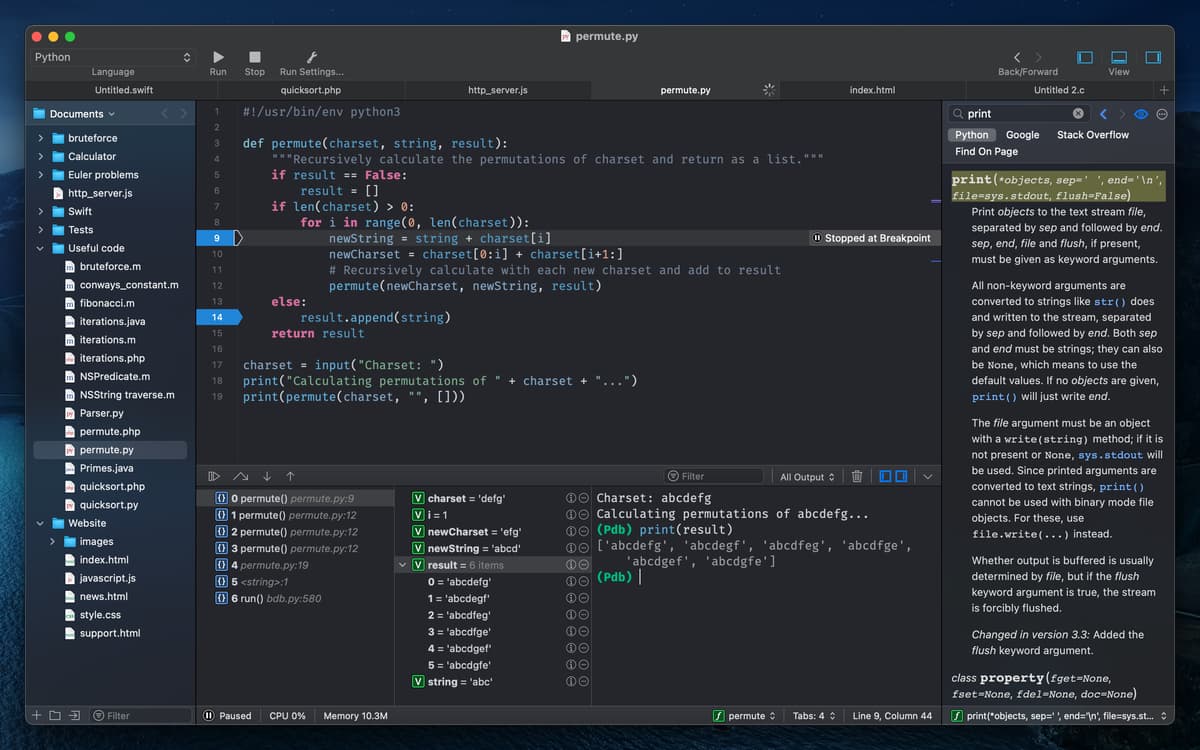
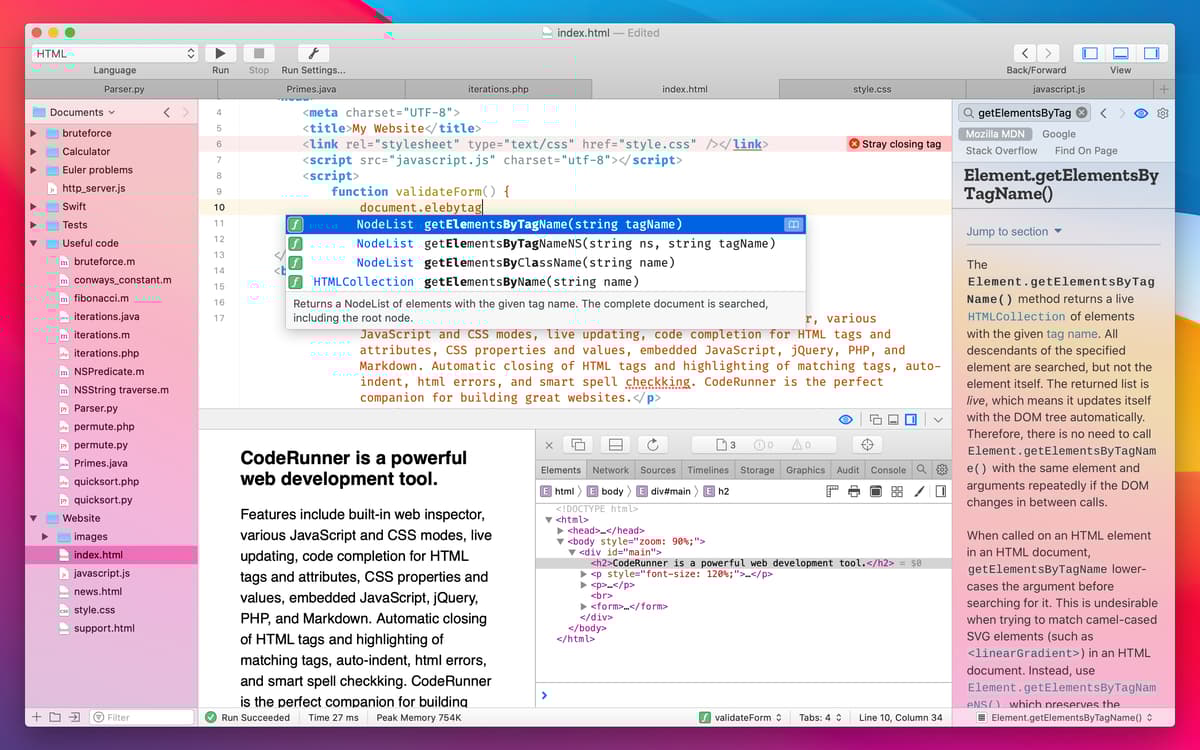
Simplifique o desenvolvimento de software com um editor de código super‑rápido. Escreva, execute e depure rapidamente em um só app que oferece compatibilidade com mais de 25 linguagens. Aprimore seu trabalho com mais de 230 destaques de sintaxe, recursos IDE essenciais, uma barra lateral de documentação, preferências personalizáveis e modo claro ou escuro. O CodeRunner é uma alternativa completa a qualquer editor de texto, elogiado por desenvolvedores por sua interface limpa e recursos precisos.
Escreva e execute código em mais de 25 linguagens
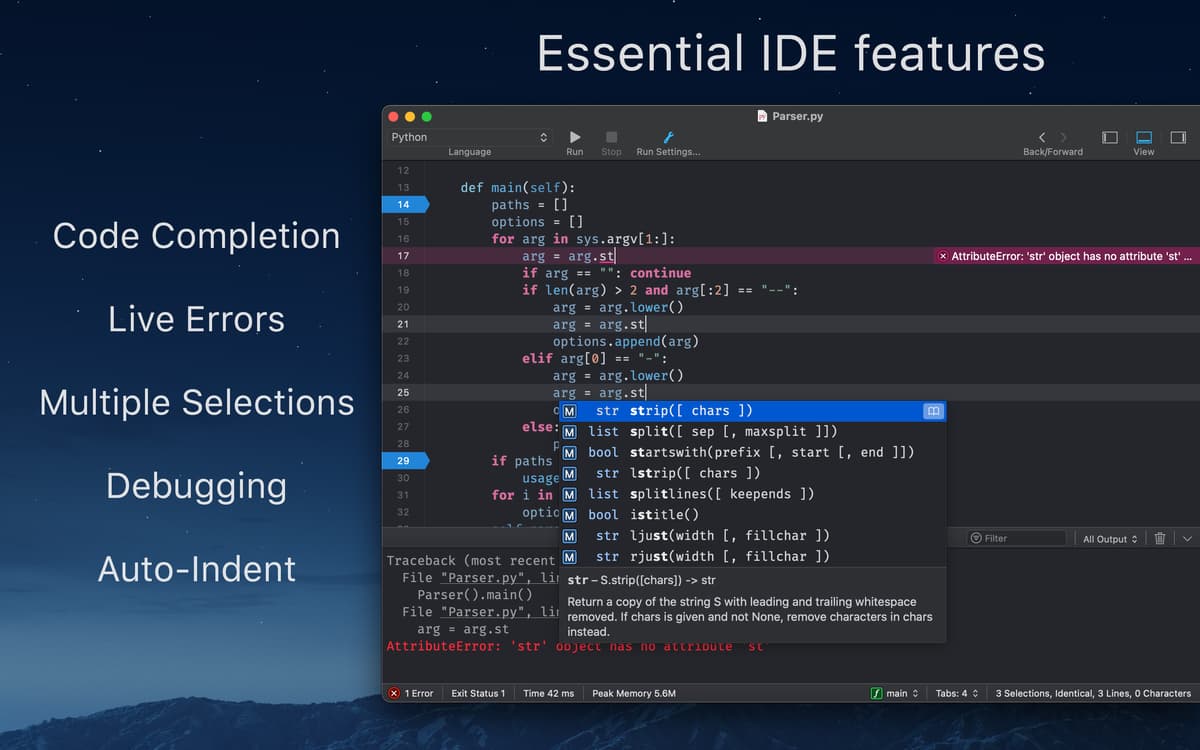
Programe mais rápido com preenchimento avançado
Evite erros com feedback instantâneo integrado
Depure com breakpoints em mais de 10 linguagens
Recursos do CodeRunner
Compile com inteligência
Faça com que o seu código comece a funcionar mais rápido. O CodeRunner eleva a um outro nível o preenchimento de programação, recuo automático e gerenciamento de colchetes. Seu recurso de preenchimento automático não só completa strings, como também oferece textos para escrever toda a função. Alterne rapidamente entre abas, arraste‑as para ordená‑las ou oculte‑as quando não forem necessárias.
Código mais bonito
Elimine o ruído e foque no código com mais de 230 destaques de sintaxe, todos atualizados conforme as especificações mais recentes e com cores personalizáveis. Selecione uma palavra ou símbolo para que, com um atalho, você possa visualizar e editar as paletas de cores. Veja a linha atual destacada e até personalize o espaçamento. Alterne entre os modos claro e escuro ou selecione um tema de visualização personalizado para dar consistência à aparência ideal para você.
Ajuste completo de preferências
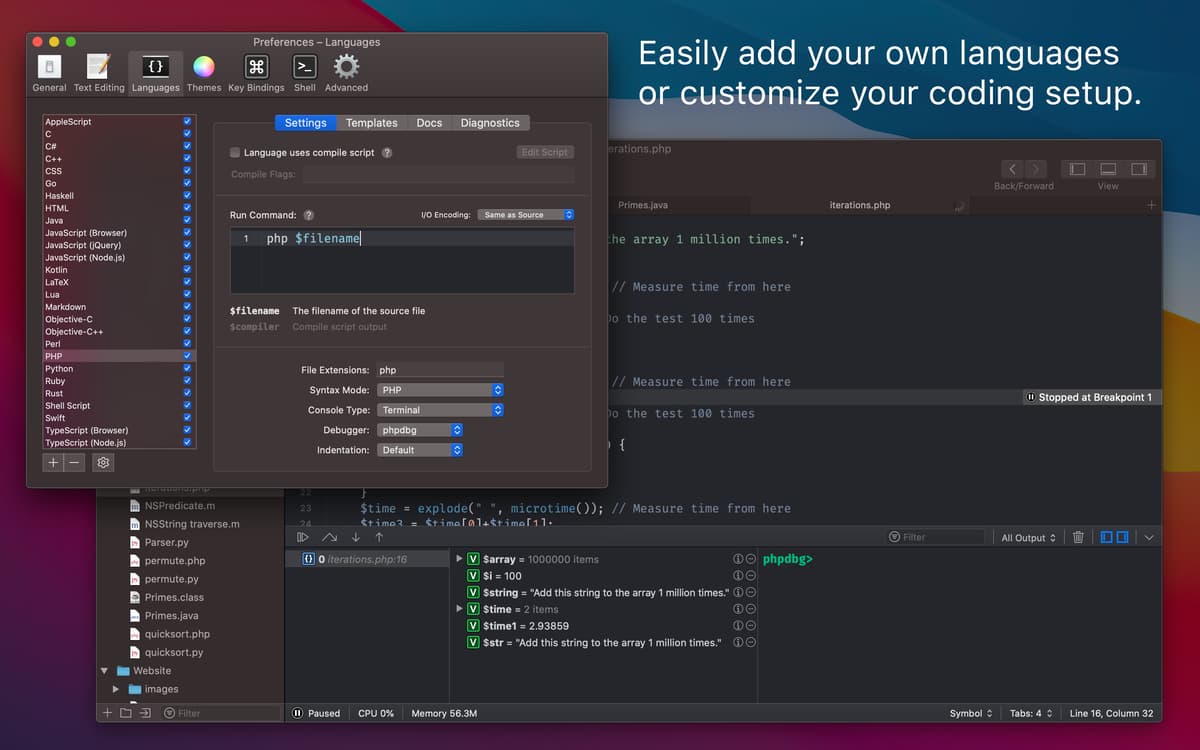
Configure o CodeRunner para que ele funcione do seu jeito. Não curte colchetes automáticos, recuos de novas linhas ou sintaxe destacada? Basta desativá‑los nas preferências do editor. O preenchimento automático atrapalha ao usar funções personalizadas? Desative‑o temporariamente enquanto você trabalha. Você pode até desativar o salvamento automático quando estiver apenas experimentando coisas.
Faça com que o CodeRunner funcione para você.
Depuração dos sonhos Use ferramentas de depuração para produzir código de qualidade sem fazer concessões. Use o inspetor web integrado para depurar rapidamente ou injete JavaScrip e CSS em modos de execução simples. Alterne a saída de PHP entre os modos terminal e web para comparar com facilidade. Defina um ponto de interrupção, explore a pilha de chamadas, visualize e edite variáveis e revise todo o código rapidamente.
Pesquise documentações rapidamente
Explore a documentação on‑line de qualquer linguagem de programação sem sair do app. A nova barra lateral de informações do CodeRunner permite que você busque funções, métodos, classes e qualquer outro símbolo instantaneamente. Você pode até adicionar sua própria documentação à fonte de pesquisas para passar mais tempo programando, e não alternando entre apps.
Use qualquer linguagem
O CodeRunner fala a linguagem que você precisa para que você comece a trabalhar sem pensar duas vezes. Selecione dentre mais de 25 linguagens compatíveis, incluindo AppleScript, C, C++, C#, Go, Haskell, HTML/CSS, Java, JavaScript, Kotlin, LaTeX, Lua, Markdown, Node.js, Objective-C/C++, Perl, PHP, Python, Ruby, Rust, Shell Script, Swift e TypeScript. Você pode até adicionar suas próprias linguagens com um simples comando de terminal.
Classificações e avaliações
CodeRunner
•
1299 classificações
Andres Mareli
Ontem
Versão do app: 4.5
I hate on first launch it asks to be the default app for a million different types of files! It takes a good 5 minutes furiously clicking the prompts to get throught the entire thing!
Dmitrijs
6 de set. de 2026
Versão do app: 4.5
One HUGE problem with this app. It’s constantly trying to take over file associations. Despite I deny all the time hundreds of file associations, after next start it is trying to do the same thing…. So I have to keep it running in the background all the time. Otherwise I like it. But these forced file associations has to be fixed.
Pedro Angel Hernandez Lopez
2 de jul. de 2026
Versão do app: 4.5
macnifico para trabajar, sencillo y practico.
Obtenha centenas de apps com o Membership
Obtenha um membership do Setapp e use centenas de apps estelares numa única assinatura.
Experimente grátis por 7 dias. Depois, pague um valor único.
Instale o Setapp no Mac
Explore apps para Mac, iOS e web. Encontre formas fáceis de lidar com as tarefas do dia a dia.

Obtenha o app que chamou sua atenção
Aquele app especial está esperando você no Setapp. Instale‑o com um clique.

CodeRunner
Escolha uma assinatura
Um ou mais apps com um membership do Setapp. Obtenha os apps que você quer.

Obtenha centenas de apps com o Membership
Obtenha um membership do Setapp e use centenas de apps estelares numa única assinatura.
Experimente grátis por 7 dias. Depois, pague um valor único.
1
Instale o Setapp no Mac
Explore apps para Mac, iOS e web. Encontre formas fáceis de lidar com as tarefas do dia a dia.
2
Obtenha o app que chamou sua atenção
Aquele app especial está esperando você no Setapp. Instale‑o com um clique.
CodeRunner
3
Escolha uma assinatura
Um ou mais apps com um membership do Setapp. Obtenha os apps que você quer.
A casa dos melhores apps
Desde tarefas rotineiras e de planejamento a atividades criativas e de programação, encare suas tarefas com os apps do Setapp.

TypingMind
IU alternativa para conversar com IA
gere ou resuma textos
use uma biblioteca de ações
IA

Spark Mail
Gerencie e‑mails
IA

CleanMyMac
Limpe os detritos

Bartender
Personalize a barra de menus

CleanShot X
Capturas de tela versáteis

Luminar Neo
Edite suas fotos
IA

ClearVPN
Conecte‑se com mais segurança

Craft
Trabalhe com documentos
IA
CodeRunner
Edite e execute código mais rápido