iShowU
Record screen on Mac
Mac
Version 6.0.25
macOS 13.1 or later
100 MB
1 languages
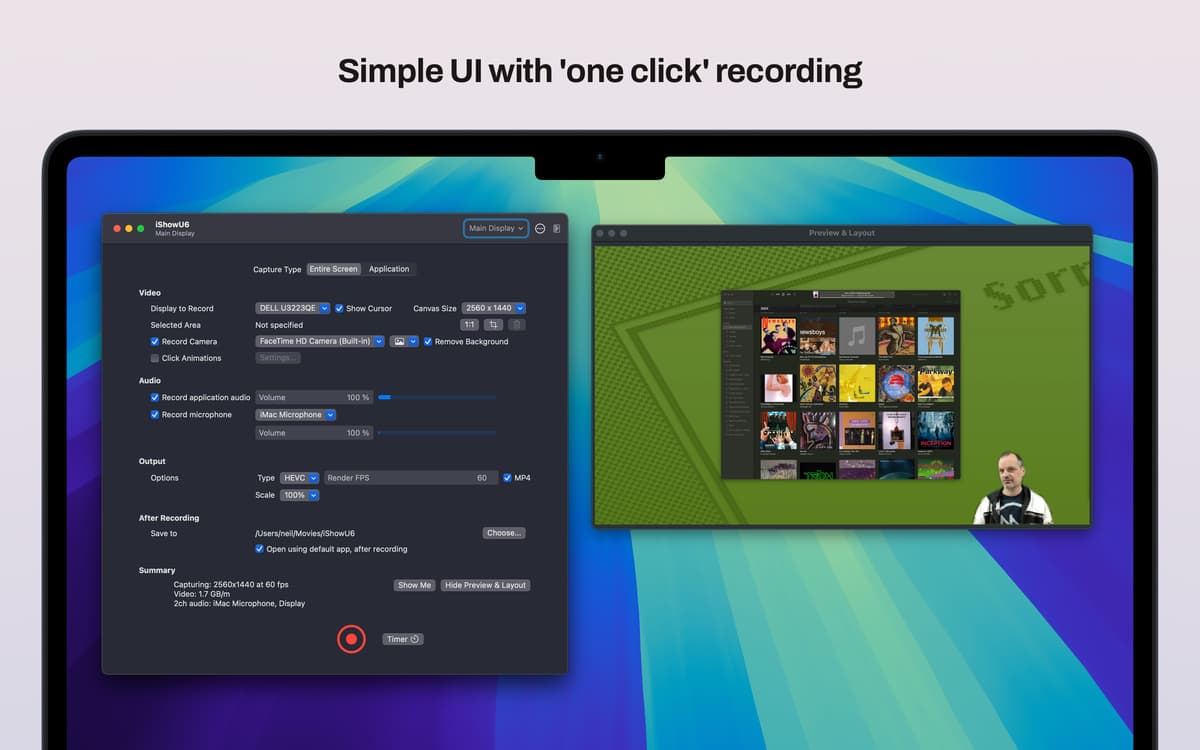
Capture videos of your Mac’s screen to make tutorials, product demos, explainers, and more with iShowU. This screen recording app can be as simple or as advanced as you want with the app’s two user interfaces, simple and pro, that you can switch between at any time.
Make screen recordings of your Mac
Record team meetings
Create tutorials and demos
Capture the screen of a connected iPhone
iShowU features
Make high-quality recordings
Record the screen of your Mac in 4K, at 60 frames per second, to create high-quality visuals for your work, hobbies, and projects. Capture your whole screen, individual windows, or selected areas into easy-to-follow tutorials, demos, walk-throughs, and more.
Remove background
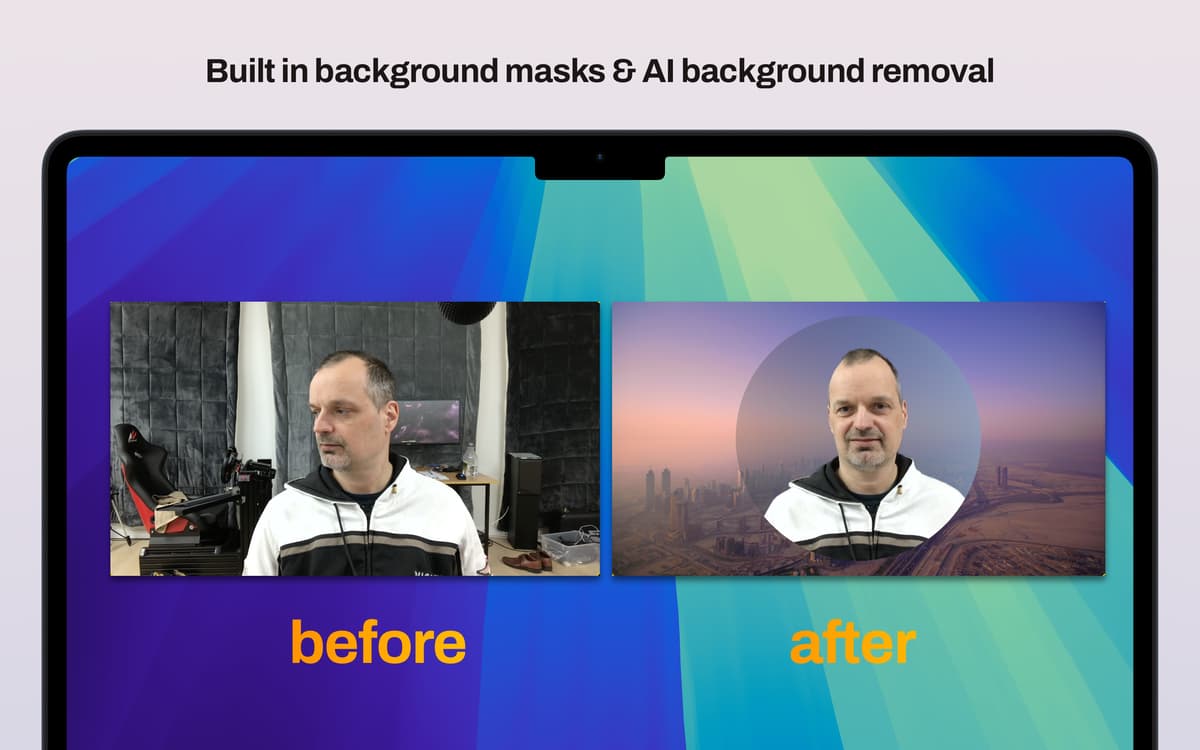
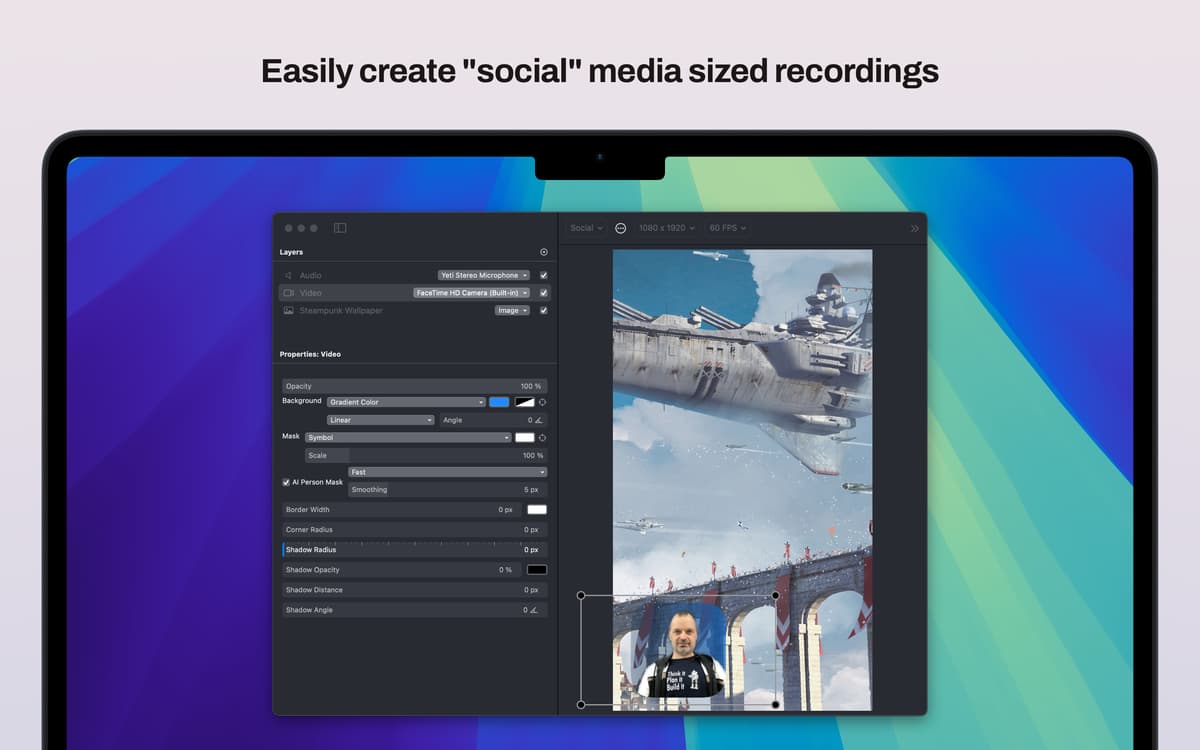
Make your tutorials and demos look more professional by adding a selfie video in the corner. Overlay your selfie video on your screen recording and opt to either remove the background completely with iShowU’s AI tools, or use the built-in masks.
Record screens of iOS devices
With iShowU, you can also record the screen of a connected iOS device. Simply connect your iPhone to your Mac and set iShowU to record the respective screen.
Add your logo
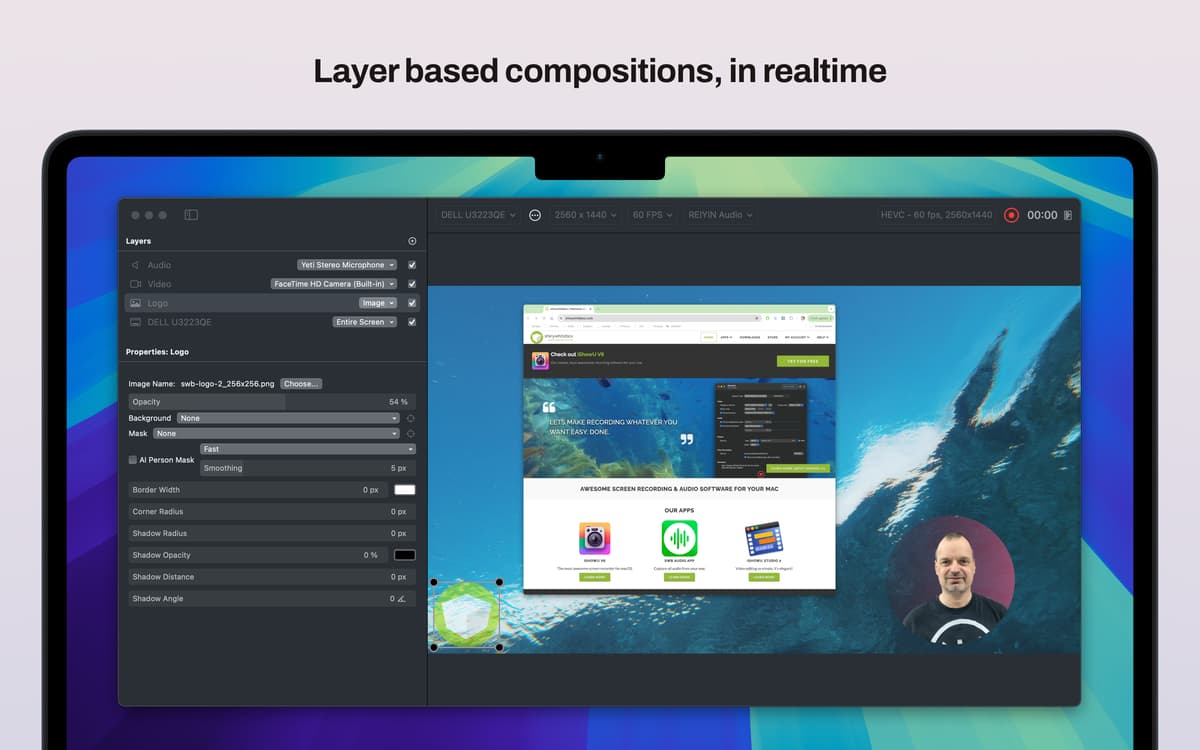
Utilize iShowU’s layered recording feature to overlay your own logo onto a screen recording you’ve made to make your brand content memorable, instantly recognizable, and easily identifiable.
Ratings and reviews
iShowU
•
124 ratings
Arthur Botha
Aug 22, 2026
App version: 6.0.25
My only gripe is that if I don’t quit the app, after I stopped recording, my screens does not go into sleep mode. The screens stays “open”. When I quite the app, completely, the screen(s) goes into sleep mode like it normally does after some none activity.
Family McClellan
Aug 8, 2026
App version: 6.0.25
Very helpful in getting capturing FaceBook streaming videos.
Alex
May 28, 2026
App version: 6.0.25
Easy to set up and get working. Easy to select the right screen or app to record, and preview ensures you know exactly what your audience are seeing. Using a Macbook Pro M1, 16Gb ram, performance of the app has been excellent.
Get hundreds of apps with Membership
Become Setapp member and use hundreds of stellar apps with one subscription.
Try 7 days free, then pay one simple fee.
Install Setapp on Mac
Explore apps for Mac, iOS, and web. Find easy ways to solve daily tasks.

Get the app you came for
That one shiny app is waiting inside Setapp. Install with a click.

iShowU
Choose your subscription
One app or more with a Setapp membership. Get apps the way you want.

Get hundreds of apps with Membership
Become Setapp member and use hundreds of stellar apps with one subscription.
Try 7 days free, then pay one simple fee.
1
Install Setapp on Mac
Explore apps for Mac, iOS, and web. Find easy ways to solve daily tasks.
2
Get the app you came for
That one shiny app is waiting inside Setapp. Install with a click.
iShowU
3
Choose your subscription
One app or more with a Setapp membership. Get apps the way you want.
Home to the top apps
From planning and routine tasks to creative pursuits and coding, tackle tasks with apps on Setapp.


iShowU
Record screen on Mac