iShowU
Grave a tela no Mac
Mac
Versão 6.0.25
macOS 13.1 ou posterior
100 MB
1 idiomas
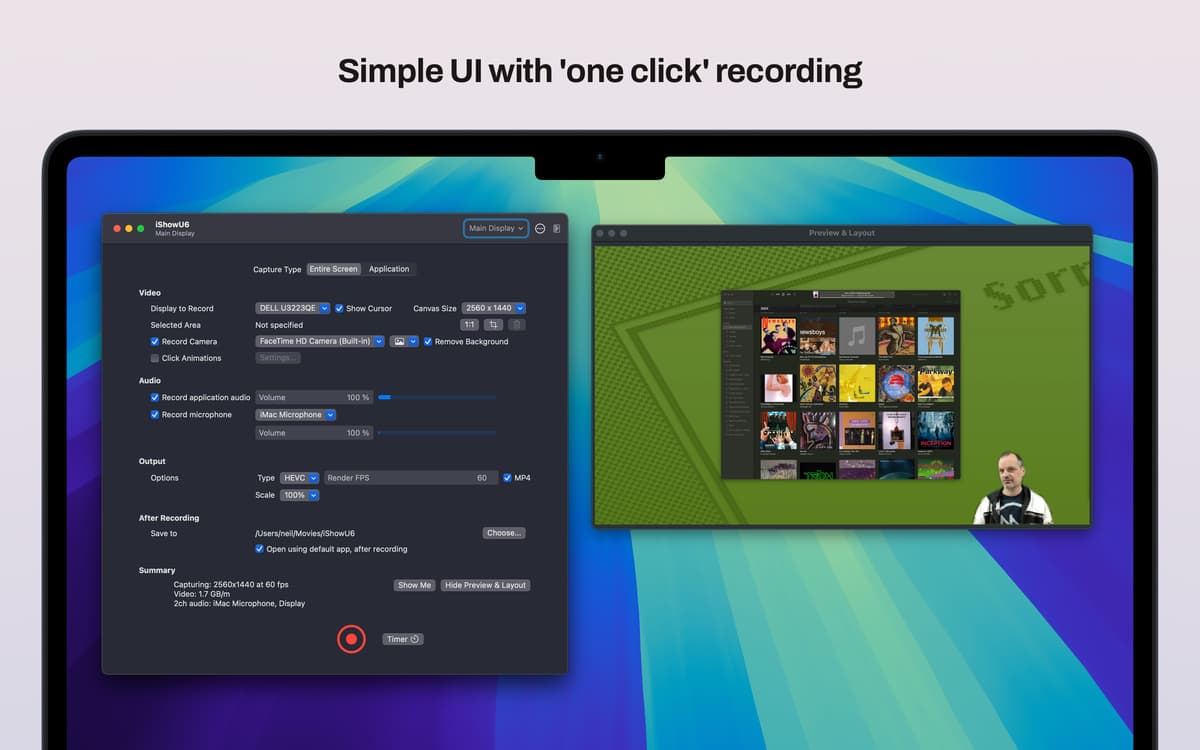
Capture vídeos da tela do Mac para criar tutoriais, demonstrações de produtos, vídeos explicativos e muito mais com o iShowU. Este app de gravação da tela pode ser simples ou avançado de acordo com as suas necessidades, graças às duas interfaces que ele oferece, simples e profissional, entre as quais você alterna quando quiser.
Crie gravações da tela do Mac
Grave reuniões de trabalho
Crie tutoriais e demonstrações
Capture a tela de um iPhone conectado
Recursos do iShowU
Faça gravações de alta qualidade
Grave a tela do Mac em 4K a 60 quadros por segundo para criar vídeos de alta qualidade dos seus trabalhos, hobbies e projetos. Capture toda a tela, janelas individuais ou áreas selecionadas para criar tutorais fáceis de seguir, demonstrações, passo a passos e outros tipos de vídeo.
Remova o fundo
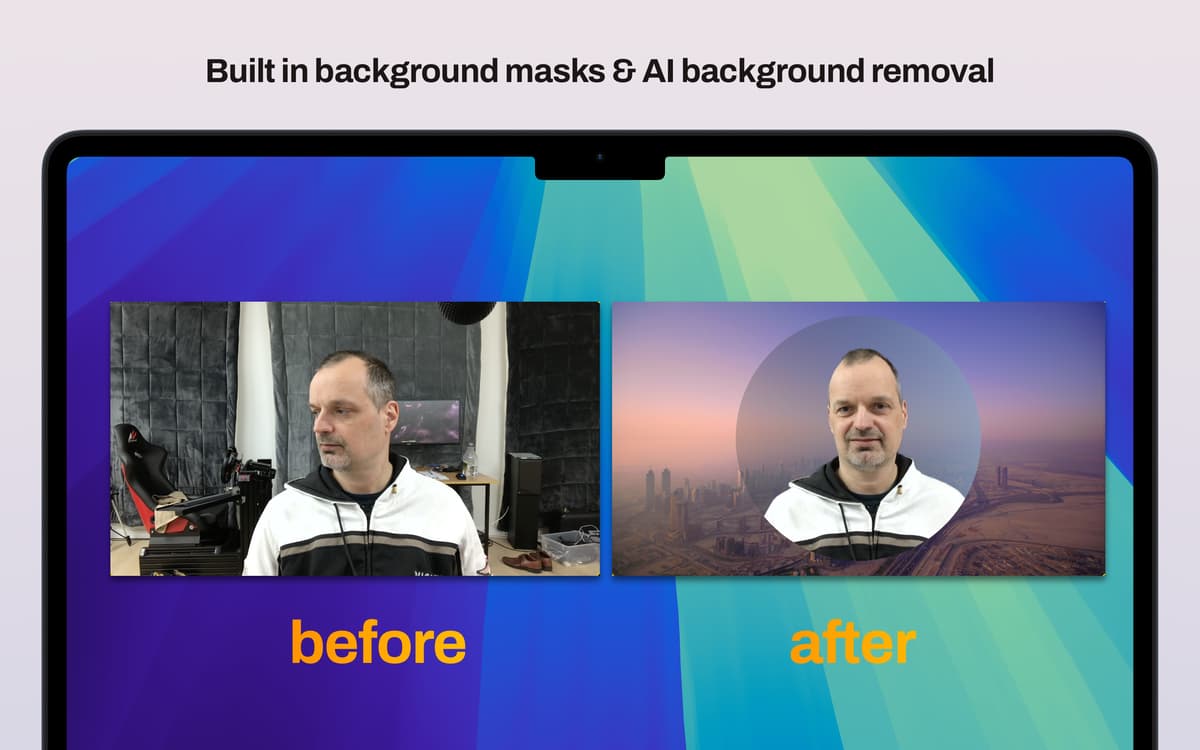
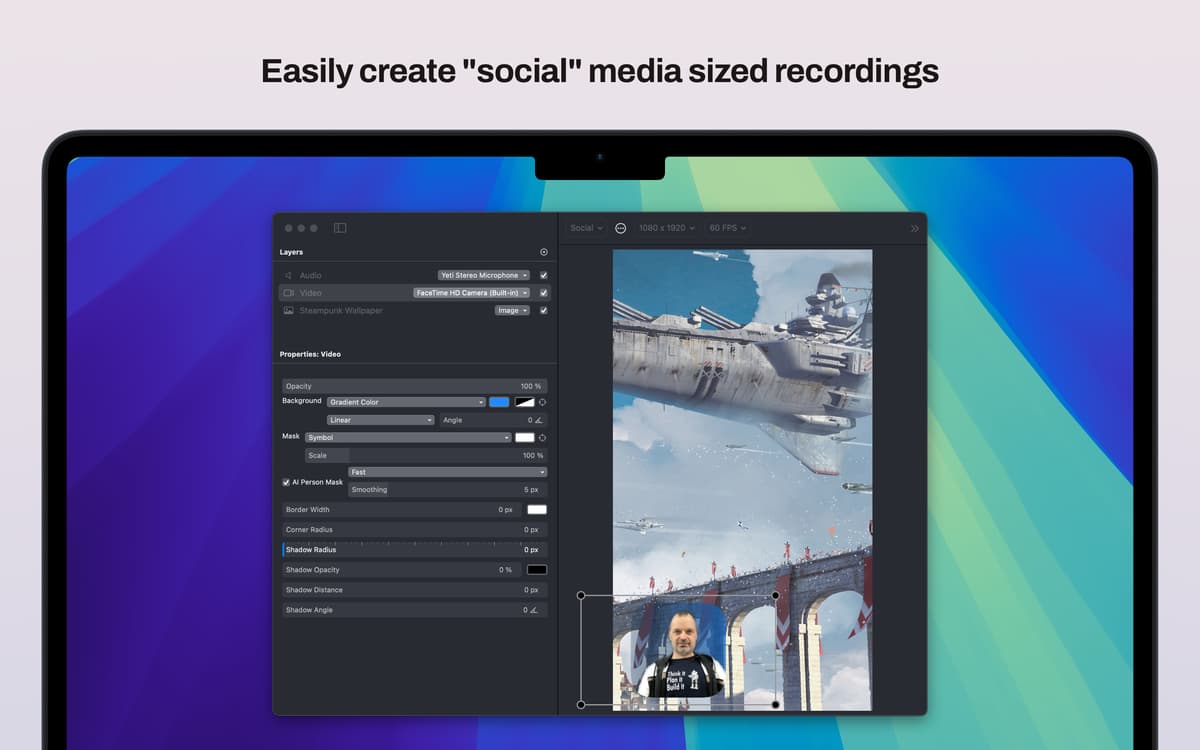
Deixe seus tutoriais e demonstrações mais profissionais com um vídeo seu no canto da tela. Sobreponha o vídeo com o seu rosto à tela gravada e tenha a opção de remover o fundo por completo com as ferramentas de IA do iShowU ou as máscaras integradas.
Grave a tela de dispositivos iOS
Com o iShowU, você pode gravar a tela de um dispositivo iOS conectado. Basta conectar o iPhone ao Mac e configurar o iShowU para gravar a tela do dispositivo.
Adicione seu logo
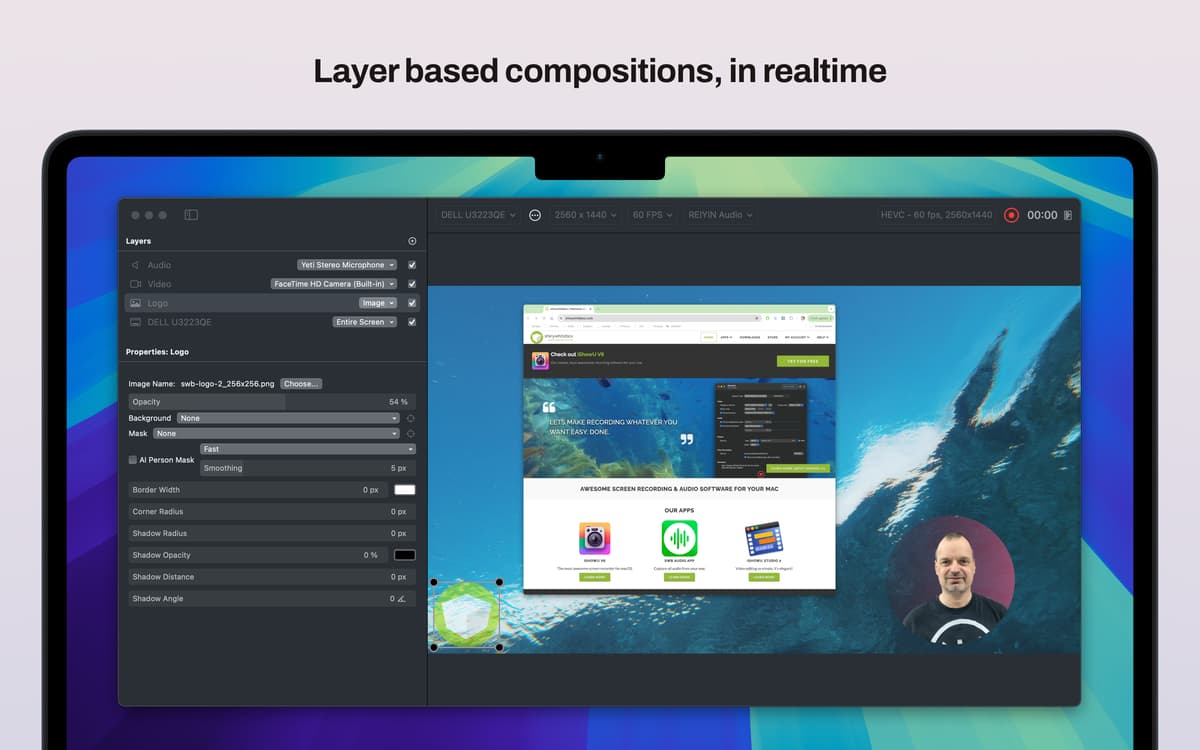
Use o recurso de gravação em camada do iShowU para sobrepor seu logo a uma gravação de tela e tornar sua marca memorável, instantaneamente reconhecível e facilmente identificável.
Classificações e avaliações
iShowU
•
124 classificações
Arthur Botha
22 de ago. de 2026
Versão do app: 6.0.25
My only gripe is that if I don’t quit the app, after I stopped recording, my screens does not go into sleep mode. The screens stays “open”. When I quite the app, completely, the screen(s) goes into sleep mode like it normally does after some none activity.
Family McClellan
8 de ago. de 2026
Versão do app: 6.0.25
Very helpful in getting capturing FaceBook streaming videos.
Alex
28 de mai. de 2026
Versão do app: 6.0.25
Easy to set up and get working. Easy to select the right screen or app to record, and preview ensures you know exactly what your audience are seeing. Using a Macbook Pro M1, 16Gb ram, performance of the app has been excellent.
Obtenha centenas de apps com o Membership
Obtenha um membership do Setapp e use centenas de apps estelares numa única assinatura.
Experimente grátis por 7 dias. Depois, pague um valor único.
Instale o Setapp no Mac
Explore apps para Mac, iOS e web. Encontre formas fáceis de lidar com as tarefas do dia a dia.

Obtenha o app que chamou sua atenção
Aquele app especial está esperando você no Setapp. Instale‑o com um clique.

iShowU
Escolha uma assinatura
Um ou mais apps com um membership do Setapp. Obtenha os apps que você quer.

Obtenha centenas de apps com o Membership
Obtenha um membership do Setapp e use centenas de apps estelares numa única assinatura.
Experimente grátis por 7 dias. Depois, pague um valor único.
1
Instale o Setapp no Mac
Explore apps para Mac, iOS e web. Encontre formas fáceis de lidar com as tarefas do dia a dia.
2
Obtenha o app que chamou sua atenção
Aquele app especial está esperando você no Setapp. Instale‑o com um clique.
iShowU
3
Escolha uma assinatura
Um ou mais apps com um membership do Setapp. Obtenha os apps que você quer.
A casa dos melhores apps
Desde tarefas rotineiras e de planejamento a atividades criativas e de programação, encare suas tarefas com os apps do Setapp.

TypingMind
IU alternativa para conversar com IA
gere ou resuma textos
use uma biblioteca de ações
IA

Spark Mail
Gerencie e‑mails
IA

CleanMyMac
Limpe os detritos

Bartender
Personalize a barra de menus

CleanShot X
Capturas de tela versáteis

Luminar Neo
Edite suas fotos
IA

ClearVPN
Conecte‑se com mais segurança

Craft
Trabalhe com documentos
IA
iShowU
Grave a tela no Mac