
Pie Menu
Легкий доступ до функцій програм
Mac
Версія 2.0.4
macOS 13.0 чи новіша
31.1 MB
5 мов(и)
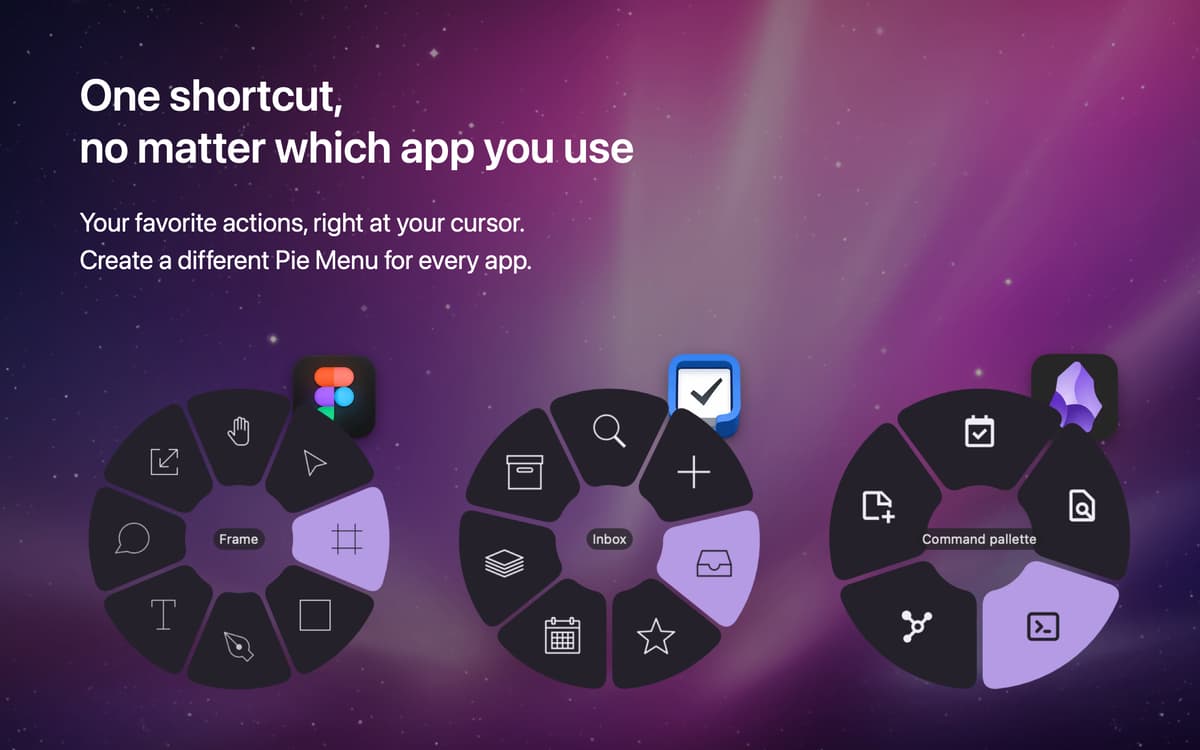
Революціонізуйте спосіб доступу до функцій програм за допомогою Pie Menu. Запустіть меню-пиріг за допомогою комбінації клавіш, і навколо курсору з'явиться плаваюче радіальне меню зі швидкими діями. Дії в меню налаштовуються відповідно до програми, в якій ви їх викликаєте, тож ви можете заощадити час і не запам'ятовувати окремі комбінації клавіш для різних програм!
Зберігайте час з плаваючим меню функцій
Користуйтесь функціями окремих програм
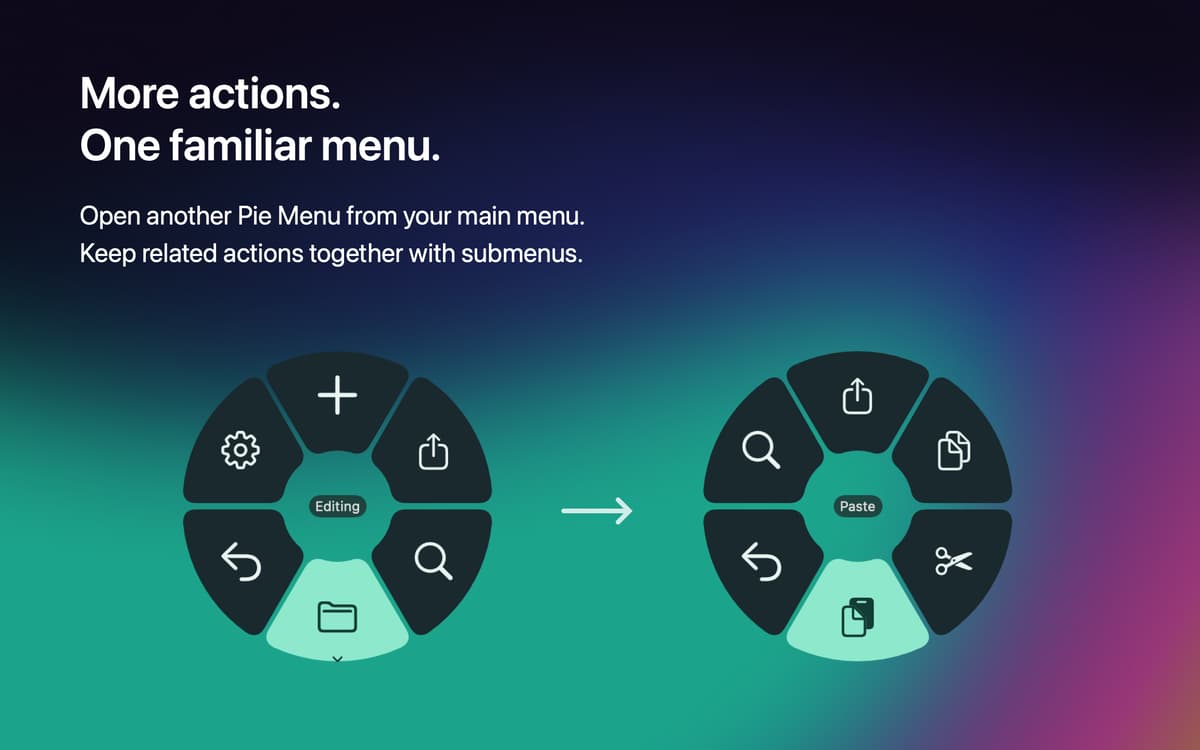
Додавайте та видаляйте команди
Працює з десятками популярних програм
Можливості Pie Menu
Швидко користуйтесь функціями програм
Викликайте контекстне меню курсора, щоб отримати доступ до швидких дій у програмі, в якій ви перебуваєте. Працюйте швидше і не турбуйтеся про необхідність запам'ятовувати комбінації клавіш для найуживаніших дій у програмах.
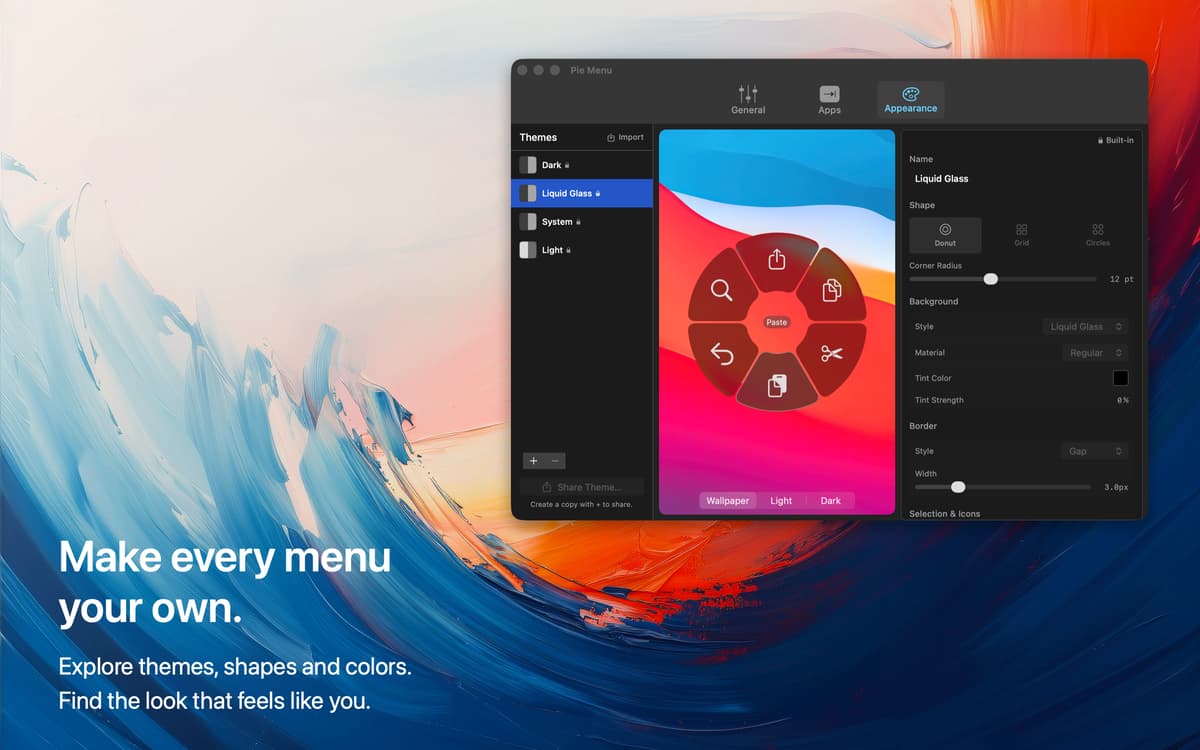
Налаштовуйте комбінацію клавіш
Викличте меню за допомогою комбінації клавіш на ваш вибір – налаштуйте власну комбінацію клавіш для виклику меню, і починайте роботу.
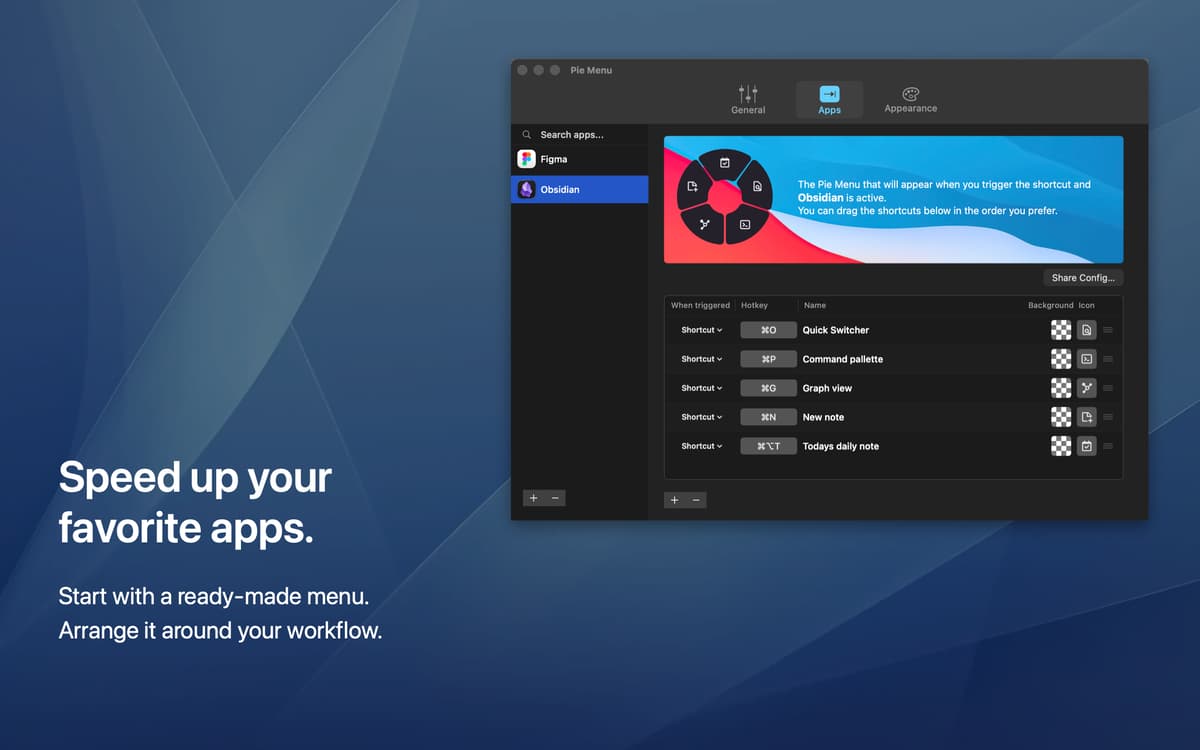
Встановлюйте комбінації для окремих програм
Виберіть які швидкі дії ви хочете бачити для різних програм. Ваше меню відображатиме вибрані вами дії, і вони будуть окремими для різних програм, щоб заощадити час на виконання улюблених функцій!
Досліджуйте бібліотеку гарячих клавіш
Ви можете доповнити своє меню швидкими діями, які ви вже знаєте, або дослідити бібліотеку комбінацій клавіш та знайти найкорисніші для себе серед десятків популярних програм для Mac.
Оцінки та відгуки
Pie Menu
•
Оцінок: 115
MacMillan
4 жовт. 2026 р.
Версія: 2.0.1
Los submenus no funcionan en ninguna app lo van a rreglar lo demas pues ¡mas bonito! pero lo principal no funciona
Відповідь розробника
5 жовт. 2026 р.
¡Gracias por avisarnos! Ya hemos corregido el problema con los submenús en la versión 2.0.2, que ya está disponible. Actualiza la app para recibir la corrección. ¡Sentimos las molestias y gracias por tu paciencia!
Rik Welter
28 лип. 2026 р.
Версія: 1.2.39
It’s a real pity that the app doesn’t get the recognition it deserves, and its low ratings go back to reviews in 2025… I am really happy with PieMenu. It’s now fully incorporated in my workflow for a number of apps I use multiple times per day. To note that I am not a user of a couple of core Mac apps like Safari (replaced by Brave), Mail (replaced by MailMaven), Notes (replaced by Obsidian), etc. But that’s just personal taste, already a fact before installing PieMenu. PieMenu perfectly supports all my main apps, and because I have set a gesture (3 fingers tap) as trigger, it’s now fully part of my gestures muscle memory and very easy to use. Long story short - I am a very happy chappy with Pie Menu. Well done Marius!
Dark Of Lord
13 трав. 2025 р.
Версія: 1.2.39
I can’t even add many apps like Safari. It’s always lagging… Apps don’t appear even though they’re in the Applications folder.
Відповідь розробника
14 трав. 2025 р.
We've had an issue with some of the native apps after the latest release of MacOS. We're working on a fix for this we hope to have out soon!
Отримайте сотні програм з Membership
Підпишіться на Setapp і користуйтесь сотнями чудових програм.
Перші 7 днів безплатно, а далі – в єдиному простому плані.
Завантажити Setapp на Mac
Знайдіть в Setapp застосунок для macOS, iOS або web, що допоможе вирішити ваше завдання.

Установіть знайдену програму
Виконайте завдання за допомогою новенької програми зі Setapp.

Pie Menu
Виберіть план підписки
Один застосунок або всі разом в підписці Setapp. Користуйтеся застосунками на своїх умовах.

Отримайте сотні програм з Membership
Підпишіться на Setapp і користуйтесь сотнями чудових програм.
Перші 7 днів безплатно, а далі – в єдиному простому плані.
1
Завантажити Setapp на Mac
Знайдіть в Setapp застосунок для macOS, iOS або web, що допоможе вирішити ваше завдання.
2
Установіть знайдену програму
Виконайте завдання за допомогою новенької програми зі Setapp.
Pie Menu
3
Виберіть план підписки
Один застосунок або всі разом в підписці Setapp. Користуйтеся застосунками на своїх умовах.
Нагору
Від планування та рутинних завдань до програмування і творчості – працюйте ефективніше зі Setapp.

TypingMind
ШІ зі зручним інтерфейсом
генеруйте й обробляйте текст
користуйтеся бібліотекою
ШІ

Spark Mail
Упорядкуйте імейли
ШІ

CleanMyMac
Видаляйте тільки непотрібне

Bartender
Налаштуйте меню під себе

CleanShot X
Робіть будь-які скриншоти

Luminar Neo
Редагуйте фото
ШІ

ClearVPN
Безпечний звʼязок

Craft
Робота з документами
ШІ
Pie Menu
Легкий доступ до функцій програм