GoodTask
Sync to-dos with reminders
Mac
Version 8.4.8
macOS 12.0 or later
108.6 MB
15 languages
Being integrated with Apple's native Reminders and Calendar, GoodTask is made to expand on the abilities these two apps have to offer. It’s definitely the right calendar planner to focus on your core tasks. Needless to add, this elegant daily reminder app not only helps you organize and prioritize your tasks and projects but also get big and small things done easier and in a smart way.
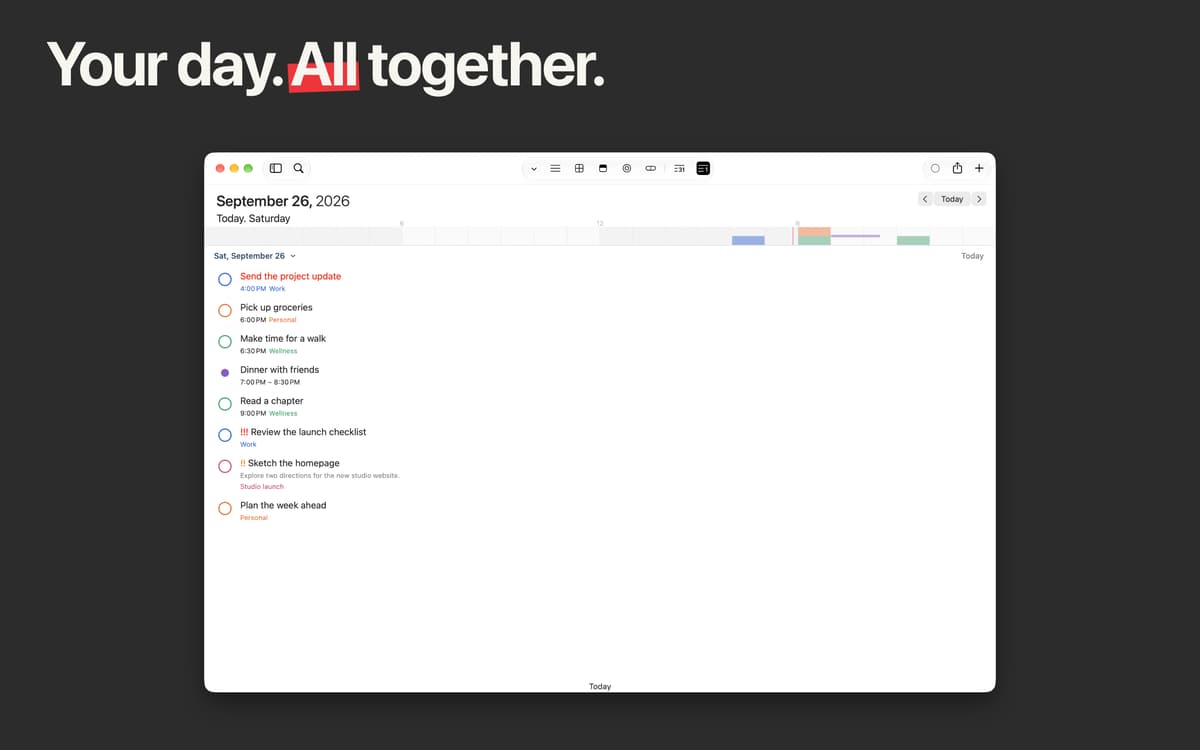
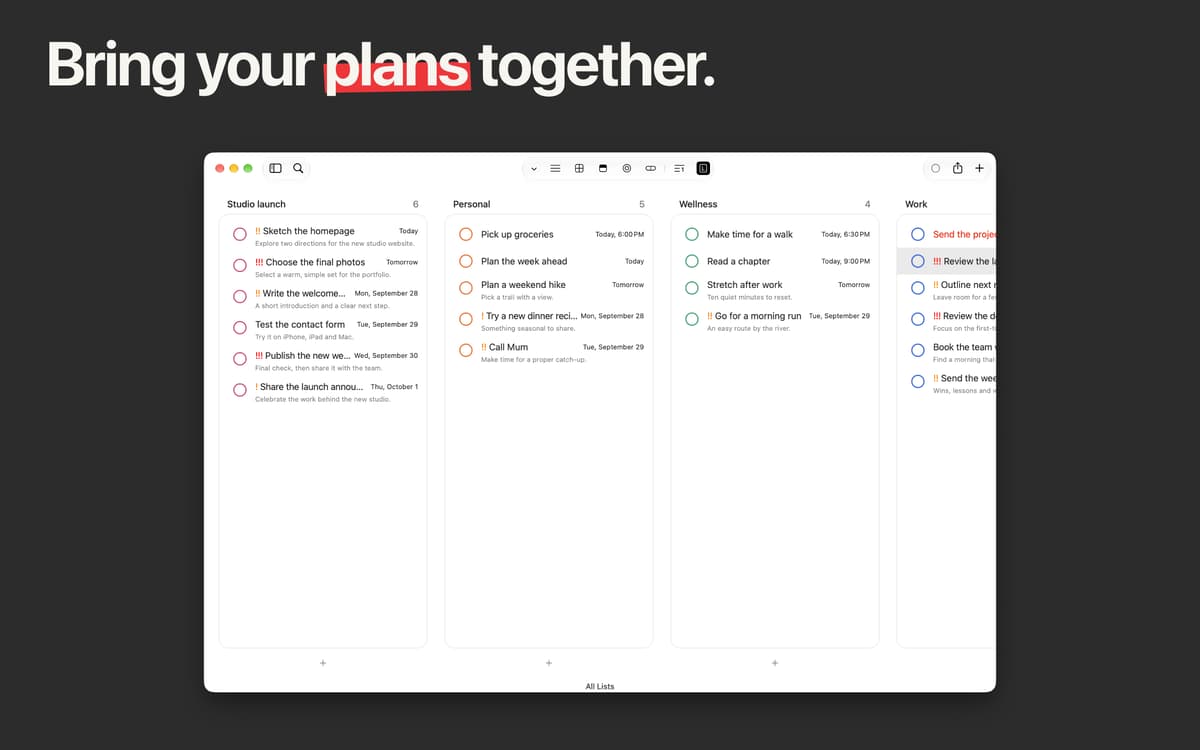
Create a unified space for task management
Use text snippets to add new tasks instantly
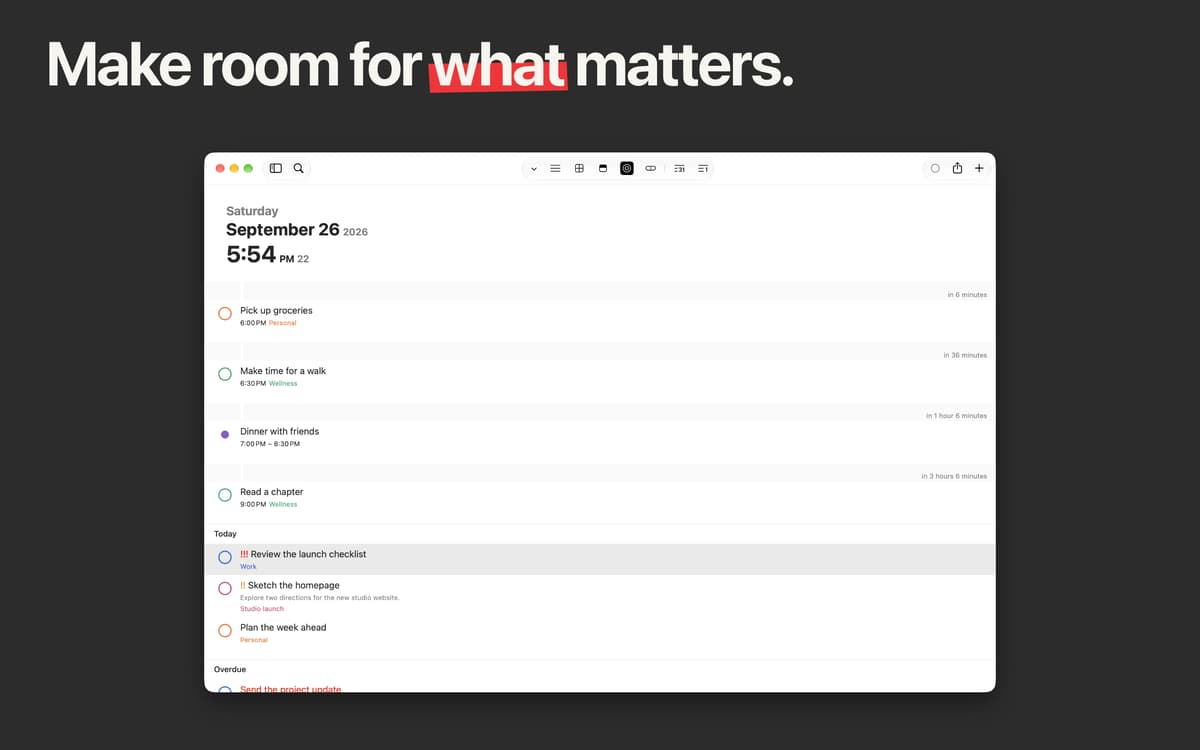
Set up task reminders with automatic repeat
Filter and tag tasks for quick access
GoodTask features
Apple's native Reminders & Calendar sync
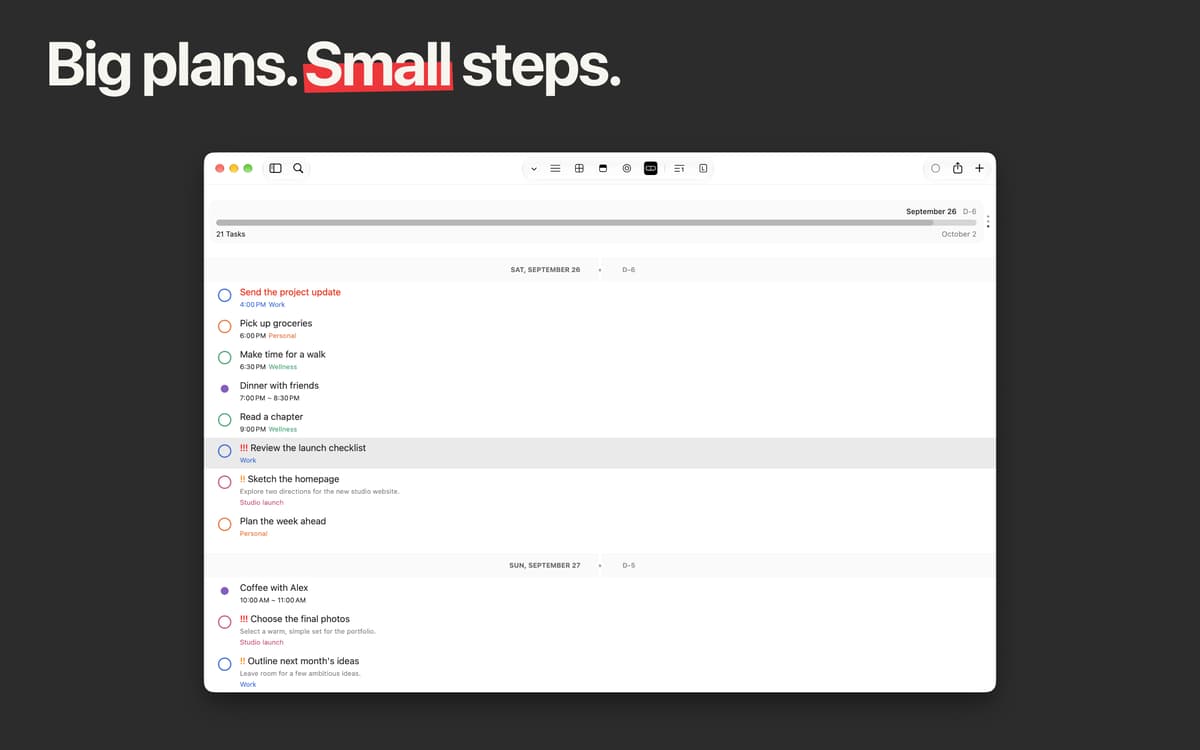
Simultaneously sync with iCloud or Outlook/Exchange accounts' data. Have a glance at what has been planned for today, tomorrow or further. Put a tick to the things done in this todo app and concentrate on the most important ones.
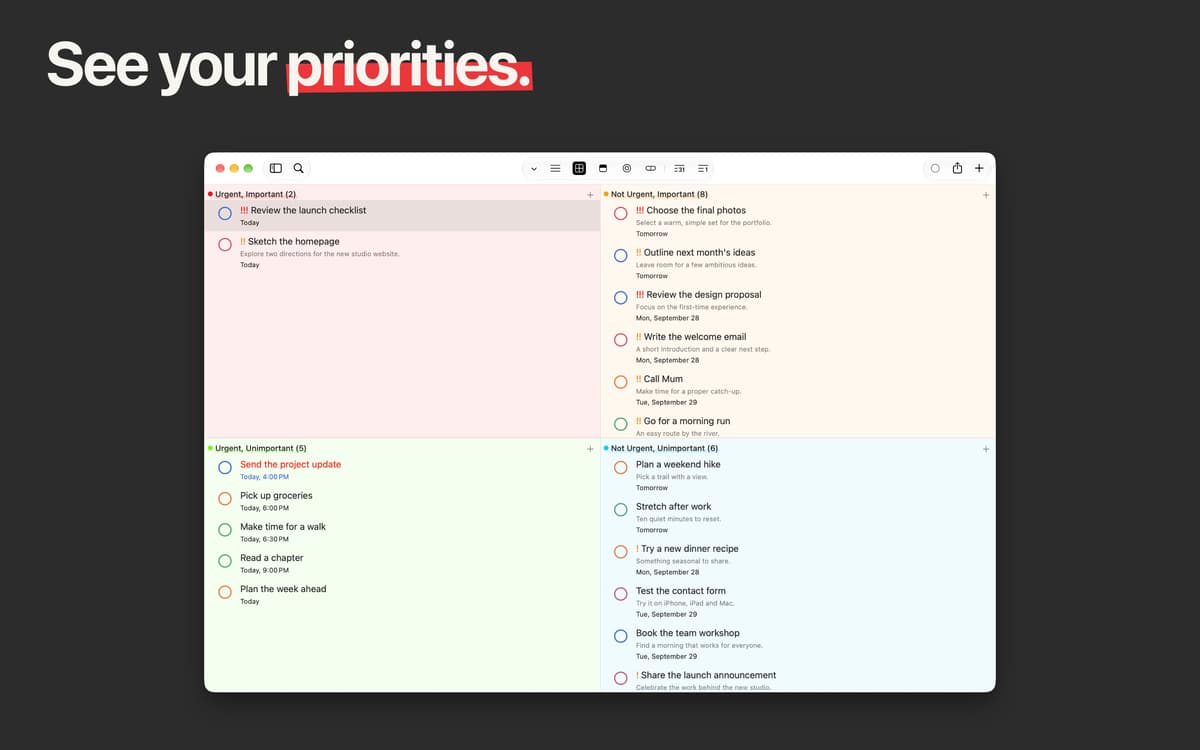
Smart lists for better productivity
Filter all the tasks to suit your needs. Reveal what’s been already overdue and create new tasks within seconds. Manage your calendar adding specific subtasks for every task you have.
Quick actions and text snippets
Enable Quick Actions and create tasks at blazing speed. If there is such a necessity, use text snippets and you’ll be able to easily setup your task upon typing. With these settings preserved, continue adding up to the moment you have everything settled.
Task reminder with Automatic repeat
Got some tasks that you have on a regular basis? No need to make a new one from scratch, simply enable the automatic repeat mode and specify the time when you want this task to start again.
Tagging for easy finding
It’s pretty simple and fast to add tags to your projects or tasks titles using this handy todo software. Currently, there are two options to choose from: Notes and Title in Preferences.
Customizable sort order
It’s up to you how to sort your to-dos using this checklist app. From now on, you can customize it with the following: Alphabet (a-z and z-a), Date (begin/end), Created Time (in both directions). Plus, there’s a manual sorting option.
Ratings and reviews
GoodTask
•
395 ratings
Jan
May 1, 2026
App version: 8.2.1
Like another user said before, it’s a pretty sweet spot between a simple (often too simple) task list and a more advanced (often too advanced) pm app. GoodTask does’nt demand to fit in any method or order, you can customize it to your individual needs.
Tom Arnold
Mar 16, 2026
App version: 8.1.9
I use this app daily and have used it for years. A perfect middle ground between default reminders and project management. 2026 Edit: Still using this daily on macOS and iOS
Jose Romero
Mar 14, 2026
App version: 8.1.9
La mejor para gestión de tareas.
Get hundreds of apps with Membership
Become Setapp member and use hundreds of stellar apps with one subscription.
Try 7 days free, then pay one simple fee.
Install Setapp on Mac
Explore apps for Mac, iOS, and web. Find easy ways to solve daily tasks.

Get the app you came for
That one shiny app is waiting inside Setapp. Install with a click.

GoodTask
Choose your subscription
One app or more with a Setapp membership. Get apps the way you want.

Get hundreds of apps with Membership
Become Setapp member and use hundreds of stellar apps with one subscription.
Try 7 days free, then pay one simple fee.
1
Install Setapp on Mac
Explore apps for Mac, iOS, and web. Find easy ways to solve daily tasks.
2
Get the app you came for
That one shiny app is waiting inside Setapp. Install with a click.
GoodTask
3
Choose your subscription
One app or more with a Setapp membership. Get apps the way you want.
Home to the top apps
From planning and routine tasks to creative pursuits and coding, tackle tasks with apps on Setapp.


GoodTask
Sync to-dos with reminders