Whether you're recording tutorials, product demos, explainers, or other videos, iShowU will help you make them look more professional.
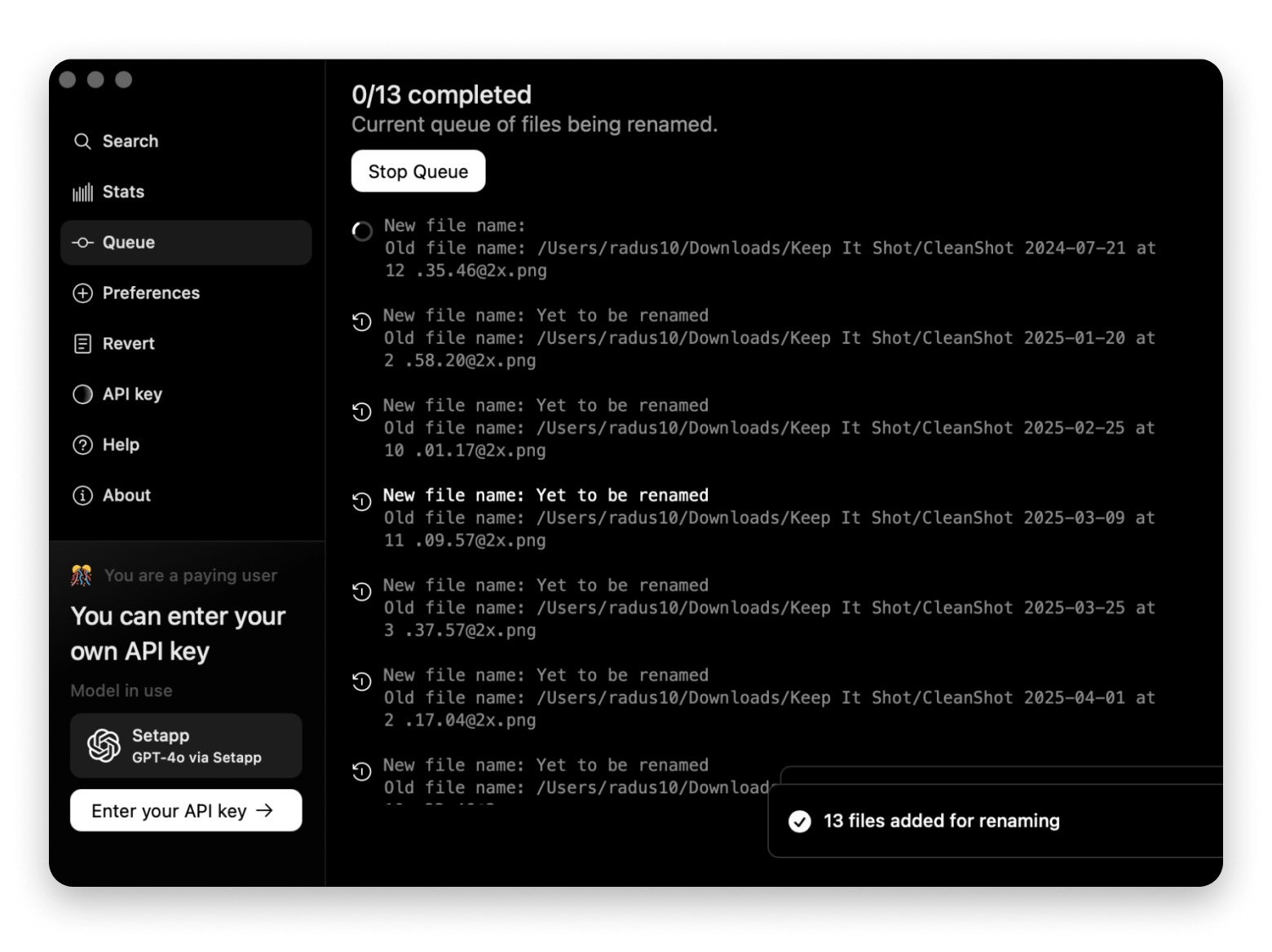
Use Keep It Shot to rename screenshots so you don't have to spend hours organizing them.
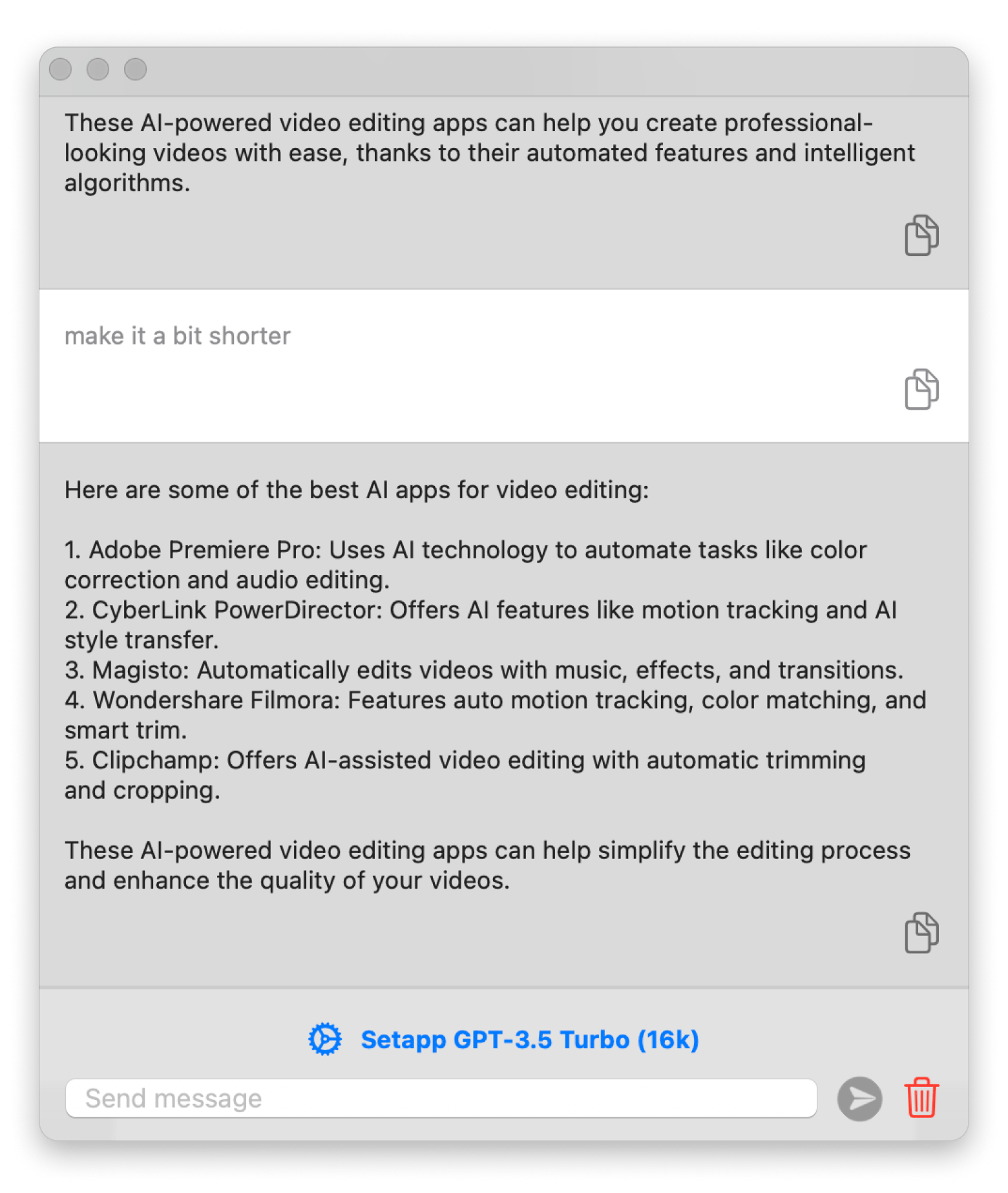
If you're out of creative ideas for your script, try Plus.
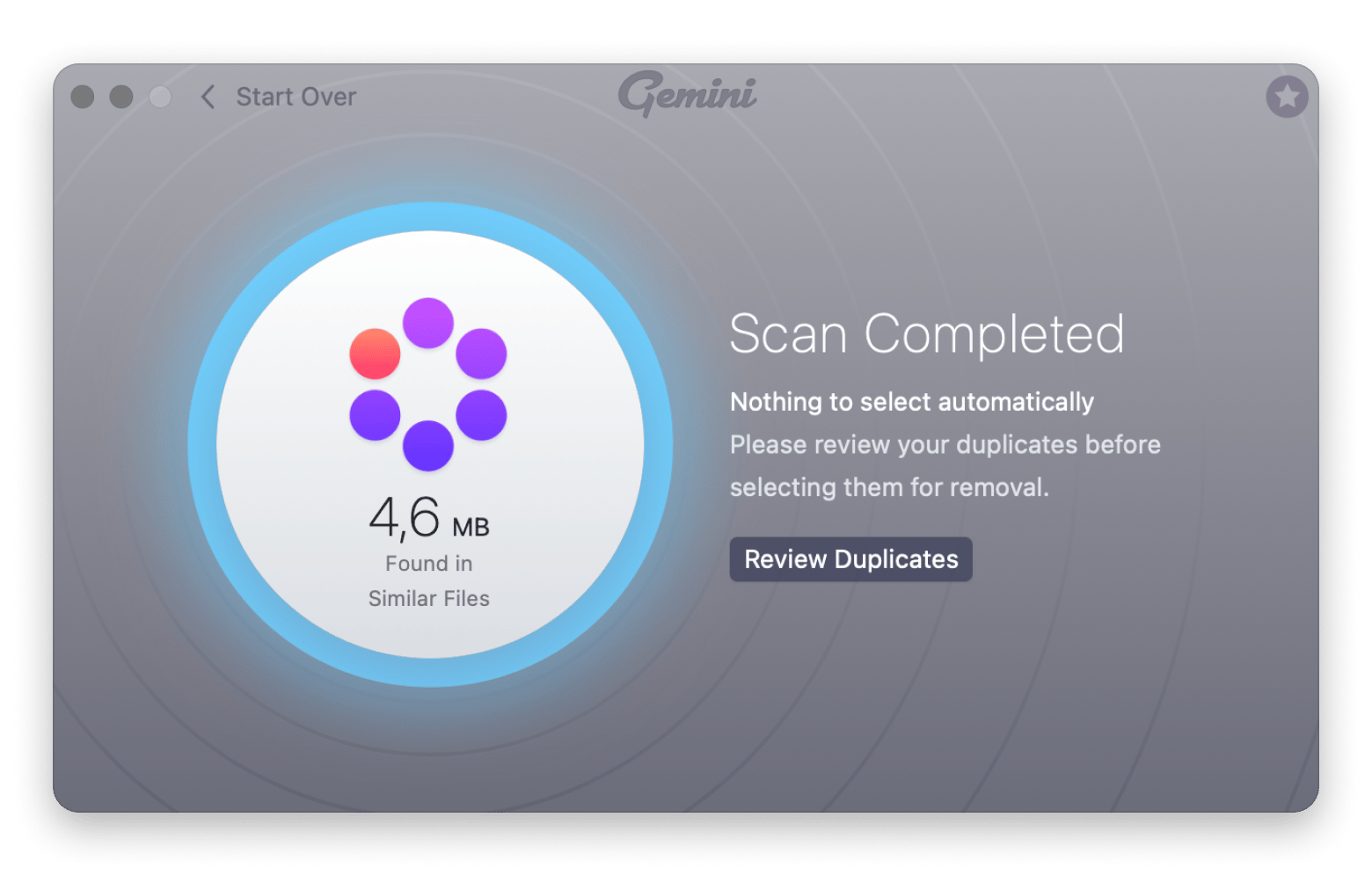
Clean your laptop with Gemini to avoid cluttering it up with dozens of duplicates.
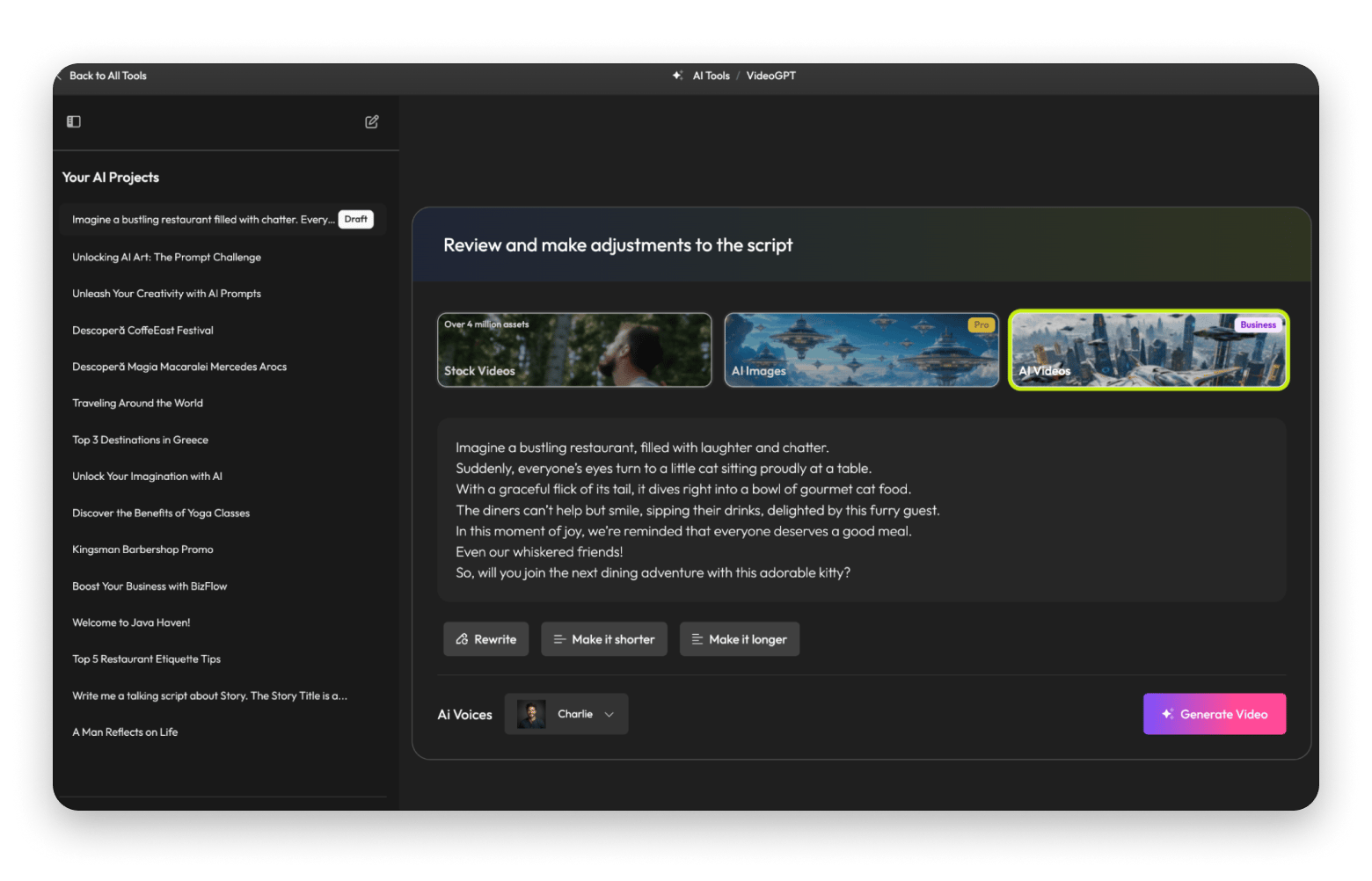
Flixier allows generating complete video drafts from text prompts using its VideoGPT feature.
Too many options? Just describe your use case to the free custom GPT Mac video editing software, and it will suggest the right tool or solution for your needs in seconds.
I'm a video editor, and yes, I'm one of those guys who don't believe that AI can steal their jobs. Don't even tell me that soon we'll be able to generate a video like a pro in a few clicks. None of the AI video editing tools I've tested produces a complete result from beginning to end.
AI is a tool, not a substitute for a professional human video editor. However, we use it for specific functions. For example, about 70% of video editing professionals admit that AI features such as automatic scene detection and content tagging significantly improve their workflow. Statistics show that it allows creators to boost content output by 30%, facilitating a fast production environment.
So, here's my honest review of AI for video editing.
How do I use AI video editing tools
AI can’t really understand your audience or perform quality control on the final product, but there are lots of other tasks it handles quite well. These also tend to be the parts most of us don’t enjoy doing and others that need a bit more creative flair.
For example, organizing and renaming screenshots is boring and time-consuming. Instead of wasting time going file by file, I use Keep It Shot and Gemini to rename and remove duplicates. I also don’t need to do manual background removal when iShowU can do it automatically to save editing time.
Then, of course, there’s script writing. While I’ve not traded my ideas for generic AI stuff, I use Plus to improve my scripts, simplify some areas, and translate parts that I need to.
Organizing files, writing a script, removing backgrounds, and many other tasks have become easier with the AI video editing tools available at Setapp.
That's what changed when I started using AI video editing software:
Let's explore each AI tool for video editing that has transformed my working process.
iShowU: AI tool for screen recording on Mac
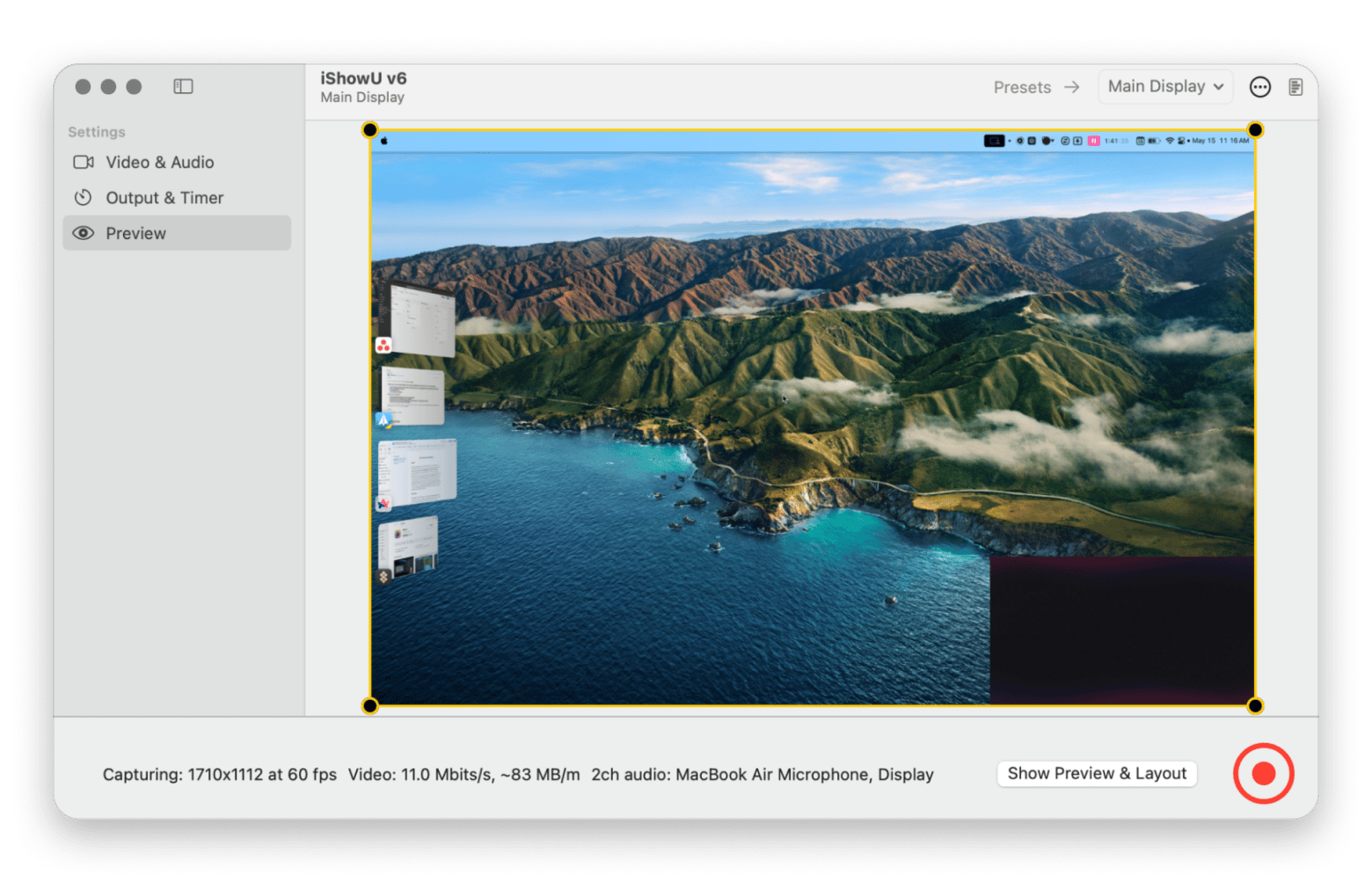
iShowU is the app I use when recording tutorials, as it helps avoid lots of editing I used to do when using QuickTime. The Setapp tool lets you position your overlay on any part of the screen, and it also lets you remove the background for a more professional outcome. From there, it keeps your overlay steady, but you can still reposition it while recording.
Another reason iShowU is a key part of my workflow is that it allows me to record my iPhone screen right from my Mac. This comes in handy when I’m creating guides like how to turn video into time-lapse iPhone, as it helps avoid lots of editing.
What I like most about this AI video editing tool:
AI background removal
It suggests the best placement for my face overlay based on screen content
I can connect my iPhone to my Mac and set iShowU to record the respective screen
iShowU makes it easy to create such a video:
Connect iPhone to Mac with a USB cable.
Open iShowU.
Go to Video & audio > Display to record > iPhone.
Start recording.
No complicated setups or AirPlay lags.
iShowU also lets users create presets for the tasks they often perform. For example, you can create different presets for YouTube tutorials and TikTok videos. The app will let you customize the screen that will be recorded, the area of the screen, the canvas size, and volume settings.
Personal hack: Create at least two presets, one for wide tutorials and another for portrait or vertical videos. iShowU lets you switch between them with just two clicks, making it possible to create fine-tuned content before you even open your editor.
Keep It Shot: AI-powered screenshot organization
Renaming screenshots is one of the most tedious processes in my video editing process. I need it to fasten the insertion process, but it still takes a good chunk of my time.
Keep It Shot completely changed how I handle screenshots, as it automatically assigns meaningful names to all screenshots I take. This makes it easy to use my AI Mac video editor as it can clearly understand what I intend to do.
What I like most about this AI video editing tool:
Ability to add meaningful names to my screenshots in seconds
Smart categorization - it groups similar screenshots automatically
If I don’t like a filename that the app generated, I can simply revert it back to your file’s original name with just a click.
Considering that I’m always testing different apps, Keep It Shot saves me about an hour every week.
Since video creation starts with a script, I always use AI to brainstorm ideas or improve what I have. It’s trained on a large data set, so it has a pretty good idea of what a good script looks like.
The best thing about Plus is that it helps personalize the entire process with prompts. I’ve created a brainstorming template that I use when I want AI to help create or improve my idea. I then have another one for improving the scripts I create. In both, I’ve clearly outlined my audience, the content I create, and my tone and personality. This way, doing both tasks only takes a few minutes and is on point.
What I like most about this AI video editing tool:
Generates creative ideas and improves existing content with AI-powered suggestions
Adapts writing style for different audiences
Provides fresh perspectives when I’m stuck
Keep in mind that AI-generated scripts often lack authentic voice and brand personality. So don’t rely heavily on this AI tool for video editing, and always personalize the output.
My personal tip: Use its AI to generate various versions of a script to compare and choose the best one, further speeding up my editing process.
Gemini: AI-driven file management
With Gemini’s smart duplicate detection, I can reclaim valuable storage space within minutes. I found this app in the Setapp collection, and now it’s my go-to tool for ensuring that I keep only the necessary and original files.
My job involves storing dozens of files to create a single video. I often got to the point where I would set aside a whole day (!) to sort through the files and delete duplicates. Gemini smart algorithm changed everything, and now my involvement in cleaning Mac from duplicates is minimal.
What I like most about this AI video editing tool:
Thanks to automated scheduling I can set up regular scans to maintain organization
Cleaner system leads to faster rendering times
It helps me recover about 5-10 gigabytes of storage every month
My personal hack: Schedule regular scans, ideally once a week, ensuring that your system remains tidy and efficient without manual intervention.
Flixier: Fast way to create video with AI
Flixier is like my personal assistant for creating videos. I simply type a detailed prompt, and Flixier's VideoGPT creates a rough draft in seconds. A catchy hook, scenes, transitions, even narration – that all gets done automatically, and I can jump right in to make tweaks, extract specific snippets I need, and pretty much work my magic.
What I like most about this AI video editing tool:
With its VideoGPT I can create video drafts from text prompts
It generates catchy openings for my videos
Based on my content, AI selects relevant visuals
Mac productivity: Boost your workflow with AI tools
If you spend your workday on your Mac like me, you can significantly boost your Mac productivity with Setapp. The platform provides 260+ Mac, iOS, and web app tools you can use to streamline your workflows and complete tasks faster. These range from AI video editing tools that can speed up rendering in the background to others that automatically edit and organize your files. You don’t need to spend time doing repetitive or manual tasks when you have Setapp.
AI marathon: Test multiple free AI tools at once
Setapp’s AI Marathon gives Mac users an opportunity to try different AI tools for free and learn how they can boost their workflows. It offers tools like script writers, file organizers, AI video editors, and more.
This is a great way to know the tools that can make your work life easier, and you can even get 25% off the first year of Setapp.
My final verdict on the best AI video editing software
My workflow has gotten much better since I started using AI video editing tools. I've saved hours of time, improved organization, and produced better videos. My video-making process has been transformed with iShowU for recording, Keep It Shot for organizing, Plus for scriptwriting, Gemini for file management, and Flixier for editing. You can try all these apps on Setapp with a seven-day free trial.
But keep in mind that these tools handle the grunt work so you can focus on what AI can't: storytelling, creative vision, client relationships, and the human touch.
FAQ
What is the best AI video editor for Mac?
The best AI video editor depends on your workflow, but using a combination of Setapp’s AI tools gives the best flexibility. You can get iShowU for smart recording, Plus for scriptwriting, Keep It Shot for renaming files, and Gemini for organizing your screenshots. This creates a complete AI-assisted workflow.
How can I turn a video into a time-lapse on an iPhone?
You can turn a video into a time-lapse on an iPhone using Apple’s iMovie app. Import the video and use the speedometer icon to turn it into a time-lapse. Alternatively, you can create a time-lapse directly using the Time-lapse feature in your iPhone’s camera app.
How do AI video editing tools help with scriptwriting?
AI Mac video editors can draft scripts when you provide an idea and the type of script you want. They can also help brainstorm or polish a draft you’ve already created.
Can AI video editors automate background removal?
Yes, AI tools like iShowU can automatically remove your webcam background. It isolates your image background during recording, saving you time on manual editing.
Which AI tools help organize files for video editing efficiently?
Keep It Shot and Gemini are AI tools for organizing screenshots and videos. Keep It Shot renames screenshots based on content and your guidelines, while Gemini identifies and removes duplicates and low-quality files.
Curious how others get more done with Setapp?
See how real users apply Setapp apps for writing, creative work, productivity hacks, and beyond.






 Top-rated on Setapp
 Top-rated on Setapp