
Amie
AI meeting note taker
Mac
Versão 260922.0.0
macOS 12.0 ou posterior
358.8 MB
1 idiomas
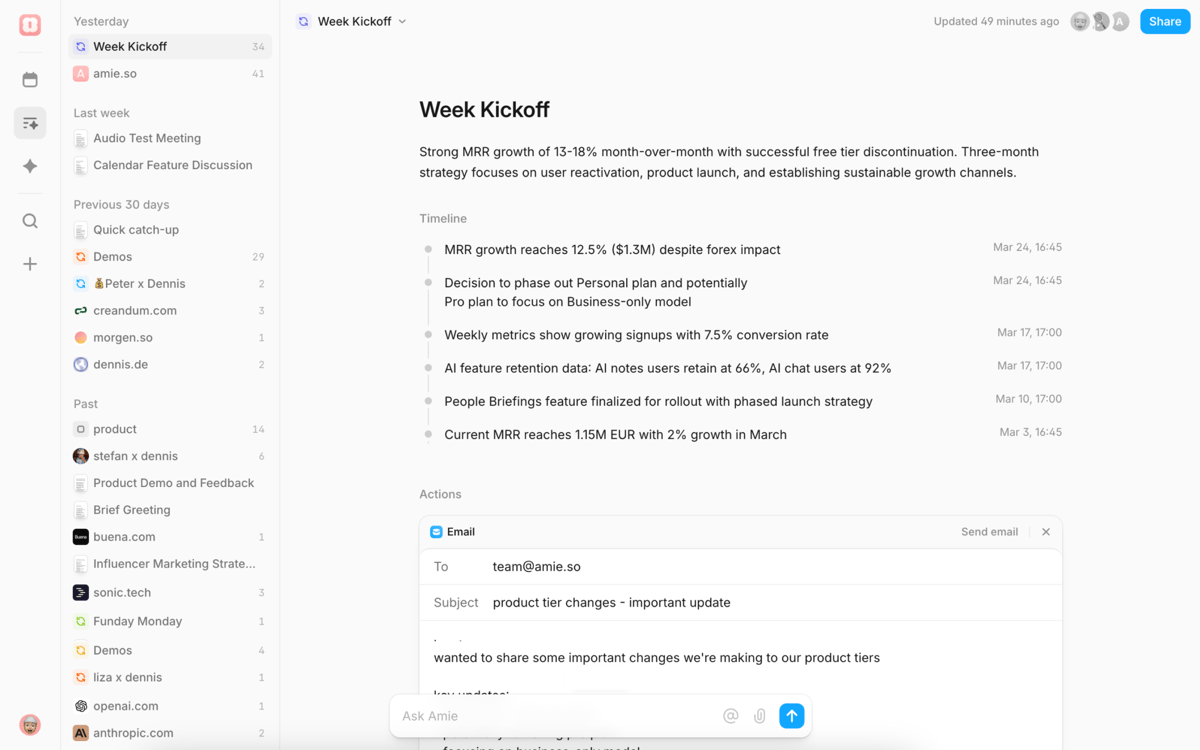
Amie is the workspace that automates your busywork. It captures your meetings, drafts your follow-ups, and organizes your schedule all at once. By connecting your conversations to your calendar, Amie ensures that every call results in a clear plan, not just a wall of text.
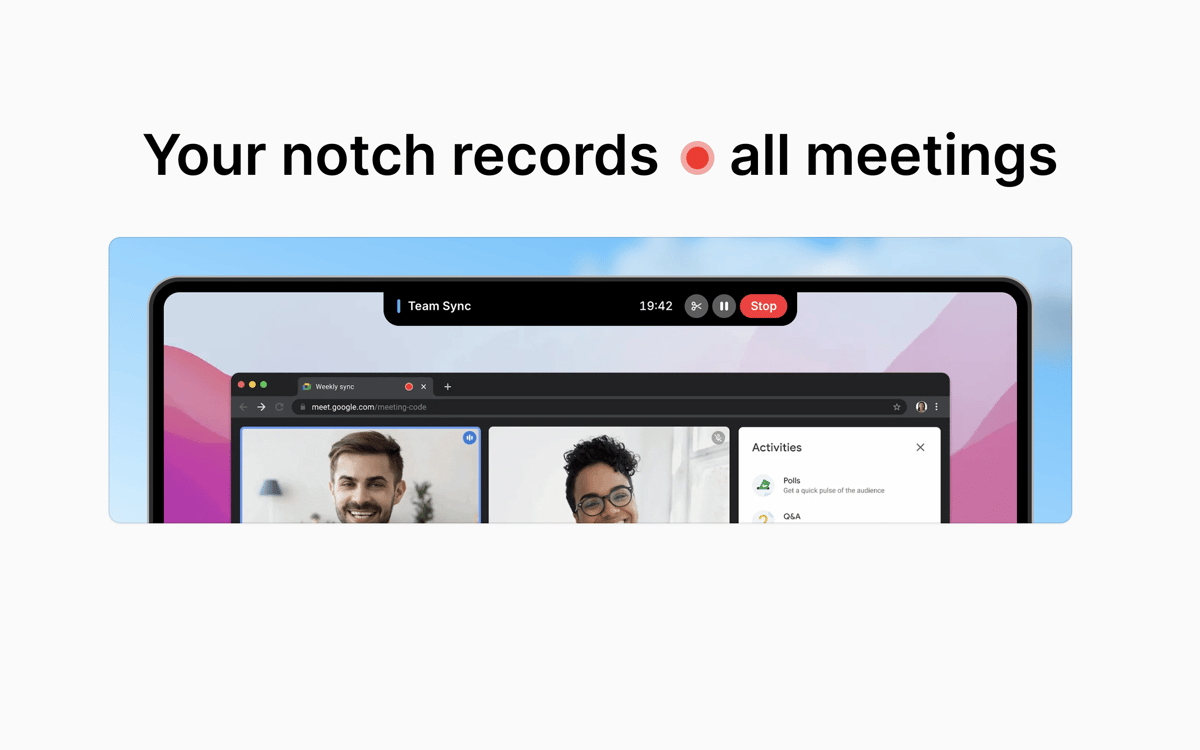
Automatically record your meetings
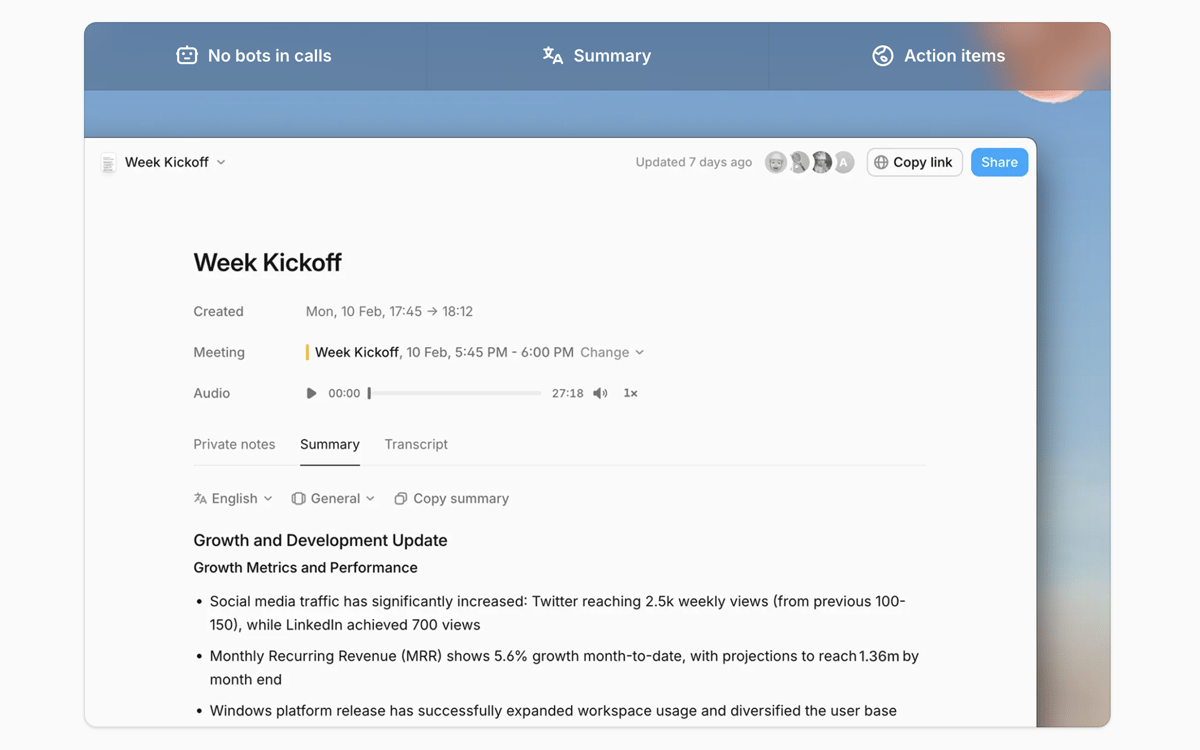
Get smart meeting summaries
Auto-fill your to-do list from calls
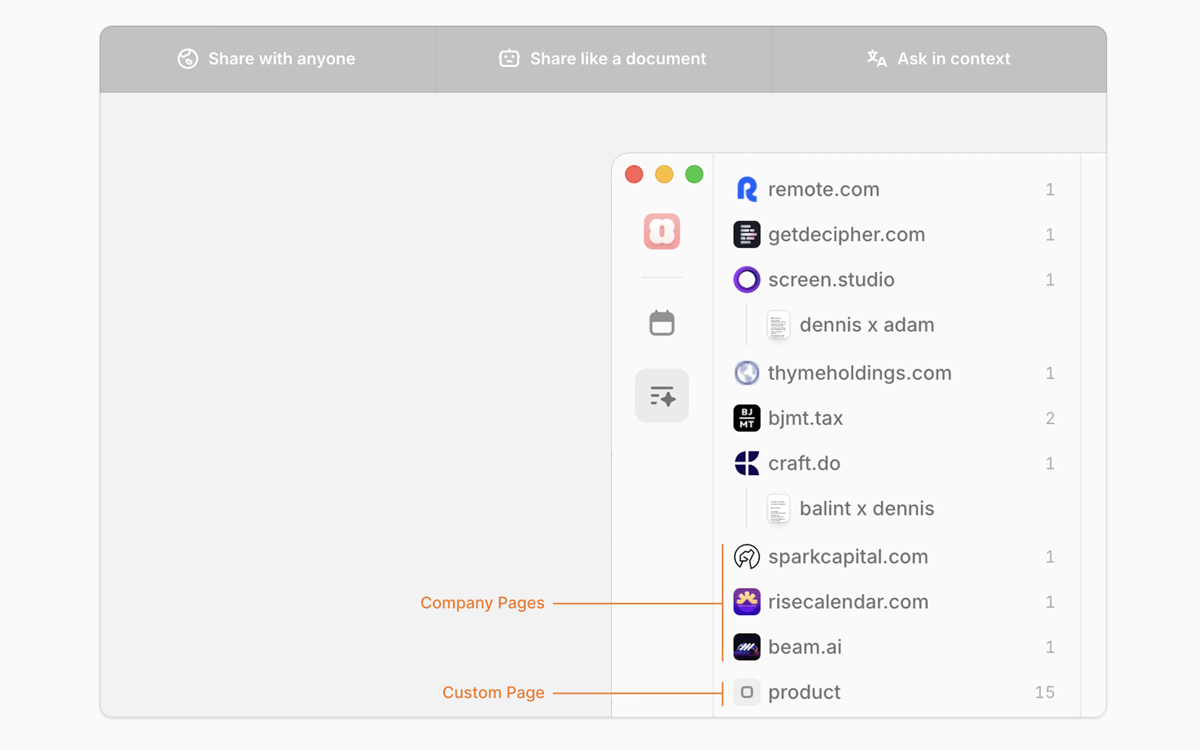
Search your knowledge base from meetings
Recursos do Amie
Capture every call
Eliminate the “Did we record this?” dilemma. Amie detects and records calls across all platforms (Zoom, Google Meet, Slack, etc.) locally. It identifies individual voices and assigns names to the transcript. If you transition from one meeting to another without ending the call, Amie will split the recording for you.
Get meeting summaries with your business context
Generic AI summaries miss the point because they don’t understand your business. Amie solves this problem by allowing you to take private notes in a dedicated tab that is invisible to others. These notes serve as the blueprint for your summary. You choose the headings and highlight the key numbers, transforming a raw transcript into a structured report that hits your specific goals.
Automate your post-meeting tasks
Amie connects your calls to your workspace. It extracts key deadlines and commitments from the audio and pushes them straight to Notion or Slack as structured tasks. By analyzing your sent folder, Amie learns how you write. This allows the app to pre-write your recap emails, which are ready for you to review and send the moment the call ends.
Ask questions about any past meeting
Stop scrolling through months of notes to find one specific detail. Amie treats your entire meeting history as a single, live knowledge base. You can ask the AI chat questions like, “What did the client say about the budget in October?” or “Summarize our progress on Project X over the last three calls.” It pulls context from every page of your history to give you an accurate answer in seconds.
Organize your day faster with AI
Are you tired of playing Tetris with your calendar? Amie pulls your to-dos from Notion or Todoist and automatically slots them into your open time slots based on priority and deadlines. If a meeting runs late or a new task pops up, you won’t have to manually move blocks around. Just tell the chatbot, “Move my X task to Friday,” and Amie will instantly reshuffle your entire schedule.
Classificações e avaliações
Amie
•
114 classificações
giuliano pires
15 de set. de 2026
Versão do app: 260831.0.0
o app é muito bom mas as coisas não estão funcionando. quando compartilhamos um link para alguém agendar um vídeo chamada conoco, esperamos que isso aconteça durante o horário de trabalho definido e isso não é feito. temos que pre selecionar os horários para cada link mesmo tendo adicionado os horários disponíveis de trabalho. além disso não funciona com o iphone. algumas outras coisas também não funcionam e o suporte do app não respondeu mais meus e-mails com os problemas que eu relatei e mandei vídeos dos problemas.
Shane Carroll
31 de ago. de 2026
Versão do app: 260814.0.0
Amie has been a great boon for capturing meeting details definately a great addition to the setapp subscription. This is an updated review, and my previous review had some small issues, over the course of time they are progressing Amie and I have to say I am happy with it, but I did have to figure some things out, which is not a big deal. Thats not a reason not to give this one a go.
Resposta do Desenvolvedor
31 de ago. de 2026
Thanks so much for the kind words! 🤍 Pleae email [email protected] with the things we should figure out :)
Luka Krčmar
6 de ago. de 2026
Versão do app: 260722.1.0
I know you guys are new to Setapp, but the onboarding experience was not very pleasant, I expected more polish. It's difficult to understand what’s what. The notch widget is too tall and protrudes into the foreground app. But it has potential, I will give it a try. Also, why did you abandon your mobile app?
Obtenha centenas de apps com o Membership
Obtenha um membership do Setapp e use centenas de apps estelares numa única assinatura.
Experimente grátis por 7 dias. Depois, pague um valor único.
Instale o Setapp no Mac
Explore apps para Mac, iOS e web. Encontre formas fáceis de lidar com as tarefas do dia a dia.

Obtenha o app que chamou sua atenção
Aquele app especial está esperando você no Setapp. Instale‑o com um clique.

Amie
Escolha uma assinatura
Um ou mais apps com um membership do Setapp. Obtenha os apps que você quer.

Obtenha centenas de apps com o Membership
Obtenha um membership do Setapp e use centenas de apps estelares numa única assinatura.
Experimente grátis por 7 dias. Depois, pague um valor único.
1
Instale o Setapp no Mac
Explore apps para Mac, iOS e web. Encontre formas fáceis de lidar com as tarefas do dia a dia.
2
Obtenha o app que chamou sua atenção
Aquele app especial está esperando você no Setapp. Instale‑o com um clique.
Amie
3
Escolha uma assinatura
Um ou mais apps com um membership do Setapp. Obtenha os apps que você quer.
A casa dos melhores apps
Desde tarefas rotineiras e de planejamento a atividades criativas e de programação, encare suas tarefas com os apps do Setapp.

TypingMind
IU alternativa para conversar com IA
gere ou resuma textos
use uma biblioteca de ações
IA

Spark Mail
Gerencie e‑mails
IA

CleanMyMac
Limpe os detritos

Bartender
Personalize a barra de menus

CleanShot X
Capturas de tela versáteis

Luminar Neo
Edite suas fotos
IA

ClearVPN
Conecte‑se com mais segurança

Craft
Trabalhe com documentos
IA
Amie
AI meeting note taker