
AwakeBar
Your Mac, wide awake
Mac
Versão 1.1.0
macOS 13.0 ou posterior
13.7 MB
2 idiomas
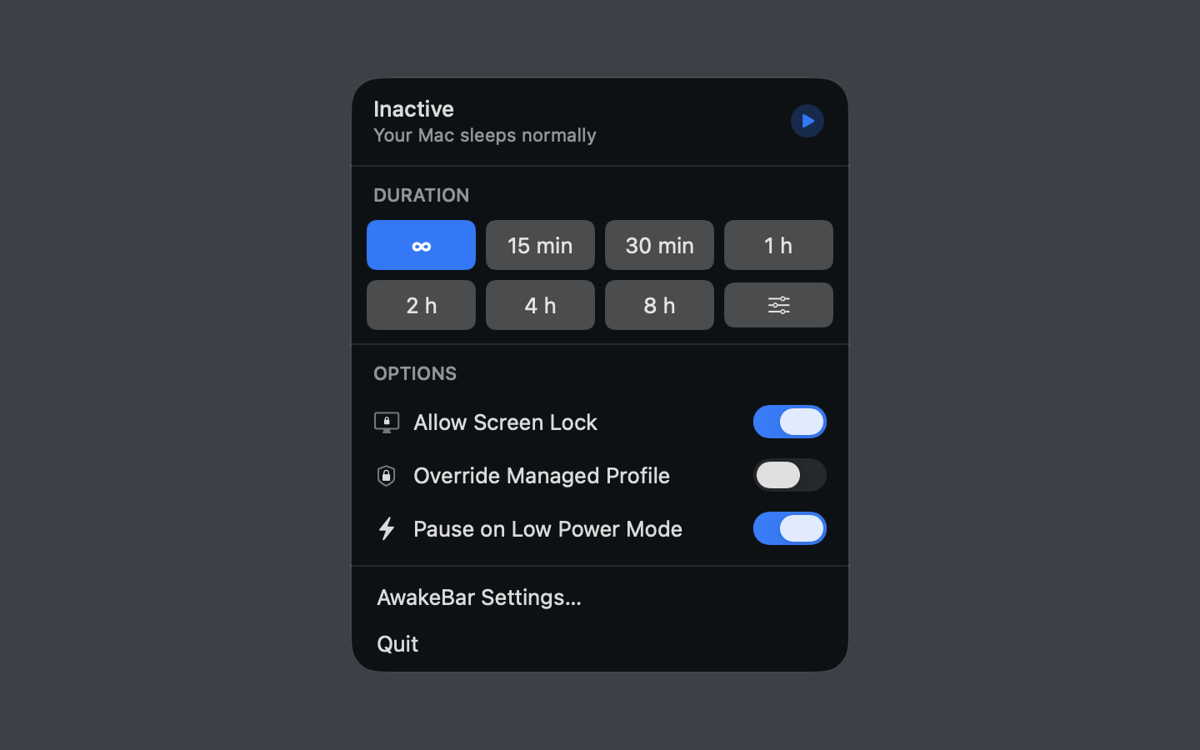
AwakeBar — Menu bar keep-awake utility for Mac. Your Mac falls asleep at the worst times — mid-presentation, during a big download, halfway through a long render. AwakeBar fixes that with one click. Pick a duration from the menu bar, and your Mac stays on until you say otherwise. No digging through System Settings, no dock icon, no data collection — just the control you needed all along.
Keep Mac awake during presentations
Prevent sleep on long downloads
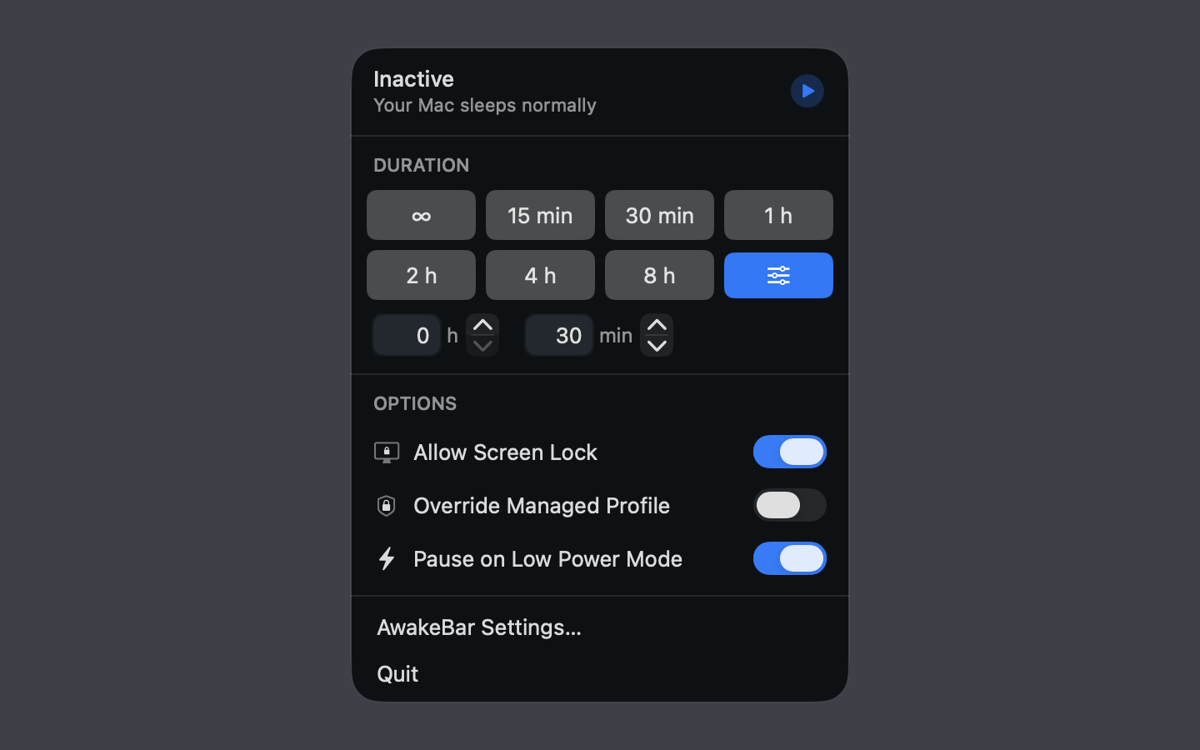
Set a custom keep-awake duration
Stop screen dimming mid-render
Recursos do AwakeBar
One click in the menu bar
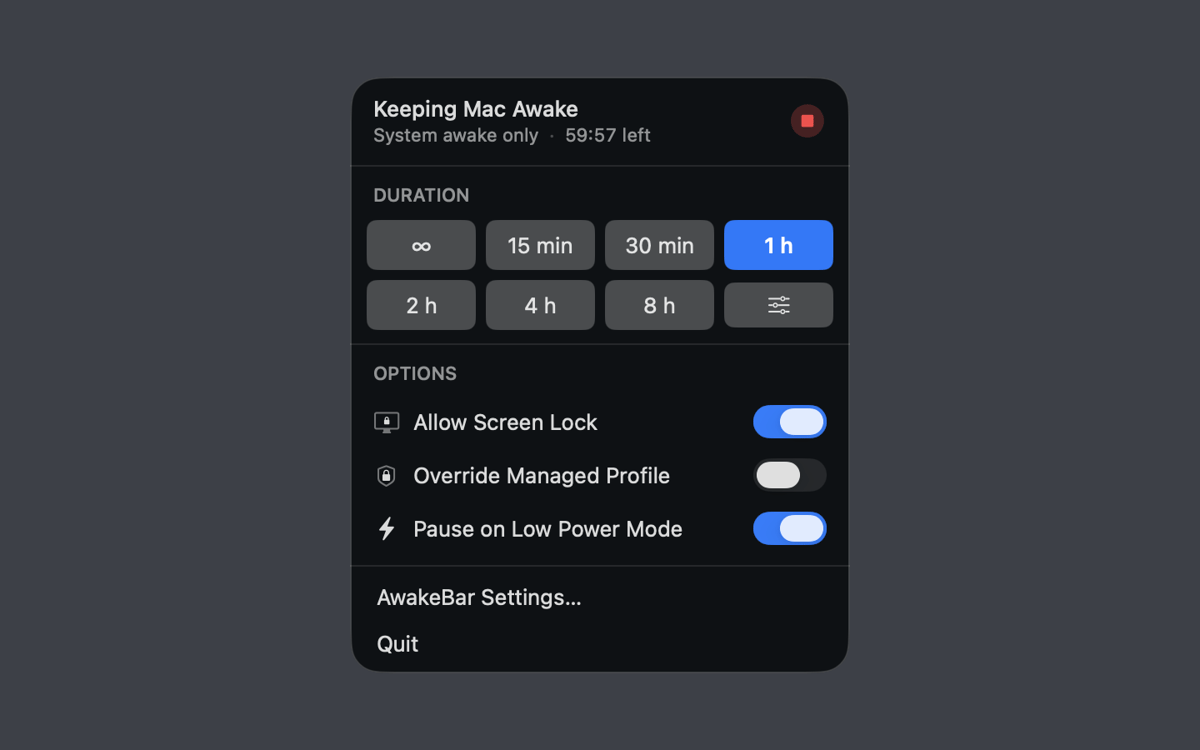
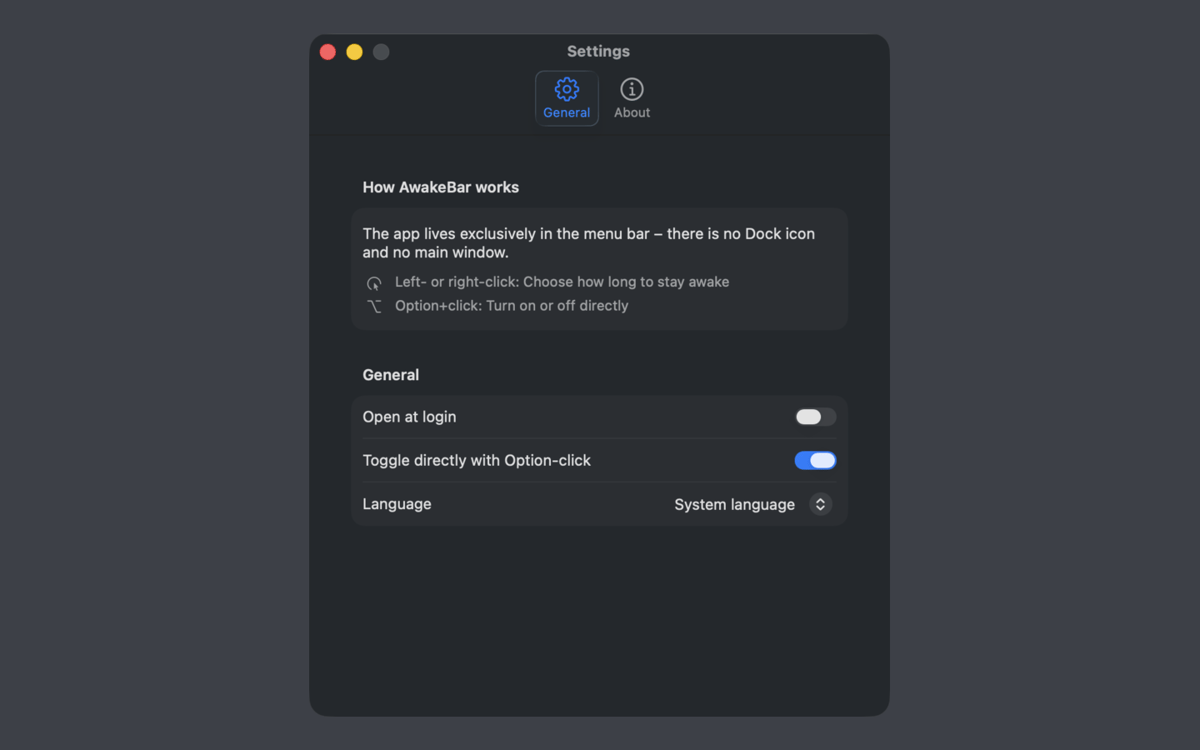
AwakeBar lives entirely in the menu bar — no dock icon, no main window. Click to open the popover, pick your duration, and you're done. A glance at the icon tells you whether keep-awake is active and how much time's left. Stop it any time, just as easily.
Duration presets and custom time
Choose from built-in presets — 15 minutes, 30 minutes, 1, 2, 4, or 8 hours — or type in any custom duration in hours and minutes. Need to stay awake indefinitely? There's a setting for that too.
Screen lock stays an option
Keeping your Mac awake doesn't have to mean leaving it exposed. AwakeBar lets you enable screen lock while the keep-awake session is running — so your display stays on, but unauthorized access stays out.
Low Power Mode and managed Mac support
On MacBooks, AwakeBar can automatically pause when Low Power Mode kicks in, saving your battery when it counts. If you're on a managed device, it can also override your MDM profile's power policy — provided the profile allows it.
Launch at login
Set AwakeBar to start automatically at login via macOS login items, and it'll always be there when you need it. No manual launch required.
Fully offline, zero data collected
AwakeBar works entirely offline and collects no personal data — not now, not ever. It keeps your Mac awake using standard macOS power management, and that's all it does.
Obtenha centenas de apps com o Membership
Obtenha um membership do Setapp e use centenas de apps estelares numa única assinatura.
Experimente grátis por 7 dias. Depois, pague um valor único.
Instale o Setapp no Mac
Explore apps para Mac, iOS e web. Encontre formas fáceis de lidar com as tarefas do dia a dia.

Obtenha o app que chamou sua atenção
Aquele app especial está esperando você no Setapp. Instale‑o com um clique.

AwakeBar
Escolha uma assinatura
Um ou mais apps com um membership do Setapp. Obtenha os apps que você quer.

Obtenha centenas de apps com o Membership
Obtenha um membership do Setapp e use centenas de apps estelares numa única assinatura.
Experimente grátis por 7 dias. Depois, pague um valor único.
1
Instale o Setapp no Mac
Explore apps para Mac, iOS e web. Encontre formas fáceis de lidar com as tarefas do dia a dia.
2
Obtenha o app que chamou sua atenção
Aquele app especial está esperando você no Setapp. Instale‑o com um clique.
AwakeBar
3
Escolha uma assinatura
Um ou mais apps com um membership do Setapp. Obtenha os apps que você quer.
A casa dos melhores apps
Desde tarefas rotineiras e de planejamento a atividades criativas e de programação, encare suas tarefas com os apps do Setapp.

TypingMind
IU alternativa para conversar com IA
gere ou resuma textos
use uma biblioteca de ações
IA

Spark Mail
Gerencie e‑mails
IA

CleanMyMac
Limpe os detritos

Bartender
Personalize a barra de menus

CleanShot X
Capturas de tela versáteis

Luminar Neo
Edite suas fotos
IA

ClearVPN
Conecte‑se com mais segurança

Craft
Trabalhe com documentos
IA
AwakeBar
Your Mac, wide awake