
BetterZip
Crie e criptografe arquivos
Mac
Versão 6.0.6
macOS 13.5 ou posterior
52.1 MB
10 idiomas
O BetterZip é uma ferramenta de compressão muito útil, que facilita a extração e a criação de arquivos comprimidos no Mac. Com ele, você gerencia e organiza todos os seus arquivos perfeitamente. Por oferecer suporte a mais de 30 formatos de arquivos comprimidos, você não terá problemas ao abrir ou comprimir qualquer item. E com muitos outros recursos impressionantes, o BetterZip é uma opção incrível para qualquer pessoa que precise trabalhar com arquivos comprimidos diariamente. Apague arquivos desnecessários, use a Visualização Rápida e renomeie ou mova arquivos e pastas diretamente do arquivo comprimido sem precisar comprimir novamente!
Comprima arquivos grandes para economizar espaço
Crie arquivos comprimidos em mais de 30 formatos
Anexe comentários e notas aos arquivos comprimidos
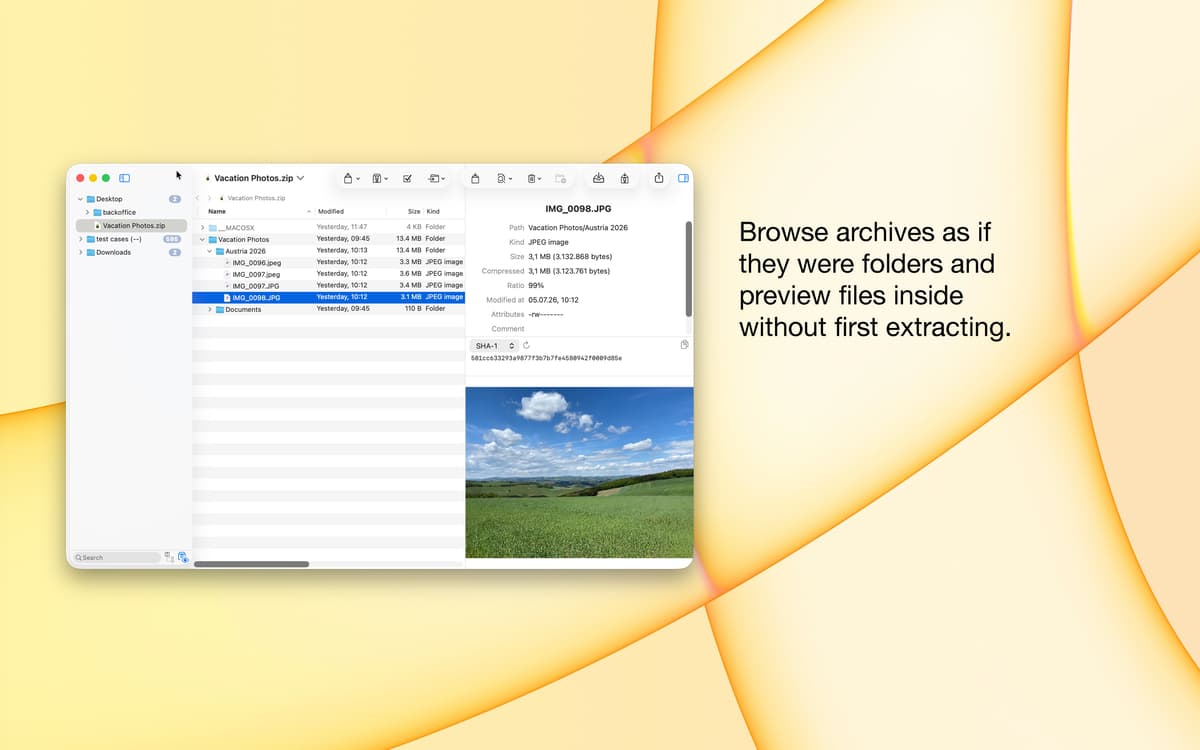
Pré‑visualize o conteúdo antes de extrair
Recursos do BetterZip
Gerencie e explore arquivos ZIP
Crie e extraia arquivos comprimidos de vários formatos populares com facilidade. Explore, modifique, adicione e atualize arquivos ZIP ou de qualquer outro formato. Apague um ou vários arquivos diretamente do arquivo comprimido. Isso mesmo, tudo muito fácil e rápido sem precisar descompactar.
Suporte a mais de 30 formatos e extração de ISO
Verifique e acesse arquivos de vários tipos de imagem de disco. O BetterZip oferece suporte aos principais formatos de compressão, como RAR, ZIP, 7‑ZIP e ISO (além de outros não tão comuns) e também a arquivos SIT/SITX e winmail.dat. Comprima arquivos ZIP facilmente a abra arquivos 7z. Gerencie qualquer formato de arquivo comprimido tranquilamente.
Proteção de arquivos com criptografia de dados
Proteja seus arquivos e pastas mais preciosos com a forte criptografia AES‑256. O BetterZip criptografa todos os dados automaticamente ao criar o arquivo comprimido. Elimine o risco de roubo de dados e tenha segurança ao compartilhar ou armazenar arquivos comprimidos de forma criptografada.
Comentários em arquivos comprimidos ZIP e RAR
Insira comentários em arquivos comprimidos para contextualizar o conteúdo. Atualmente, o BetterZip permite a adição de comentários em arquivos comprimidos ZIP e RAR. Em breve, você poderá adicionar notas a outros formatos populares.
Gerenciador e gerador de senhas confiável
Use senhas fortes para dar ainda mais segurança aos seus dados. Gere senhas complexas para todos os arquivos comprimidos automaticamente, com rapidez, segurança, simplicidade e objetividade. Nenhum conhecimento técnico é necessário.
Integrações variadas e suporte a AppleScript
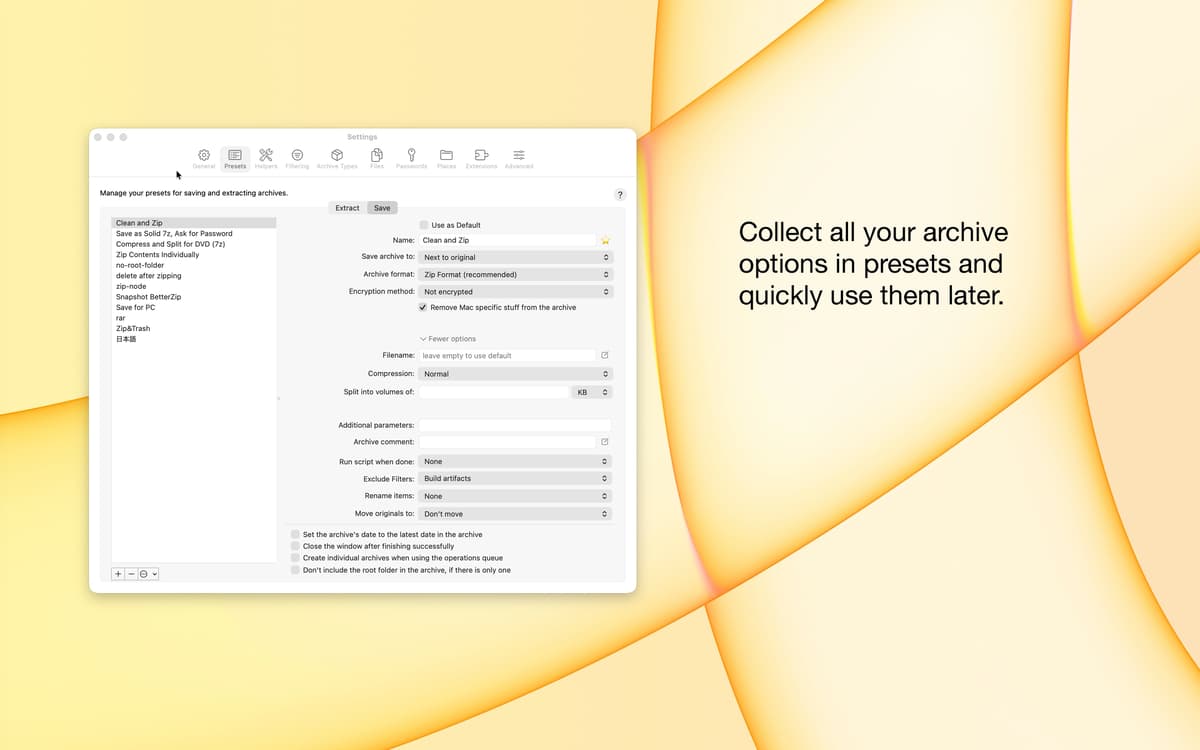
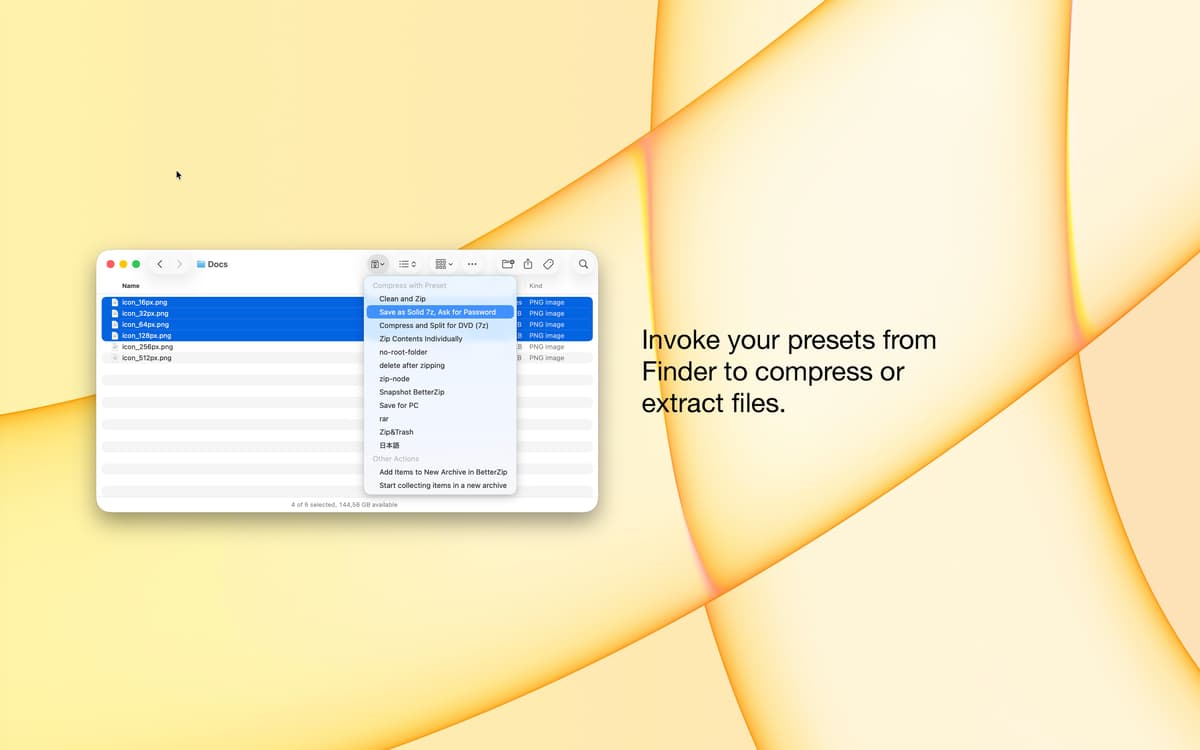
Integre o BetterZip ao seu fluxo de trabalho e use AppleScript para adequá‑lo a cenários específicos. Integre‑o perfeitamente aos serviços do Finder, assim como a vários outros aplicativos populares de produtividade.
Classificações e avaliações
BetterZip
•
2567 classificações
Freddie
24 de out. de 2026
Versão do app: 6.0.6
I opened a tar.gz file to look at it, and some files inside of it got deleted. Unacceptable. Data loss is the one bug they can’t have. I’m uninstalling it and cursing it.
Resposta do Desenvolvedor
24 de out. de 2026
BetterZip does not modify archives upon opening. So this is not possible.
大和達信
18 de out. de 2026
Versão do app: 6.0.6
Good tool!
Jeremy Pinnix
10 de set. de 2026
Versão do app: 6.0.5
This is a must-have utility.
Obtenha centenas de apps com o Membership
Obtenha um membership do Setapp e use centenas de apps estelares numa única assinatura.
Experimente grátis por 7 dias. Depois, pague um valor único.
Instale o Setapp no Mac
Explore apps para Mac, iOS e web. Encontre formas fáceis de lidar com as tarefas do dia a dia.

Obtenha o app que chamou sua atenção
Aquele app especial está esperando você no Setapp. Instale‑o com um clique.

BetterZip
Escolha uma assinatura
Um ou mais apps com um membership do Setapp. Obtenha os apps que você quer.

Obtenha centenas de apps com o Membership
Obtenha um membership do Setapp e use centenas de apps estelares numa única assinatura.
Experimente grátis por 7 dias. Depois, pague um valor único.
1
Instale o Setapp no Mac
Explore apps para Mac, iOS e web. Encontre formas fáceis de lidar com as tarefas do dia a dia.
2
Obtenha o app que chamou sua atenção
Aquele app especial está esperando você no Setapp. Instale‑o com um clique.
BetterZip
3
Escolha uma assinatura
Um ou mais apps com um membership do Setapp. Obtenha os apps que você quer.
A casa dos melhores apps
Desde tarefas rotineiras e de planejamento a atividades criativas e de programação, encare suas tarefas com os apps do Setapp.

TypingMind
IU alternativa para conversar com IA
gere ou resuma textos
use uma biblioteca de ações
IA

Spark Mail
Gerencie e‑mails
IA

CleanMyMac
Limpe os detritos

Bartender
Personalize a barra de menus

CleanShot X
Capturas de tela versáteis

Luminar Neo
Edite suas fotos
IA

ClearVPN
Conecte‑se com mais segurança

Craft
Trabalhe com documentos
IA
BetterZip
Crie e criptografe arquivos