CameraBag Pro
Edite fotos e vídeos

Mac
Versão 2026.2.0
macOS 10.15 ou posterior
204.8 MB
1 idiomas
Criadores finalmente têm em mãos um app simples e poderoso para editar fotos e vídeos. A revista Professional Photographer o chamou de “uma revolução na edição de fotos”. A Apple o premiou com o segundo lugar no App do Ano para Mac. O CameraBag Pro é mais poderoso do que um editor de imagens comum e menos complexo do que softwares empresariais confusos. Crie fotos e filmes incríveis com filtros profissionais aplicáveis com um clique ou ajuste imagens com precisão para impressionar amigos, colegas e clientes com mais facilidade do que nunca.
Melhore suas fotos com pré‑ajustes fascinantes
Escolha entre mais de 200 filtros únicos
Aplique alterações em lote às fotos
Impulsione a sua carreira fotográfica
Recursos do CameraBag Pro
Filtros profissionais à sua disposição
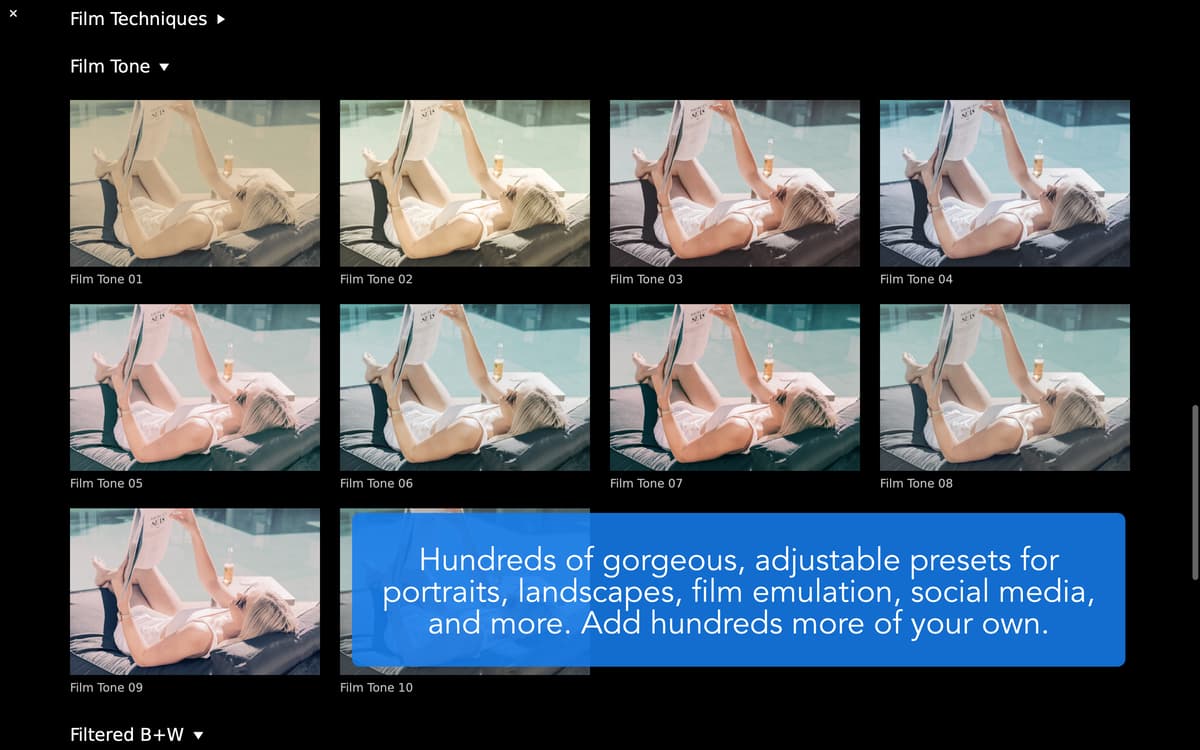
Com um clique em um dos mais de 200 filtros criados profissionalmente e disponibilizados na biblioteca, suas fotos e vídeos ficam mais bonitos. O CameraBag Pro não usa truques triviais, como saturação exagerada. Em vez disso, cada filtro criado meticulosamente por fotógrafos, cineastas e designers pode ser usado para obter resultados únicos impressionantes. Os filtros incluem: P&B, fotografia clássica, fosco, vintage, monocromático, correção de cores, emulação de lente e muitos outros.
Blocos de ajustes intuitivos
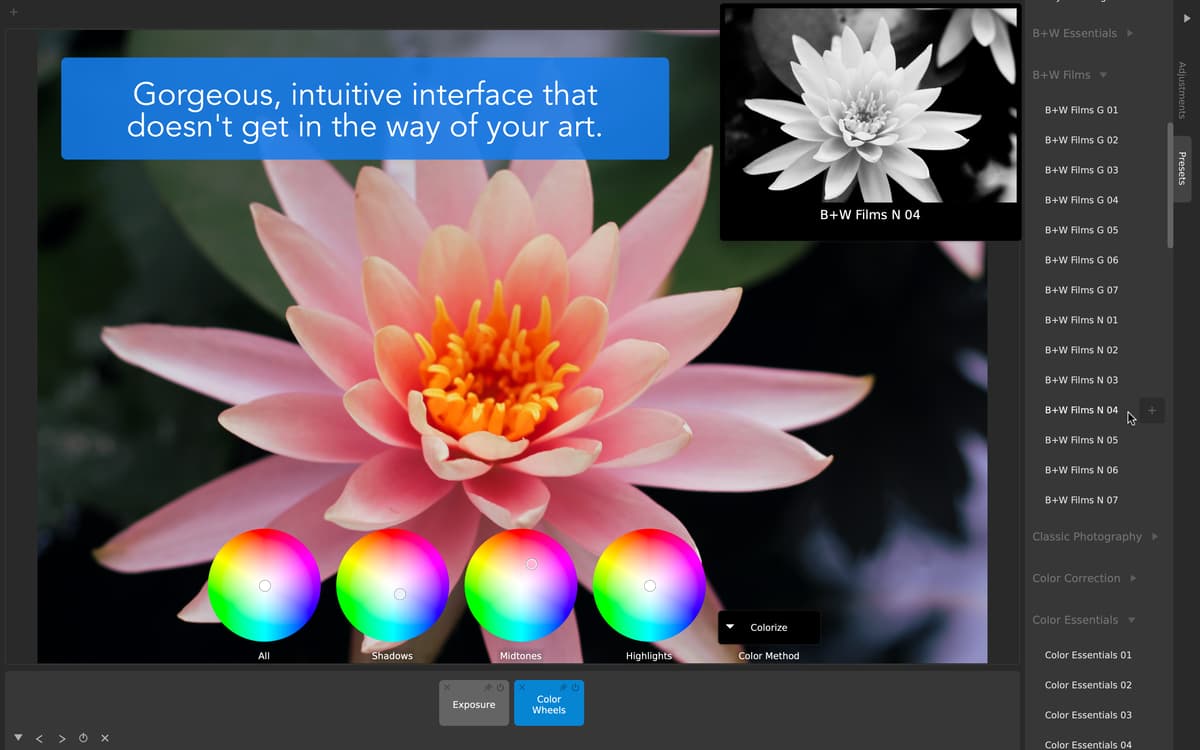
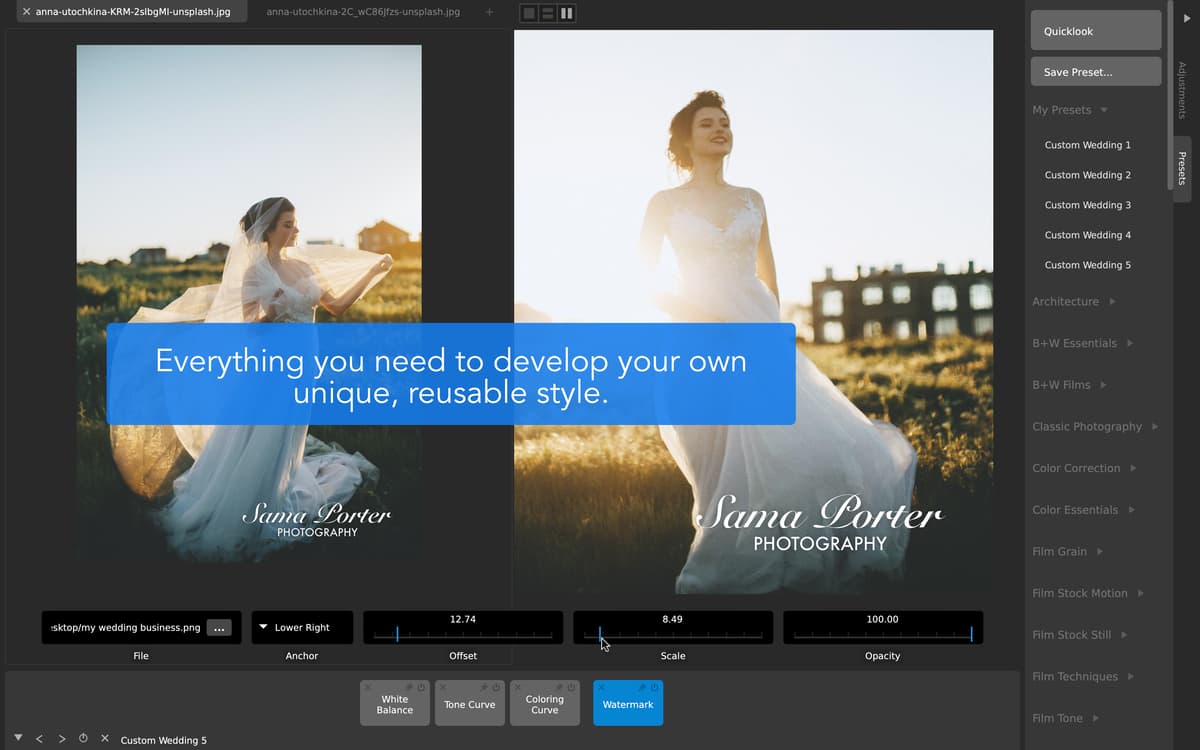
Esqueça aquelas listas de camadas complicadas e sinta‑se em casa com blocos de ajustes simples. Adicione novos ajustes a imagens ou vídeos em edições não destrutivas e mova‑os, edite‑os, oculte‑os, salve‑os ou apague‑os — basta arrastar e soltar. Alguns dos ajustes disponíveis incluem: exposição, contraste, gama, cor, matiz, saturação, tonalidade, granulação, vinheta, desfoque e marcas d’água.
Interface premiada
Descubra por que o CameraBag Pro recebe prêmios por usar o mesmo conjunto de ferramentas intuitivas para fotos e vídeos. Configure ajustes facilmente com curvas e controles extralargos que flutuam sobre o ambiente de trabalho para ter controle preciso. Compare alterações com pré‑visualizações dos ajustes dispostas lado a lado. Alterne entre abas, blocos e pré‑ajustes com atalhos simples — seu trabalho fica mais fácil e rápido.
Processamento na velocidade da luz
Processamento na velocidade da luz Desfrute de um software feito para ser veloz. O CameraBag Pro usa um processamento analógico de 96 bits com 32 bits por canal, além de vídeos em 4K compatíveis com RED. Esse mecanismo de processamento aceita até fotos RAW e remove automaticamente pixels mortos com alguns cliques rápidos. Trabalhando com vídeos? Assuma o controle da classificação de cores com uma função supersimples de importação e exportação LUT.
Alterações em lote rápidas e fáceis
Altere vários arquivos em apenas alguns passos: configure os ajustes e filtros como desejar e aplique‑os a todos os arquivos para obter um visual consistente. As operações em lote economizam horas de uso manual no CameraBag Pro para editar fotos e vídeos. Não deixe que sistemas antigos e complexos acabem com o seu tempo.
Feito para profissionais
Impressione clientes com fotos e vídeos profissionais sem se perder na complexidade de softwares empresariais. O CameraBag Pro foi projetado desde o início para ser um editor leve com tudo aquilo que um profissional precisa, sem recursos supérfluos. Crie conteúdos incríveis, aplique marcas d’água da sua empresa e finalize edições com apenas alguns cliques. Não requer treinamento.
Classificações e avaliações
CameraBag Pro
•
500 classificações
Derek Ashauer
25 de set. de 2026
Versão do app: 2026.1
I cannot find a way to export videos that can be opened - everything says ‘invalid file format’. The UI is archaic.
Julia Kulgavchuk
3 de jul. de 2026
Versão do app: 2026.1
difficult to find anything in the messy UI
Christine
3 de mai. de 2026
Versão do app: 2026.1
The worst app by far on Setapp! Downloaded about a year ago and wouldn’t work. Downloaded today and tried to pull in a video and blank screen. Then app crashed 2 times. Oh I’m running an M4 Mac Mini so no reason this app shouldn’t work except it’s a bad app with bad coding.
Obtenha centenas de apps com o Membership
Obtenha um membership do Setapp e use centenas de apps estelares numa única assinatura.
Experimente grátis por 7 dias. Depois, pague um valor único.
Instale o Setapp no Mac
Explore apps para Mac, iOS e web. Encontre formas fáceis de lidar com as tarefas do dia a dia.

Obtenha o app que chamou sua atenção
Aquele app especial está esperando você no Setapp. Instale‑o com um clique.

CameraBag Pro
Escolha uma assinatura
Um ou mais apps com um membership do Setapp. Obtenha os apps que você quer.

Obtenha centenas de apps com o Membership
Obtenha um membership do Setapp e use centenas de apps estelares numa única assinatura.
Experimente grátis por 7 dias. Depois, pague um valor único.
1
Instale o Setapp no Mac
Explore apps para Mac, iOS e web. Encontre formas fáceis de lidar com as tarefas do dia a dia.
2
Obtenha o app que chamou sua atenção
Aquele app especial está esperando você no Setapp. Instale‑o com um clique.
CameraBag Pro
3
Escolha uma assinatura
Um ou mais apps com um membership do Setapp. Obtenha os apps que você quer.
A casa dos melhores apps
Desde tarefas rotineiras e de planejamento a atividades criativas e de programação, encare suas tarefas com os apps do Setapp.

TypingMind
IU alternativa para conversar com IA
gere ou resuma textos
use uma biblioteca de ações
IA

Spark Mail
Gerencie e‑mails
IA

CleanMyMac
Limpe os detritos

Bartender
Personalize a barra de menus

CleanShot X
Capturas de tela versáteis

Luminar Neo
Edite suas fotos
IA

ClearVPN
Conecte‑se com mais segurança

Craft
Trabalhe com documentos
IA
CameraBag Pro
Edite fotos e vídeos