Chunk
Time-block your whole day
Mac
Versão 3.4.4
macOS 13.0 ou posterior
223.5 MB
32 idiomas
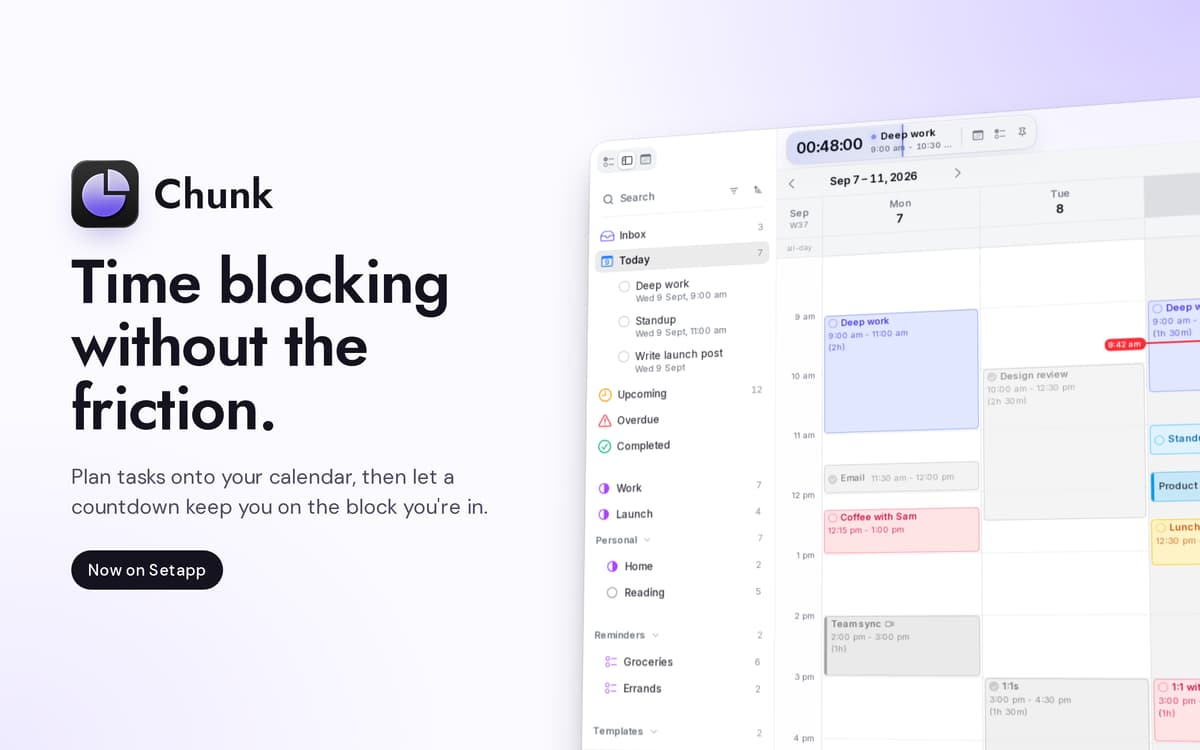
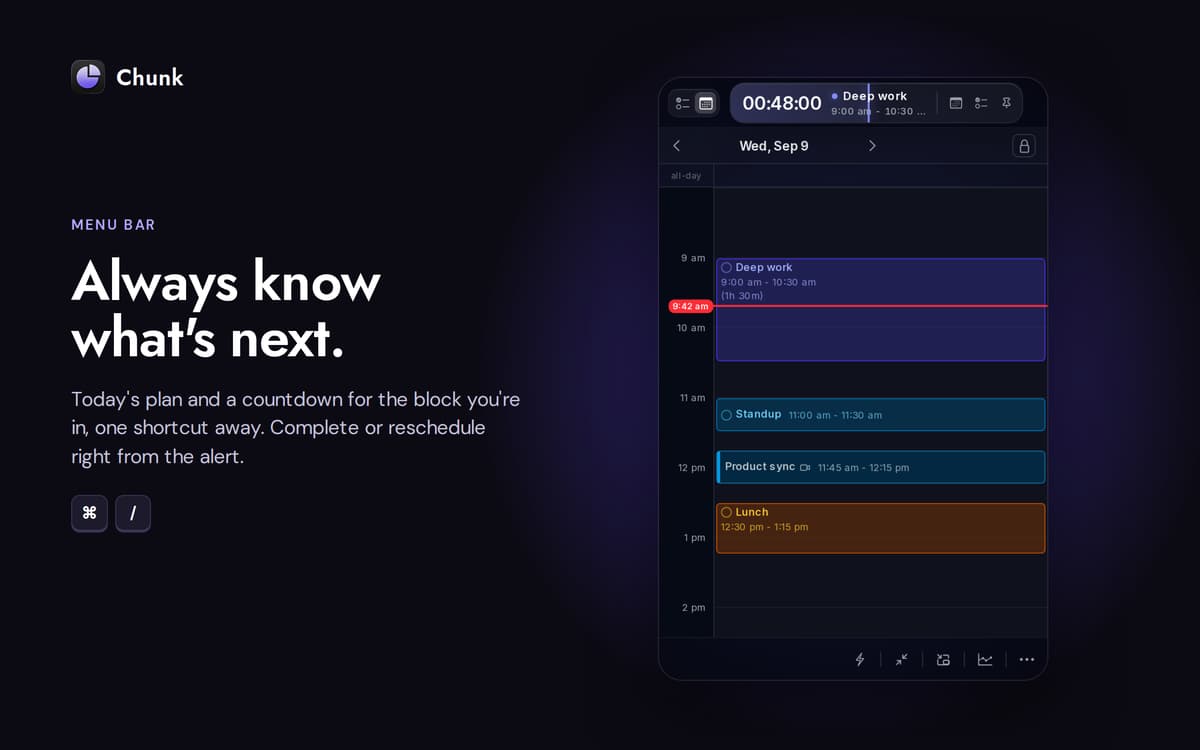
Chunk é um bloqueador de tempo na barra de menu do Mac. Pressione Cmd+/ e um painel translúcido aparecerá, pronto para blocos codificados por cores. Arraste reuniões, trabalho focado e o café da tarde para uma linha do tempo de 24 horas, e a barra de menu faz a contagem regressiva do tempo restante no seu bloco atual. A sincronização bidirecional com Google Calendar, Outlook e Apple Calendar mantém tudo em um só lugar; a agenda fica armazenada no seu Mac.
Planeje o amanhã em 30 segundos
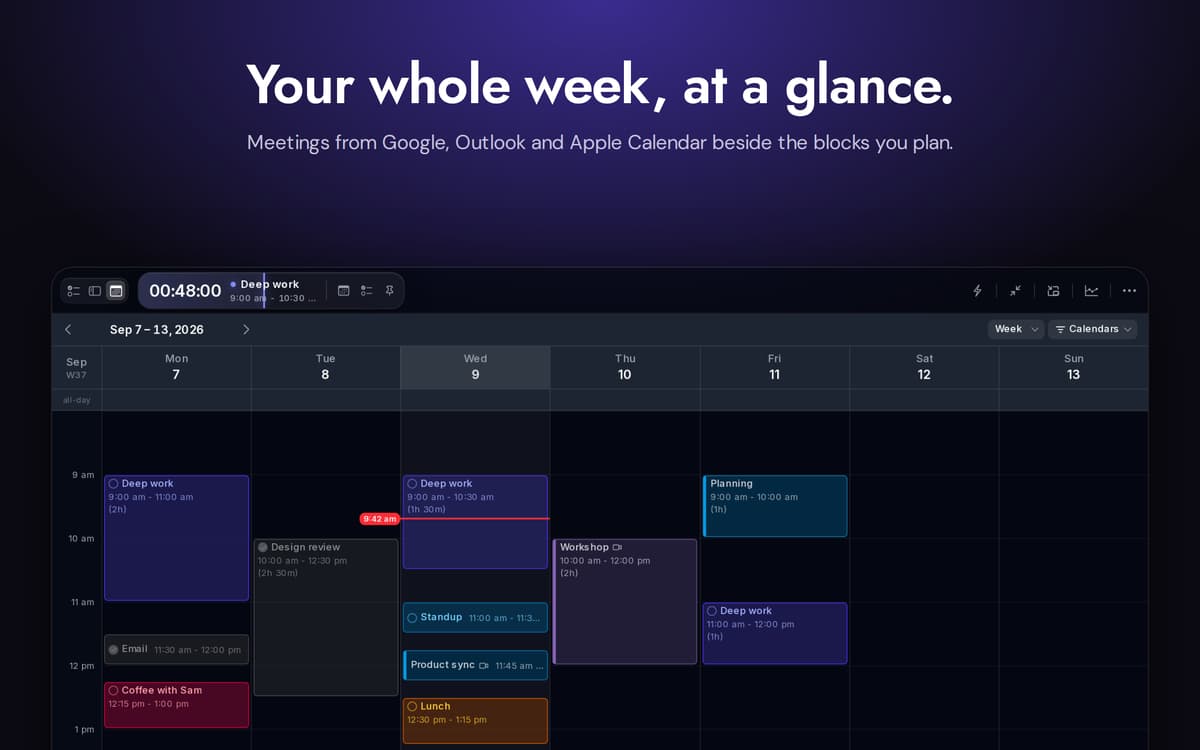
Sincronize calendários do Google, Outlook e Apple
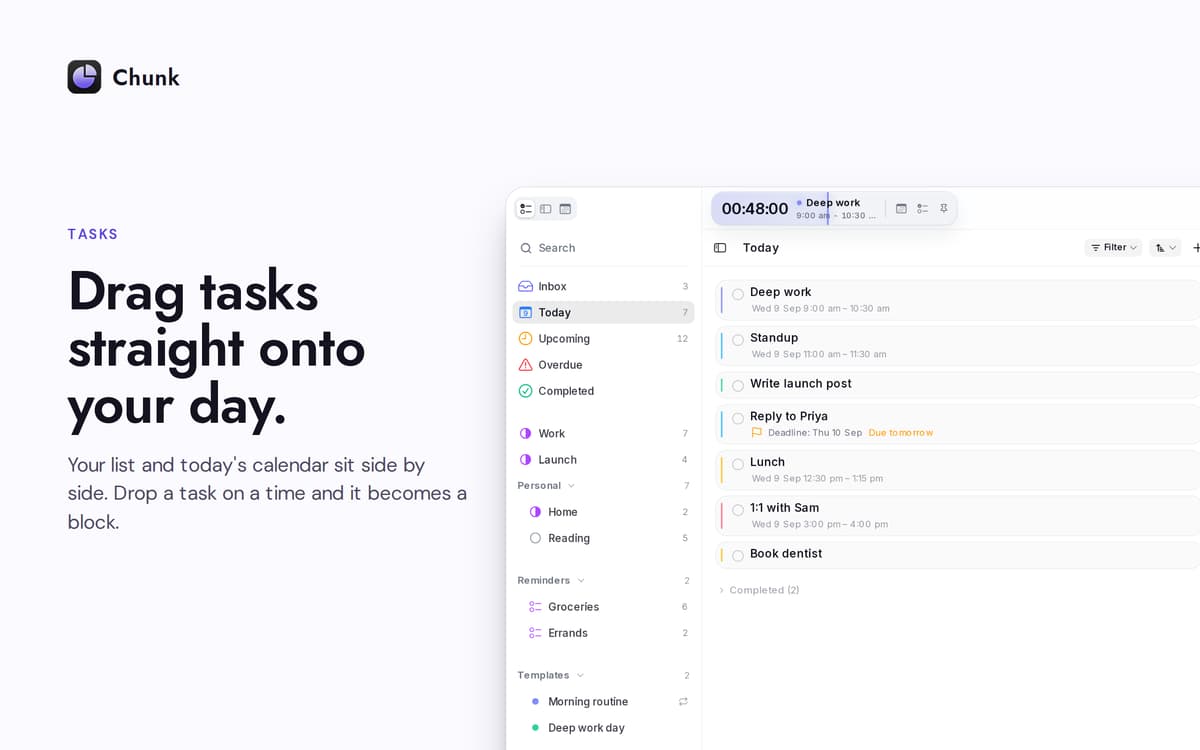
Arraste tarefas diretamente para o seu dia
Replaneje sem perder o foco
Recursos do Chunk
Linha do tempo de arrastar para bloco
Uma linha do tempo vertical de 24 horas que você constrói arrastando. Redimensione blocos a partir de qualquer borda. O intervalo de captura diminui conforme você aumenta o zoom, chegando até um minuto quando necessário.
Calendários em sincronia
Conecte o Google Agenda, Outlook ou Calendário da Apple — escolha um, escolha os três. Qualquer alteração que você fizer no Chunk é sincronizada com a fonte em questão de segundos. Eventos externos aparecem na mesma linha do tempo que seus próprios blocos, então você só precisa consultar um lugar.
Apple Lembretes, lado a lado
Suas listas do app Lembretes aparecem na barra lateral de tarefas do Chunk. Marque um item aqui e ele será marcado como concluído no app Lembretes do sistema. Arraste um lembrete para o seu dia e transforme-o em um bloco de tempo.
Modelos que aparecem automaticamente
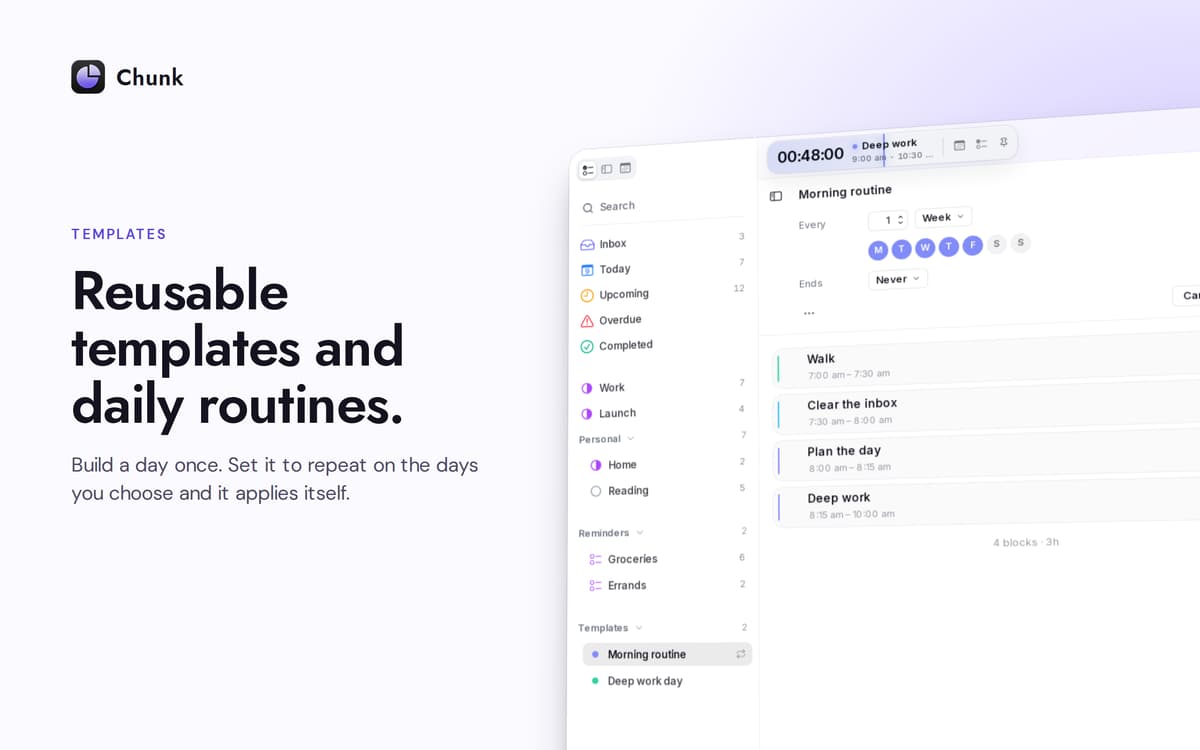
Salve um dia típico uma única vez. Escolha em quais dias da semana deve ser aplicado automaticamente. O Chunk preenche sua agenda antes mesmo de você abrir o painel — uma semana nova, já organizada.
Um contador regressivo que não se esconde
A barra de menu mostra o tempo restante do seu bloco atual. O painel principal fica suspenso sobre aplicativos em tela cheia, então uma olhada rápida — ou um novo planejamento — nunca interfere no que você estava fazendo.
Planeje com Claude, no seu Mac
Conecte o Chunk ao Claude e deixe que ele esboce, organize ou reformule seu dia a partir de comandos em linguagem natural. A conexão funciona localmente; sua agenda nunca sai do dispositivo.
Obtenha centenas de apps com o Membership
Obtenha um membership do Setapp e use centenas de apps estelares numa única assinatura.
Experimente grátis por 7 dias. Depois, pague um valor único.
Instale o Setapp no Mac
Explore apps para Mac, iOS e web. Encontre formas fáceis de lidar com as tarefas do dia a dia.

Obtenha o app que chamou sua atenção
Aquele app especial está esperando você no Setapp. Instale‑o com um clique.

Chunk
Escolha uma assinatura
Um ou mais apps com um membership do Setapp. Obtenha os apps que você quer.

Obtenha centenas de apps com o Membership
Obtenha um membership do Setapp e use centenas de apps estelares numa única assinatura.
Experimente grátis por 7 dias. Depois, pague um valor único.
1
Instale o Setapp no Mac
Explore apps para Mac, iOS e web. Encontre formas fáceis de lidar com as tarefas do dia a dia.
2
Obtenha o app que chamou sua atenção
Aquele app especial está esperando você no Setapp. Instale‑o com um clique.
Chunk
3
Escolha uma assinatura
Um ou mais apps com um membership do Setapp. Obtenha os apps que você quer.
A casa dos melhores apps
Desde tarefas rotineiras e de planejamento a atividades criativas e de programação, encare suas tarefas com os apps do Setapp.

TypingMind
IU alternativa para conversar com IA
gere ou resuma textos
use uma biblioteca de ações
IA

Spark Mail
Gerencie e‑mails
IA

CleanMyMac
Limpe os detritos

Bartender
Personalize a barra de menus

CleanShot X
Capturas de tela versáteis

Luminar Neo
Edite suas fotos
IA

ClearVPN
Conecte‑se com mais segurança

Craft
Trabalhe com documentos
IA
Chunk
Time-block your whole day