Clamshell
Trabalhe com a tampa fechada



Mac
Versão 1.4.23
macOS 14.0 ou posterior
9.6 MB
4 idiomas
Clamshell — gerenciador de suspensão ao fechar a tampa para Mac. Feche a tampa e seu Mac continua funcionando: downloads terminam, builds rodam, agentes de IA fazem o que têm que fazer. Sem monitor externo, sem periféricos conectados — basta um clique na barra de menus para ativar. Abra a tampa novamente e você estará exatamente onde parou.
Execute agentes de IA à noite com a tampa fechada
Mantenha builds longos sem precisar monitorar
Transfira arquivos grandes, com a tela fechada
Ative ou desative com um clique na barra de menus
Recursos do Clamshell
Um clique para ativar, zero atrito
Ativar o Clamshell requer apenas um clique no ícone da barra de menus. Prefere não usar o mouse? Também há um atalho de teclado. Em MacBooks compatíveis, manter a tecla Option pressionada enquanto você fecha a tampa já ativa o Clamshell nesse movimento — com direito a uma pequena animação de fechamento que torna tudo isso estranhamente satisfatório.
Continua ativado mesmo com mudanças de energia
Conectar ou desconectar o carregador normalmente reinicia o comportamento de suspensão ao fechar a tampa sem você perceber. O Clamshell monitora cada evento de energia e se reativa instantaneamente, para que uma tarefa durante a noite não seja interrompida silenciosamente porque um cabo se moveu às 2 da manhã.
Rede de segurança para bateria fraca
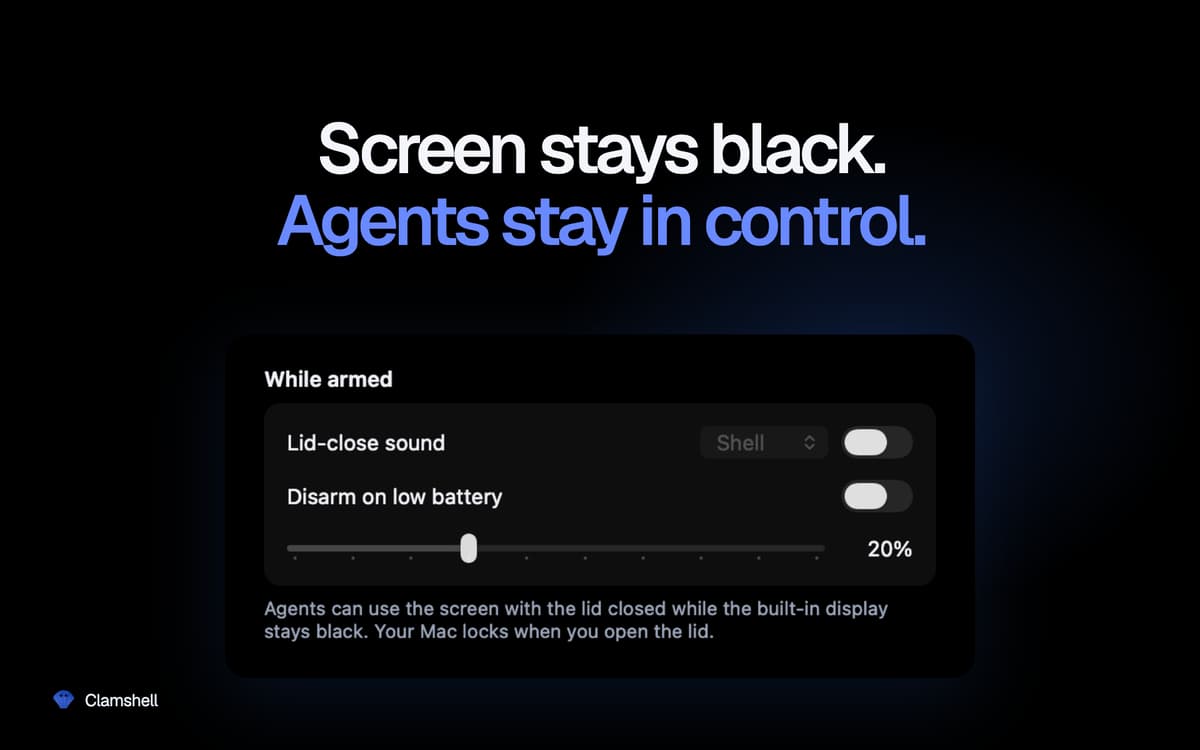
Defina um limite de bateria e o Clamshell se desativará automaticamente quando você atingi-lo — permitindo que seu Mac entre em suspensão em vez de descarregar totalmente a bateria. Você mantém o controle sem precisar se lembrar de verificar.
Temporário por padrão, persistente se você quiser
Abra a tampa e seu Mac volta a funcionar normalmente — sem configurações esquecidas drenando a bateria na sua bolsa. Prefere manter o Clamshell sempre ativado? Um botão nas configurações resolve isso. Caso o aplicativo seja encerrado inesperadamente, o comportamento normal de suspensão é restaurado automaticamente. Sem estados travados.
Nada escondido em segundo plano
Sem ícone no Dock, sem janelas, sem senha de administrador, sem daemons auxiliares, sem extensões de kernel. Apenas um ícone na barra de menus que mostra, à primeira vista, se o seu Mac vai continuar funcionando quando você fechar a tampa.
Classificações e avaliações
Clamshell
•
21 classificações
Yoram Kornatzky
29 de set. de 2026
Versão do app: 1.4.19
Great. But one shortcoming is that it cannot operate when using external displays.
Miha
2 de set. de 2026
Versão do app: 1.4.17
I was skeptical when I first saw this, but so far it has worked incredibly well for me. A MacBook Air can run on battery for a looong time in this mode (just take care if you chuck it in a backpack or similar — it can get HOT!).
Vincent Keunen
20 de ago. de 2026
Versão do app: 1.4.14
Simple and very useful. Well designed. Developer responds fast to suggestions.
Obtenha centenas de apps com o Membership
Obtenha um membership do Setapp e use centenas de apps estelares numa única assinatura.
Experimente grátis por 7 dias. Depois, pague um valor único.
Instale o Setapp no Mac
Explore apps para Mac, iOS e web. Encontre formas fáceis de lidar com as tarefas do dia a dia.

Obtenha o app que chamou sua atenção
Aquele app especial está esperando você no Setapp. Instale‑o com um clique.

Clamshell
Escolha uma assinatura
Um ou mais apps com um membership do Setapp. Obtenha os apps que você quer.

Obtenha centenas de apps com o Membership
Obtenha um membership do Setapp e use centenas de apps estelares numa única assinatura.
Experimente grátis por 7 dias. Depois, pague um valor único.
1
Instale o Setapp no Mac
Explore apps para Mac, iOS e web. Encontre formas fáceis de lidar com as tarefas do dia a dia.
2
Obtenha o app que chamou sua atenção
Aquele app especial está esperando você no Setapp. Instale‑o com um clique.
Clamshell
3
Escolha uma assinatura
Um ou mais apps com um membership do Setapp. Obtenha os apps que você quer.
A casa dos melhores apps
Desde tarefas rotineiras e de planejamento a atividades criativas e de programação, encare suas tarefas com os apps do Setapp.

TypingMind
IU alternativa para conversar com IA
gere ou resuma textos
use uma biblioteca de ações
IA

Spark Mail
Gerencie e‑mails
IA

CleanMyMac
Limpe os detritos

Bartender
Personalize a barra de menus

CleanShot X
Capturas de tela versáteis

Luminar Neo
Edite suas fotos
IA

ClearVPN
Conecte‑se com mais segurança

Craft
Trabalhe com documentos
IA
Clamshell
Trabalhe com a tampa fechada