
Cloud Outliner
Crie planos visuais

Mac
Versão 3.4.1
macOS 12.0 ou posterior
25.6 MB
1 idiomas
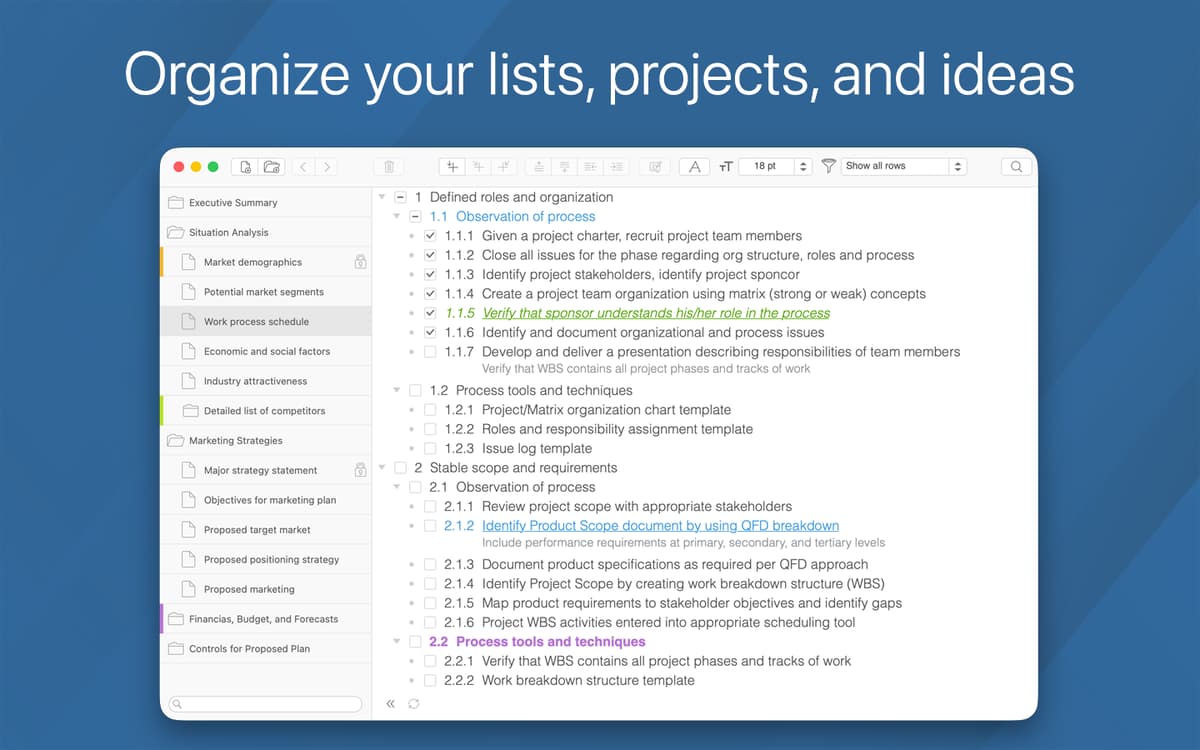
Você gosta de anotar tudo o que precisa fazer? O Cloud Outliner foi feito para você. Um software inteligente, simples e extremamente funcional para delinear suas ideias. Ele ajuda a criar, gerenciar e editar planos visuais de forma consistente e prática. Chega a ser difícil descrever o quão útil este app pode ser para escritores e blogueiros que têm muitas ideias e criam constantemente.
Crie planos detalhados dos seus projetos
Simplifique dados complexos em uma visualização
Planeje livros, trabalhos acadêmicos ou posts
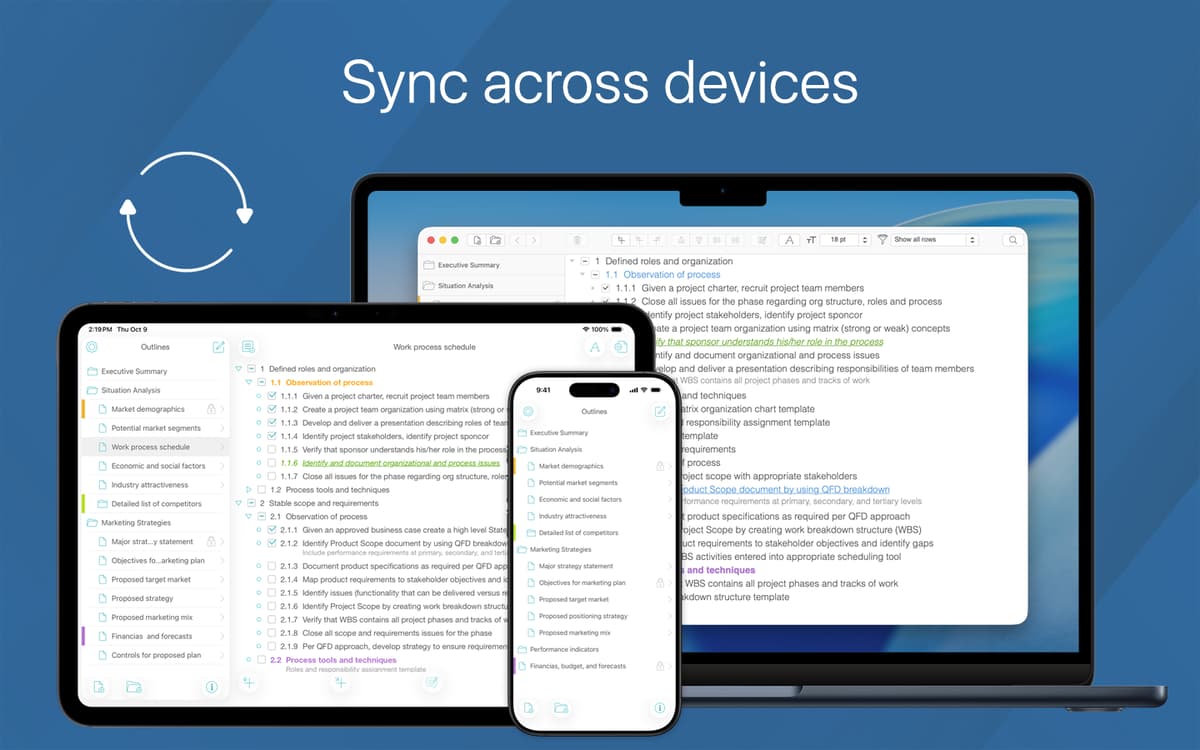
Sincronize planos com o Evernote e o iCloud
Recursos do Cloud Outliner
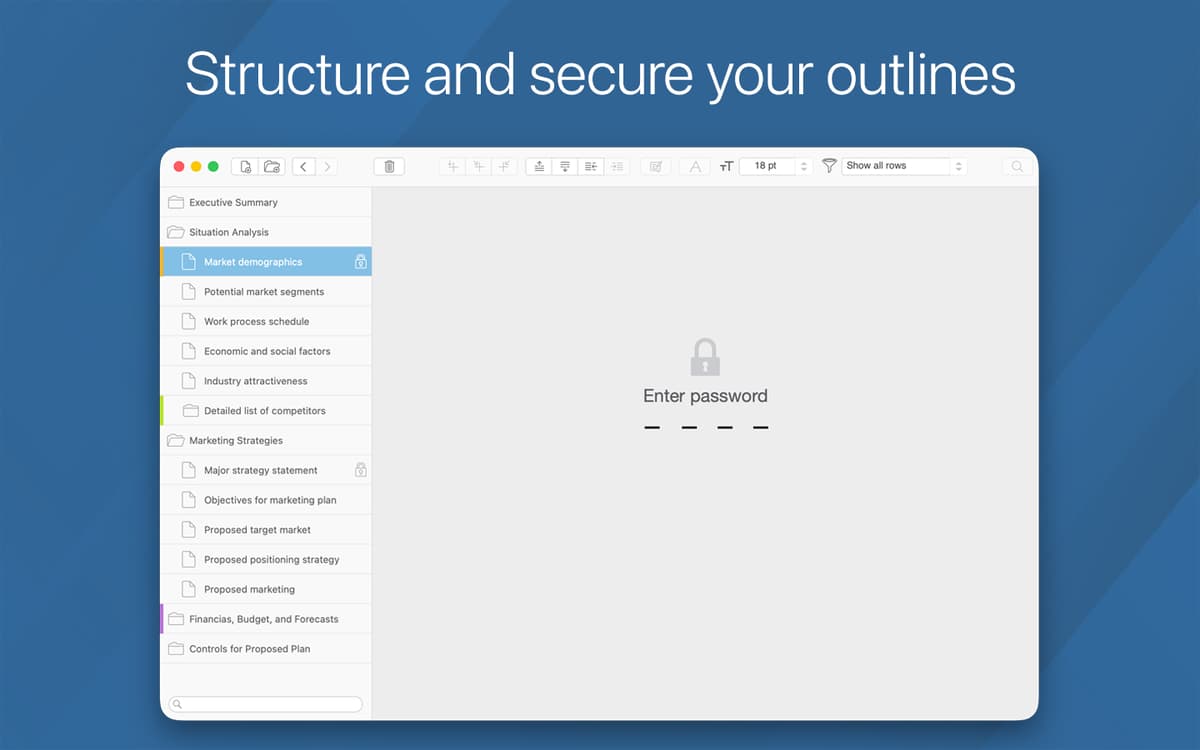
Gerenciamento e proteção de dados
Organize suas notas do jeito que você gosta. Marque entradas importantes facilmente e use uma senha para proteger itens pessoais. Crie modelos de documentos que podem ser usados novamente ou adaptados rapidamente.
Diversas opções de compartilhamento
Compartilhe suas ideias com colegas, familiares ou amigos. Você pode exportá-las em PDF, HTML e OPML (e também importar). Ou compartilhá-las por e-mail, Mensagens, Twitter, LinkedIn e, claro, Facebook.
Integração com Evernote e sincronização
Com uma integração perfeita ao Evernote e o auxílio exclusivo do Servidor do Outliner, seus dados estão sempre sincronizados. Delineie e planeje projetos sem se preocupar em passá-los para outro dispositivo. Eles sempre estarão com você, não importa onde você pretenda usá-los.
Editor de texto com formatação
Ordene e reorganize com liberdade. Você pode usar caixas de seleção ou selecionar vários itens de uma só vez. Use recuos ou assuma o controle da formatação e remova todos os recuos de uma só vez. Tudo ao seu alcance para que você ajuste o estilo do texto, cores e tamanho da fonte ao criar conteúdo.
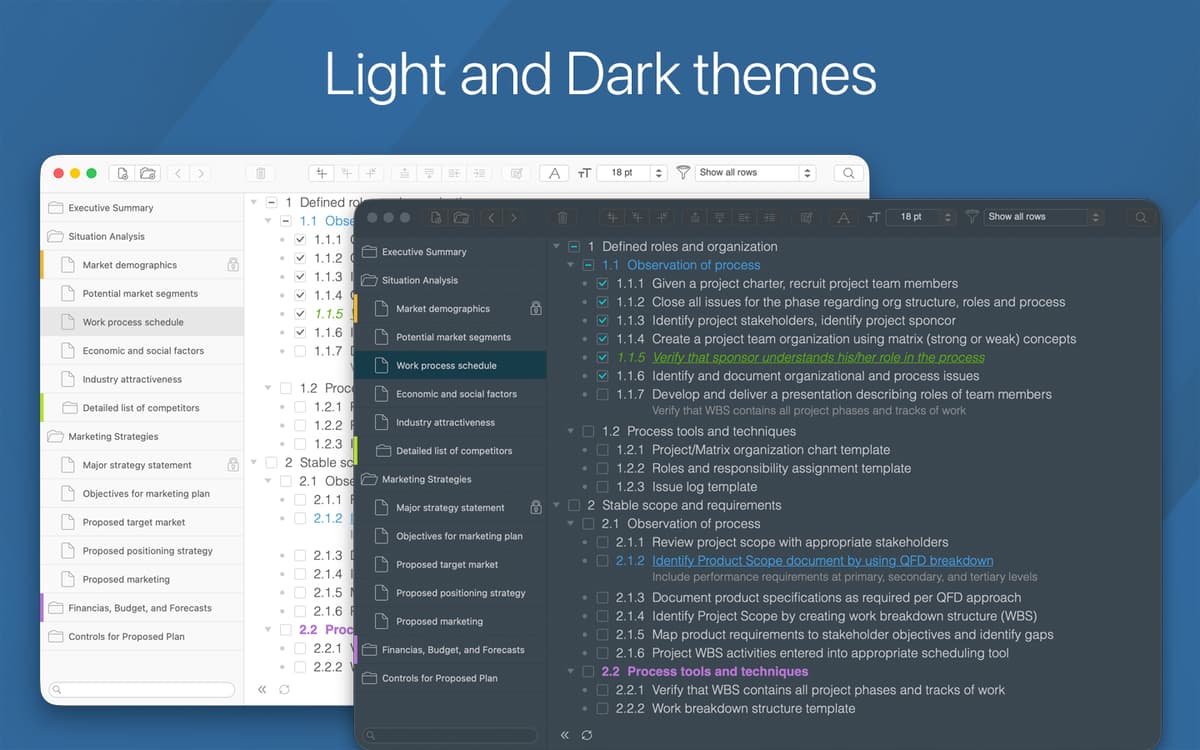
Temas claro e escuro
Toda ideia precisa de uma musa. E às vezes, as cores da tela podem ajudar a gerar ideias com maior facilidade. Defina o tema de cores ideal para capturar, reordenar e estruturar seus pensamentos da melhor forma possível.
Busca inteligente
Mantenha todas as suas ideias em um só lugar. Com uma busca simples e rápida, você não tem com o quê se preocupar. Basta usar a busca inteligente para encontrar em segundos aquilo que você precisa, desde tópicos a textos que você mal lembrava ter escrito.
Classificações e avaliações
Cloud Outliner
•
89 classificações
AR
21 de out. de 2025
Versão do app: 3.3
Limited customization, limited versatility, fits a very specific use case. Can’t drag-drop bullets, keyboard shortcuts are unintuitive (can be edited), stuck with default font and color styles, which are not great.
Rajeev
10 de set. de 2025
Versão do app: 3.3
easy to use, functional outliner app with good export options • it’s one of the best out there
Nick
16 de mar. de 2025
Versão do app: 3.1.1
My single favourite Setapp app. All outliners have their strengths and limitations, and this one has a fairly no-frills feature set but absolutely brilliant auto-syncing across devices - which is per-item rather than at document level, so even offline changes to the same outline on different devices will sync up correctly. The main niggle is that (presumably for technical reasons) it uses the same text colours for both light and dark modes, so that you can work with grey or coloured text but not black or white. This takes some getting used to, and some may find it too hard on the eyes and uncomfortable to work in to serve as a primary outliner. Even so, the sync feature is so good that it’s quietly become my everywhere thinking-bucket app for notes, outlines, and idea capture on whatever device is nearest.
Obtenha centenas de apps com o Membership
Obtenha um membership do Setapp e use centenas de apps estelares numa única assinatura.
Experimente grátis por 7 dias. Depois, pague um valor único.
Instale o Setapp no Mac
Explore apps para Mac, iOS e web. Encontre formas fáceis de lidar com as tarefas do dia a dia.

Obtenha o app que chamou sua atenção
Aquele app especial está esperando você no Setapp. Instale‑o com um clique.

Cloud Outliner
Escolha uma assinatura
Um ou mais apps com um membership do Setapp. Obtenha os apps que você quer.

Obtenha centenas de apps com o Membership
Obtenha um membership do Setapp e use centenas de apps estelares numa única assinatura.
Experimente grátis por 7 dias. Depois, pague um valor único.
1
Instale o Setapp no Mac
Explore apps para Mac, iOS e web. Encontre formas fáceis de lidar com as tarefas do dia a dia.
2
Obtenha o app que chamou sua atenção
Aquele app especial está esperando você no Setapp. Instale‑o com um clique.
Cloud Outliner
3
Escolha uma assinatura
Um ou mais apps com um membership do Setapp. Obtenha os apps que você quer.
A casa dos melhores apps
Desde tarefas rotineiras e de planejamento a atividades criativas e de programação, encare suas tarefas com os apps do Setapp.

TypingMind
IU alternativa para conversar com IA
gere ou resuma textos
use uma biblioteca de ações
IA

Spark Mail
Gerencie e‑mails
IA

CleanMyMac
Limpe os detritos

Bartender
Personalize a barra de menus

CleanShot X
Capturas de tela versáteis

Luminar Neo
Edite suas fotos
IA

ClearVPN
Conecte‑se com mais segurança

Craft
Trabalhe com documentos
IA
Cloud Outliner
Crie planos visuais