
Coherence X
Transforme sites em apps
Mac
Versão 6.1
macOS 15.0 ou posterior
49.8 MB
1 idiomas
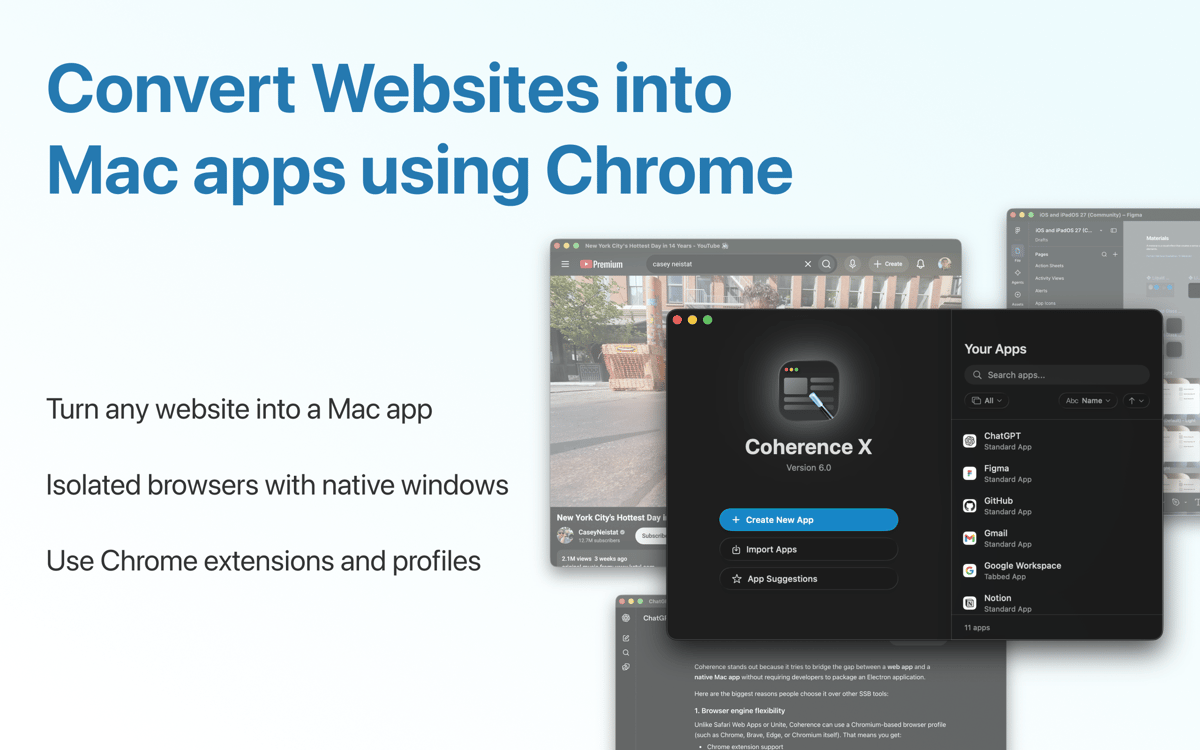
O Coherence Pro 2 permite que você transforme praticamente qualquer site em um app no Mac. Cada app é completamente isolado, personalizável e independente. Com o Chrome como base, o app funciona perfeitamente com a grande maioria dos sites e permite que você transfira extensões e perfis do Chrome. Escolha um modo personalizado e crie um número ilimitado de apps.
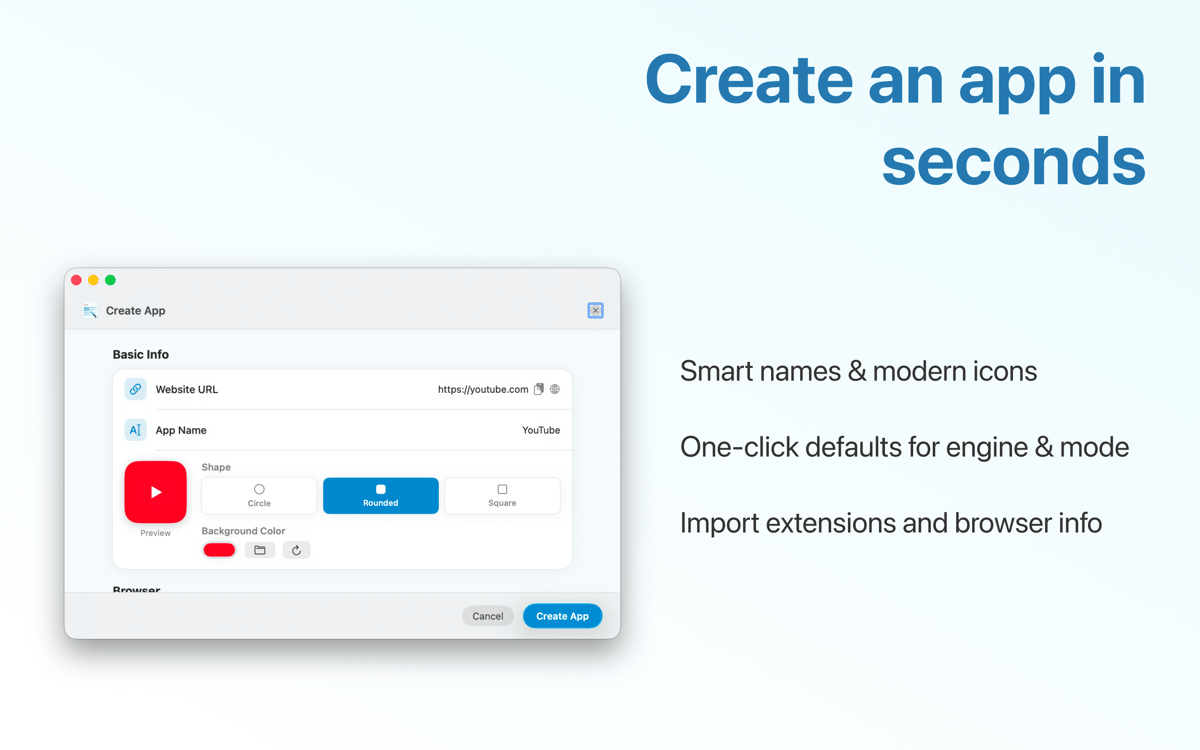
Crie um app nativo a partir de um único URL
Importe extensões personalizadas para o seu app
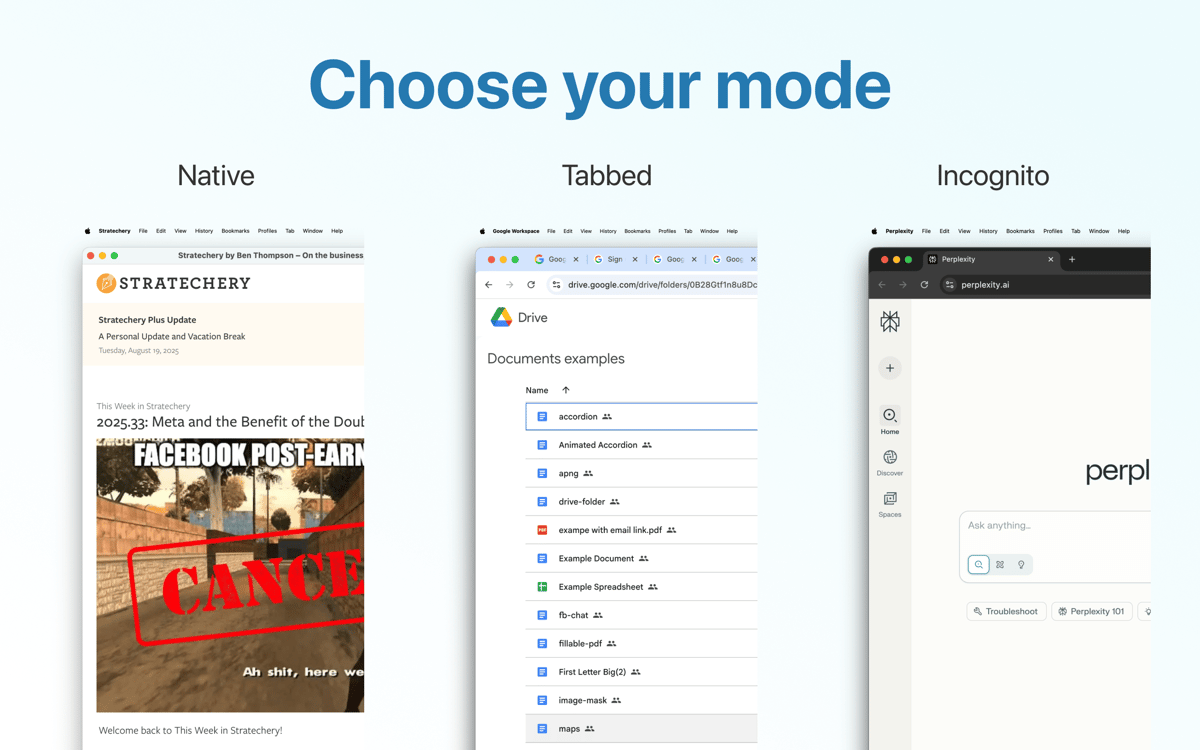
Escolha entre um app padrão ou com abas
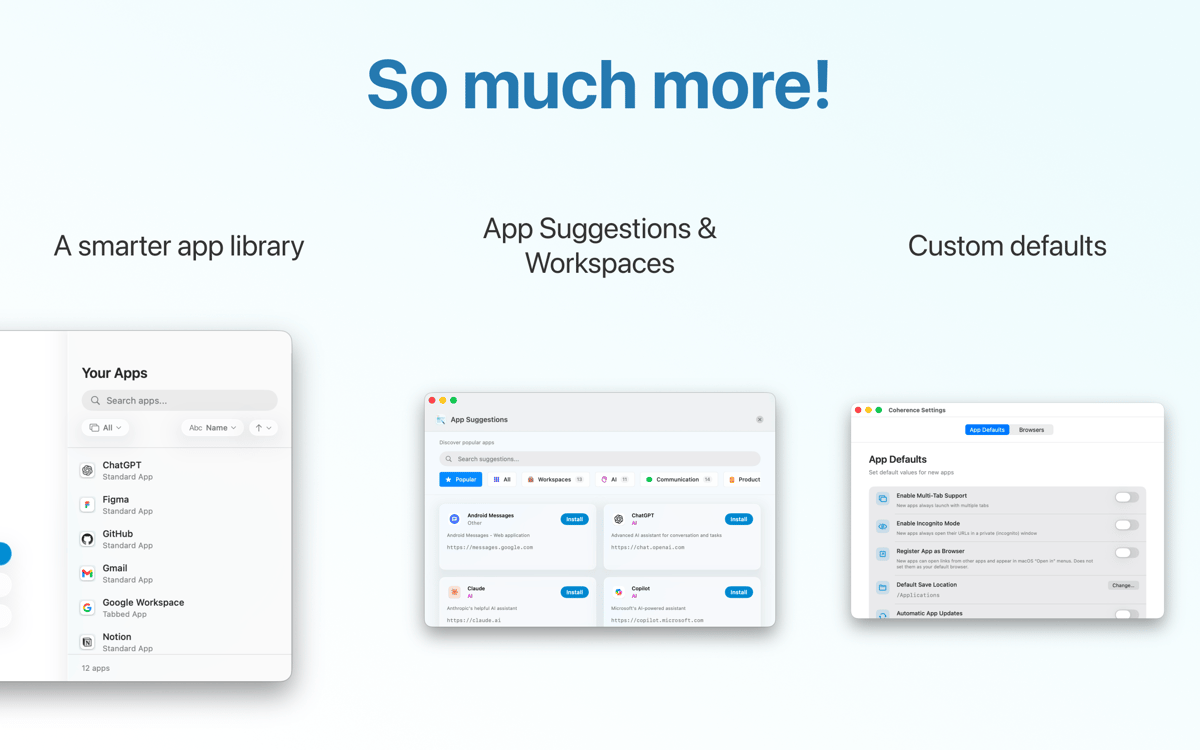
Tenha a sua própria biblioteca de apps novos
Recursos do Coherence X
Um app isolado em segundos
Tendo o Chrome como base, o Coherence Pro permite que você trabalhe com experiências exclusivas do Chrome, como Canary ou reprodutor web do Spotify, e construa apps totalmente independentes. Você pode criar apps em lote, caso precise de mais de um, e transferir ajustes entre eles.
Extensões e perfis do Chrome
Deixe que o Coherence Pro importe automaticamente as extensões e perfis usados em instâncias do Chrome. Dessa forma, ao criar um app de rede social, você pode adicionar extensões do 1Password, Pocket e outras para aprimorar o app. O Coherence Pro também registra quais são as suas extensões favoritas.
Alterne entre modos de app
O Coherence Pro oferece três modos de interface diferentes: app de janela única, aparência tradicional do Chrome e design multiaba. Escolha a experiência desejada, seja ela uma interface nativa imersiva ou um espaço para multitarefa. Se necessário, copie os mesmos ajustes para outros apps.
Poder do design multiaba
Apps multiaba oferecem uma liberdade incrível em termos de funcionalidade. Por exemplo, você poderia criar um cliente de e‑mail nativo com o app Unite. Mas com o design multiaba do Coherence Pro, você pode adicionar várias contas de e‑mail e alternar entre elas no próprio app.
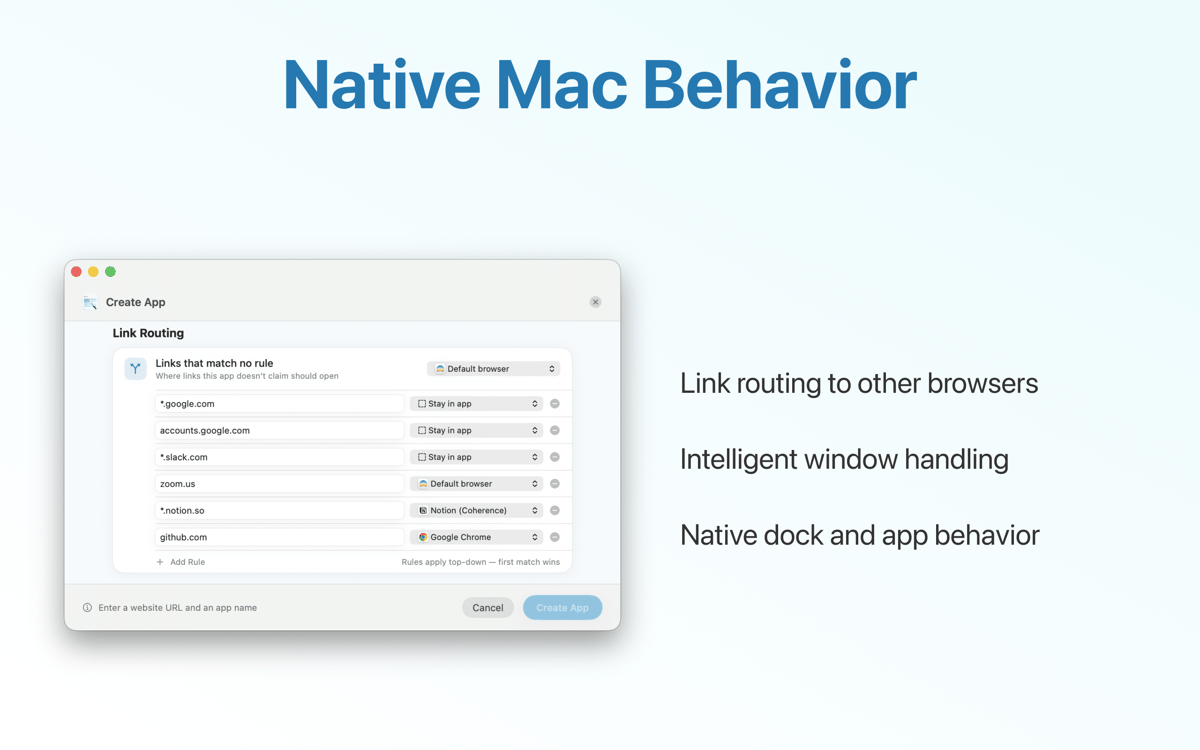
Ambientes de trabalho no app
O Coherence Pro oferece espaço para trabalhos criativos. Com um conjunto de diversas funcionalidades, você pode criar apps que funcionam como ambientes de trabalho. Por exemplo, se você não aguenta mais mudar entre plataformas, você pode usar a interface multiaba do Coherence Pro para reunir os sites que você mais visita em um único app.
Classificações e avaliações
Coherence X
•
429 classificações
Vishal Bhan
19 de set. de 2026
Versão do app: 6.0
Keeps failing after some login issue every 2-3 days
Rob
9 de set. de 2026
Versão do app: 6.0
X6 is pretty great - especially with Helium
Ярослав Воловик
21 de mai. de 2026
Versão do app: 5.1.2
Додатки з входом через Гугл не можна зробити, бо Гугл блокує вхід
Obtenha centenas de apps com o Membership
Obtenha um membership do Setapp e use centenas de apps estelares numa única assinatura.
Experimente grátis por 7 dias. Depois, pague um valor único.
Instale o Setapp no Mac
Explore apps para Mac, iOS e web. Encontre formas fáceis de lidar com as tarefas do dia a dia.

Obtenha o app que chamou sua atenção
Aquele app especial está esperando você no Setapp. Instale‑o com um clique.

Coherence X
Escolha uma assinatura
Um ou mais apps com um membership do Setapp. Obtenha os apps que você quer.

Obtenha centenas de apps com o Membership
Obtenha um membership do Setapp e use centenas de apps estelares numa única assinatura.
Experimente grátis por 7 dias. Depois, pague um valor único.
1
Instale o Setapp no Mac
Explore apps para Mac, iOS e web. Encontre formas fáceis de lidar com as tarefas do dia a dia.
2
Obtenha o app que chamou sua atenção
Aquele app especial está esperando você no Setapp. Instale‑o com um clique.
Coherence X
3
Escolha uma assinatura
Um ou mais apps com um membership do Setapp. Obtenha os apps que você quer.
A casa dos melhores apps
Desde tarefas rotineiras e de planejamento a atividades criativas e de programação, encare suas tarefas com os apps do Setapp.

TypingMind
IU alternativa para conversar com IA
gere ou resuma textos
use uma biblioteca de ações
IA

Spark Mail
Gerencie e‑mails
IA

CleanMyMac
Limpe os detritos

Bartender
Personalize a barra de menus

CleanShot X
Capturas de tela versáteis

Luminar Neo
Edite suas fotos
IA

ClearVPN
Conecte‑se com mais segurança

Craft
Trabalhe com documentos
IA
Coherence X
Transforme sites em apps