
Commander One
Gerencie arquivos em dois painéis
Mac
Versão 3.18
macOS 10.13 ou posterior
143.1 MB
16 idiomas
Sentindo falta de um poderoso gerenciador de arquivos com painel duplo no Mac? Agora não mais. Com o Commander One, uma alternativa incrível ao Finder feita para macOS, você pode navegar por todos os seus arquivos em dois painéis. Com uma busca conveniente, arquivos comprimidos, cliente FPT e vários outros recursos práticos.
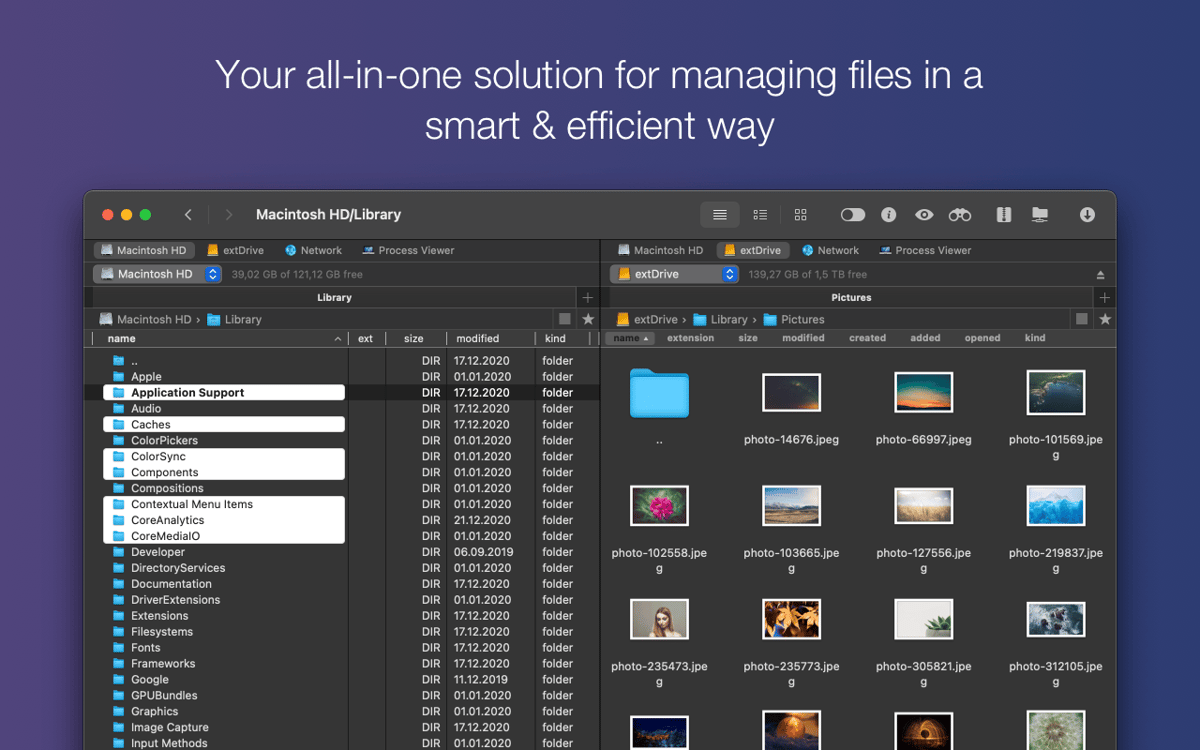
Uma ótima alternativa de dois painéis ao Finder
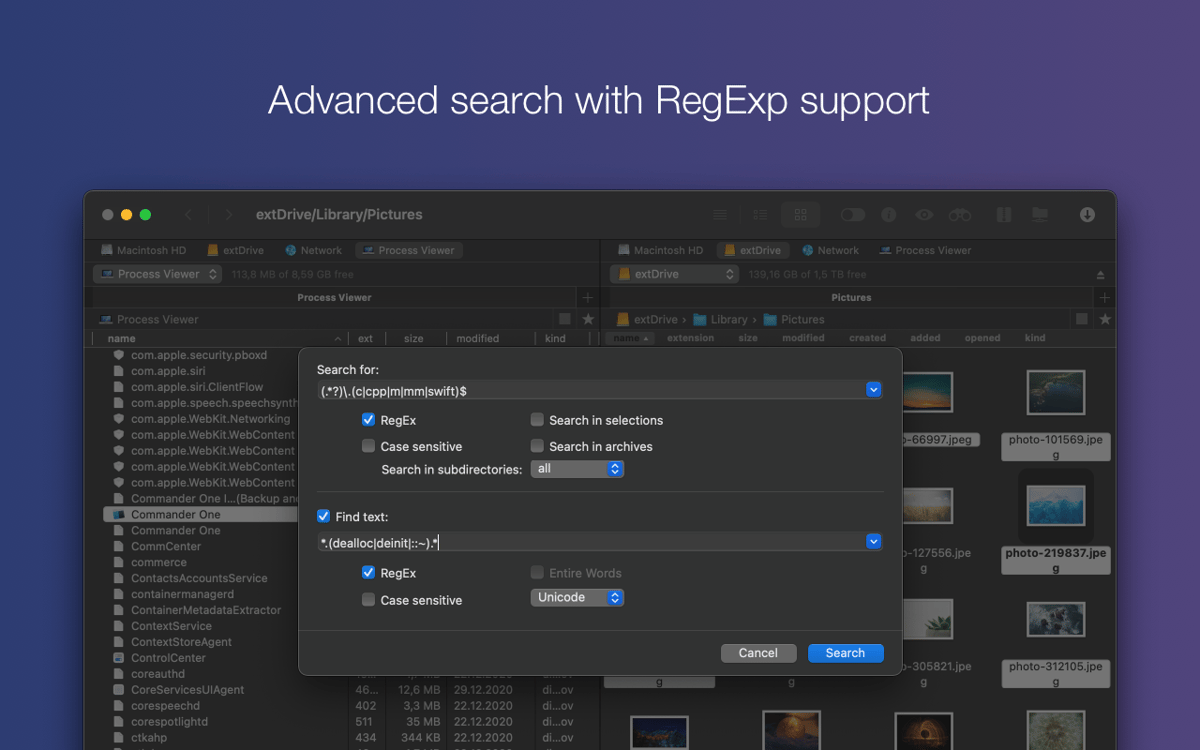
Encontre arquivos rapidamente, mesmo os ocultos
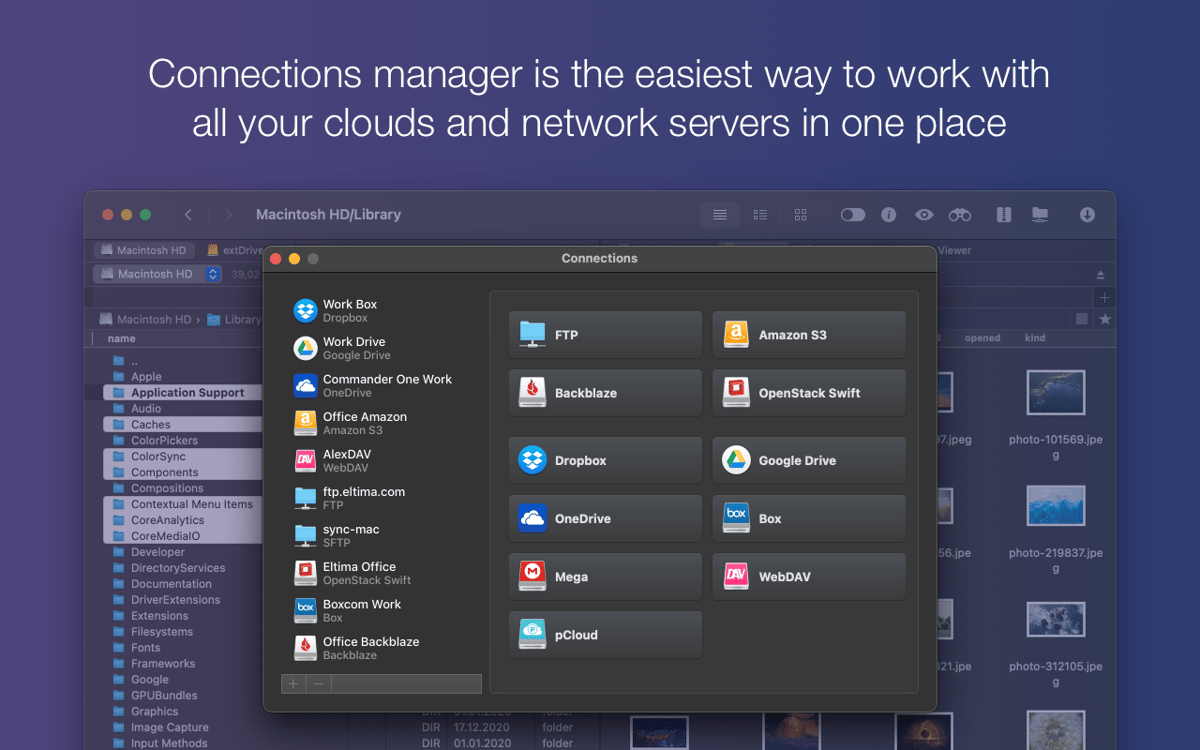
Gerencie arquivos entre dispositivos e nuvens
Tenha acesso rápido a todos os processos ativos
Recursos do Commander One
A alternativa perfeita ao Finder
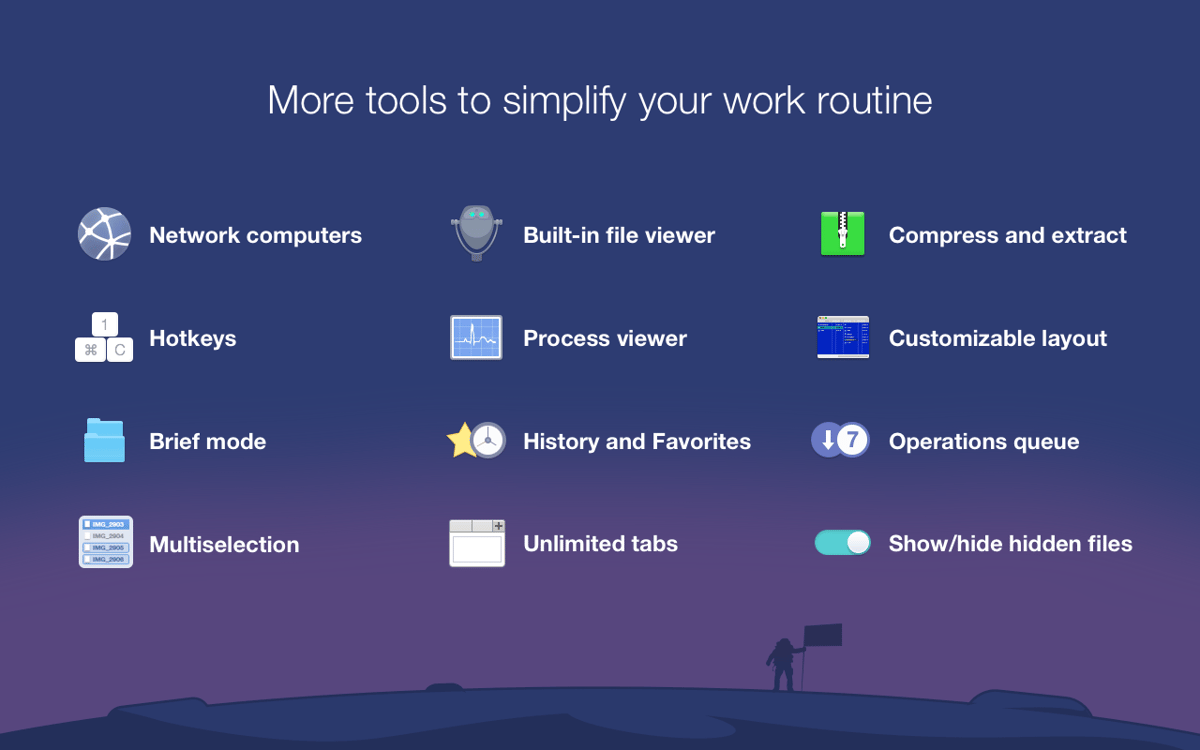
O Commander One aprimora tudo aquilo que o Finder é capaz de fazer. Você pode usá‑lo para gerenciar arquivos em dois painéis simultaneamente, configurar atalhos para acesso rápido ou visualizar arquivos ocultos. Ele também permite que você ative um modo para visualizar e gerenciar diversos arquivos de uma só vez.
Use RegExp para buscar
Uma busca avançada para um gerenciamento de arquivos avançado: busque pelo conteúdo do arquivo ou via Spotlight, use expressões regulares para ter precisão extra e controle itens entre arquivos comprimidos diferentes. Você pode personalizar os ajustes de busca na janela de busca do Commander One — tudo em um só local.
Nuvens e servidores de rede conectados
Gerencie arquivos com flexibilidade entre contas de nuvem e servidores de rede diretamente do app. O Commander One possui FTP integrado para conexões a servidores remotos. Você também pode integrar quantas contas de nuvem quiser ao app: desde Dropbox e Google Drive a Amazon S3 e muitos outros.
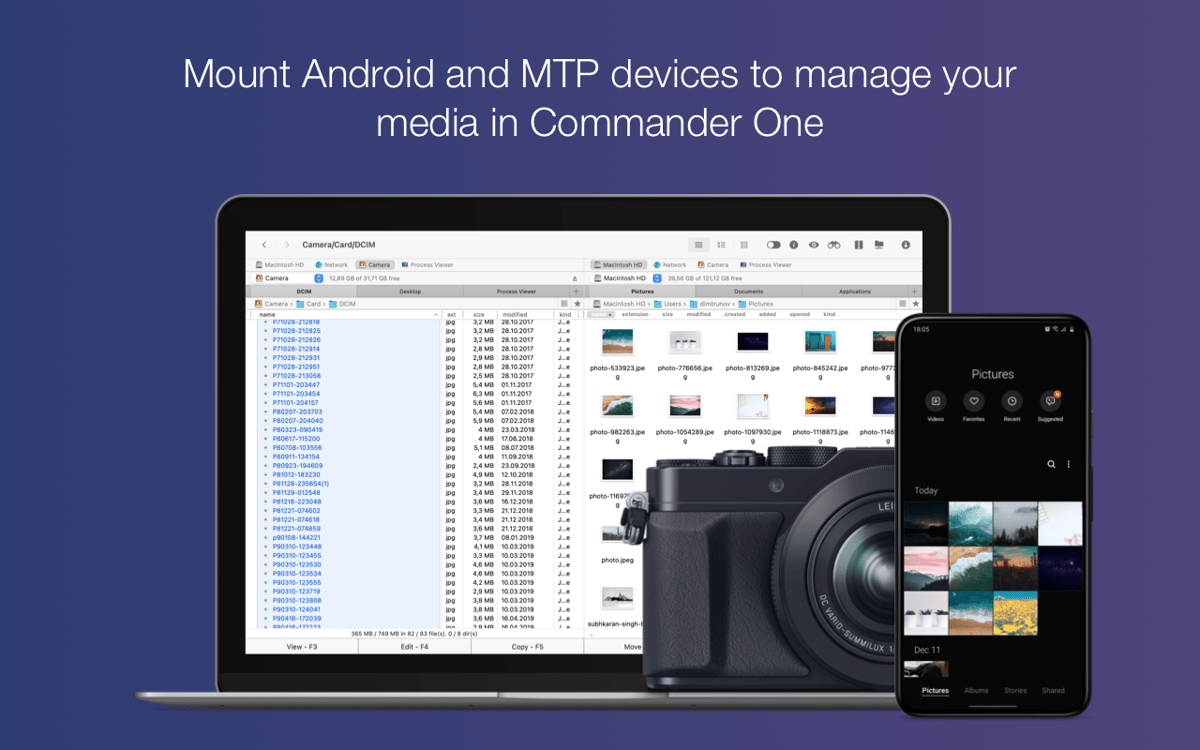
Acesse conteúdo de qualquer dispositivo
O app é compatível com a transferência de arquivos do iOS, MTP e Android, o que significa que você pode usá‑lo para gerenciar conteúdo armazenado em qualquer lugar. Conecte qualquer dispositivo ao Mac (seja um iPad, telefone Android ou câmera) para que o Commander One o disponibilize como um disco montado.
Lide com arquivos comprimidos
O Commander One também é ótimo para descomprimir qualquer arquivo comprimido. Assim, você não precisa usar outras ferramentas. Ele funciona com ZIP, RAR, TBZTGZ e 7z. Alerta de spoiler: a funcionalidade de compressão está em desenvolvimento, o que permitirá que você busque em arquivos comprimidos dentro do próprio app.
Controle todos os processos
Acompanhe cada processo em atividade no Mac através do visualizador de processos do Commander One. Em um único painel prático, você pode monitorar tudo o que acontece no computador, obter informações detalhadas sobre cada processo e encerrar qualquer um deles com um clique.
Classificações e avaliações
Commander One
•
699 classificações
Paul Parker
22 de ago. de 2026
Versão do app: 3.17.1
Mixed feelings. Very strange initial keybindings, especially since Macs often don’t have function keys available for a single press in favor of the Apple system control key bindings. No ability to quickly pull up the full keybindings; you have to gradually scroll thru them all. An app like this that is focused on speed should have an obvious shortcut key to see the bindings: ? CMD-? or even OPT-CMD-?.
José Carlos Vilorio
16 de mai. de 2026
Versão do app: 3.17.1
Imprescindible para aquellos que quieres tener el control de lo que pasa en el ordenador
Marius Stancalie
16 de abr. de 2026
Versão do app: 3.17.1
good
Obtenha centenas de apps com o Membership
Obtenha um membership do Setapp e use centenas de apps estelares numa única assinatura.
Experimente grátis por 7 dias. Depois, pague um valor único.
Instale o Setapp no Mac
Explore apps para Mac, iOS e web. Encontre formas fáceis de lidar com as tarefas do dia a dia.

Obtenha o app que chamou sua atenção
Aquele app especial está esperando você no Setapp. Instale‑o com um clique.

Commander One
Escolha uma assinatura
Um ou mais apps com um membership do Setapp. Obtenha os apps que você quer.

Obtenha centenas de apps com o Membership
Obtenha um membership do Setapp e use centenas de apps estelares numa única assinatura.
Experimente grátis por 7 dias. Depois, pague um valor único.
1
Instale o Setapp no Mac
Explore apps para Mac, iOS e web. Encontre formas fáceis de lidar com as tarefas do dia a dia.
2
Obtenha o app que chamou sua atenção
Aquele app especial está esperando você no Setapp. Instale‑o com um clique.
Commander One
3
Escolha uma assinatura
Um ou mais apps com um membership do Setapp. Obtenha os apps que você quer.
A casa dos melhores apps
Desde tarefas rotineiras e de planejamento a atividades criativas e de programação, encare suas tarefas com os apps do Setapp.

TypingMind
IU alternativa para conversar com IA
gere ou resuma textos
use uma biblioteca de ações
IA

Spark Mail
Gerencie e‑mails
IA

CleanMyMac
Limpe os detritos

Bartender
Personalize a barra de menus

CleanShot X
Capturas de tela versáteis

Luminar Neo
Edite suas fotos
IA

ClearVPN
Conecte‑se com mais segurança

Craft
Trabalhe com documentos
IA
Commander One
Gerencie arquivos em dois painéis