
Diarly
Crie um diário pessoal privado
Mac, iOS
Versão 3.6.4
macOS 13.0 ou posterior
123.1 MB
26 idiomas
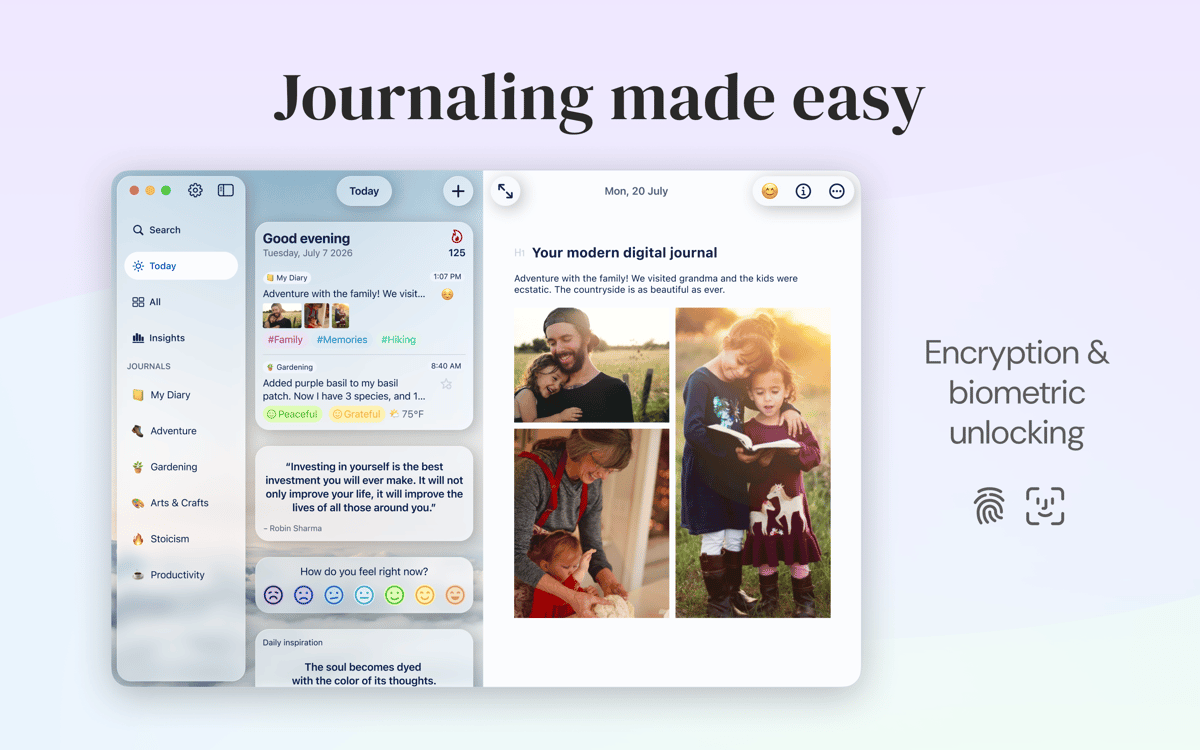
O Diarly é um app de diário que transforma o Mac em um confidente de histórias e memórias. Escreva, personalize a formatação e organize entradas como quiser. Para ter acesso rápido e seguro ao Diarly, você pode ativar a criptografia e a proteção por senha, além de sincronizar os dados entre seus dispositivos.
Crie um diário criptografado com segurança no Mac
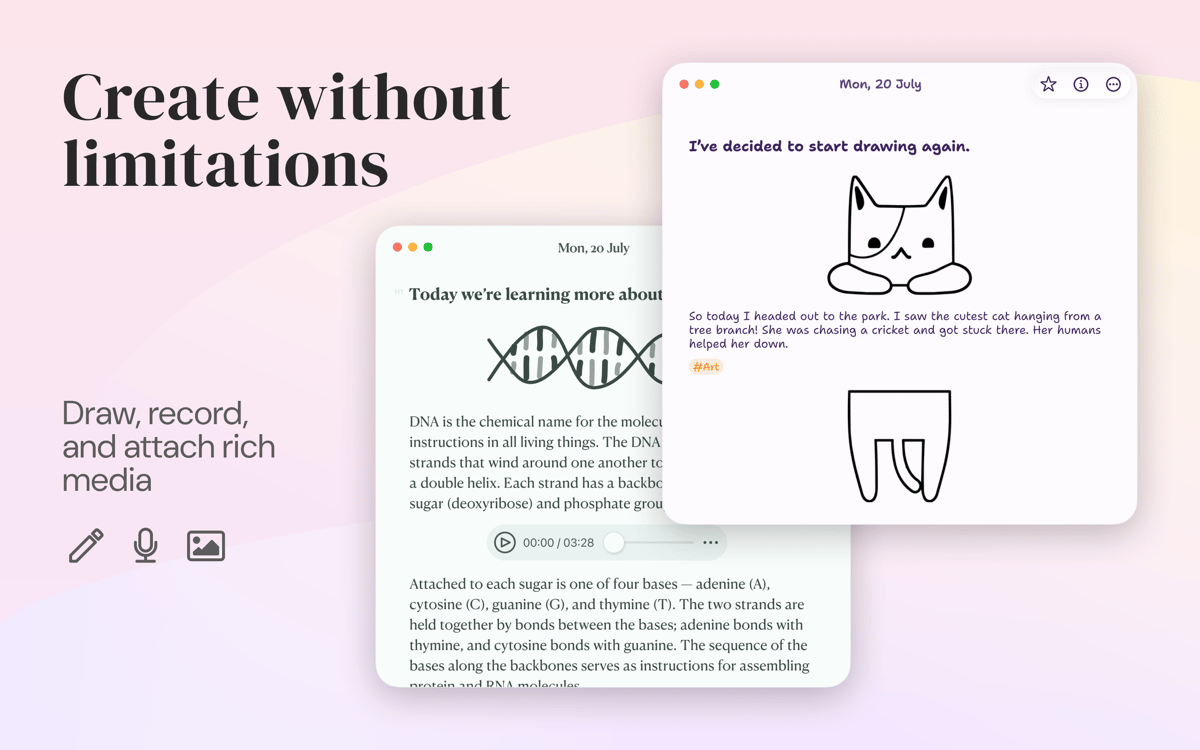
Use um editor Markdown para editar o texto
Integre o diário a tarefas e calendário
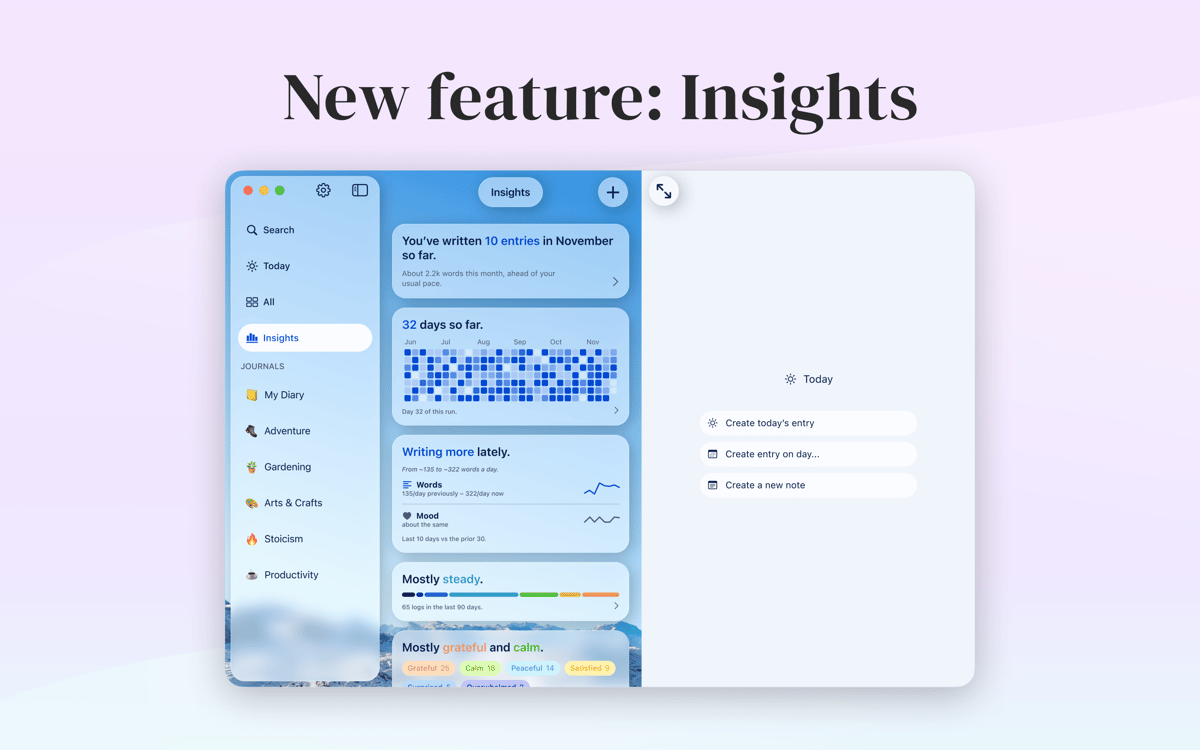
Defina e acompanhe suas metas de escrita no diário
Recursos do Diarly
Segurança acima de tudo
A última coisa que você quer é que alguém invada sua privacidade. É por isso que, em vez de guardar seu diário embaixo da cama, você deve guardá‑lo em um formato digital no Mac. No Diarly, todas as entradas criadas podem ser criptografadas para que ninguém possa lê‑las.
Editor Markdown
Importe em Markdown e personalize a formatação enquanto você escreve. O editor Markdown integrado do Diarly, com marcadores e títulos, permite que o conteúdo tenha a forma que você quiser. Além de compatibilidade com a sintaxe, o editor oferece uma pré‑visualização para que você controle a aparência de cada entrada.
Calendários, listas e busca
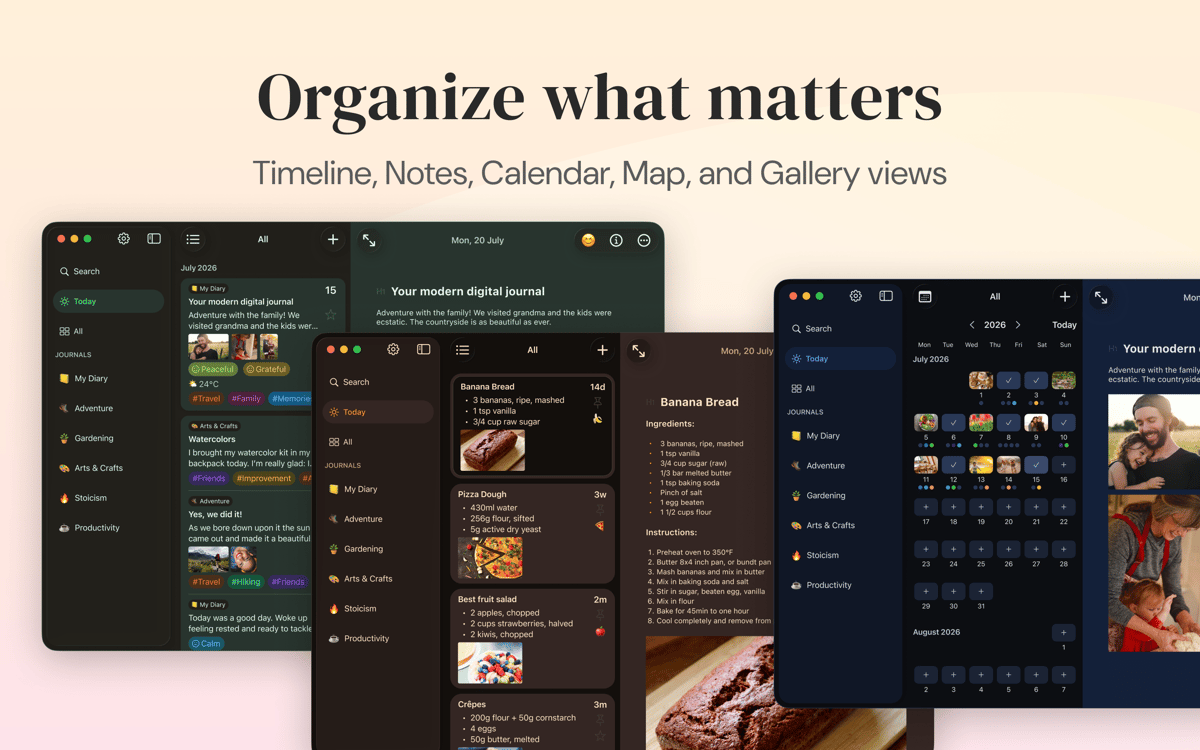
O Diarly auxilia você a criar uma lista de entradas gerenciável. Assim, não importa a frequência com que você escreva, nada se perde no caminho. Ele oferece um calendário para que você busque por data, além de listas personalizáveis. Para facilitar ainda mais a navegação, você pode buscar por hashtag.
Sincronização entre dispositivos
O Diarly é compatível com a sincronização via iCloud e disponibiliza o app em todos os dispositivos. Você pode usar o app no Mac, iPhone ou iPad para escrever. Ative a proteção por senha para se assegurar de que nenhuma outra pessoa acesse o app.
Acompanhamento de atividade
Os objetivos de um diário podem ser grandes e audaciosos. O Diarly permite que você crie objetivos diários para ver como você se sai com o passar do tempo. Você pode configurá‑lo para registrar a contagem de palavras em entradas específicas. Para ter uma perspectiva mais abrangente, consulte as estatísticas de escrita dos últimos 90 dias ou de qualquer outro intervalo de datas.
Aparência personalizada
A interface do Diarly oferece um ambiente de escrita sem distrações. E por ser altamente personalizável, você pode deixá‑lo ainda mais conveniente. Altere fontes, temas e tamanhos para obter o visual perfeito. Se desejar, você pode ter modelos diferentes para uma categoria de entrada específica.
Classificações e avaliações
Diarly
•
394 classificações
Laila Regalado
24 de ago. de 2026
Versão do app: 3.5.7
I love this App! Beautiful design, functionalities I need. Highly recommend it
JT
15 de jul. de 2026
Versão do app: 3.4.6
I love the app so I am giving a thumbs up, but I do not like the encryption. I only have access on my phone. I cannot use on my laptop because the passwords are not synced. I have uninstalled and reinstalled. You only warn of loss of content, not loss of access to the app. And you do not respond to emails.
Resposta do Desenvolvedor
5 de ago. de 2026
Hi JT, Thank you for the kind words, and I’m sorry about the frustration. The encryption password is sync through iCloud. Maybe the iPhone was not unlocked via setapp QR code and app did not even try to sync? We also sincerely apologize if we missed your emails. We do try to respond to every support request so if you are still having issues - please contact us again.
Yoram Kornatzky
3 de jun. de 2026
Versão do app: 3.5.3
Switched from DayOne. Wonderful.
Resposta do Desenvolvedor
2 de jul. de 2026
Thank you for the review! If you ever have ideas or feedback, we would love to hear what would make Diarly even better for you.
Obtenha centenas de apps com o Membership
Obtenha um membership do Setapp e use centenas de apps estelares numa única assinatura.
Experimente grátis por 7 dias. Depois, pague um valor único.
Instale o Setapp no Mac
Explore apps para Mac, iOS e web. Encontre formas fáceis de lidar com as tarefas do dia a dia.

Obtenha o app que chamou sua atenção
Aquele app especial está esperando você no Setapp. Instale‑o com um clique.

Diarly
Escolha uma assinatura
Um ou mais apps com um membership do Setapp. Obtenha os apps que você quer.

Obtenha centenas de apps com o Membership
Obtenha um membership do Setapp e use centenas de apps estelares numa única assinatura.
Experimente grátis por 7 dias. Depois, pague um valor único.
1
Instale o Setapp no Mac
Explore apps para Mac, iOS e web. Encontre formas fáceis de lidar com as tarefas do dia a dia.
2
Obtenha o app que chamou sua atenção
Aquele app especial está esperando você no Setapp. Instale‑o com um clique.
Diarly
3
Escolha uma assinatura
Um ou mais apps com um membership do Setapp. Obtenha os apps que você quer.
A casa dos melhores apps
Desde tarefas rotineiras e de planejamento a atividades criativas e de programação, encare suas tarefas com os apps do Setapp.

TypingMind
IU alternativa para conversar com IA
gere ou resuma textos
use uma biblioteca de ações
IA

Spark Mail
Gerencie e‑mails
IA

CleanMyMac
Limpe os detritos

Bartender
Personalize a barra de menus

CleanShot X
Capturas de tela versáteis

Luminar Neo
Edite suas fotos
IA

ClearVPN
Conecte‑se com mais segurança

Craft
Trabalhe com documentos
IA
Diarly
Crie um diário pessoal privado