
Due
Receba lembretes persistentes

Mac
Versão 26.4.4
macOS 10.14 ou posterior
121.8 MB
4 idiomas
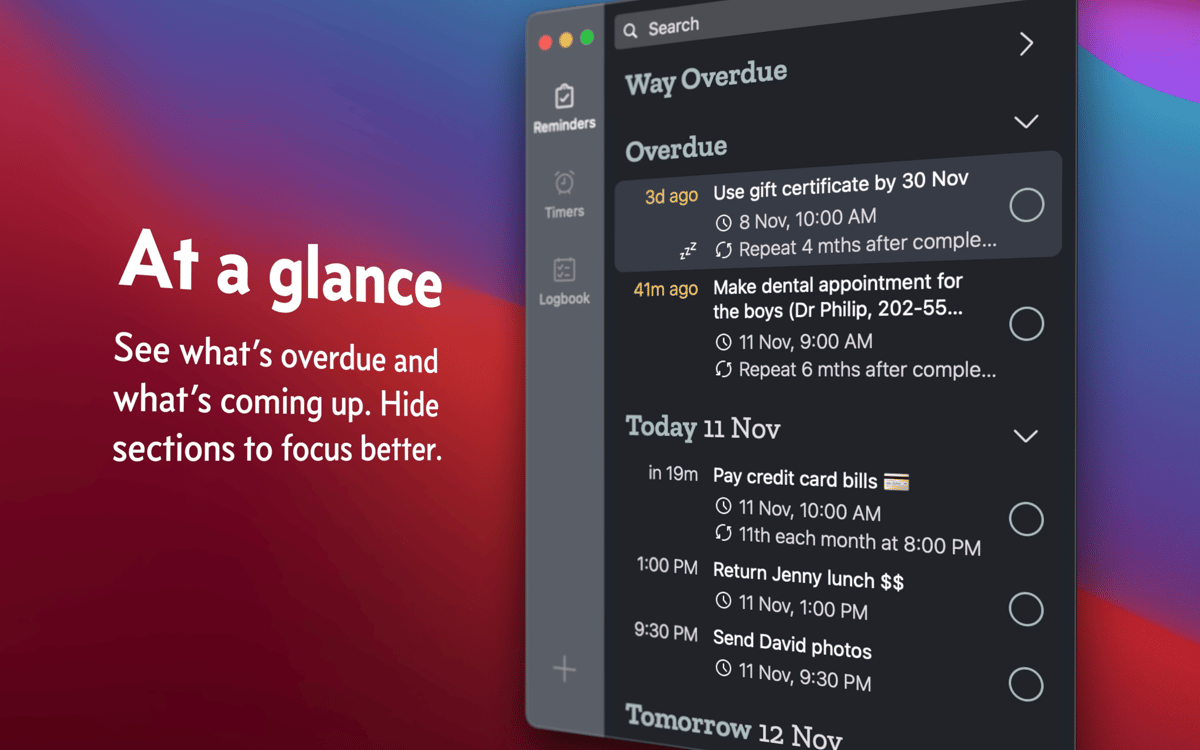
O Due ajuda a criar lembretes e timers rapidamente no Mac. Como um amigo atencioso, o app continua lembrando das coisas para você até que a tarefa seja concluída ou reagendada, ou a notificação seja desativada. O melhor de tudo é que bastam alguns cliques ou toques para realizar uma ação nos lembretes.
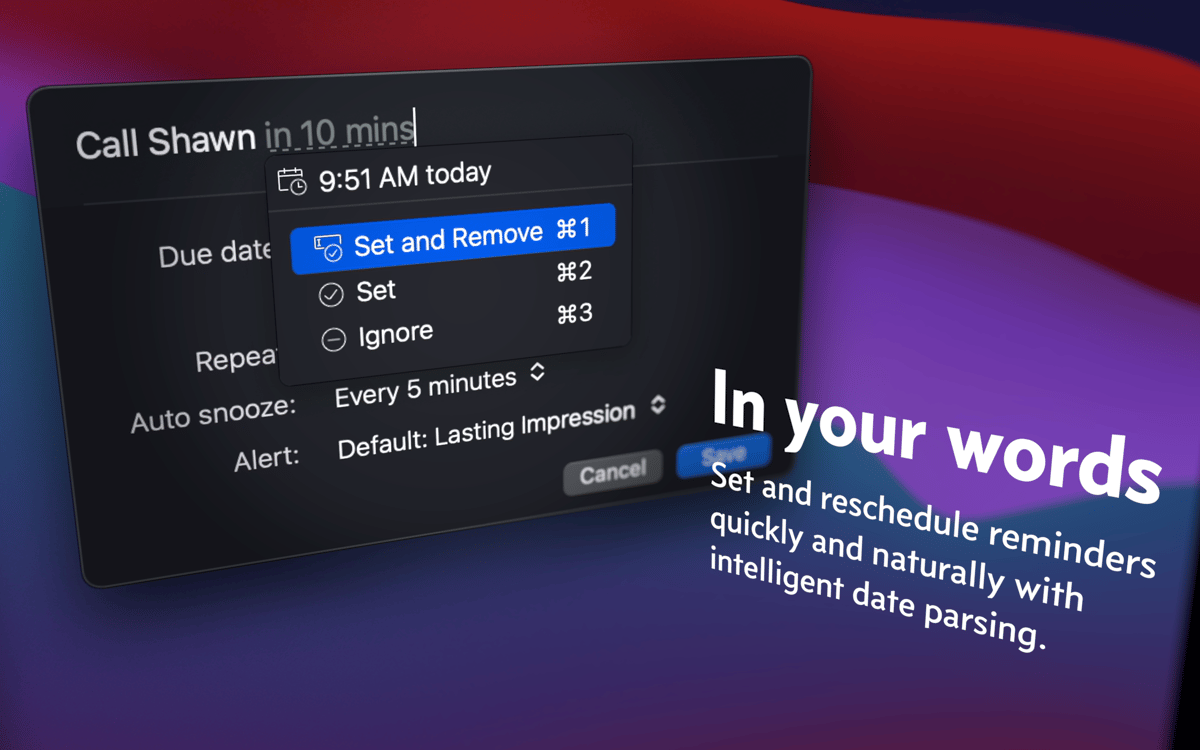
Crie lembretes rápidos com linguagem natural
Digite “jantar com Joana às 19 amanhã”
Receba lembretes sobre o prazo de tarefas
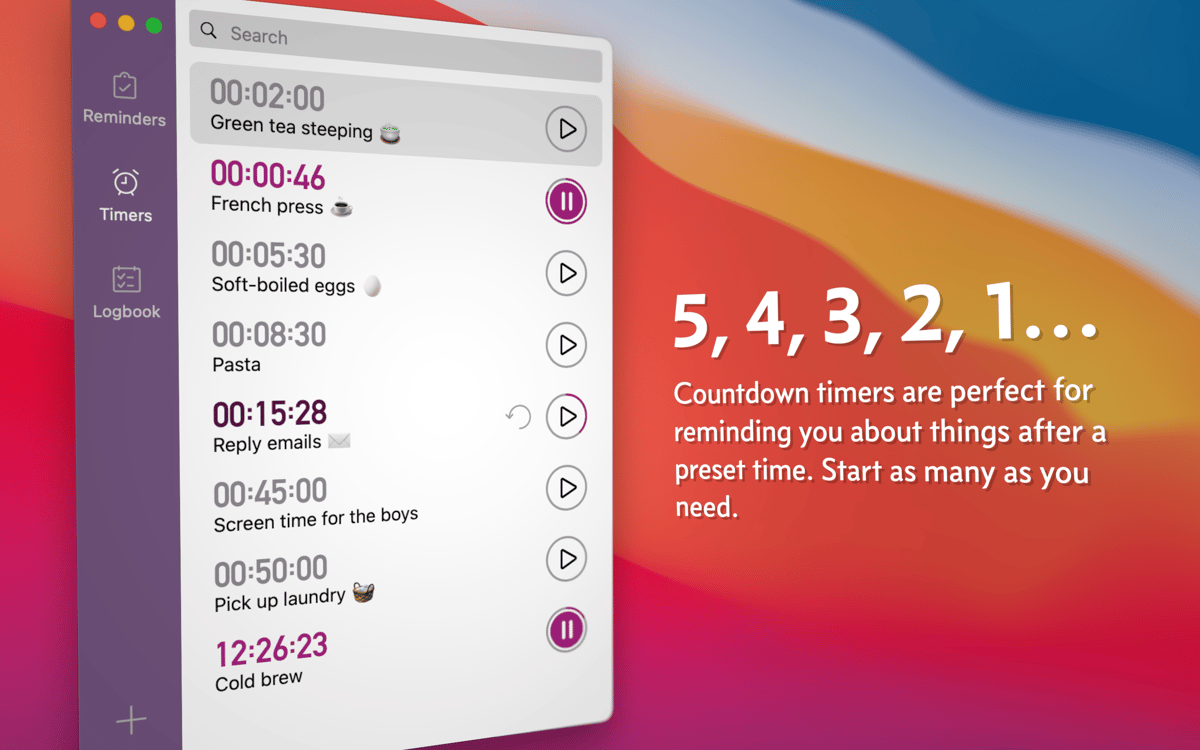
Configure contagens regressivas para eventos
Recursos do Due
Crie lembretes instantaneamente
O Due não tem um seletor de horário rígido para que você não se prenda a nenhum formato ao salvar lembretes. Em vez disso, você usa as suas próprias palavras. Se você digitar “ligar para a Joana às 9 da manhã amanhã”, o Due criará o lembrete automaticamente. Você também pode adicionar ou subtrair horas a partir da data atual.
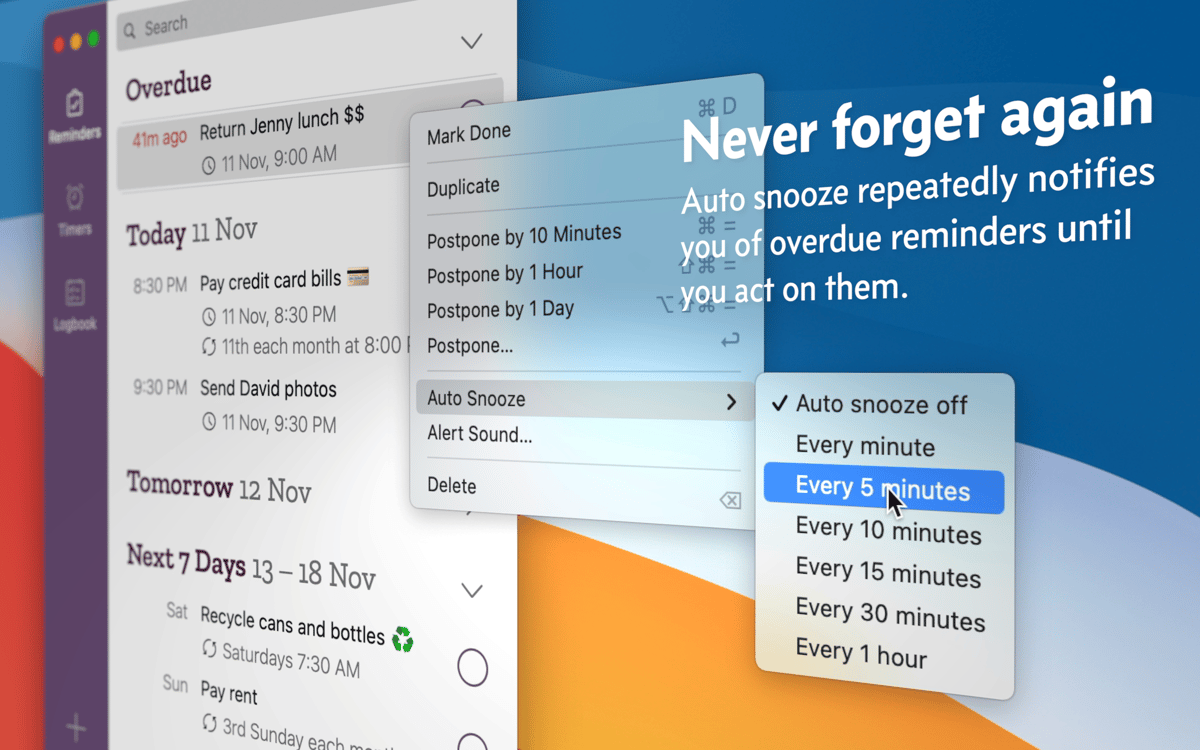
Receba notificações persistentes
O Due continua lembrando você das pendências até que você as marque como completas, as adie ou desative o adiamento automático. É fácil personalizar os intervalos de adiamento automático (a frequência de lembrança desejada: a cada 2 minutos, 5 minutos, 60 minutos, etc.). Se preferir reagendar, você pode fazer isso diretamente da notificação.
Crie timers
Salve timers que podem ser reusados quantas vezes você quiser. Uma sessão de ioga de 50 minutos na terça-feira ou um ciclo de lavagem de roupas de 40 minutos três vezes por semana; o Due mantém todos os eventos recorrentes sob controle. Você também pode ter vários timers funcionando simultaneamente.
Classificações e avaliações
Due
•
442 classificações
Russell Baker
24 de mai. de 2026
Versão do app: 26.2
Does what it says on the tin.
Overheard
16 de abr. de 2026
Versão do app: 26.2
Beautiful
David Schopf
15 de mar. de 2026
Versão do app: 26.2
I love Due. It keeps me on track.
Obtenha centenas de apps com o Membership
Obtenha um membership do Setapp e use centenas de apps estelares numa única assinatura.
Experimente grátis por 7 dias. Depois, pague um valor único.
Instale o Setapp no Mac
Explore apps para Mac, iOS e web. Encontre formas fáceis de lidar com as tarefas do dia a dia.

Obtenha o app que chamou sua atenção
Aquele app especial está esperando você no Setapp. Instale‑o com um clique.

Due
Escolha uma assinatura
Um ou mais apps com um membership do Setapp. Obtenha os apps que você quer.

Obtenha centenas de apps com o Membership
Obtenha um membership do Setapp e use centenas de apps estelares numa única assinatura.
Experimente grátis por 7 dias. Depois, pague um valor único.
1
Instale o Setapp no Mac
Explore apps para Mac, iOS e web. Encontre formas fáceis de lidar com as tarefas do dia a dia.
2
Obtenha o app que chamou sua atenção
Aquele app especial está esperando você no Setapp. Instale‑o com um clique.
Due
3
Escolha uma assinatura
Um ou mais apps com um membership do Setapp. Obtenha os apps que você quer.
A casa dos melhores apps
Desde tarefas rotineiras e de planejamento a atividades criativas e de programação, encare suas tarefas com os apps do Setapp.

TypingMind
IU alternativa para conversar com IA
gere ou resuma textos
use uma biblioteca de ações
IA

Spark Mail
Gerencie e‑mails
IA

CleanMyMac
Limpe os detritos

Bartender
Personalize a barra de menus

CleanShot X
Capturas de tela versáteis

Luminar Neo
Edite suas fotos
IA

ClearVPN
Conecte‑se com mais segurança

Craft
Trabalhe com documentos
IA
Due
Receba lembretes persistentes