
Elmedia Player
Veja vídeos on‑line sem anúncios
Mac
Versão 8.24
macOS 10.13 ou posterior
296.1 MB
12 idiomas
O Elmedia Player é o seu novo gênio de vídeos: ele melhora a experiência de consumo de mídia, é compatível com diversos formatos de vídeo e ajuda a deixar a reprodução exatamente como você deseja! Veja vídeos on-line e locais com o Elmedia Player no Mac ou na TV e ajuste-os exatamente como quiser. Compatível com M1.
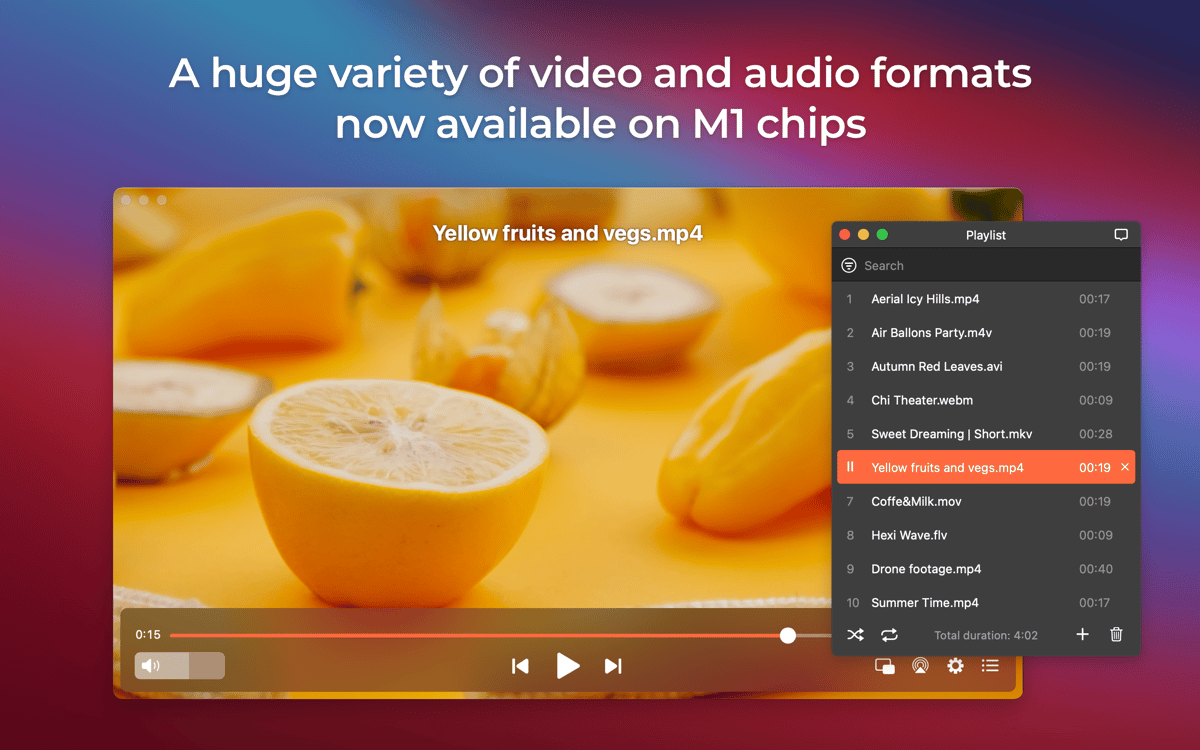
Reproduza MOV, FLV e muitos outros formatos
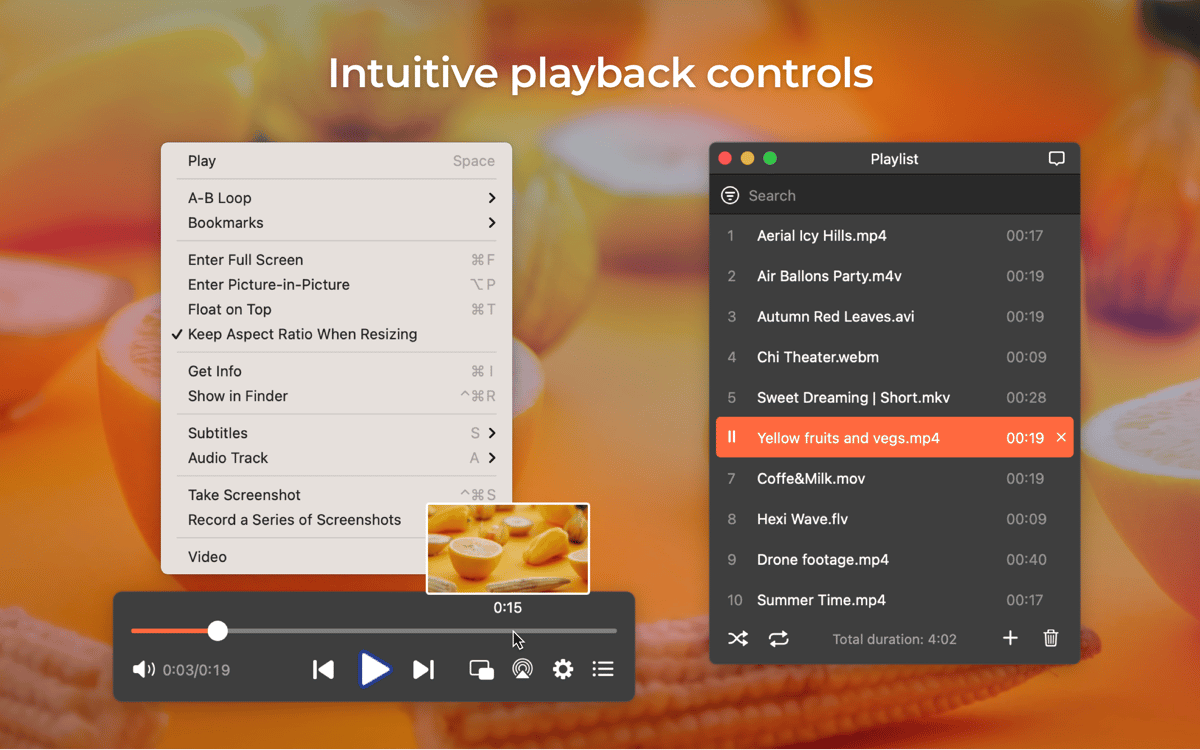
Use marcadores, capture a tela e muito mais
Reproduza vídeos on‑line sem anúncios
Regule a qualidade do vídeo com ajustes integrados
Recursos do Elmedia Player
Conteúdo HD e UHD suaves
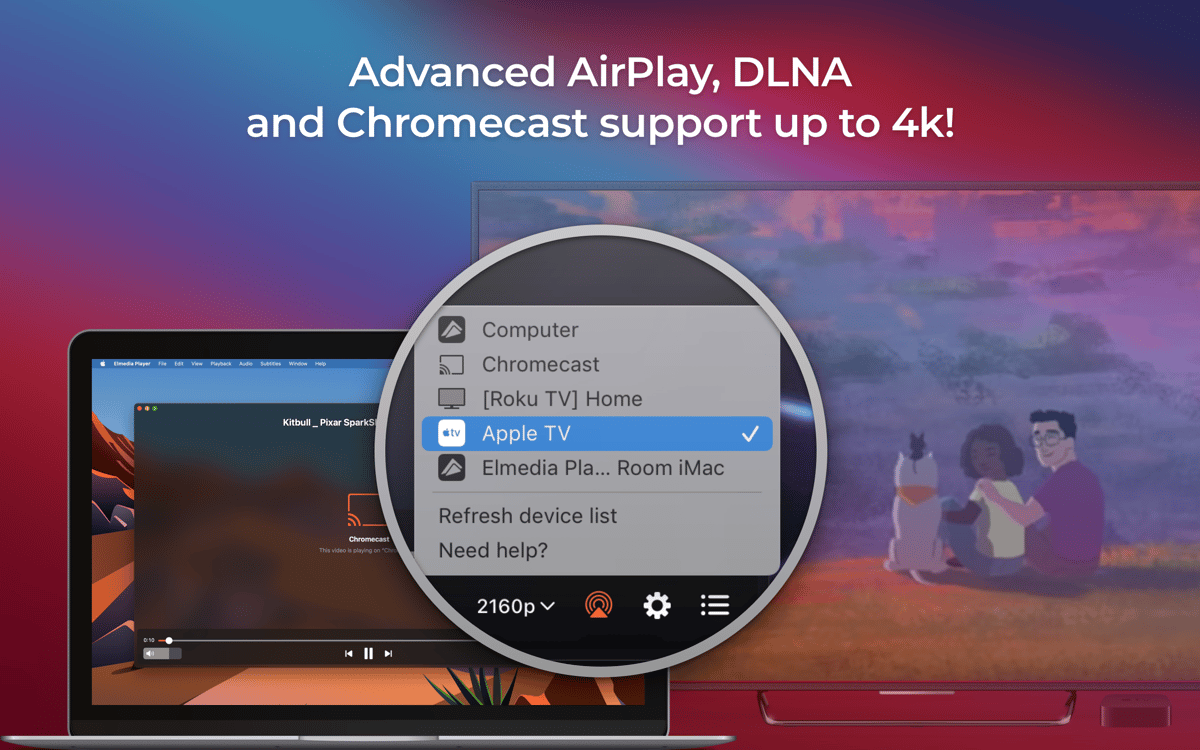
Você adora assistir a vídeos em HD e Ultra HD? O Elmedia Player existe para aprimorar essa experiência, reduzir atrasos ou resolver problemas de áudio fora de sincronia. Transmita arquivos de vídeo locais para a TV, espelhe a tela do iPhone ou iPad, adicione legendas e monte a sua própria playlist. Tudo isso com a ajuda deste prático reprodutor de mídia.
Ajustes de vídeo
Vá além do simples ajuste de brilho: use os controles de vídeo integrados do Elmedia Player para ajustar o contraste, saturação, matiz, reduzir o ruído e aumentar a nitidez — até mesmo durante a reprodução. Altere a proporção em dois cliques. Curta a melhor qualidade de imagem em qualquer ponto da sua experiência de consumo de vídeo.
Adicione favoritos, ajuste o áudio e muito mais
Crie vários favoritos para marcar trechos de vídeo que deseje revisitar mais tarde. Chega de ter que passar pelo vídeo inteiro para encontrar a parte que você quer! Querendo assistir à melhor parte repetidamente? Crie um loop contínuo e curta o momento por quanto tempo desejar. O áudio está levemente fora de sincronia? Aumente ou reduza o atraso do áudio para que ele coincida perfeitamente com a imagem. Use o equalizador para ajustar ainda mais a qualidade do áudio à vontade.
Modo PIP
Com o Elmedia Player, é fácil fazer várias coisas ao mesmo tempo. Use o PIP para curtir vídeos enquanto estiver cuidando de outras tarefas. O reprodutor também oferece um modo de tela cheia. Opcionalmente, você também pode fixar a janela do vídeo sobre outras janelas com o recurso para mantê-la em primeiro plano.
Compatível com diversos formatos de vídeo
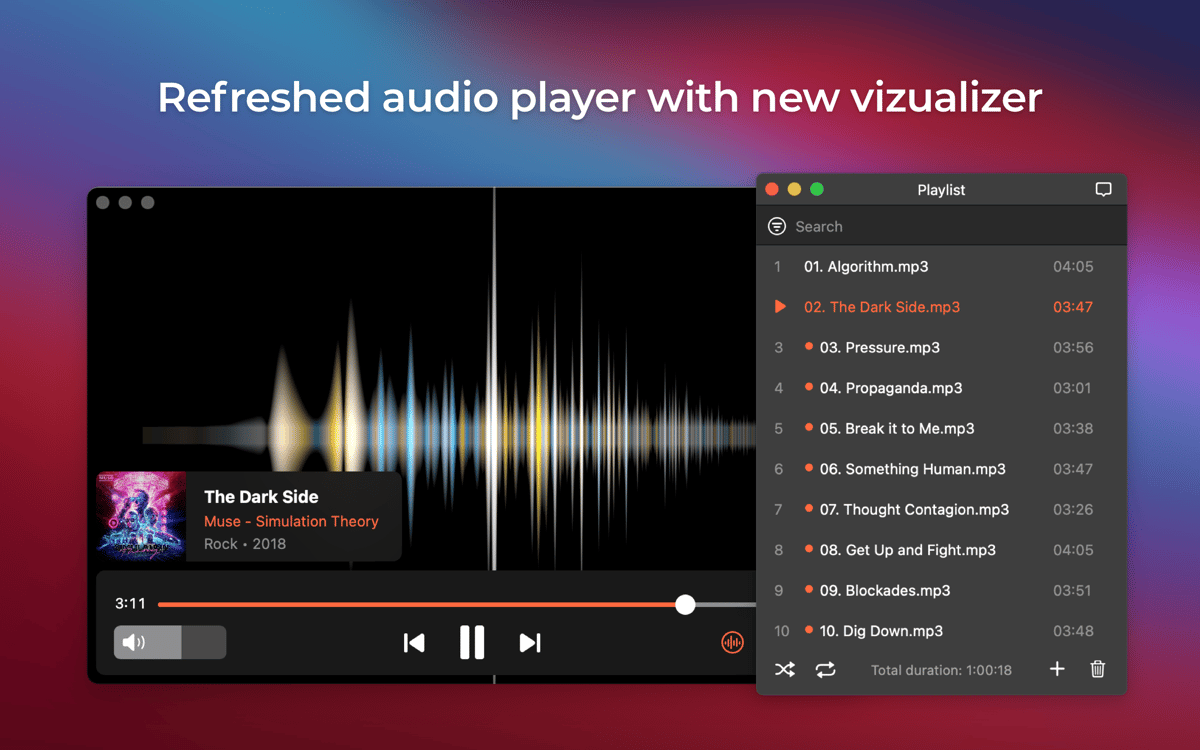
O Elmedia Player é uma ferramenta versátil que pode ajudar ao assistir a vídeos e ouvir áudio em vários formatos, incluindo os mais usados normalmente: FLV, SWF, MP4, AVI, MOV, MKV, DAT e MP3. Sem que você precise de vários reprodutores para tipos de arquivos diferentes! Reproduza tudo em um único reprodutor de mídia versátil, sempre à mão no Mac.
Classificações e avaliações
Elmedia Player
•
1454 classificações
artophe
9 de set. de 2026
Versão do app: 8.24
Best video player app on macos!
Akhilesh Kumar
21 de jul. de 2026
Versão do app: 8.24
It’s really good and has well made set of features.
Peter Ferenc Mezei
21 de jun. de 2026
Versão do app: 8.24
so far so good :)
Obtenha centenas de apps com o Membership
Obtenha um membership do Setapp e use centenas de apps estelares numa única assinatura.
Experimente grátis por 7 dias. Depois, pague um valor único.
Instale o Setapp no Mac
Explore apps para Mac, iOS e web. Encontre formas fáceis de lidar com as tarefas do dia a dia.

Obtenha o app que chamou sua atenção
Aquele app especial está esperando você no Setapp. Instale‑o com um clique.

Elmedia Player
Escolha uma assinatura
Um ou mais apps com um membership do Setapp. Obtenha os apps que você quer.

Obtenha centenas de apps com o Membership
Obtenha um membership do Setapp e use centenas de apps estelares numa única assinatura.
Experimente grátis por 7 dias. Depois, pague um valor único.
1
Instale o Setapp no Mac
Explore apps para Mac, iOS e web. Encontre formas fáceis de lidar com as tarefas do dia a dia.
2
Obtenha o app que chamou sua atenção
Aquele app especial está esperando você no Setapp. Instale‑o com um clique.
Elmedia Player
3
Escolha uma assinatura
Um ou mais apps com um membership do Setapp. Obtenha os apps que você quer.
A casa dos melhores apps
Desde tarefas rotineiras e de planejamento a atividades criativas e de programação, encare suas tarefas com os apps do Setapp.

TypingMind
IU alternativa para conversar com IA
gere ou resuma textos
use uma biblioteca de ações
IA

Spark Mail
Gerencie e‑mails
IA

CleanMyMac
Limpe os detritos

Bartender
Personalize a barra de menus

CleanShot X
Capturas de tela versáteis

Luminar Neo
Edite suas fotos
IA

ClearVPN
Conecte‑se com mais segurança

Craft
Trabalhe com documentos
IA
Elmedia Player
Veja vídeos on‑line sem anúncios