
Evenlight
Controle o brilho do app
Mac
Versão 1.2.12
macOS 14 ou posterior
41.4 MB
1 idiomas
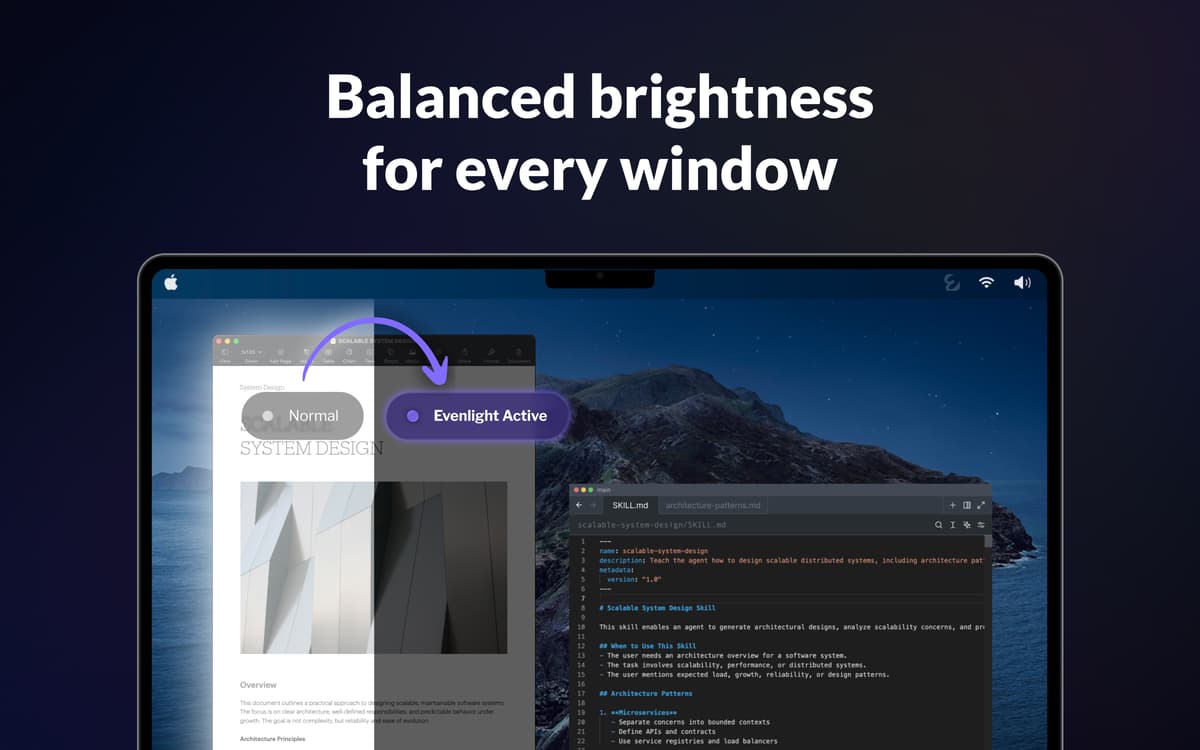
Você abre o Slack — branco ofuscante. Muda para seu editor de código — de repente escuro. Volta para um Google Doc — branco novamente. Faça isso centenas de vezes por dia e seus olhos estarão destruídos antes das 15h. O Evenlight funciona silenciosamente em segundo plano e equilibra o brilho entre as janelas, para que cada troca pareça natural em vez de brusca.
Balance o brilho em todas as janelas
Reduza o cansaço visual em longas sessões de tela
Aumente a produtividade e a clareza mental
Programe o escurecimento no trabalho
Recursos do Evenlight
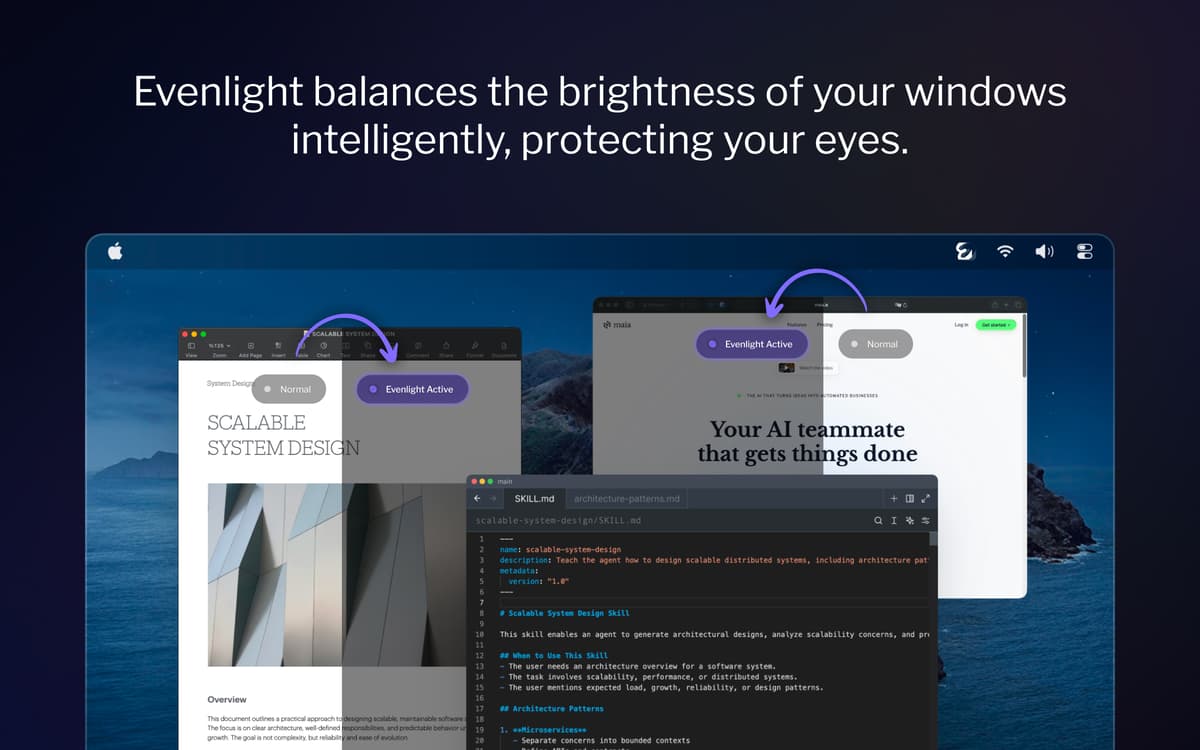
Equilibre o brilho entre todas as janelas abertas
Cada vez que você alterna entre um app escuro e um claro, seus olhos precisam se readaptar. O Evenlight suaviza essas transições de forma inteligente — em todos os seus monitores — para que o contraste deixe de ser algo perceptível.
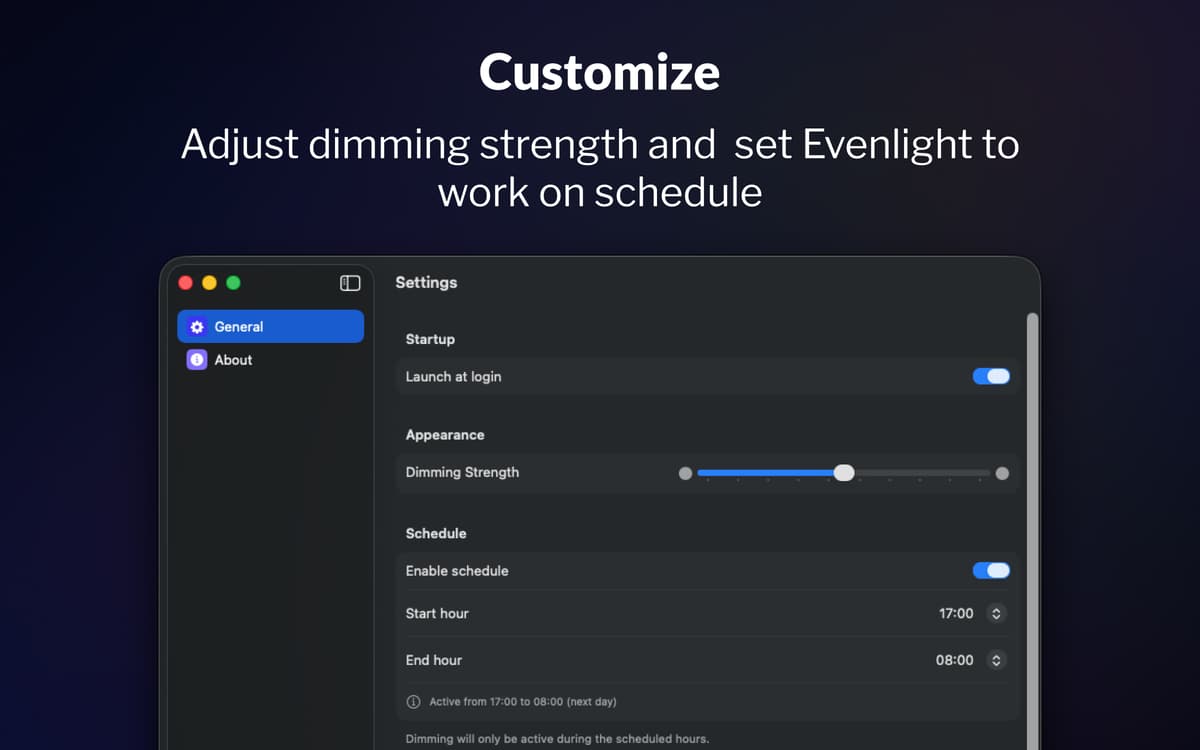
Agende o escurecimento ao longo do seu dia
A maioria das pessoas esquece de ajustar o brilho da tela até que os olhos já estejam cansados. Com o agendamento do Evenlight, você escolhe exatamente quando o escurecimento liga e quando desliga. Defina o horário de início, o horário de término e o app acompanha sua rotina.
Ajuste e controle instantaneamente a partir da barra de menu
O Evenlight permite que você ajuste a intensidade do escurecimento a qualquer momento usando um controle deslizante simples, assim você pode aumentar ou diminuir a intensidade conforme o cansaço dos seus olhos. Se precisar de brilho total por um tempo, você pode pausar o escurecimento instantaneamente ou configurar uma pausa temporária por um período específico. Sempre acessível pela barra de menu, os ajustes levam segundos e nunca interrompem seu fluxo de trabalho.
Classificações e avaliações
Evenlight
•
33 classificações
Shrikant Meena
17 de mai. de 2026
Versão do app: 1.2.0
Not a quality app, the dimming mask keeps slipping with bright window visible when moved across screen
Resposta do Desenvolvedor
17 de mai. de 2026
Hi Shrikant, thank you for your feedback. It is the best macOS allows, so the quality is on Apple's part, but thank you for the comment.
Randy
2 de abr. de 2026
Versão do app: 1.1.5
This is a very useful utility! I would like to have an option to either disable it for blacklisted apps, or enable it only for whitelisted apps. I want to be able to manage this so that it does not affect watching movies or gaming.
Jeremy Weathers
2 de abr. de 2026
Versão do app: 1.1.5
This doesn’t work at all, and in fact is worse, with the menu bar and dock in light mode. The developer acknowledged that they are unable to modify the menu bar or dock brightness at least with macOS Tahoe.
Obtenha centenas de apps com o Membership
Obtenha um membership do Setapp e use centenas de apps estelares numa única assinatura.
Experimente grátis por 7 dias. Depois, pague um valor único.
Instale o Setapp no Mac
Explore apps para Mac, iOS e web. Encontre formas fáceis de lidar com as tarefas do dia a dia.

Obtenha o app que chamou sua atenção
Aquele app especial está esperando você no Setapp. Instale‑o com um clique.

Evenlight
Escolha uma assinatura
Um ou mais apps com um membership do Setapp. Obtenha os apps que você quer.

Obtenha centenas de apps com o Membership
Obtenha um membership do Setapp e use centenas de apps estelares numa única assinatura.
Experimente grátis por 7 dias. Depois, pague um valor único.
1
Instale o Setapp no Mac
Explore apps para Mac, iOS e web. Encontre formas fáceis de lidar com as tarefas do dia a dia.
2
Obtenha o app que chamou sua atenção
Aquele app especial está esperando você no Setapp. Instale‑o com um clique.
Evenlight
3
Escolha uma assinatura
Um ou mais apps com um membership do Setapp. Obtenha os apps que você quer.
A casa dos melhores apps
Desde tarefas rotineiras e de planejamento a atividades criativas e de programação, encare suas tarefas com os apps do Setapp.

TypingMind
IU alternativa para conversar com IA
gere ou resuma textos
use uma biblioteca de ações
IA

Spark Mail
Gerencie e‑mails
IA

CleanMyMac
Limpe os detritos

Bartender
Personalize a barra de menus

CleanShot X
Capturas de tela versáteis

Luminar Neo
Edite suas fotos
IA

ClearVPN
Conecte‑se com mais segurança

Craft
Trabalhe com documentos
IA
Evenlight
Controle o brilho do app