Filmage Editor
Edite vídeos profissionalmente
Mac
Versão 1.3.9
macOS 10.14 ou posterior
114.4 MB
13 idiomas
Edite vídeos profissionalmente, mesmo sem experiência. Crie visuais incríveis com edições e montagens complexas sem nenhuma dificuldade. Remova todos os obstáculos à sua inspiração e criatividade com o Filmage Editor, uma ferramenta fácil de usar para editar vídeos profissionalmente.
Edite vídeos com várias trilhas
Edite quadro a quadro
Desacelere ou acelere vídeos
Adicione desfoque e outros efeitos
Recursos do Filmage Editor
Edição de vídeo avançada
Hoje em dia, os padrões de qualidade de vídeo são altos até para publicações improvisadas em redes sociais. O Filmage Editor sabe disso. O app permite que você edite quadro a quadro, trabalhe em uma linha do tempo multitrilha, adicione sobreposições, PIP e muito mais.
Interface intuitiva
O Filmage Editor oferece uma interface fácil de usar e intuitiva, com uma funcionalidade conveniente de arrastar e soltar que ajuda a navegar pelas ações de edição. Crie vídeos prontos para as redes sociais, bastando selecionar o tamanho do vídeo no app.
Notas e comentários
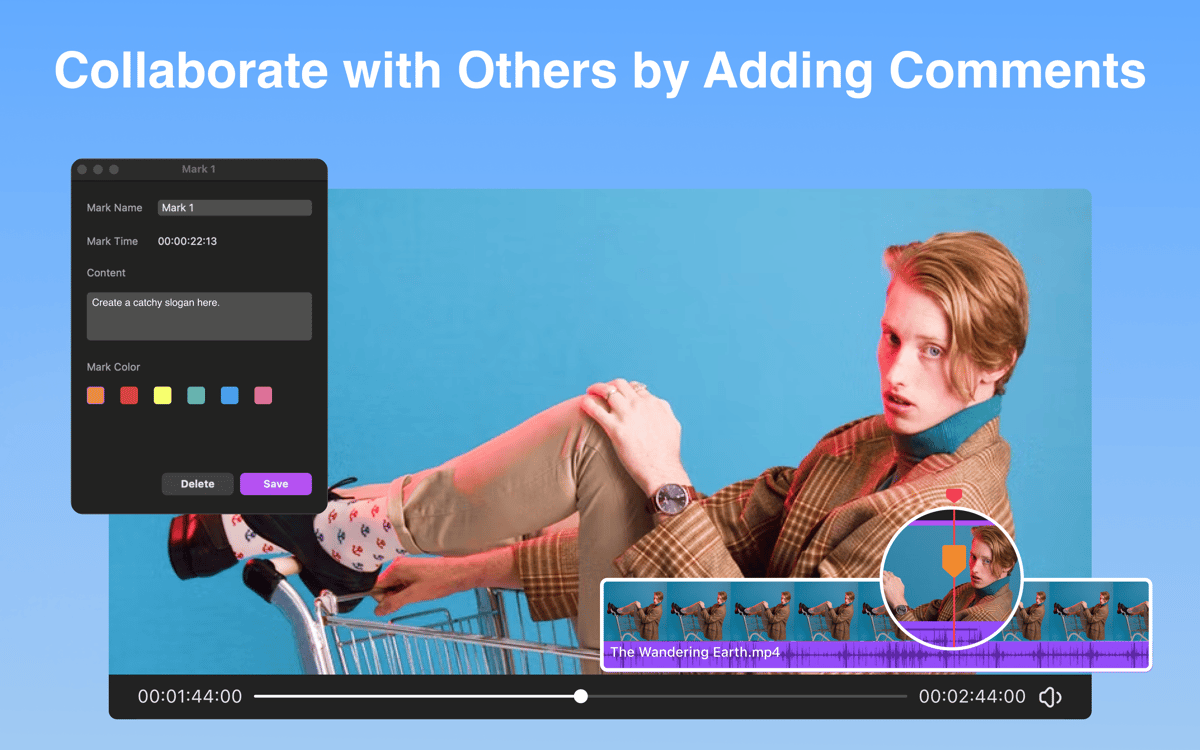
Se você trabalha em um projeto por meses, tem muitos vídeos para editar ou colabora em equipe, este recurso é fundamental: no Filmage Editor, você adiciona notas e comentários às edições com marcadores na linha do tempo.
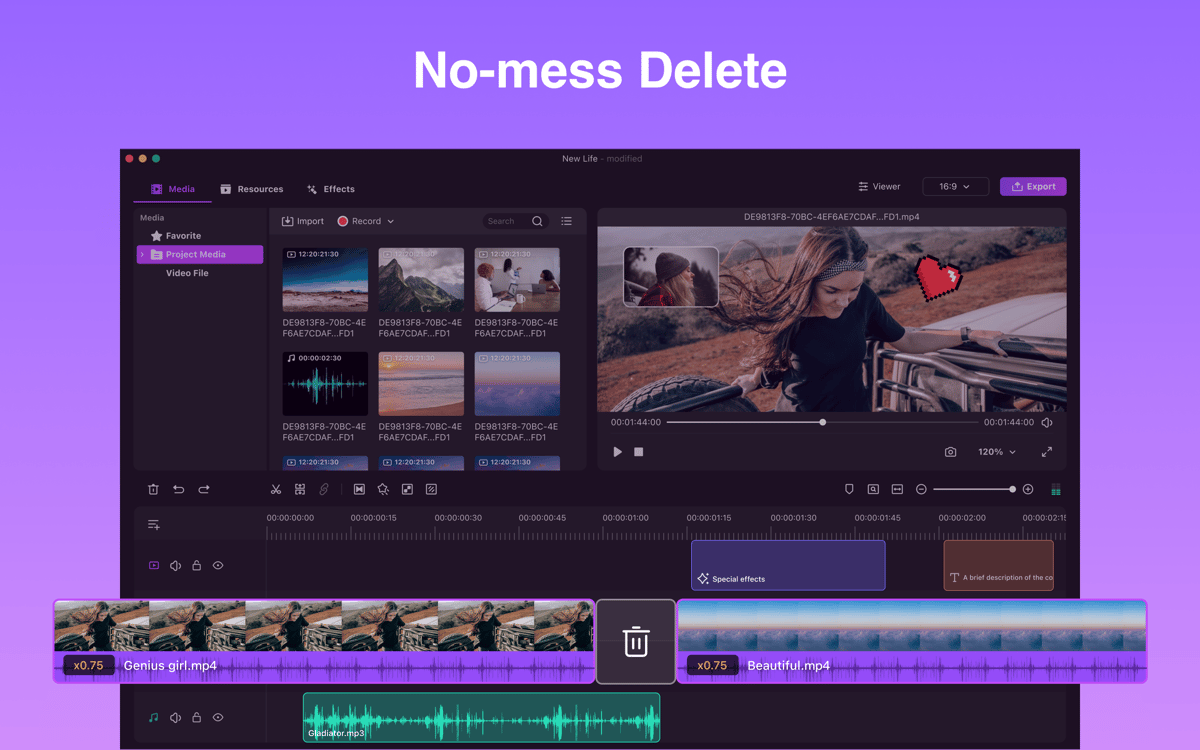
Apague sem bagunçar tudo
Quando você edita um vídeo com várias trilhas, pode ser complicado apagar alguma seção do meio. Depois de remover a parte indesejada, o áudio e as outras partes sobrepostas precisam ser movidas manualmente para o lugar certo. Com o Filmage Editor, dependendo das suas necessidades de edição, você pode optar por apagar normalmente ou com uma adaptação que combina automaticamente os clipes remanescentes, sem se preocupar em bagunçar tudo!
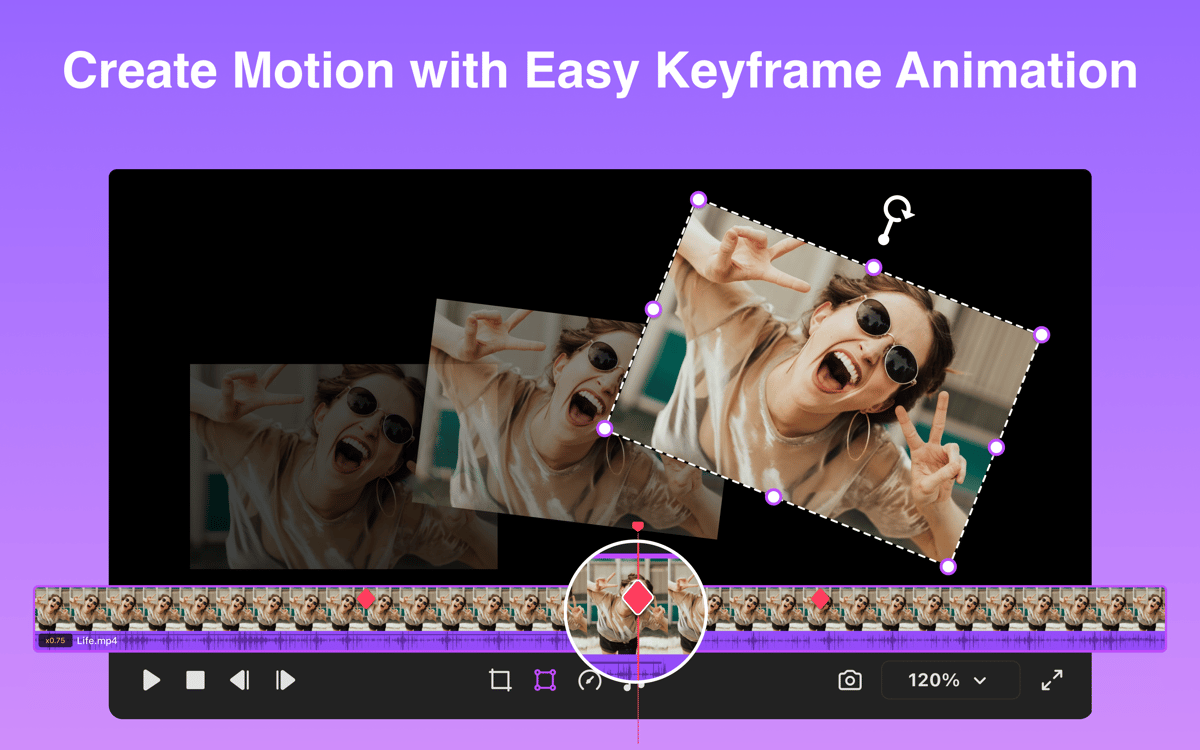
Mais estilo nos seus vídeos
O Filmage Editor oferece várias ferramentas para ter vídeos mais atraentes: fotogramas principais para criar títulos animados, adesivos, imagens e logos estilosos, e efeitos de câmera lenta ou rápida para criar sequências e montagens cinematográficas.
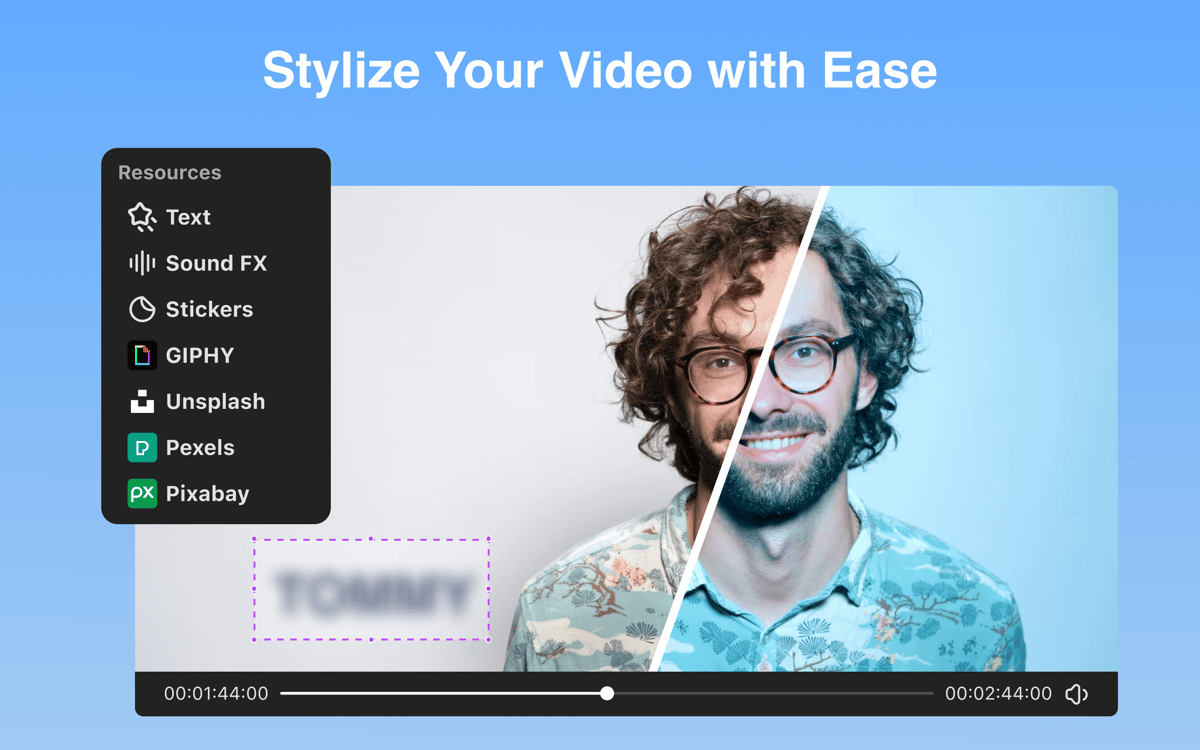
Desfoque
Seja para esconder informações pessoais confidenciais em cenas ou placas, endereços e rostos em filmagens na rua, o Filmage Editor cuida de tudo. Basta usar o recurso de desfoque para ocultar qualquer conteúdo que não deva ser visto.
Classificações e avaliações
Filmage Editor
•
465 classificações
Juanski
28 de abr. de 2026
Versão do app: 1.3.9
First time using Filmage, worked smoothly on my M1 MB Pro. Within the timeline, I was able to splice the video and secondary sountrack along with adding a fade out transition to close out the movie. This is trivial stuff but I’m pleased that I didn’t have to go outside of Setapp for an application. 04/28/26: Just wanted to add that I’m able to export video without issue.
Jay Arthur
21 de abr. de 2026
Versão do app: 1.3.9
You can’t export video out of this program.
Matias Castro
13 de abr. de 2026
Versão do app: 1.3.9
Es un editor MUY simple pero funciona bien para lo básico. Necesita mejorar el proceso de exportación del video editado.
Obtenha centenas de apps com o Membership
Obtenha um membership do Setapp e use centenas de apps estelares numa única assinatura.
Experimente grátis por 7 dias. Depois, pague um valor único.
Instale o Setapp no Mac
Explore apps para Mac, iOS e web. Encontre formas fáceis de lidar com as tarefas do dia a dia.

Obtenha o app que chamou sua atenção
Aquele app especial está esperando você no Setapp. Instale‑o com um clique.

Filmage Editor
Escolha uma assinatura
Um ou mais apps com um membership do Setapp. Obtenha os apps que você quer.

Obtenha centenas de apps com o Membership
Obtenha um membership do Setapp e use centenas de apps estelares numa única assinatura.
Experimente grátis por 7 dias. Depois, pague um valor único.
1
Instale o Setapp no Mac
Explore apps para Mac, iOS e web. Encontre formas fáceis de lidar com as tarefas do dia a dia.
2
Obtenha o app que chamou sua atenção
Aquele app especial está esperando você no Setapp. Instale‑o com um clique.
Filmage Editor
3
Escolha uma assinatura
Um ou mais apps com um membership do Setapp. Obtenha os apps que você quer.
A casa dos melhores apps
Desde tarefas rotineiras e de planejamento a atividades criativas e de programação, encare suas tarefas com os apps do Setapp.

TypingMind
IU alternativa para conversar com IA
gere ou resuma textos
use uma biblioteca de ações
IA

Spark Mail
Gerencie e‑mails
IA

CleanMyMac
Limpe os detritos

Bartender
Personalize a barra de menus

CleanShot X
Capturas de tela versáteis

Luminar Neo
Edite suas fotos
IA

ClearVPN
Conecte‑se com mais segurança

Craft
Trabalhe com documentos
IA
Filmage Editor
Edite vídeos profissionalmente