Finder Audio Tools
Preview audio in Finder
Mac
Versão 1.4.5
macOS 12.0 ou posterior
45.1 MB
1 idiomas
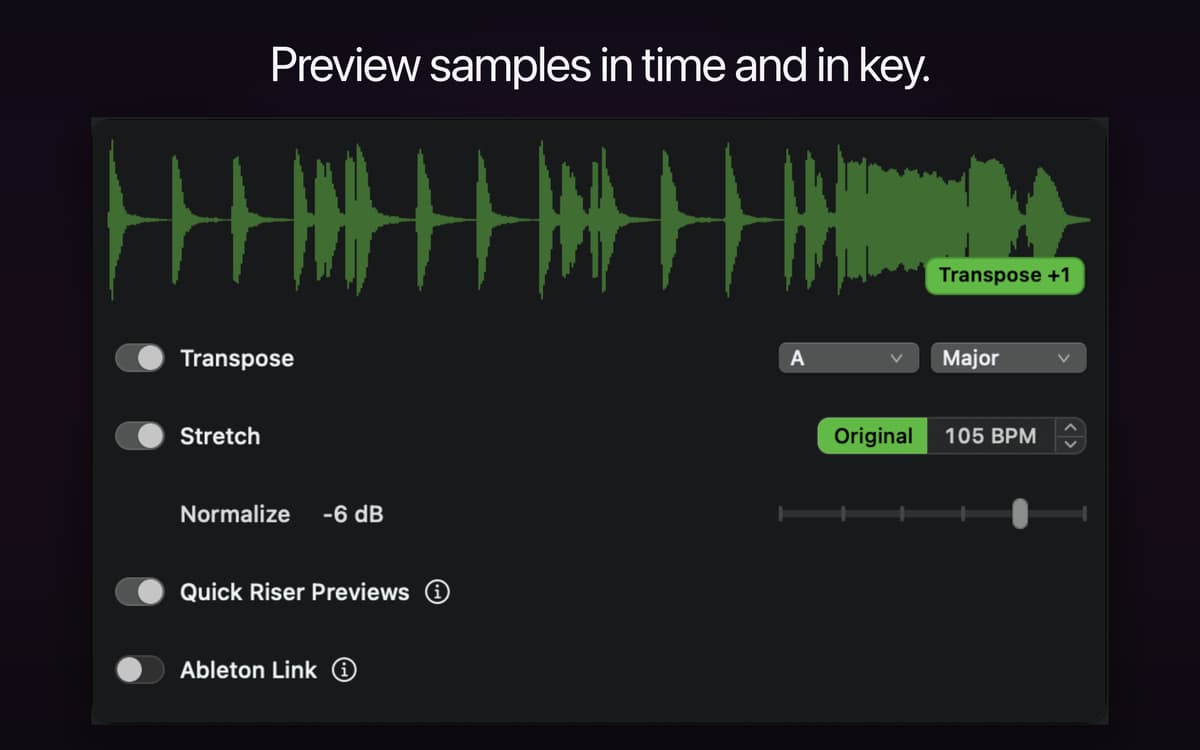
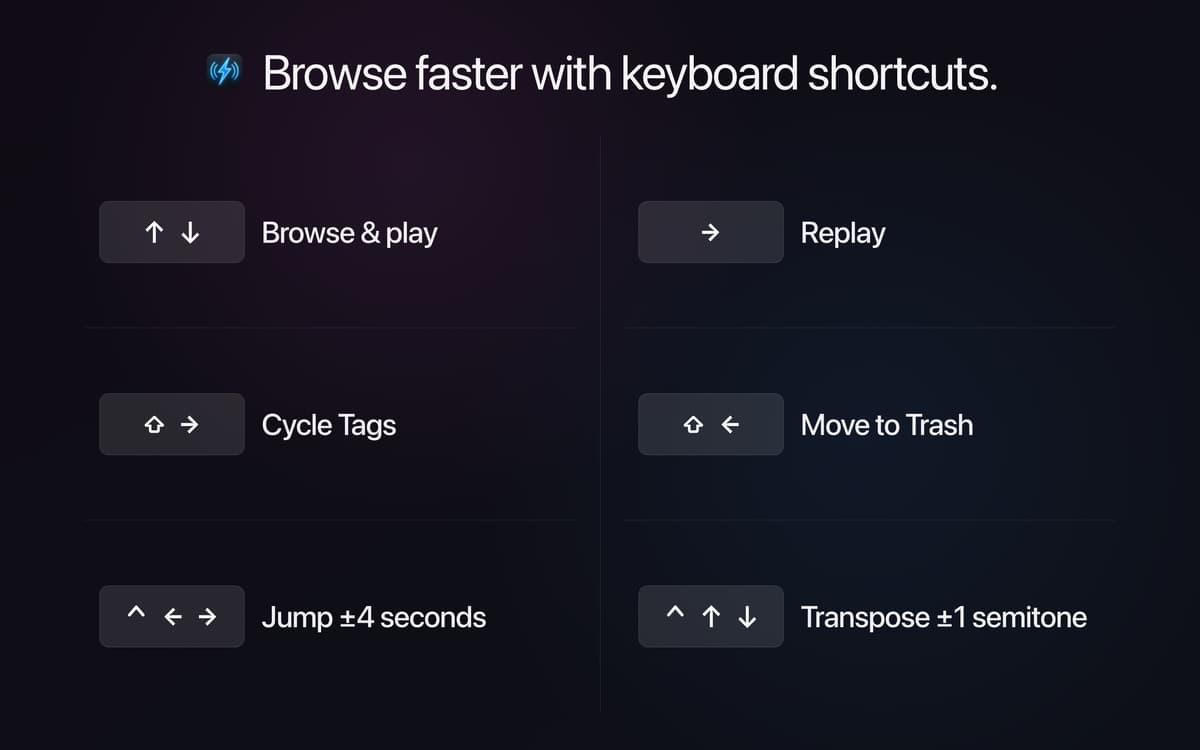
Finder Audio Tools turns your Mac's Finder into a proper audio browser. It swaps in a faster preview engine with volume-matched playback, waveform previews, and full keyboard control, so you can go through samples and know what you're hearing. Drag sounds into Stashes as you browse, then drop them straight into your DAW or sampler. It runs quietly in the menu bar, adds no CPU load when idle, and never touches your files.
Browse and audition samples fast
Compare sounds at matched volume
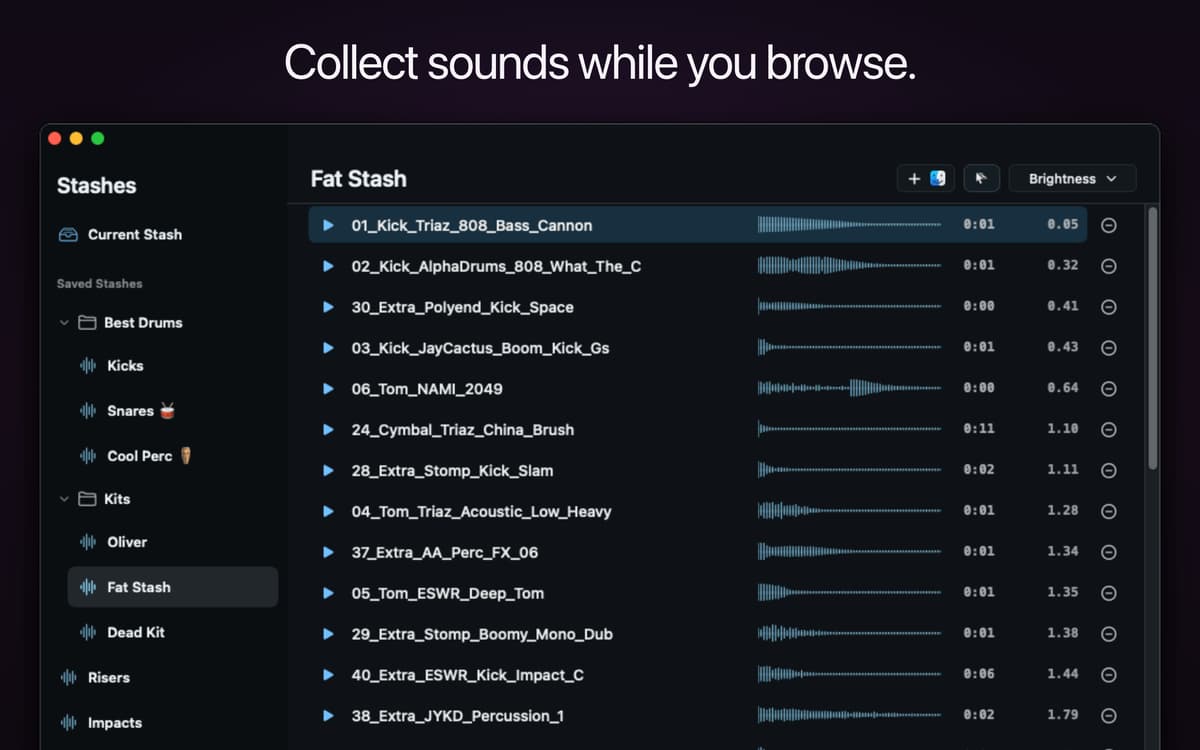
Collect samples into Stashes
Preview MIDI and NKS presets
Recursos do Finder Audio Tools
Volume-matched previews
Some samples blast, others whisper — Finder Audio Tools levels them out so every sound plays at a consistent volume. That makes it way easier to compare samples fairly and pick the right one on the first listen.
Waveform previews
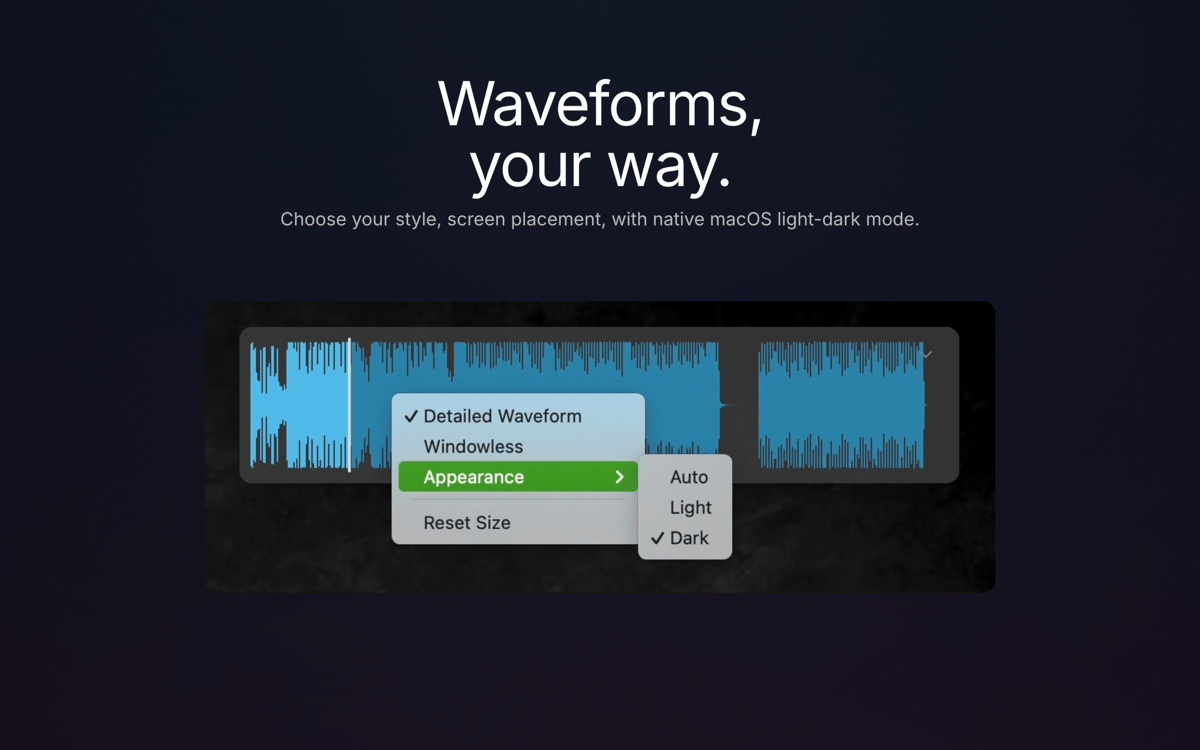
See the shape of a sound before you play it. Choose how and where waveforms show up as you browse, so you can spot transients, loops, and silence without hitting play every time.
Stashes
Found a sound you like? Drop it in a Stash. Group samples by project, drum kit, or favorite effect, then drag the whole stash into any app, DAW, or sampler when you're ready to use them.
MIDI and NKS preview
Preview MIDI files in real time and hear Native Instruments presets — including Kontakt, Massive, Battery, and Reaktor — play automatically as you browse NKS-compatible libraries.
Broad format support
Finder gets native support for formats it normally can't touch, including REX/RX2, FLAC, WavPack, and NCW, so your whole sample library becomes browsable in one place.
Lightweight by design
It lives in your menu bar, stays off your Dock, and uses zero CPU when you're not using it. Your files stay exactly as they are — Finder Audio Tools only changes how you preview them, not what's on disk.
Obtenha centenas de apps com o Membership
Obtenha um membership do Setapp e use centenas de apps estelares numa única assinatura.
Experimente grátis por 7 dias. Depois, pague um valor único.
Instale o Setapp no Mac
Explore apps para Mac, iOS e web. Encontre formas fáceis de lidar com as tarefas do dia a dia.

Obtenha o app que chamou sua atenção
Aquele app especial está esperando você no Setapp. Instale‑o com um clique.

Finder Audio Tools
Escolha uma assinatura
Um ou mais apps com um membership do Setapp. Obtenha os apps que você quer.

Obtenha centenas de apps com o Membership
Obtenha um membership do Setapp e use centenas de apps estelares numa única assinatura.
Experimente grátis por 7 dias. Depois, pague um valor único.
1
Instale o Setapp no Mac
Explore apps para Mac, iOS e web. Encontre formas fáceis de lidar com as tarefas do dia a dia.
2
Obtenha o app que chamou sua atenção
Aquele app especial está esperando você no Setapp. Instale‑o com um clique.
Finder Audio Tools
3
Escolha uma assinatura
Um ou mais apps com um membership do Setapp. Obtenha os apps que você quer.
A casa dos melhores apps
Desde tarefas rotineiras e de planejamento a atividades criativas e de programação, encare suas tarefas com os apps do Setapp.

TypingMind
IU alternativa para conversar com IA
gere ou resuma textos
use uma biblioteca de ações
IA

Spark Mail
Gerencie e‑mails
IA

CleanMyMac
Limpe os detritos

Bartender
Personalize a barra de menus

CleanShot X
Capturas de tela versáteis

Luminar Neo
Edite suas fotos
IA

ClearVPN
Conecte‑se com mais segurança

Craft
Trabalhe com documentos
IA
Finder Audio Tools
Preview audio in Finder