
Focused
Concentre-se na sua escrita

Mac
Versão 3.6
macOS 10.13 ou posterior
60.7 MB
1 idiomas
O Focused oferece tranquilidade para que você escreva rapidamente, sem distrações ou recursos desnecessários. Um editor de texto simples e direto, com Markdown integrado para adaptar o texto à web rapidamente e poucas, porém boas, ferramentas de escrita. O Focused possui ferramentas evocadas por clique, como contagem de palavras, exportação HTML e um incrível modo zen com música relaxante.
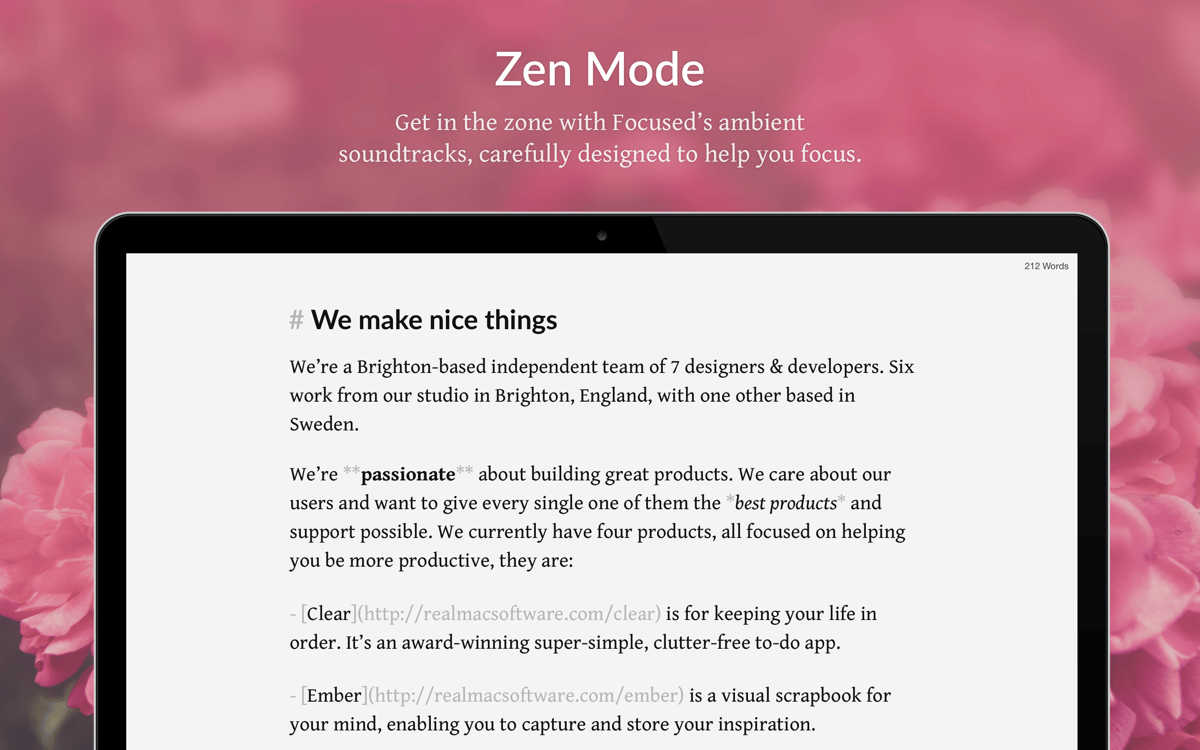
Ative o modo zen para se concentrar na escrita
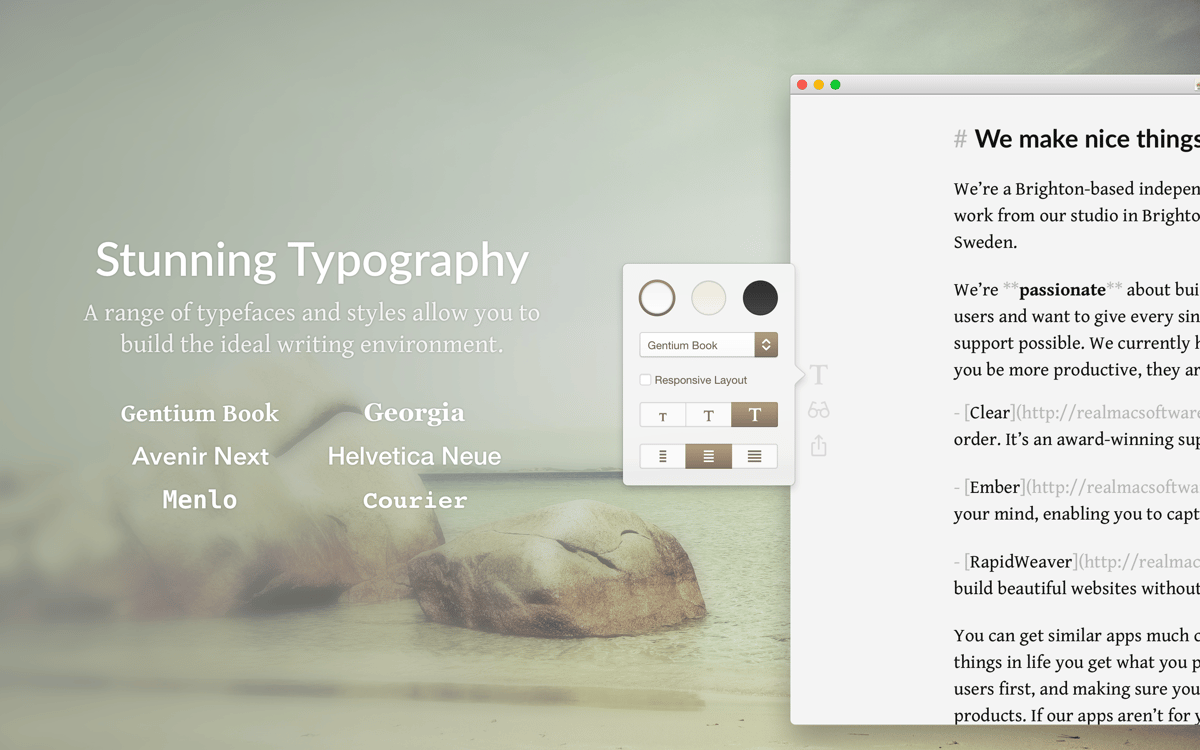
Escreva como se usasse uma máquina de escrever
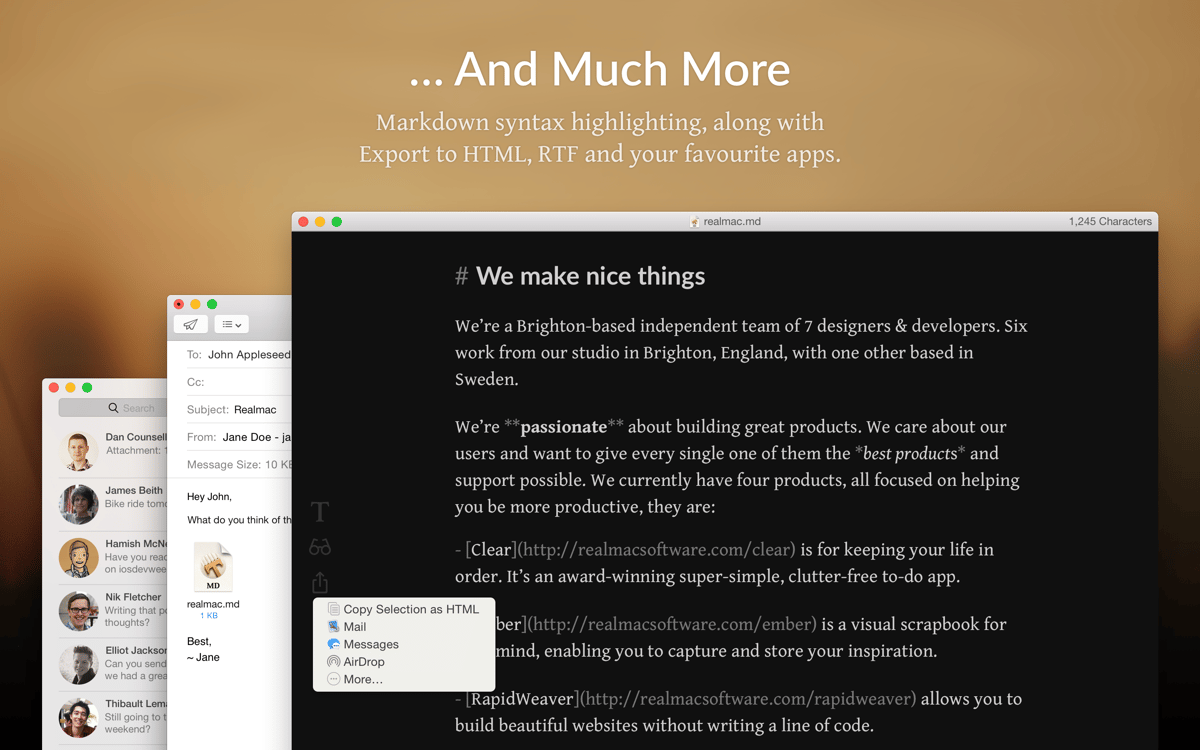
Use sintaxe Markdown para editar mais rápido
Exporte textos para HTML ou compartilhe facilmente
Recursos do Focused
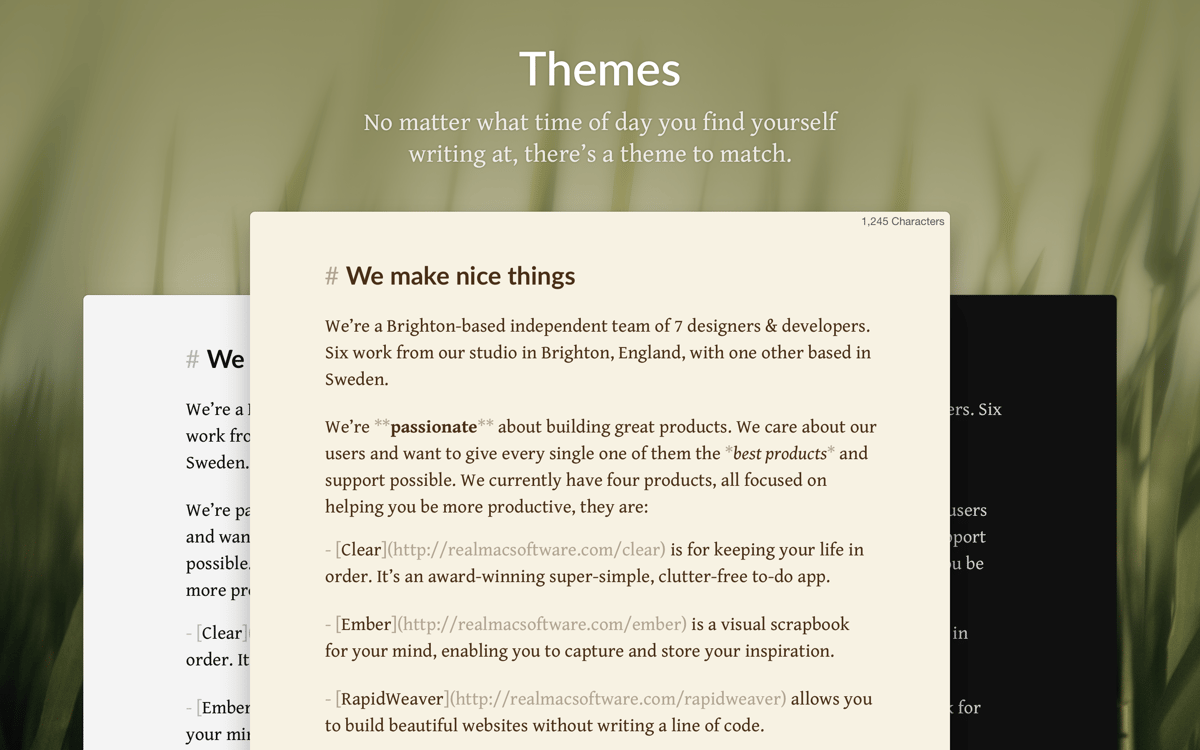
Verdadeiramente simples
Você deve estar pensando: “vários editores dizem ser simples, mas não são”. Porque ao abrir esses editores de texto “simples”, a primeira coisa que você vê são 15 menus diferentes vindo na sua direção. O Focused não tem nada a ver com isso. Apenas uma janela simples, com alguns ajustes que desaparecem na lateral. É isso.
Modo zen
Essa é uma das melhores invenções em apps para escritores. O modo zen preenche toda a tela com um papel branco impecável e ativa uma música calma e relaxante. Nada de mensagens que piscam ou outras distrações; apenas você e suas palavras.
Editor Markdown
Você não precisa saber programação para formatar texto para a web, o Focused cuida disso para você. Ele usa sintaxe Markdown e pode até exportar o texto diretamente para HTML. Assim, você não precisa se lembrar de usar tags antes de cada novo item de lista ou linha.
Movimento de máquina de escrever
Essa é para você que curte centralizar o texto na tela como antigamente. O modo Typewriter move o texto para cima ao pressionar Retorno. Assim, você sempre olha apenas para o que estiver escrevendo no momento. E é bem legal, diga‑se.
Foco no parágrafo e na frase
O Focused pode aumentar ainda mais a sua concentração e destacar um único parágrafo ou frase. Ative um dos modos de foco para evidenciar apenas o parágrafo ou frase atual. O restante do texto é esmaecido, desencorajando o comportamento compulsivo de edição de passagens já escritas. Indispensável.
Edições sempre em segurança
O salvamento automático está sempre ativado no Focused e as versões antigas podem ser recuperadas facilmente. Com o controle de versões, você pode voltar a qualquer ponto do passado e resgatar o texto anterior. E mais, você nunca perde nada importante nesse processo.
Classificações e avaliações
Focused
•
142 classificações
Oliver Zölke
29 de abr. de 2026
Versão do app: 3.6
I love the atmosphere, simplicity and meditative environment of this App. It’s probably not an App for formatting a book, but it is one for writing a book without distractions by buttons and task bars.
Rich Lin
9 de mar. de 2026
Versão do app: 3.6
I really like many aspects of this app but there are two pretty basic features I could not find: dark mode (it ignores the system dark mode setting), and a way to disable the zen mode audio effects. Went with Paper instead.
Alex Alvarez
3 de out. de 2025
Versão do app: 3.6
It’s great! It is tasteful for those moments that really matter for focus on the content of what I’m writing when I’m not using something like Obisdian or Bear. Specific, focused writing.
Obtenha centenas de apps com o Membership
Obtenha um membership do Setapp e use centenas de apps estelares numa única assinatura.
Experimente grátis por 7 dias. Depois, pague um valor único.
Instale o Setapp no Mac
Explore apps para Mac, iOS e web. Encontre formas fáceis de lidar com as tarefas do dia a dia.

Obtenha o app que chamou sua atenção
Aquele app especial está esperando você no Setapp. Instale‑o com um clique.

Focused
Escolha uma assinatura
Um ou mais apps com um membership do Setapp. Obtenha os apps que você quer.

Obtenha centenas de apps com o Membership
Obtenha um membership do Setapp e use centenas de apps estelares numa única assinatura.
Experimente grátis por 7 dias. Depois, pague um valor único.
1
Instale o Setapp no Mac
Explore apps para Mac, iOS e web. Encontre formas fáceis de lidar com as tarefas do dia a dia.
2
Obtenha o app que chamou sua atenção
Aquele app especial está esperando você no Setapp. Instale‑o com um clique.
Focused
3
Escolha uma assinatura
Um ou mais apps com um membership do Setapp. Obtenha os apps que você quer.
A casa dos melhores apps
Desde tarefas rotineiras e de planejamento a atividades criativas e de programação, encare suas tarefas com os apps do Setapp.

TypingMind
IU alternativa para conversar com IA
gere ou resuma textos
use uma biblioteca de ações
IA

Spark Mail
Gerencie e‑mails
IA

CleanMyMac
Limpe os detritos

Bartender
Personalize a barra de menus

CleanShot X
Capturas de tela versáteis

Luminar Neo
Edite suas fotos
IA

ClearVPN
Conecte‑se com mais segurança

Craft
Trabalhe com documentos
IA
Focused
Concentre-se na sua escrita