
FocuSee
Grave a tela e aprimore o vídeo
Mac
Versão 2.5.0
macOS 11.5 ou posterior
300.9 MB
8 idiomas
Editar vídeo para tutoriais, demonstrações ou redes sociais pode levar horas. O FocuSee simplifica esse processo com a adição automática de zoom, destaque do cursor, fundos e sobreposições para que seus vídeos tenham uma aparência superior. Você só precisa gravar e deixar o FocuSee transformar a cena em um conteúdo de aparência profissional de forma rápida e fácil.
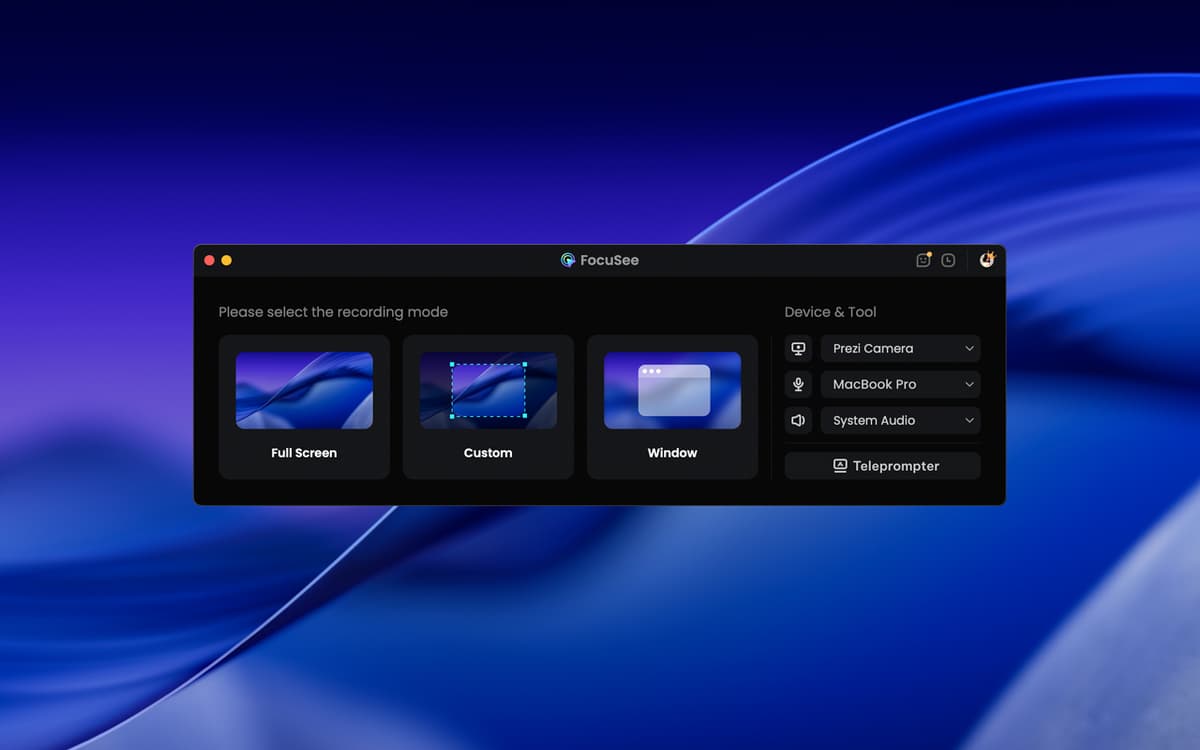
Grave a tela, webcam e voz de uma só vez
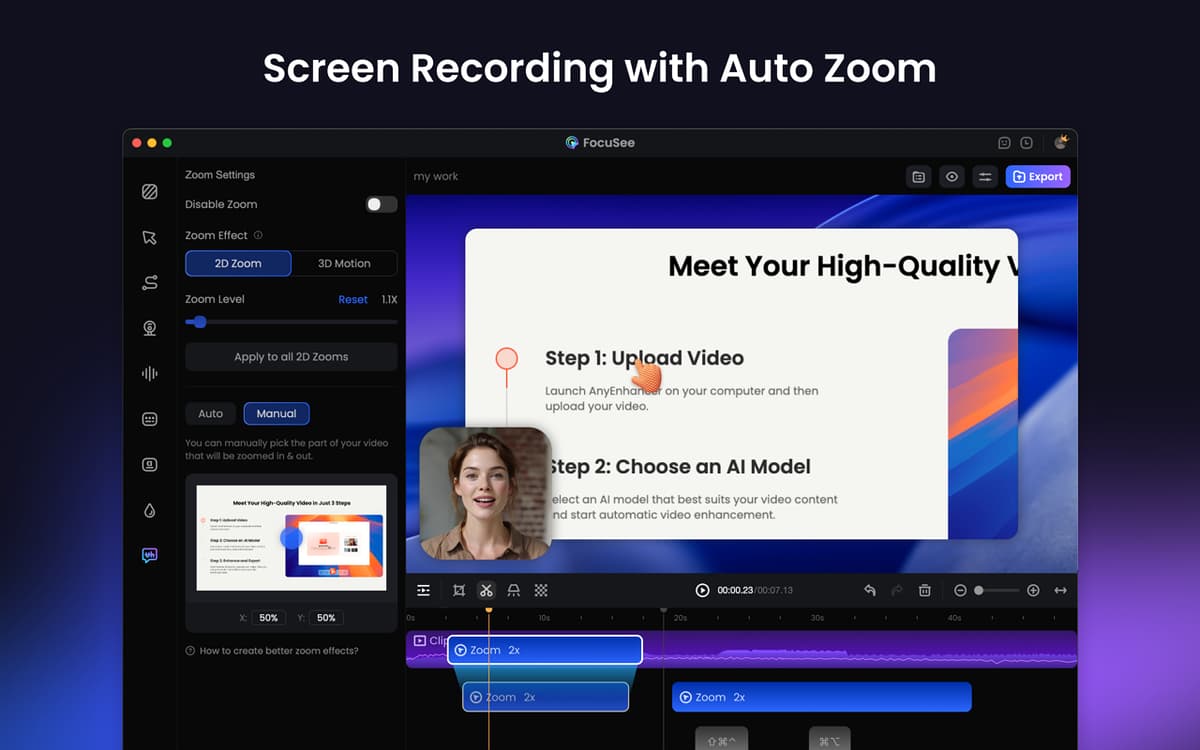
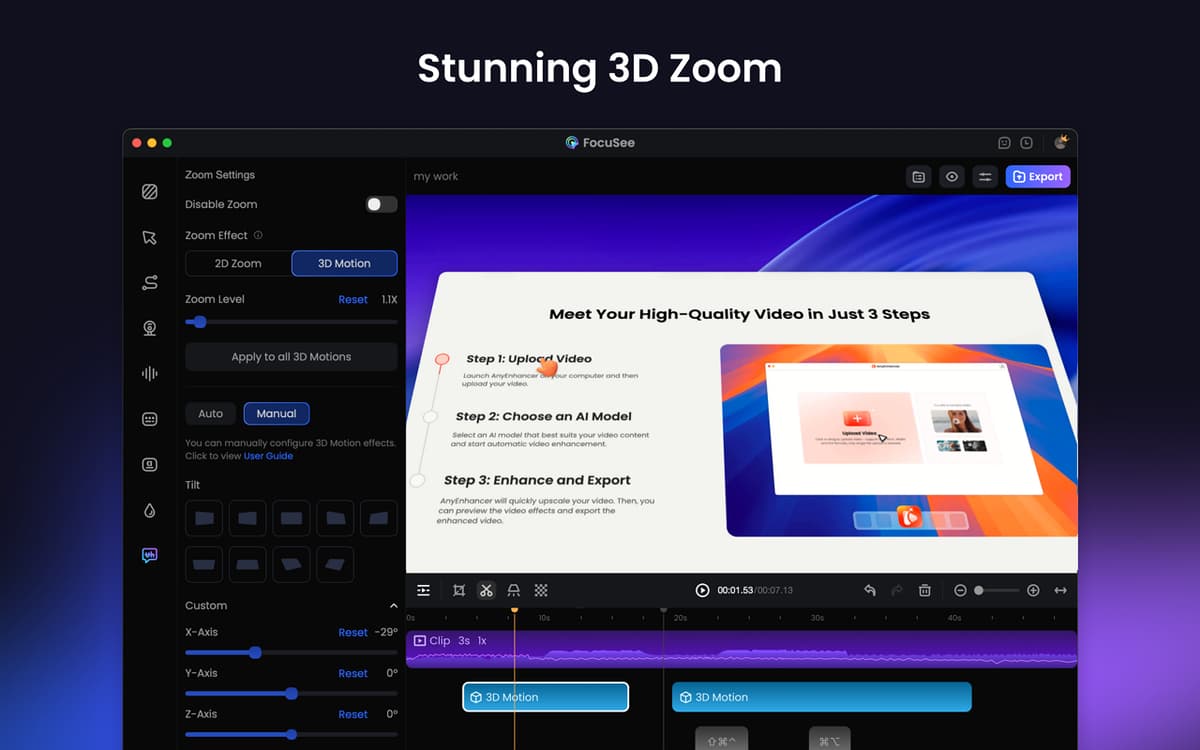
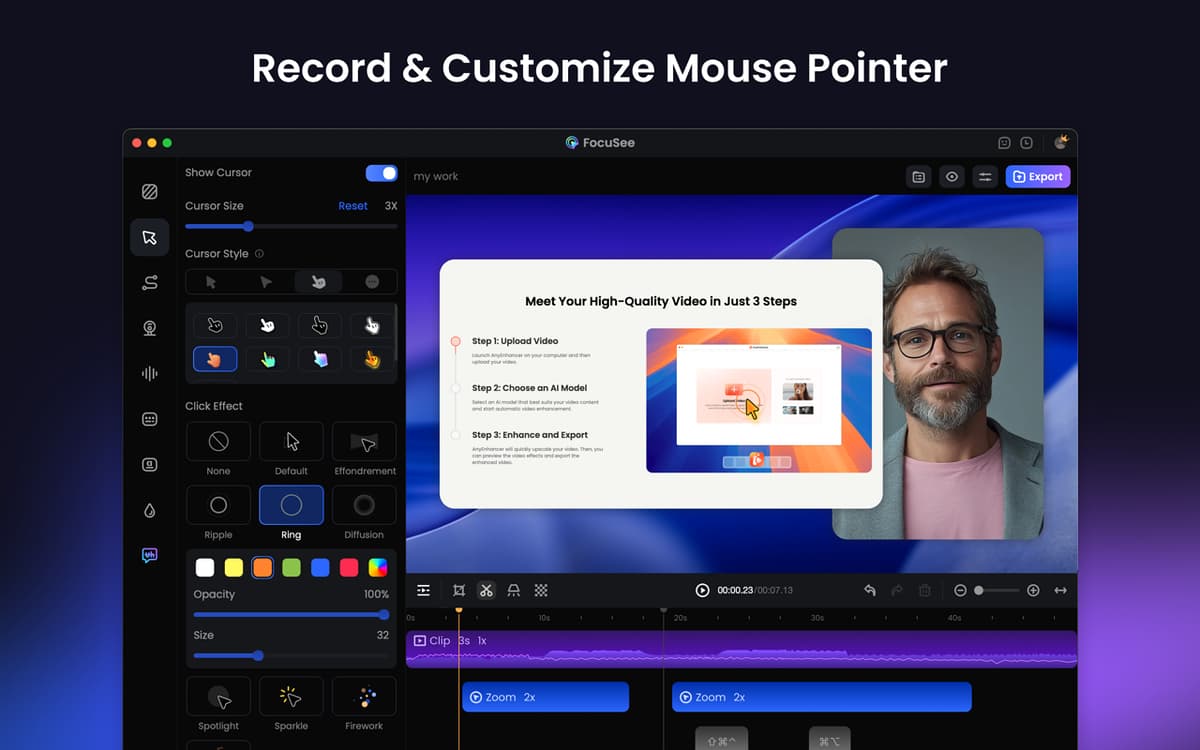
Indique ações com destaque do cursor e zoom
Ajuste velocidade e ruído, recorte e mude o fundo
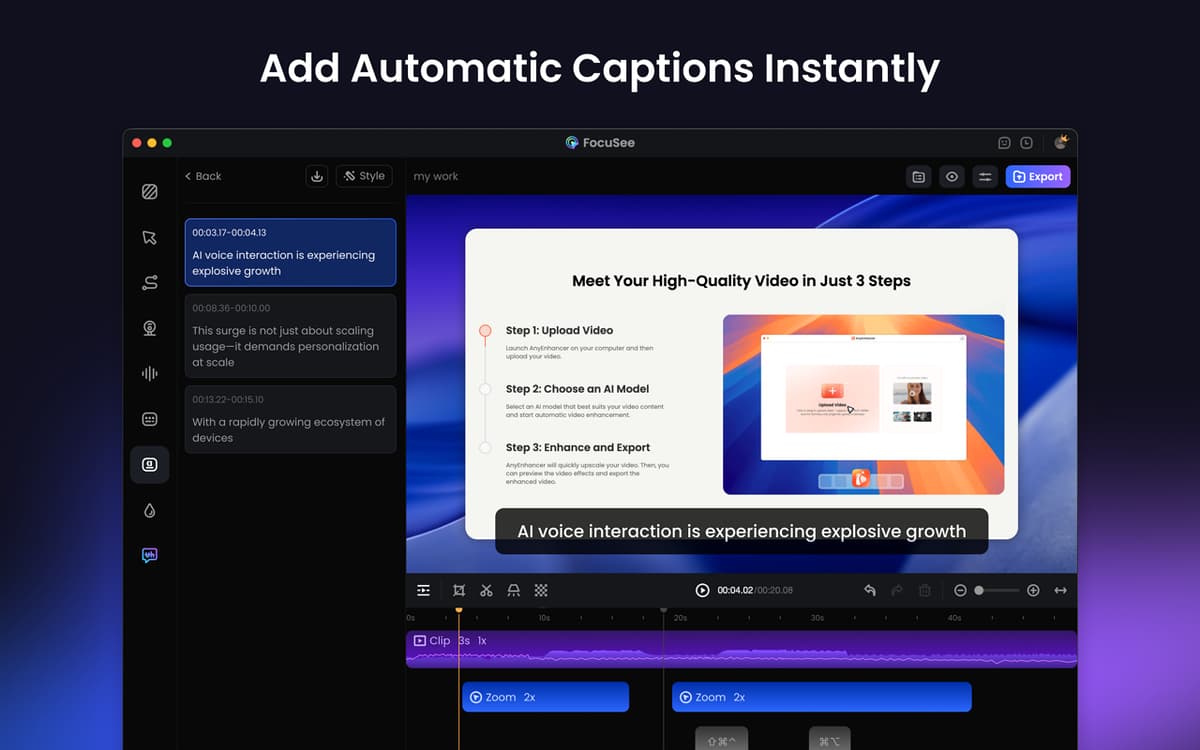
Use um roteiro rolável e adicione legendas
Recursos do FocuSee
Capture tudo de uma só vez
Com o FocuSee, você captura simultaneamente a tela, webcam e voz e grava toda a tela, uma janela específica ou uma área personalizada. Perfeito para demonstrações, tutoriais, vendas e outros objetivos. O app segue automaticamente o cursor, destaca as áreas principais e adiciona zoom progressivamente. Precisando demonstrar os atalhos de teclado que você pressiona durante a gravação? Isso também é possível.
Aprimore e personalize seus vídeos
Depois de gravar, você pode recortar os clipes, alterar a velocidade de reprodução (até de partes específicas), adicionar chamadas a ações, usar quadros e filtros de câmera, adicionar fundos e muito mais. O melhor de tudo? Salve suas preferências como pré‑ajustes e use‑os para trabalhar mais rápido e de forma mais consistente.
Adicione narração e legendas
Use a sobreposição de teleprompter para mostrar um roteiro na tela e segui‑lo com fluidez e segurança. Para garantir o melhor som possível, também é possível aprimorar o volume do áudio e reduzir o ruído de fundo. Para terminar, adicione legendas para ajudar sua audiência a compreender melhor o conteúdo.
Compartilhe vídeos em qualquer lugar
Exporte vídeos em alta qualidade (desde HD a 4K), perfeitos para o YouTube, redes sociais ou apresentações. Redimensione os vídeos para adequá‑los a outras plataformas com apenas alguns cliques. Também é fácil copiar o link de compartilhamento para enviar os vídeos diretamente ou integrá‑los a um site ou cursos on‑line.
Classificações e avaliações
FocuSee
•
181 classificações
Giuseppe Mineo
10 de out. de 2026
Versão do app: 2.5.0
love it!
Ariadny Austin
21 de set. de 2026
Versão do app: 2.5.0
excelente programa para hacer tutoriales muy facil de utilizar
D
4 de ago. de 2026
Versão do app: 2.4.0
Love the ease and flexibility of this app and that it gives a polished look automatically.
Obtenha centenas de apps com o Membership
Obtenha um membership do Setapp e use centenas de apps estelares numa única assinatura.
Experimente grátis por 7 dias. Depois, pague um valor único.
Instale o Setapp no Mac
Explore apps para Mac, iOS e web. Encontre formas fáceis de lidar com as tarefas do dia a dia.

Obtenha o app que chamou sua atenção
Aquele app especial está esperando você no Setapp. Instale‑o com um clique.

FocuSee
Escolha uma assinatura
Um ou mais apps com um membership do Setapp. Obtenha os apps que você quer.

Obtenha centenas de apps com o Membership
Obtenha um membership do Setapp e use centenas de apps estelares numa única assinatura.
Experimente grátis por 7 dias. Depois, pague um valor único.
1
Instale o Setapp no Mac
Explore apps para Mac, iOS e web. Encontre formas fáceis de lidar com as tarefas do dia a dia.
2
Obtenha o app que chamou sua atenção
Aquele app especial está esperando você no Setapp. Instale‑o com um clique.
FocuSee
3
Escolha uma assinatura
Um ou mais apps com um membership do Setapp. Obtenha os apps que você quer.
A casa dos melhores apps
Desde tarefas rotineiras e de planejamento a atividades criativas e de programação, encare suas tarefas com os apps do Setapp.

TypingMind
IU alternativa para conversar com IA
gere ou resuma textos
use uma biblioteca de ações
IA

Spark Mail
Gerencie e‑mails
IA

CleanMyMac
Limpe os detritos

Bartender
Personalize a barra de menus

CleanShot X
Capturas de tela versáteis

Luminar Neo
Edite suas fotos
IA

ClearVPN
Conecte‑se com mais segurança

Craft
Trabalhe com documentos
IA
FocuSee
Grave a tela e aprimore o vídeo