
Gifox
Crie GIFs de itens na tela
Mac
Versão 2.10.0
macOS 10.15 ou posterior
83.7 MB
1 idiomas
Enviar capturas de tela é coisa do passado. O Gifox oferece uma nova forma de gravar a tela e compartilhar seu ponto de vista de forma clara. Ao contrário de simples gravadores de tela, este app caprichosamente desenvolvido captura a área escolhida como um GIF animado. Resumindo: uma mistura inteligente de imagens estáticas e vídeos de tamanho completo. Use‑o sempre que precisar criar e compartilhar instruções animadas, microtutoriais, demonstrações e fluxos de trabalho. Aliás, o Gifox é ótimo para quem trabalha com controle de qualidade de software.
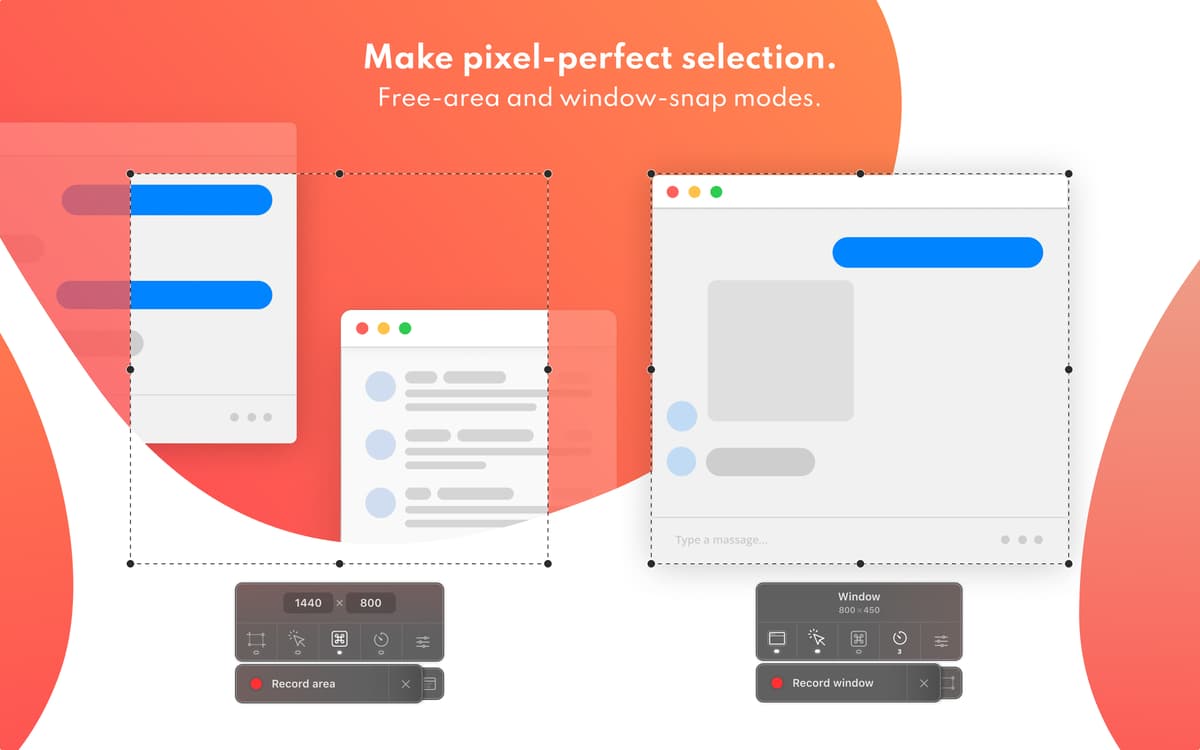
Crie um GIF de uma área da tela ou janela
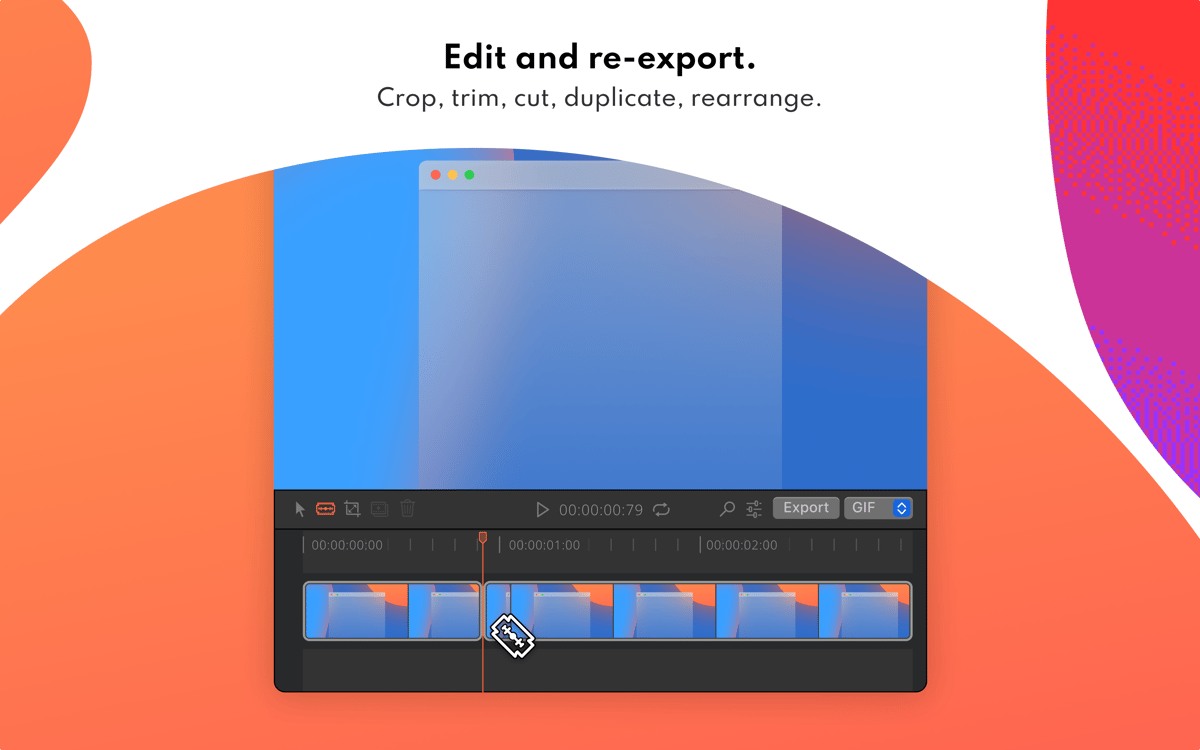
Edite GIFs e altere a qualidade final
Comprima GIFs para que fiquem mais leves
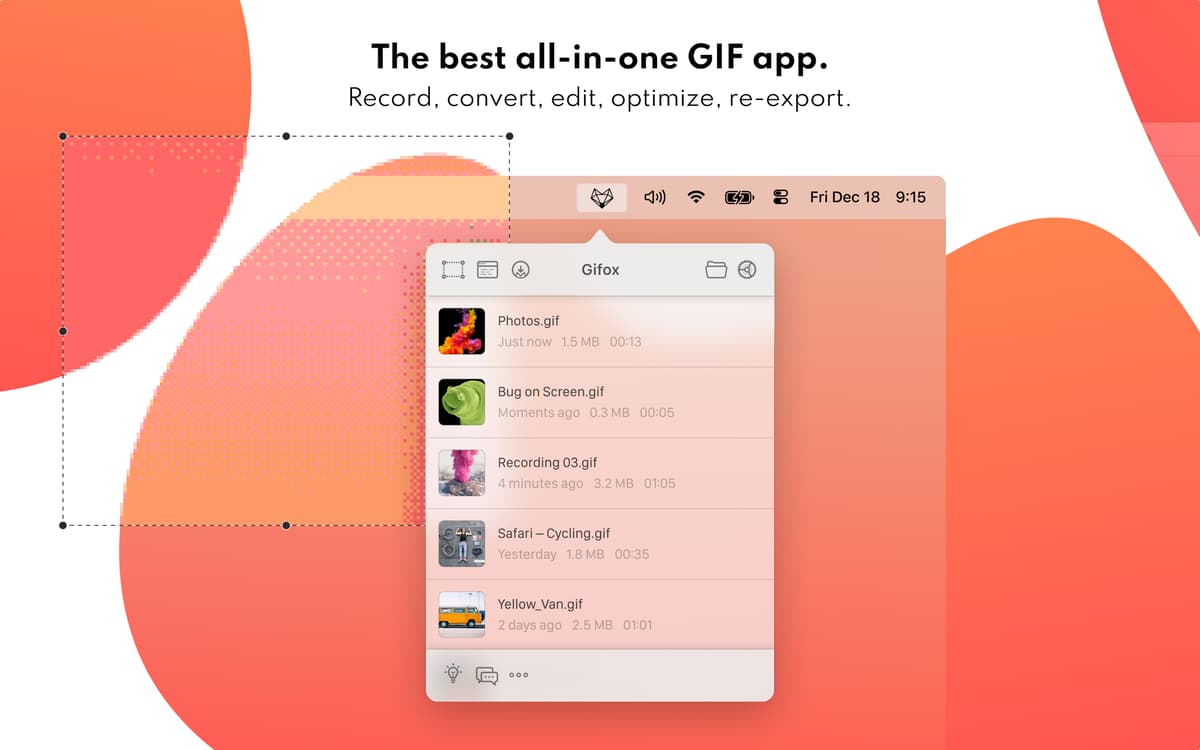
Encontre os GIFs recentes na barra de menus
Recursos do Gifox
Selecione qualquer área da tela
Crie um GIF de uma área específica da tela — basta selecioná‑la e pressionar o botão Gravar. Ou usar o atalho Comando + Maiúsculas + 5 para começar a gravar a atividade na tela imediatamente. Quando terminar, pressione o botão Parar para que o Gifox crie automaticamente um GIF leve, que é salvo na pasta Transferências.
Grave uma única janela
Grave rápida e facilmente apenas a janela do app que você precisa, sem sobreposições ou cortes, ao invés de fazer várias capturas de tela para mostrar à equipe o bug que você encontrou. Para começar a gravar, use o modo de seleção de janela ou o atalho Comando + Maiúsculas + 6.
Personalize a qualidade da compressão
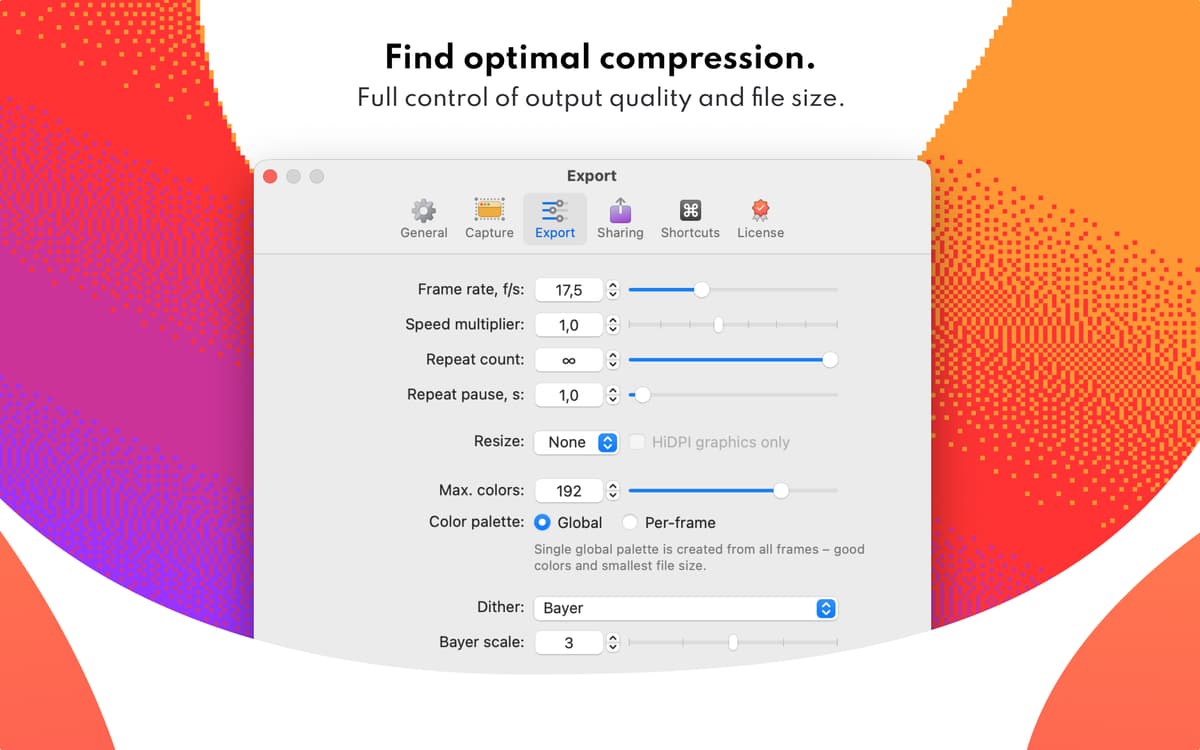
Use este app de captura de tela em GIF para fazer um screencast a qualquer momento. E não se esqueça de aproveitar as opções avançadas de compressão. Com o Gifox, você decide qual qualidade e tamanho os arquivos de animação devem ter. Basta abrir Settings > Compression para ajustar perfeitamente.
Grave GIFs do seu jeito
Decida exatamente o que você deseja gravar e o melhor jeito de fazer isso. O Gifox oferece uma gama completa de opções: seja para gravar a tela ou apenas os elementos desejados, além de permitir a escolha da velocidade de projeção. No fim, você pode até escolher a parte do loop que você prefere.
Compartilhe resultados na nuvem
Salve suas criações na nuvem para disponibilizá‑las em qualquer dispositivo que tenha uma conexão à Internet. No momento, este prático gravador de GIFs é compatível com Dropbox, Google Drive e Imgur, e nenhum deles requer credenciais ou contas especiais para ser acessado. Além disso, novas opções de compartilhamento são constantemente adicionadas.
Acesse gravações imediatamente
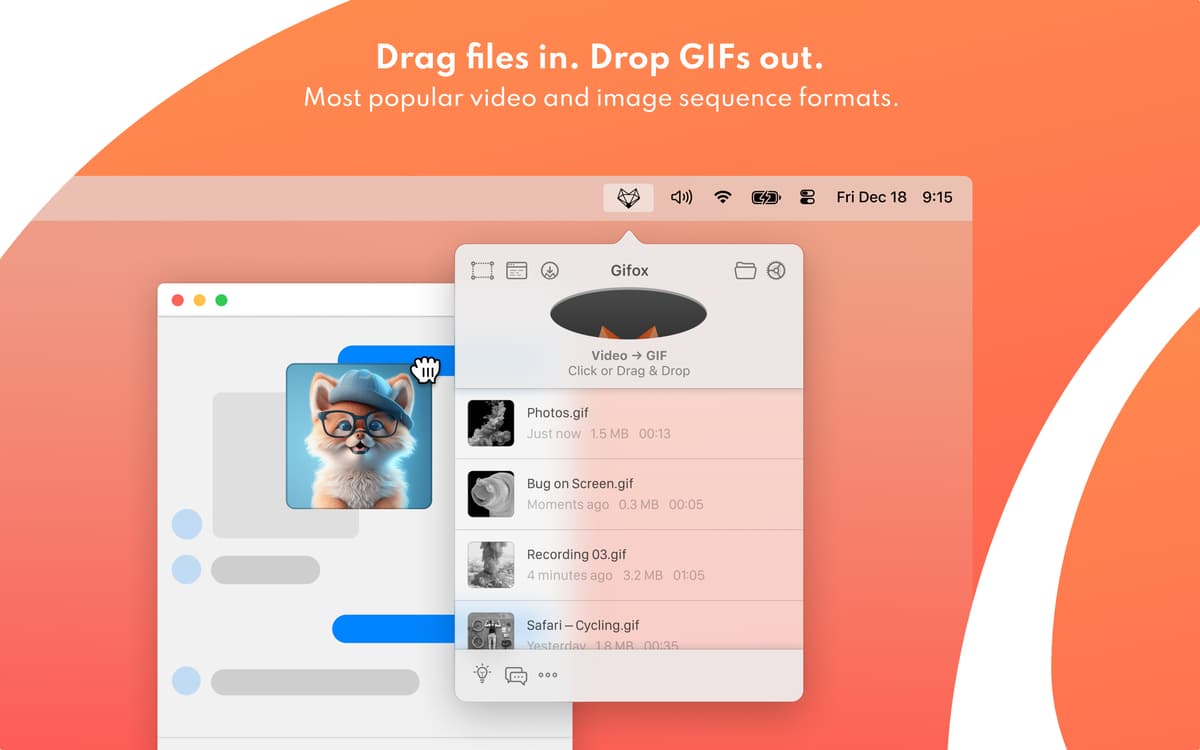
Selecione qualquer gravação recente diretamente do app na barra de menus do Mac. Arraste e solte GIFs para obter um link de compartilhamento direto de uma das suas criações, sem parar o que você estiver fazendo. O Gifox oferece a melhor facilidade de acesso sem interromper o seu fluxo de trabalho.
Classificações e avaliações
Gifox
•
684 classificações
Matias Castro
29 de jun. de 2026
Versão do app: 2.9.0
La opción de compartir no funciona ni con IMGUR ni con Google drive y la unica que queda disponible es Dropbox que ahora se ha puesto inflexible por lo que no deja ver solo con un link y sin registrarse a quien quiera ver el GIF subido
Resposta do Desenvolvedor
13 de jul. de 2026
Hey Matias, sorry for the trouble. You’re right - the current sharing integrations are not working as reliably as they should. The way Gifox handles direct sharing needs to be reworked, so instead of patching each service separately, we’re planning to replace it with a more stable sharing flow. For now, the best workaround is to save GIFs directly into a local synced folder, such as Google Drive, Dropbox, or another cloud folder. You can set this in Gifox as your output directory. You can also drag the GIF directly from the status bar if that works better for your workflow. Sorry again for the inconvenience – we know this is frustrating, and it’s on our list to improve. Valerie
Swader
18 de mar. de 2026
Versão do app: 2.8.0
The app kept using 6% of my M2 Pro CPU on idle, this seemed suspicious (what is it doing in the background??) so I removed it.
Resposta do Desenvolvedor
18 de mar. de 2026
Hey Swader, Ian is here. Thanks for flagging this up. There's indeed a regression from the recent UI changes where the app doesn't clean up properly after showing the screen selection (area or window) overlay. It also uses around 500 MB memory, which isn't how it should behave. This is already fixed in the upcoming 2.9 version that's planned to go live by the end of the week. Please consider giving it another chance once this is fixed – there's a lot of awesome improvements and features coming up in this and next releases! 👍
JasonML
5 de mar. de 2026
Versão do app: 2.8.0
If you are looking at this app, I know what you are looking for, and yes, this is what you are looking for. It does just what it needs to do. You’ll be happy you picked it and won’t look back.
Obtenha centenas de apps com o Membership
Obtenha um membership do Setapp e use centenas de apps estelares numa única assinatura.
Experimente grátis por 7 dias. Depois, pague um valor único.
Instale o Setapp no Mac
Explore apps para Mac, iOS e web. Encontre formas fáceis de lidar com as tarefas do dia a dia.

Obtenha o app que chamou sua atenção
Aquele app especial está esperando você no Setapp. Instale‑o com um clique.

Gifox
Escolha uma assinatura
Um ou mais apps com um membership do Setapp. Obtenha os apps que você quer.

Obtenha centenas de apps com o Membership
Obtenha um membership do Setapp e use centenas de apps estelares numa única assinatura.
Experimente grátis por 7 dias. Depois, pague um valor único.
1
Instale o Setapp no Mac
Explore apps para Mac, iOS e web. Encontre formas fáceis de lidar com as tarefas do dia a dia.
2
Obtenha o app que chamou sua atenção
Aquele app especial está esperando você no Setapp. Instale‑o com um clique.
Gifox
3
Escolha uma assinatura
Um ou mais apps com um membership do Setapp. Obtenha os apps que você quer.
A casa dos melhores apps
Desde tarefas rotineiras e de planejamento a atividades criativas e de programação, encare suas tarefas com os apps do Setapp.

TypingMind
IU alternativa para conversar com IA
gere ou resuma textos
use uma biblioteca de ações
IA

Spark Mail
Gerencie e‑mails
IA

CleanMyMac
Limpe os detritos

Bartender
Personalize a barra de menus

CleanShot X
Capturas de tela versáteis

Luminar Neo
Edite suas fotos
IA

ClearVPN
Conecte‑se com mais segurança

Craft
Trabalhe com documentos
IA
Gifox
Crie GIFs de itens na tela