
GlassNudge
The reminder you can't ignore
Mac
Versão 1.0.12
macOS 13.0 ou posterior
37.8 MB
1 idiomas
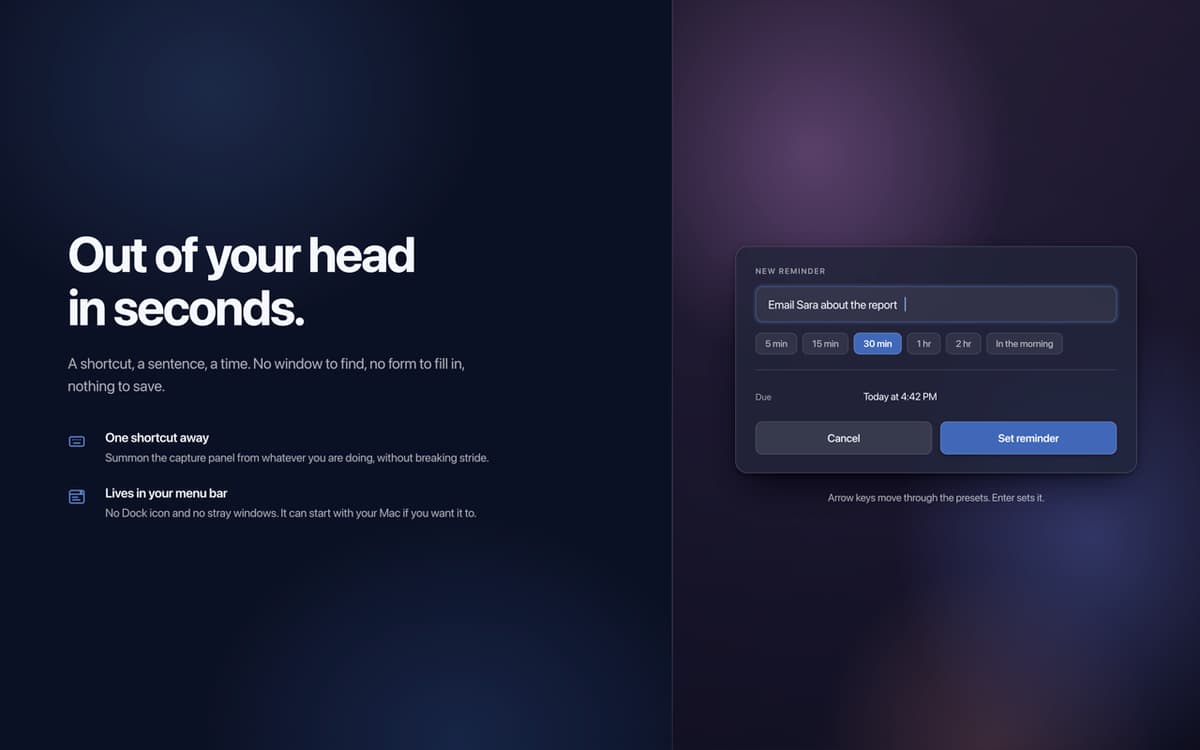
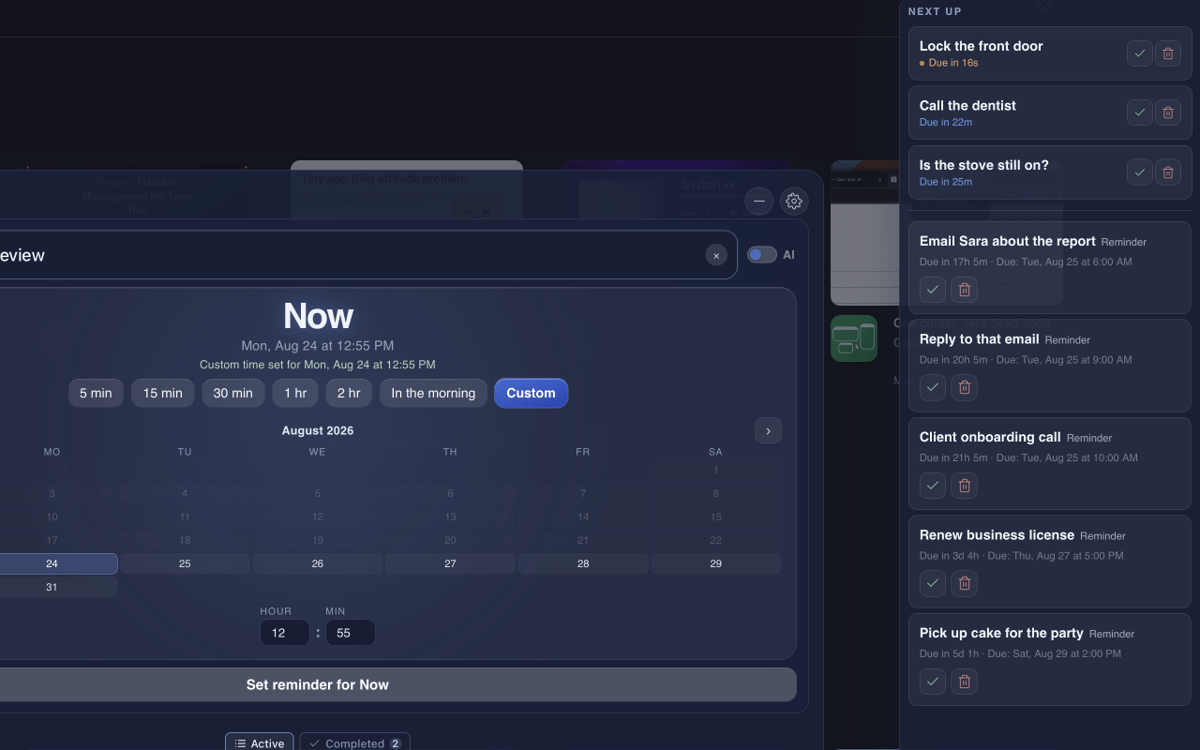
GlassNudge is a full-screen reminder app for macOS. Type a reminder, pick a time, and GlassNudge handles the rest: when it's due, it takes over your screen and stays there until you deal with it. It lives quietly in your menu bar, so you can capture a reminder from anywhere with one keyboard shortcut. Type a full sentence, like "Email Sara tomorrow at 10am", and connect your own AI provider to have the task, date, and time sorted for you. Private by default: reminders are stored on your Mac, and AI capture sends only what you type to your provider.
Remember the small stuff you'd forget
Reply to texts you keep meaning to send
Take your meds on time, every time
Never walk into a meeting blind again
Recursos do GlassNudge
Reminders you can't miss
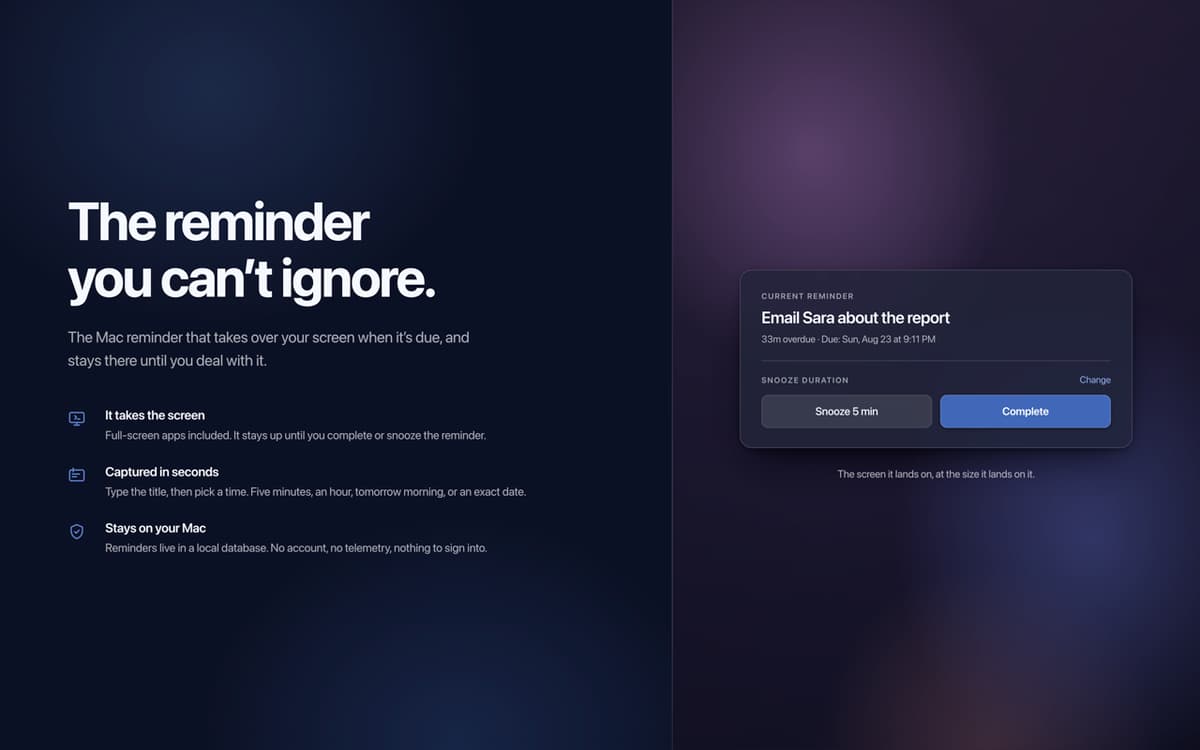
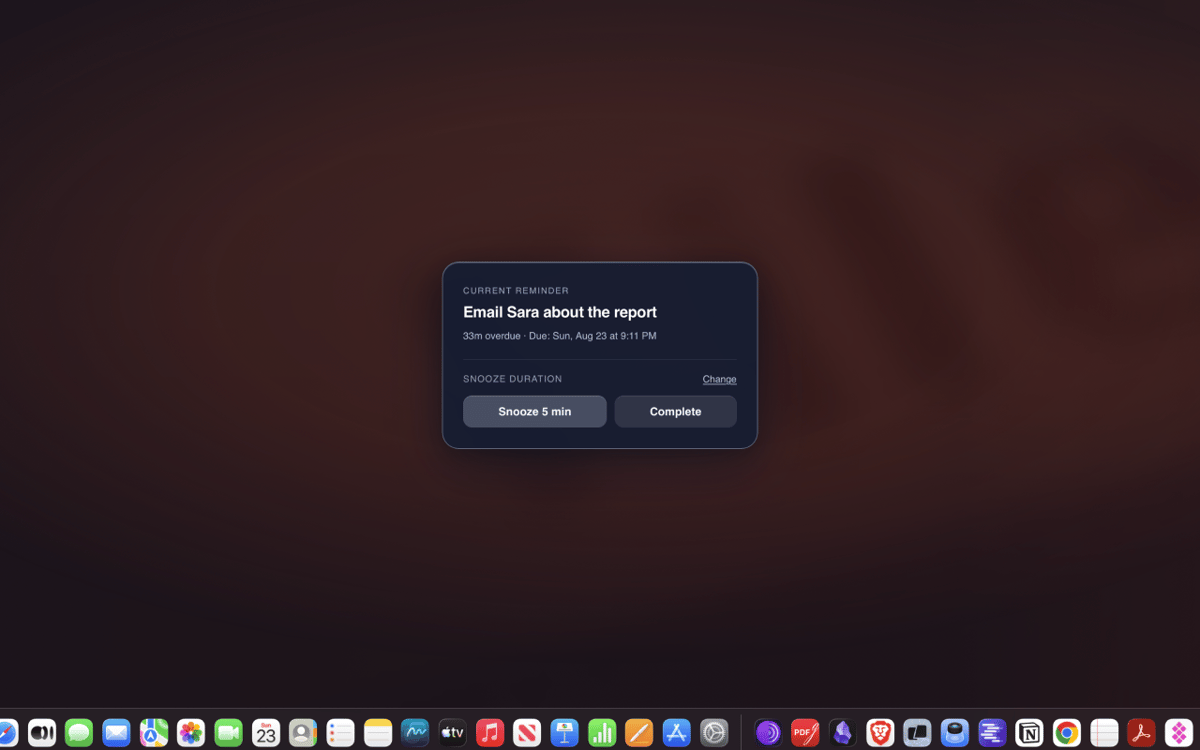
A banner you can swipe away is easy to ignore. When a reminder is due, GlassNudge puts it on your whole screen and keeps it there until you've actually dealt with it. The things that matter stop slipping through.
Type it in plain English
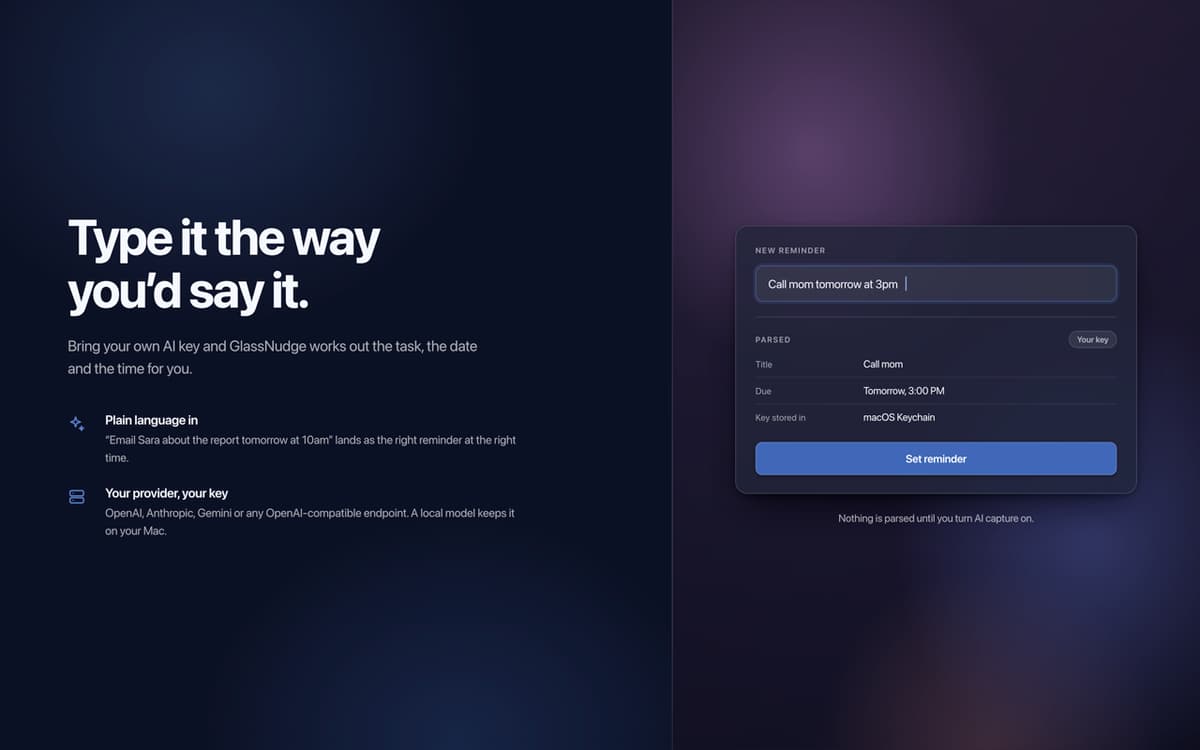
Typing out a time is fiddly. Just write a full sentence instead: "Email Sara tomorrow at 10am." Connect your own AI provider with your own key, from OpenAI or Gemini to any OpenAI-compatible API, and GlassNudge works out the task, date, and time for you.
Quiet hours for focus
Not every hour should ping you. Set quiet hours for meetings, sleep, or deep focus, and GlassNudge holds your reminders until you're free to see them.
Snooze that keeps you honest
Busy when a reminder fires? Snooze it for five minutes or until tomorrow, or mark it done. If it goes overdue, the overlay stays on screen until you deal with it.
Private by default
Reminders are stored locally on your Mac. There is no account and no telemetry. AI capture sends only what you type to the provider you connect, or stays on your Mac with a local one like Ollama or LM Studio.
Obtenha centenas de apps com o Membership
Obtenha um membership do Setapp e use centenas de apps estelares numa única assinatura.
Experimente grátis por 7 dias. Depois, pague um valor único.
Instale o Setapp no Mac
Explore apps para Mac, iOS e web. Encontre formas fáceis de lidar com as tarefas do dia a dia.

Obtenha o app que chamou sua atenção
Aquele app especial está esperando você no Setapp. Instale‑o com um clique.

GlassNudge
Escolha uma assinatura
Um ou mais apps com um membership do Setapp. Obtenha os apps que você quer.

Obtenha centenas de apps com o Membership
Obtenha um membership do Setapp e use centenas de apps estelares numa única assinatura.
Experimente grátis por 7 dias. Depois, pague um valor único.
1
Instale o Setapp no Mac
Explore apps para Mac, iOS e web. Encontre formas fáceis de lidar com as tarefas do dia a dia.
2
Obtenha o app que chamou sua atenção
Aquele app especial está esperando você no Setapp. Instale‑o com um clique.
GlassNudge
3
Escolha uma assinatura
Um ou mais apps com um membership do Setapp. Obtenha os apps que você quer.
A casa dos melhores apps
Desde tarefas rotineiras e de planejamento a atividades criativas e de programação, encare suas tarefas com os apps do Setapp.

TypingMind
IU alternativa para conversar com IA
gere ou resuma textos
use uma biblioteca de ações
IA

Spark Mail
Gerencie e‑mails
IA

CleanMyMac
Limpe os detritos

Bartender
Personalize a barra de menus

CleanShot X
Capturas de tela versáteis

Luminar Neo
Edite suas fotos
IA

ClearVPN
Conecte‑se com mais segurança

Craft
Trabalhe com documentos
IA
GlassNudge
The reminder you can't ignore