
HazeOver
Escureça janelas em segundo plano
Mac
Versão 1.9.9
macOS 13 ou posterior
11.3 MB
31 idiomas
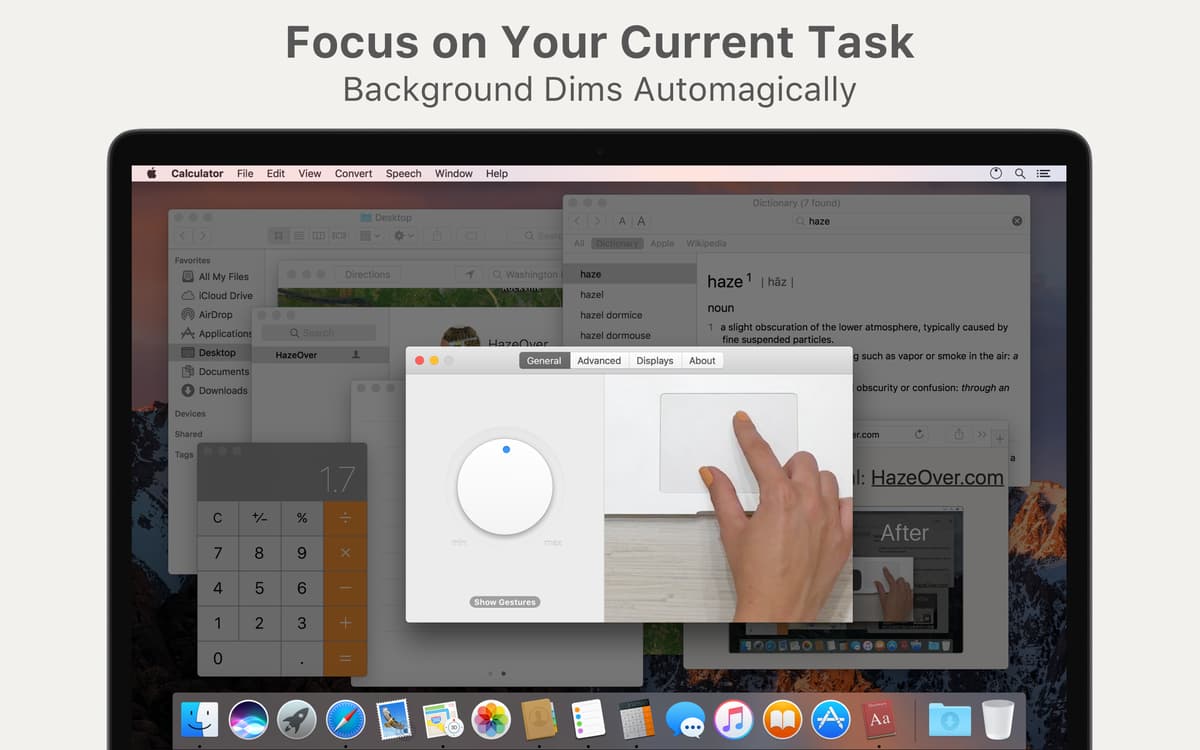
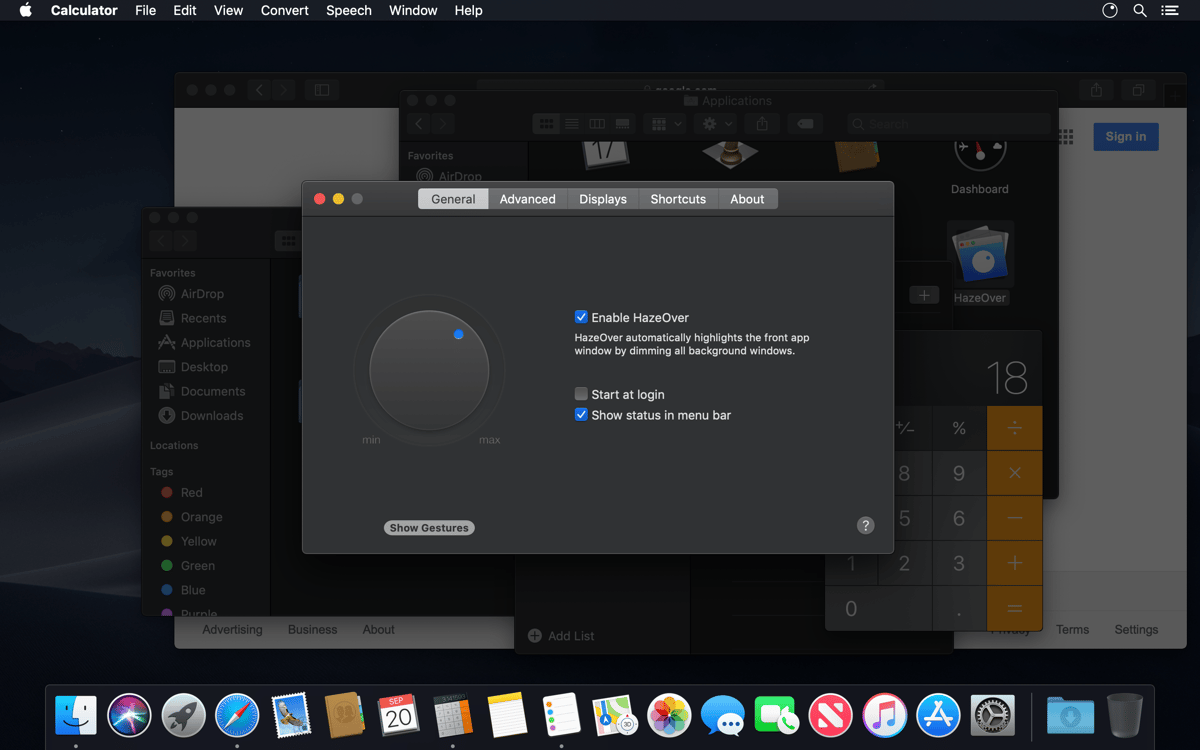
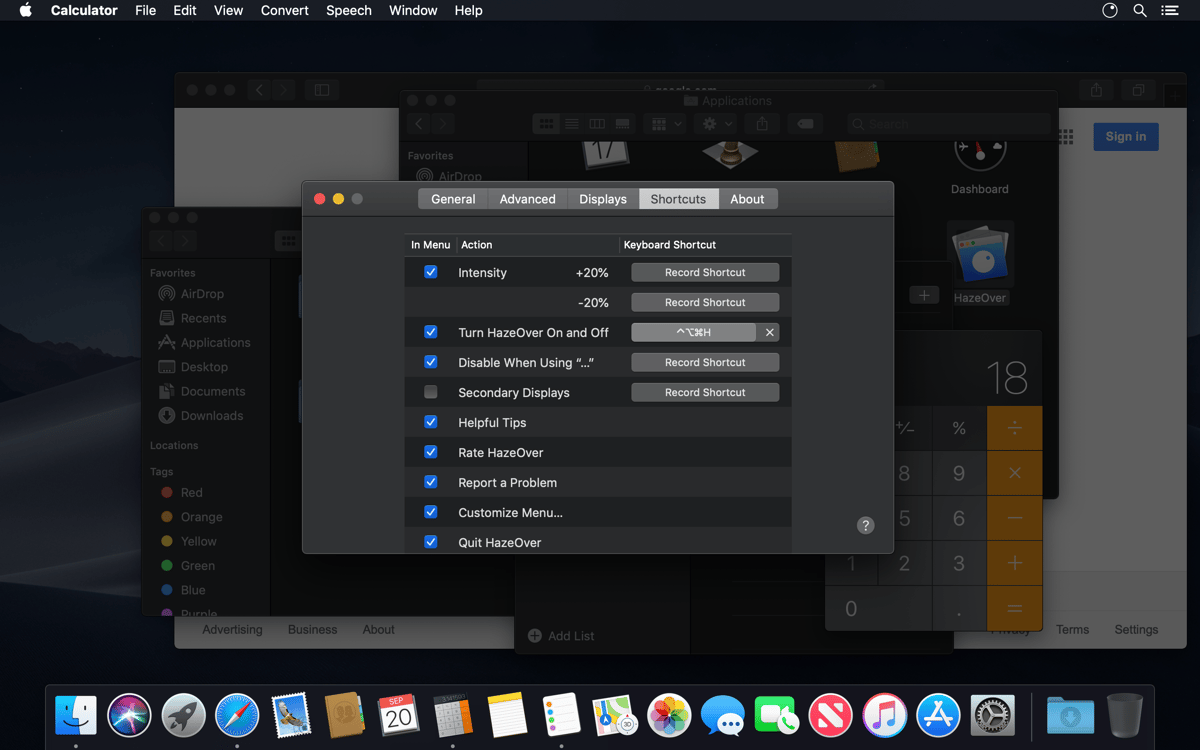
Você se distrai com muitas janelas ou notificações chamativas? Queria poder escurecer todos os apps, exceto pelo que você está usando? Em busca de concentração no que precisa fazer? Sem sombra de dúvidas (mas com trocadilho), o HazeOver é escolha perfeita. De forma única e elegante, ele esmaece todas as janelas que não estiverem à frente e aumenta a sua concentração. Tudo o que não for imediato fica suavemente escurecido em segundo plano. Com o HazeOver, você assume o controle total do brilho da tela. Esqueça as distrações e traga a sua produtividade para primeiro plano!
Bloqueie outras janelas para se concentrar em uma
Evite acionar a tela cheia o tempo todo
Melhore o foco para aumentar a produtividade
Economize tempo ao gerenciar várias janelas
Recursos do HazeOver
Bloqueie distrações sem usar Tela Cheia
Prefere usar várias janelas em vez de apps em tela cheia? O HazeOver é um alívio, pois mesmo sem usar o recurso de Tela Cheia do Mac, ele bloqueia tudo, menos a janela mais à frente. Foque naquilo que importa!
Esmaeça a luz da tela
Muitos aplicativos e janelas em segundo plano chamando a atenção ao usar telas grandes? Dê um basta nisso. O HazeOver funciona como um dimmer para que o brilho das áreas não utilizadas do monitor seja diminuído sem nenhum esforço.
Residência permanente na barra de menus
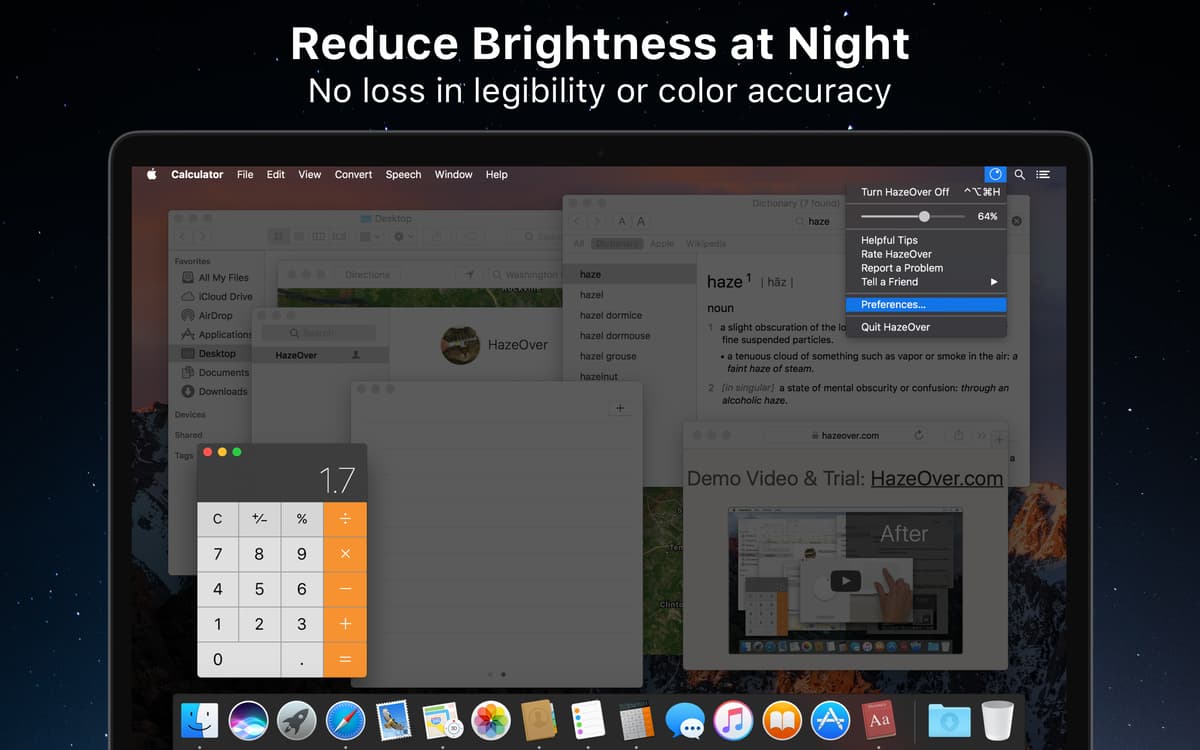
O HazeOver é um daqueles apps de produtividade especiais e merece um lugar de destaque. Experimente‑o ao menos uma vez para ver como ele é essencial. Ao tê‑lo na barra de menus, todos os recursos ficam em um local de fácil acesso. Conveniente, não?
Perfeito para notívagos
Trabalha muito à noite? Então você provavelmente já sabe que pode ser difícil deixar a tela com o brilho ideal — às vezes ela fica muito clara, às vezes, muito escura. Desfrute da elegância do HazeOver para trabalhar à noite e atingir o nível perfeito de brilho sem se incomodar.
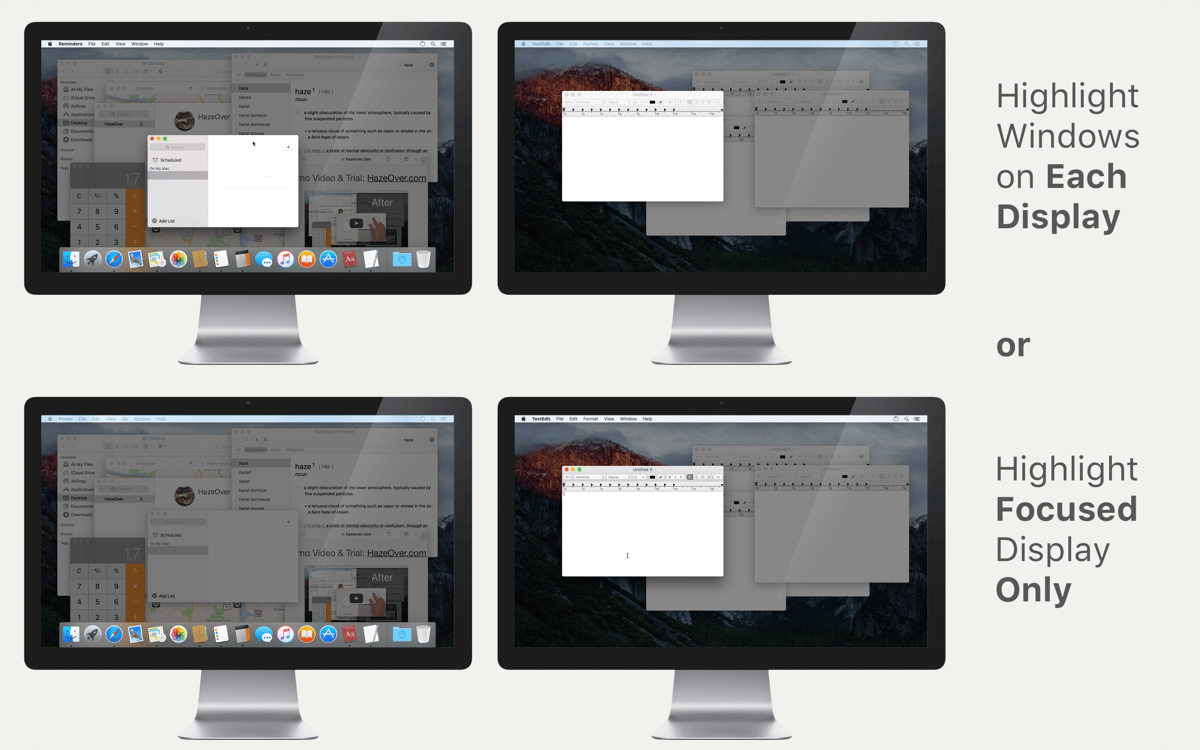
Suporte a vários monitores
Costuma usar mais de uma tela? Muitos apps e janelas disputando a sua atenção o tempo todo? O HazeOver é ótimo nessas situações. Ele destaca automaticamente a janela ou o aplicativo que estiver em atividade ao trocar entre monitores.
Companheiro de cinema
Curta, de verdade, filmes e vídeos no iTunes em uma janela separada. Nada daquele brilho irritante e chamativo de janelas em segundo plano. Uma solução muito útil para desfrutar de suas músicas ao navegar por capas de álbuns, receber os amigos para uma festa ou em outras situações onde distrações não têm vez.
Classificações e avaliações
HazeOver
•
1203 classificações
Janel
24 de jul. de 2026
Versão do app: 1.9.7
Crazy enough, probably my favorite app. Increases my focus and reduces distractions, highly recommend.
Gabo
24 de jul. de 2026
Versão do app: 1.9.7
Meh, it does the job. For me I realized I don’t need it, Stage Manager is good enough.
Matthew Bilton
18 de mai. de 2026
Versão do app: 1.9.7
Very handy - works well
Obtenha centenas de apps com o Membership
Obtenha um membership do Setapp e use centenas de apps estelares numa única assinatura.
Experimente grátis por 7 dias. Depois, pague um valor único.
Instale o Setapp no Mac
Explore apps para Mac, iOS e web. Encontre formas fáceis de lidar com as tarefas do dia a dia.

Obtenha o app que chamou sua atenção
Aquele app especial está esperando você no Setapp. Instale‑o com um clique.

HazeOver
Escolha uma assinatura
Um ou mais apps com um membership do Setapp. Obtenha os apps que você quer.

Obtenha centenas de apps com o Membership
Obtenha um membership do Setapp e use centenas de apps estelares numa única assinatura.
Experimente grátis por 7 dias. Depois, pague um valor único.
1
Instale o Setapp no Mac
Explore apps para Mac, iOS e web. Encontre formas fáceis de lidar com as tarefas do dia a dia.
2
Obtenha o app que chamou sua atenção
Aquele app especial está esperando você no Setapp. Instale‑o com um clique.
HazeOver
3
Escolha uma assinatura
Um ou mais apps com um membership do Setapp. Obtenha os apps que você quer.
A casa dos melhores apps
Desde tarefas rotineiras e de planejamento a atividades criativas e de programação, encare suas tarefas com os apps do Setapp.

TypingMind
IU alternativa para conversar com IA
gere ou resuma textos
use uma biblioteca de ações
IA

Spark Mail
Gerencie e‑mails
IA

CleanMyMac
Limpe os detritos

Bartender
Personalize a barra de menus

CleanShot X
Capturas de tela versáteis

Luminar Neo
Edite suas fotos
IA

ClearVPN
Conecte‑se com mais segurança

Craft
Trabalhe com documentos
IA
HazeOver
Escureça janelas em segundo plano