
IconJar
Organize conjuntos de ícones
Mac
Versão 2.11.4
macOS 10.14 ou posterior
21.5 MB
1 idiomas
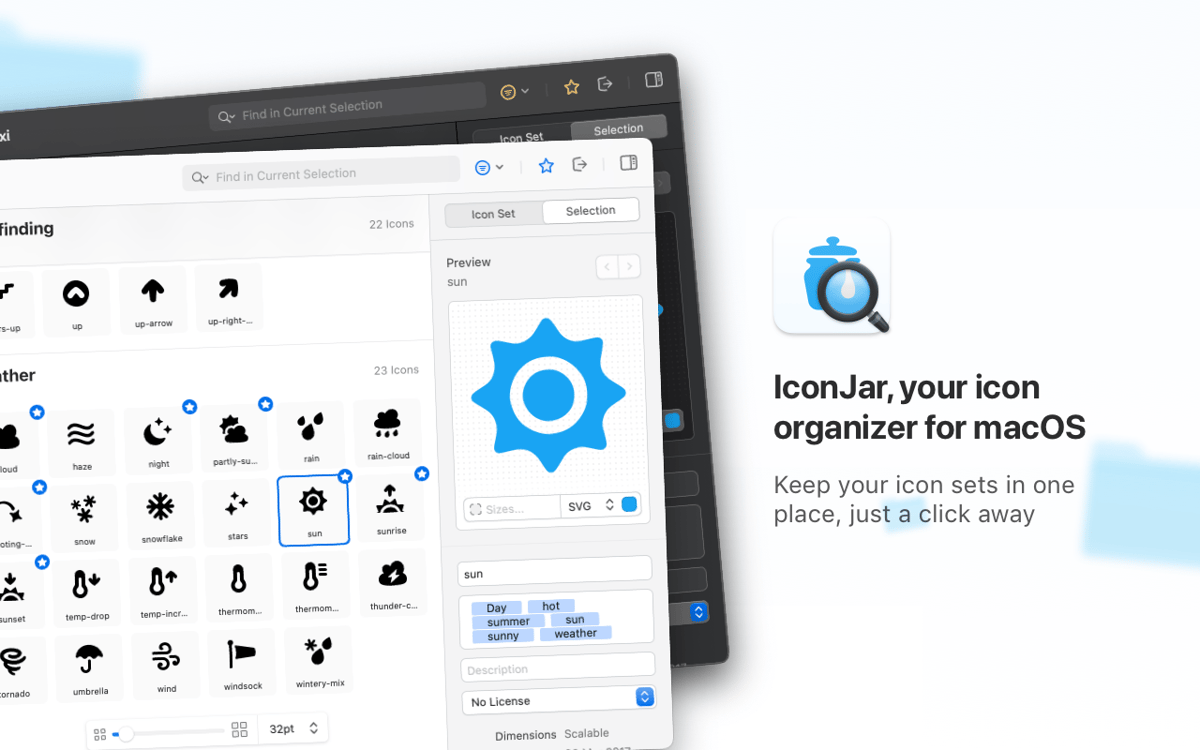
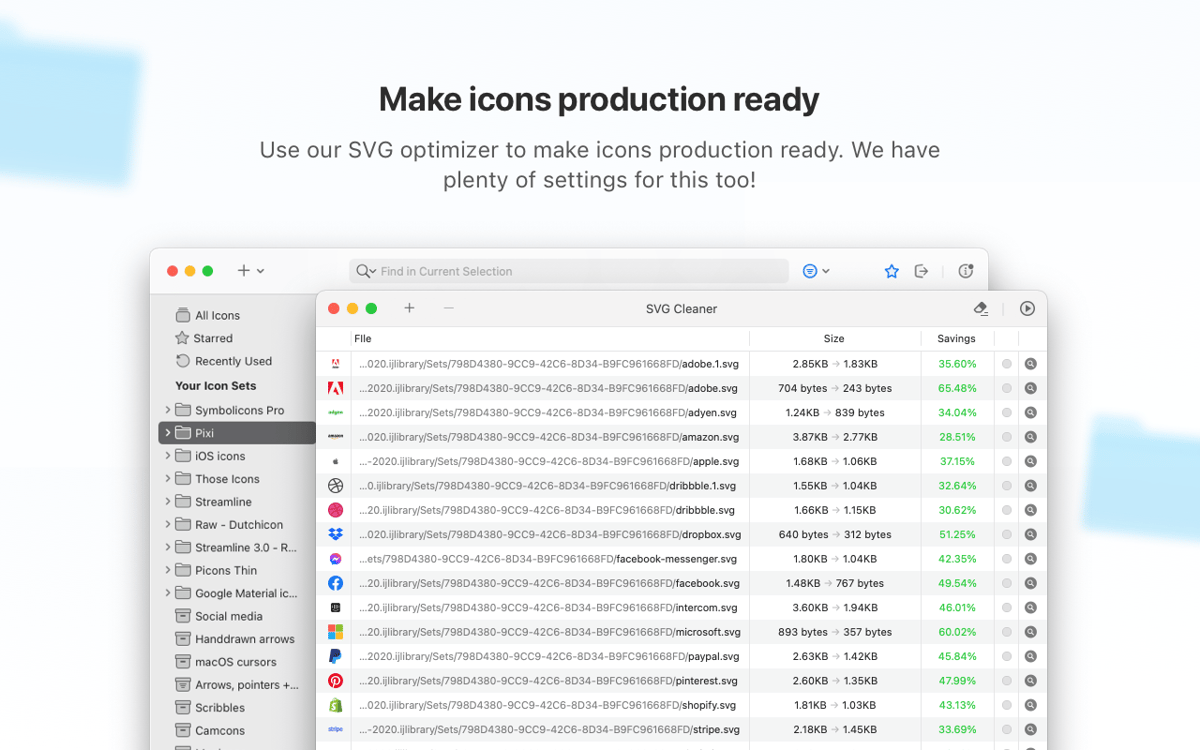
O IconJar é uma ferramenta completa de gerenciamento de ícones, usada por designers e desenvolvedores no mundo todo. Busque, organize, pré‑visualize e extraia ícones de um só lugar em vez de criar milhares de pastas de recursos para armazenar suas coleções. O app é otimizado para o Modo Escuro e oferece compatibilidade com fontes SVG e de ícones.
Simplifique seu processo de design
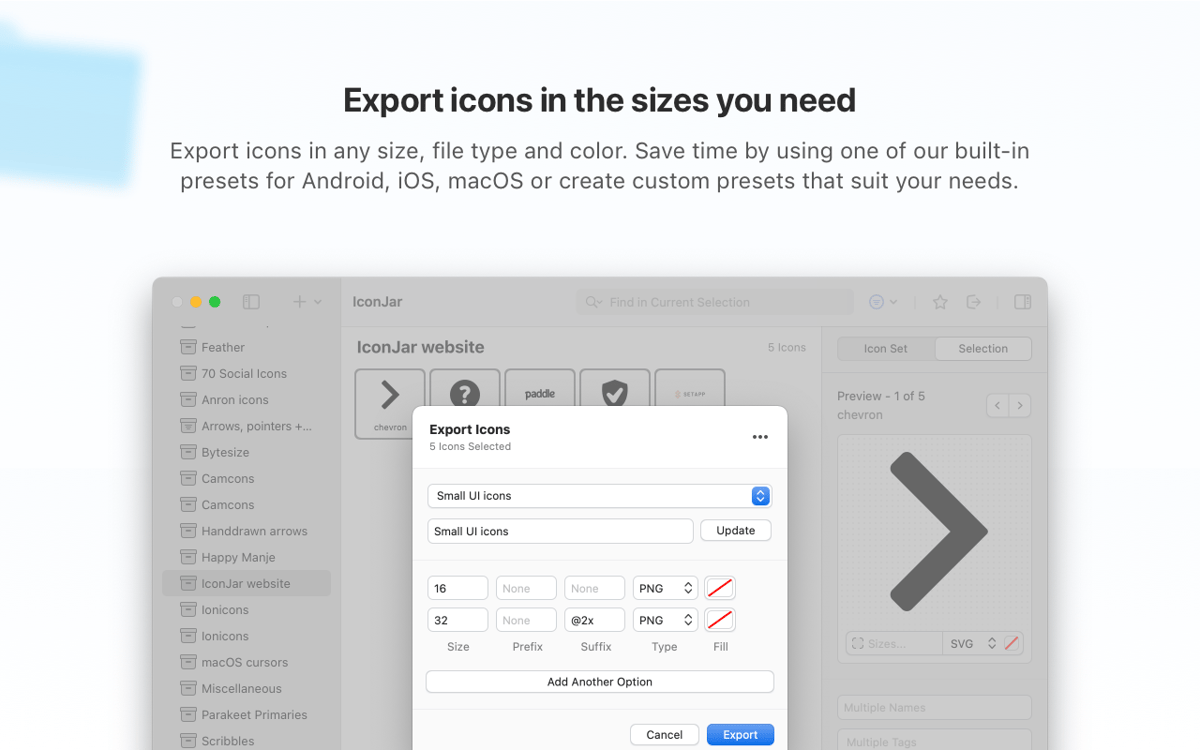
Exporte ícones em lote nos tamanhos certos
Exporte ícones no formato que preferir
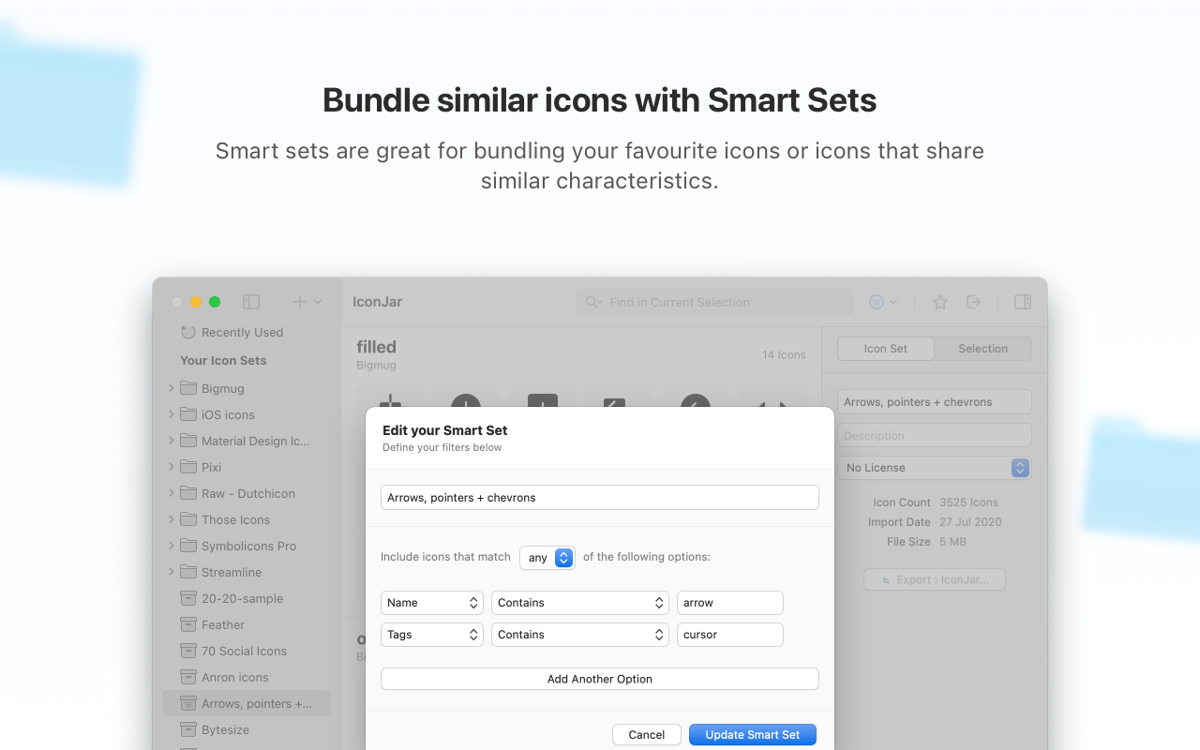
Agrupe ícones parecidos em conjuntos inteligentes
Recursos do IconJar
Conjuntos de ícones belamente organizados
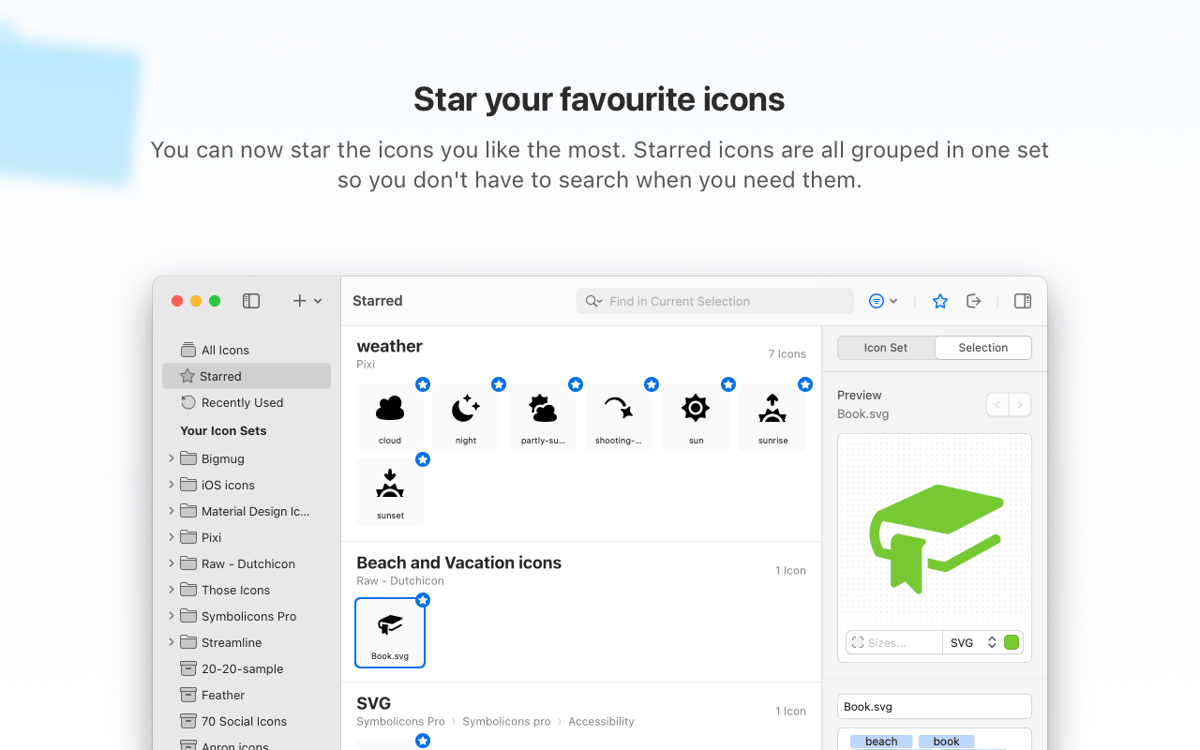
O IconJar, um organizador de ícones profissional, apresenta seus conjuntos de ícones atualizados em coleções superorganizadas. Busque ícones em destaque sugeridos por designers do mundo todo ou importe os seus a partir do Sketch. Mantenha tudo o que você precisa à mão.
União em um só tipo de arquivo
O IconJar simplifica o trabalho de designers e desenvolvedores com seu formato de arquivo nativo (iconjar.file), o qual oferece opções de etiquetas e licenciamento. Você não precisa explicar como distribuir os ícones, eles sempre chegam consistentemente a qualquer usuário.
Pré‑visualize e explore
O IconJar oferece uma opção pratica de pré‑visualização com a Visualização Rápida, para que você não precise abrir a imagem sempre que desejar ver algum detalhe. Explore ícones, busque rapidamente e encontre o que você precisa. Sem confusão nem atrito.
Exporte ícones em qualquer formato
Deixe que seus ícones brilhem pelo mundo. A funcionalidade de exportação do IconJar é fluida: determine os ícones desejados, especifique os tamanhos e exporte para PNG, TIFF, WebP, GIF, SVG ou JPEG. Para simplificar ainda mais o fluxo de trabalho, você pode usar pré‑ajustes integrados.
Função QuickDrag
Maximize o desempenho ao arrastar ícones para apps rapidamente: o IconJar pode lidar com ícones de qualquer tamanho, cor e formato. Com a funcionalidade de QuickDrag, o IconJar oferece compatibilidade a qualquer app que não tenha suporte SVG nativo.
Mantenha conjuntos de ícones sempre atualizados
Se houver um conjunto de ícones com um visual mais datado, você pode atualizar o pacote inteiro ou apenas alguns itens selecionados. Basta selecionar em lote os ícones que você deseja substituir. Você também pode personalizar a descrição e os metadados do ícone para que as novas informações sejam combinadas de imediato.
Classificações e avaliações
IconJar
•
434 classificações
Orlando
14 de mai. de 2026
Versão do app: 2.11.4
Aplicativo prático e fluido no gerenciamento de ícones, e bastante funcional!
Daniel Camposano
22 de abr. de 2026
Versão do app: 2.11.4
awesome app to convert icons to macos :)
Daniel
16 de abr. de 2026
Versão do app: 2.11.4
Good app, but it keeps crashing at start
Obtenha centenas de apps com o Membership
Obtenha um membership do Setapp e use centenas de apps estelares numa única assinatura.
Experimente grátis por 7 dias. Depois, pague um valor único.
Instale o Setapp no Mac
Explore apps para Mac, iOS e web. Encontre formas fáceis de lidar com as tarefas do dia a dia.

Obtenha o app que chamou sua atenção
Aquele app especial está esperando você no Setapp. Instale‑o com um clique.

IconJar
Escolha uma assinatura
Um ou mais apps com um membership do Setapp. Obtenha os apps que você quer.

Obtenha centenas de apps com o Membership
Obtenha um membership do Setapp e use centenas de apps estelares numa única assinatura.
Experimente grátis por 7 dias. Depois, pague um valor único.
1
Instale o Setapp no Mac
Explore apps para Mac, iOS e web. Encontre formas fáceis de lidar com as tarefas do dia a dia.
2
Obtenha o app que chamou sua atenção
Aquele app especial está esperando você no Setapp. Instale‑o com um clique.
IconJar
3
Escolha uma assinatura
Um ou mais apps com um membership do Setapp. Obtenha os apps que você quer.
A casa dos melhores apps
Desde tarefas rotineiras e de planejamento a atividades criativas e de programação, encare suas tarefas com os apps do Setapp.

TypingMind
IU alternativa para conversar com IA
gere ou resuma textos
use uma biblioteca de ações
IA

Spark Mail
Gerencie e‑mails
IA

CleanMyMac
Limpe os detritos

Bartender
Personalize a barra de menus

CleanShot X
Capturas de tela versáteis

Luminar Neo
Edite suas fotos
IA

ClearVPN
Conecte‑se com mais segurança

Craft
Trabalhe com documentos
IA
IconJar
Organize conjuntos de ícones