
iMeetingX
Tenha reuniões eficientes
Mac
Versão 2.1.1
macOS 11.0 ou posterior
29.2 MB
9 idiomas
Em vez de alternar entre calendários, gerenciadores de tarefas e serviços de notas para organizar reuniões, use uma única solução que engloba tudo isso. O iMeetingX combina o método GTD com ferramentas de gerenciamento de reuniões em um app prático. Planeje, agende e aja de acordo com decisões tomadas em reuniões e ideias discutidas em workshops.
Termine reuniões sabendo os pontos de ação
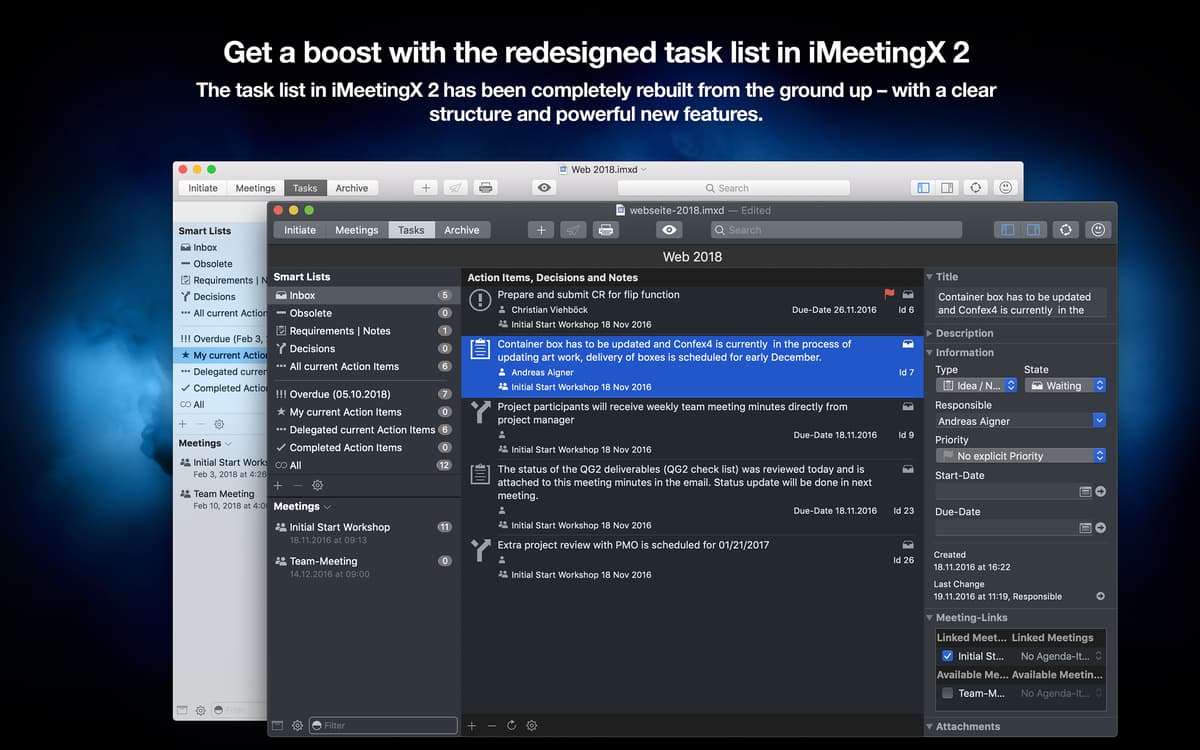
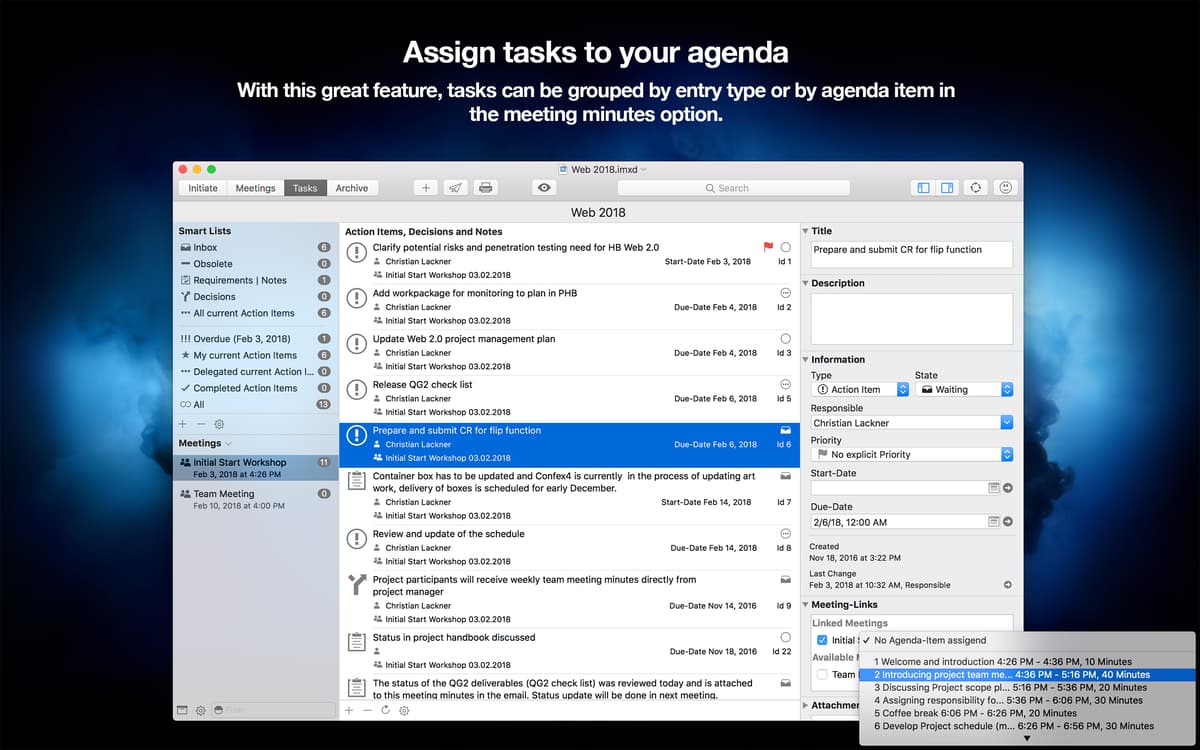
Conecte tarefas às minutas da reunião
Atribua anexos ilimitados às tarefas
Acompanhe e filtre tarefas com listas inteligentes
Recursos do iMeetingX
Inicie projetos
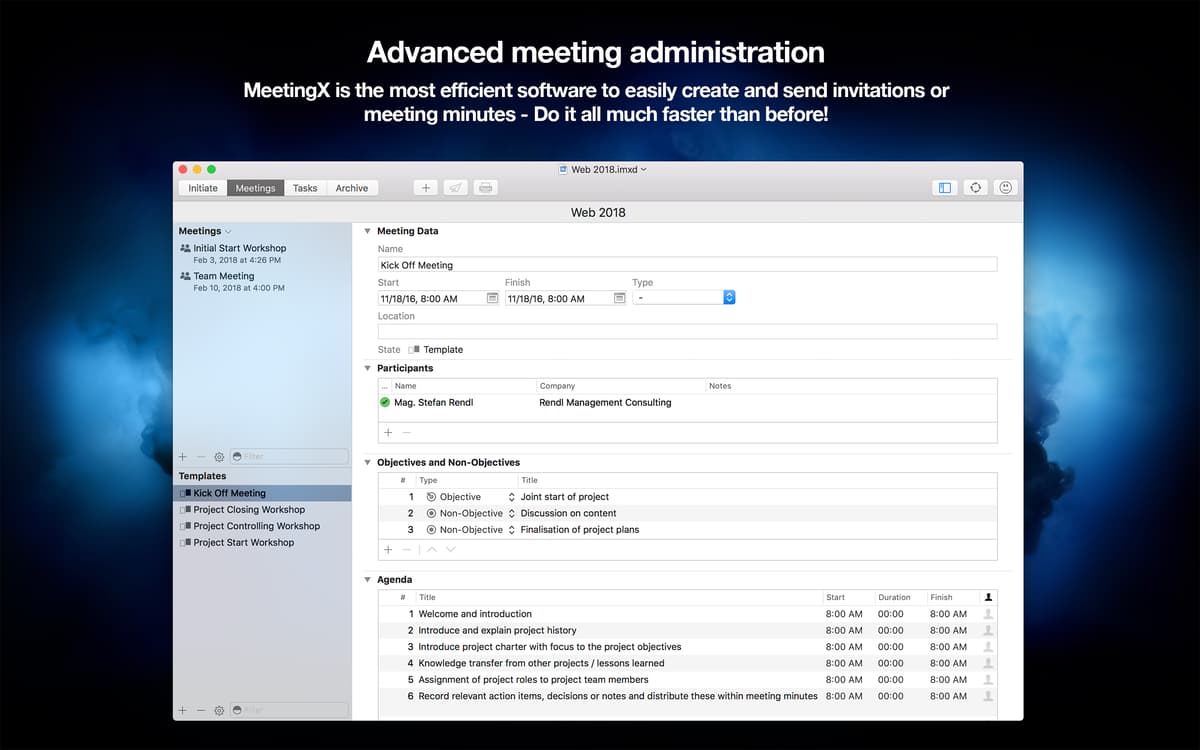
Relacione todas as reuniões em um projeto para manter tudo o que você precisa em um espaço digital. Selecione Início no canto superior esquerdo para começar um projeto. A partir daí, adicione participantes, crie grupos de distribuição e escolha tipos de reuniões para dar a forma ideal ao projeto.
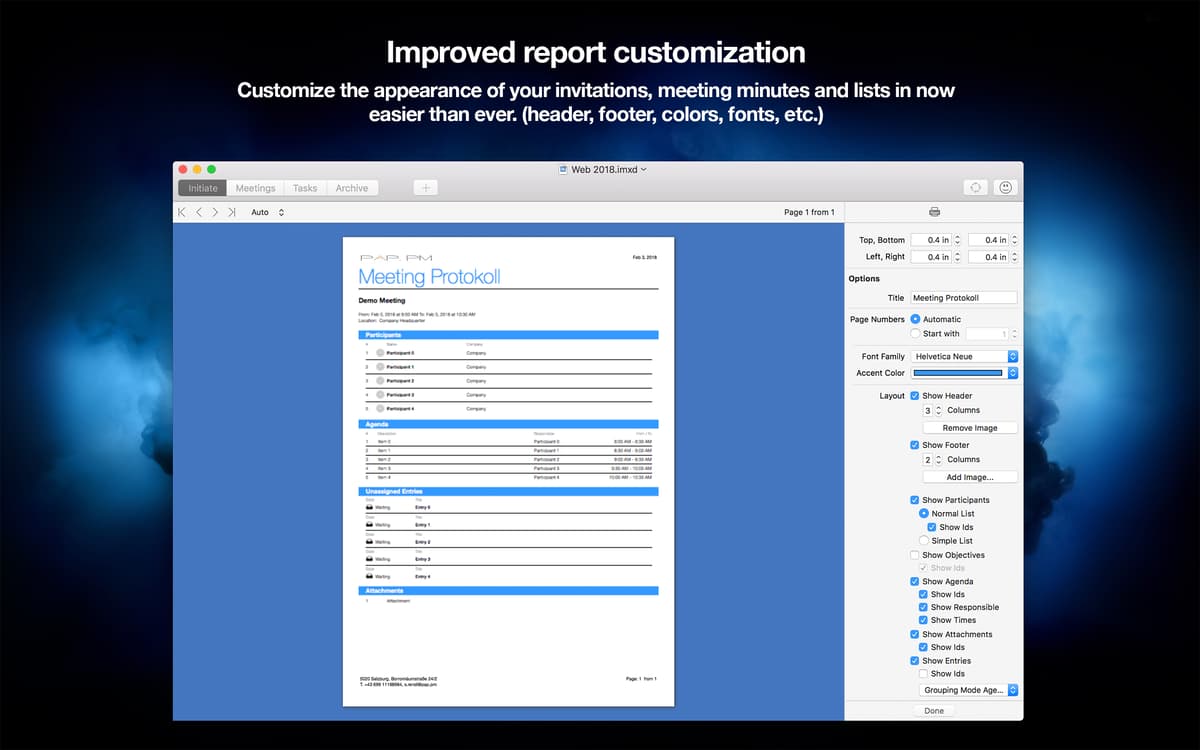
Envie convites e minutas de reuniões
Graças a uma integração sólida com o Calendário, Contatos e serviços de nuvem, a importação de dados no iMeetingX leva apenas um clique. Isso significa que você pode enviar listas de participantes e anexos instantaneamente. Depois de enviar, prepare convites e minutas de reuniões para compartilhar facilmente.
Gerenciador de tarefas integrado
Com uma ferramenta completa de gerenciamento de tarefas, o iMeetingX cria links entre projetos e tarefas. Desde itens de ação e requisitos a decisões, ele permite que você agrupe e organize diversos tipos de tarefas. Fácil de gerenciar. Fácil de completar.
Listas inteligentes
Para controlar várias tarefas entre projetos diferentes, agrupe objetivos em listas inteligentes. Isso permite que você acompanhe facilmente o progresso, bastando filtrar tarefas por qualquer conjunto de atributos. Você pode usar as listas padrão ou criar novas listas com base em especificações personalizadas das tarefas.
Modelos prontos para usar
O iMeetingX vem com modelos básicos para notas, entradas e convites de reuniões, disponíveis em “Tipos de Reunião”. E mais, ele oferece modelos de agenda e sugere objetivos para vários tipos de reuniões — desde o início ao fechamento do projeto.
Restaure itens arquivados
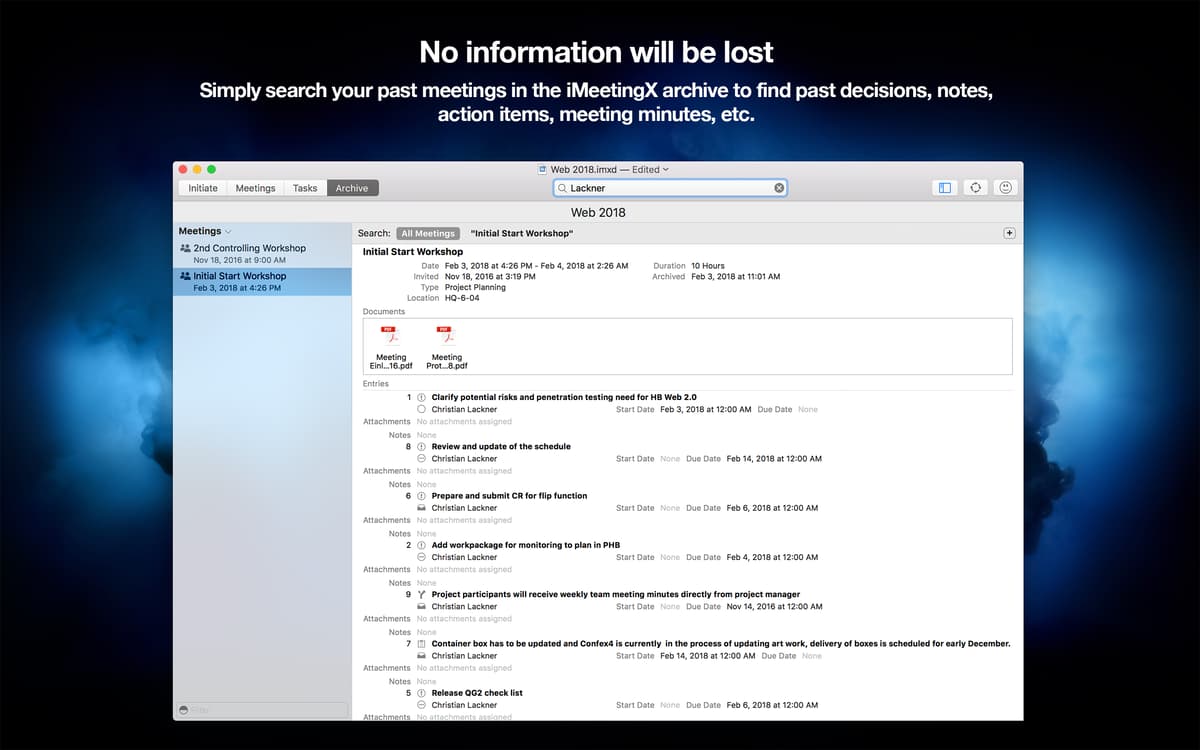
Outro recurso muito útil do iMeetingX é sua memória infinita. Tudo pode ser restaurado no iMeetingX: sejam notas perdidas de uma reunião do ano passado ou um projeto antigo que precise ser revisado. Clique em Arquivamento, localize o item rapidamente e traga‑o de volta à ativa.
Classificações e avaliações
iMeetingX
•
47 classificações
Steve Solari
12 de fev. de 2026
Versão do app: 2.1.1
The interface looks simple but has a steep learning curve, the contacts import function is limited and clunky, and the UI is very boring. It doesn’t need to look like a work of art, but a little color and some personality would make it more enjoyable. After wrestling with it for a while, I decided a plain text file or a Word/Pages template would be faster and easier.
Bram
16 de abr. de 2025
Versão do app: 2.1.1
too hard to use
Romain
29 de jan. de 2025
Versão do app: 2.1.1
Très utile pour faire les compte-rendus de réunion et autres PV d’AG. Il manque un tutoriel, il faut tatônner, et on sent que le projet est en développement, mais je suis satisfait des résultats et je trouve qu’il mérite qu’on lui donne sa chance. Merci et bravo au développeur pour son travail.
Obtenha centenas de apps com o Membership
Obtenha um membership do Setapp e use centenas de apps estelares numa única assinatura.
Experimente grátis por 7 dias. Depois, pague um valor único.
Instale o Setapp no Mac
Explore apps para Mac, iOS e web. Encontre formas fáceis de lidar com as tarefas do dia a dia.

Obtenha o app que chamou sua atenção
Aquele app especial está esperando você no Setapp. Instale‑o com um clique.

iMeetingX
Escolha uma assinatura
Um ou mais apps com um membership do Setapp. Obtenha os apps que você quer.

Obtenha centenas de apps com o Membership
Obtenha um membership do Setapp e use centenas de apps estelares numa única assinatura.
Experimente grátis por 7 dias. Depois, pague um valor único.
1
Instale o Setapp no Mac
Explore apps para Mac, iOS e web. Encontre formas fáceis de lidar com as tarefas do dia a dia.
2
Obtenha o app que chamou sua atenção
Aquele app especial está esperando você no Setapp. Instale‑o com um clique.
iMeetingX
3
Escolha uma assinatura
Um ou mais apps com um membership do Setapp. Obtenha os apps que você quer.
A casa dos melhores apps
Desde tarefas rotineiras e de planejamento a atividades criativas e de programação, encare suas tarefas com os apps do Setapp.

TypingMind
IU alternativa para conversar com IA
gere ou resuma textos
use uma biblioteca de ações
IA

Spark Mail
Gerencie e‑mails
IA

CleanMyMac
Limpe os detritos

Bartender
Personalize a barra de menus

CleanShot X
Capturas de tela versáteis

Luminar Neo
Edite suas fotos
IA

ClearVPN
Conecte‑se com mais segurança

Craft
Trabalhe com documentos
IA
iMeetingX
Tenha reuniões eficientes