
Insomniac
Mantenha seu Mac ativo com inteligência
Mac
Versão 1.0.2
macOS 13.5 ou posterior
21.8 MB
15 idiomas
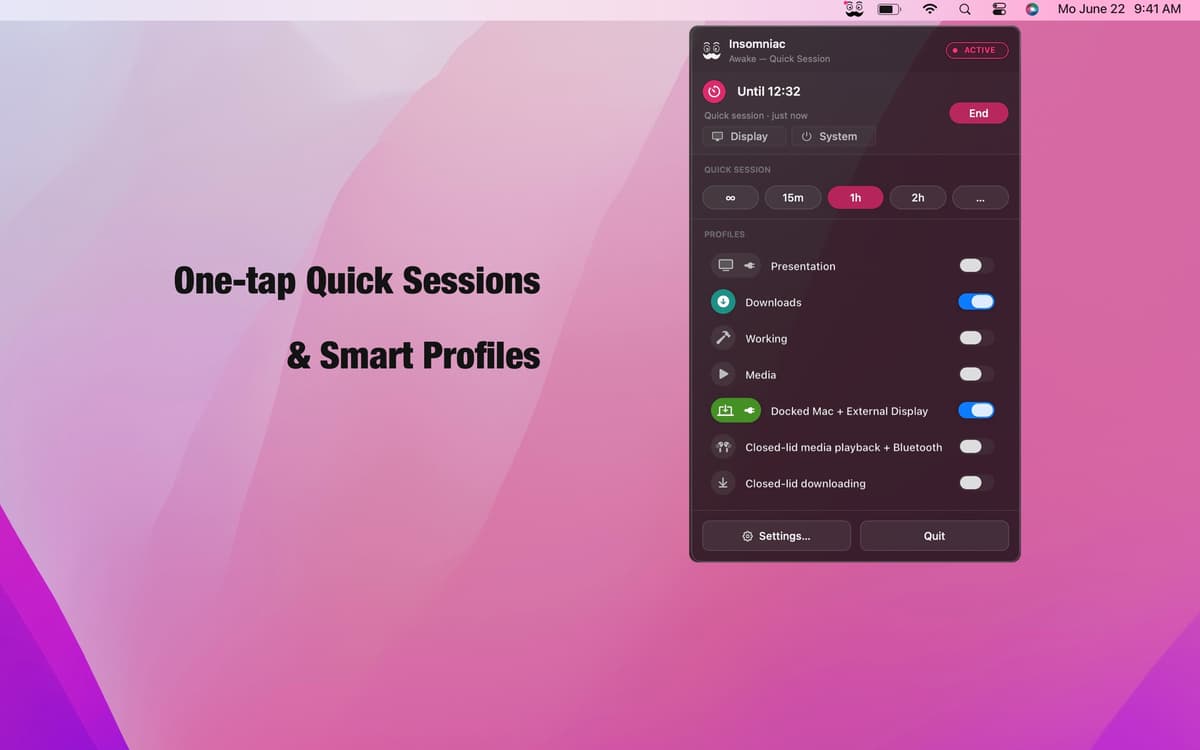
Insomniac é um aplicativo de prevenção de suspensão contextual para Mac. Esqueça o botão de ativação permanente — ele executa um mecanismo de regras. Crie perfis com mais de 30 gatilhos, como estado da tampa, reprodução de áudio, carga da CPU, eventos do calendário e energia CA, e o Insomniac cuida do resto: acorda quando a condição é ativada e entra em repouso quando não é. Controles inteligentes de bateria, temperatura e calendário garantem que ele nunca trabalhe contra você. Fica na sua barra de menus. Não fica no seu caminho.
Mantenha o Mac ativo durante apresentações
Impede o Mac de dormir durante downloads
Fique ativo com o monitor externo ligado
Pausar automaticamente com bateria baixa
Recursos do Insomniac
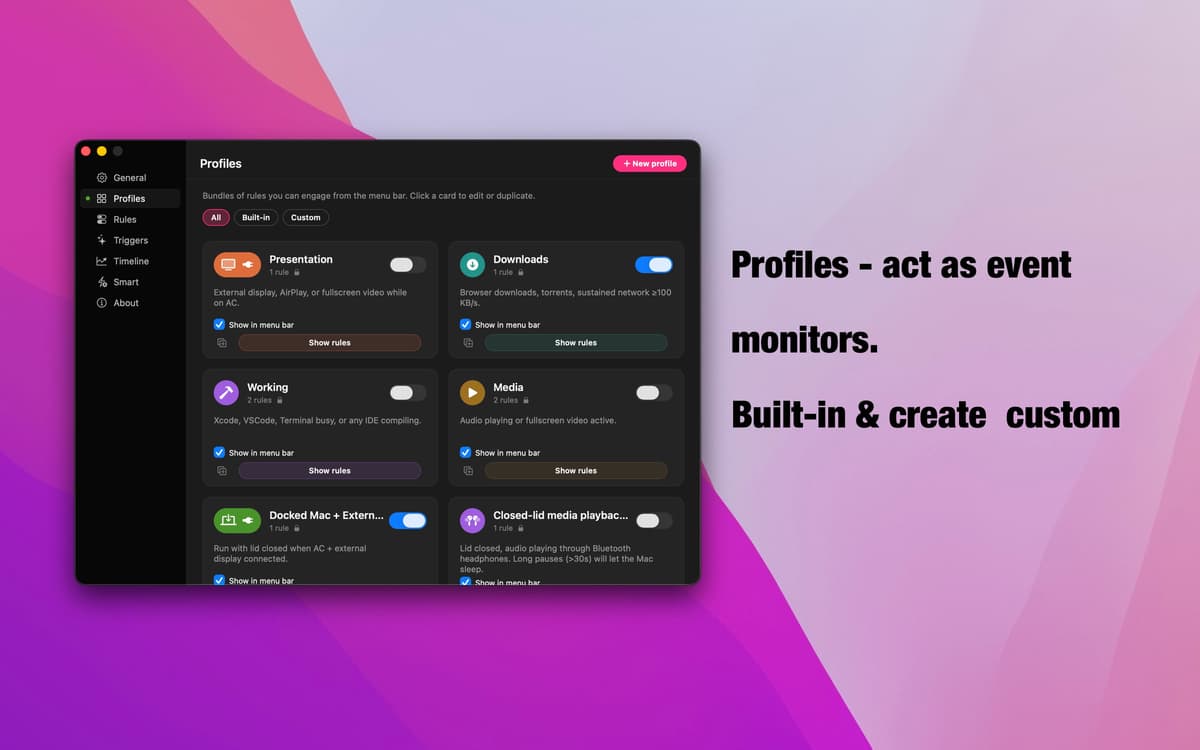
Perfis — monitoramento orientado a eventos
Sete perfis prontos cobrem os cenários mais comuns: apresentações, downloads, reprodução de mídia, configurações com dock, modo tampa fechada e muito mais. Cada um monitora um sinal específico, é ativado automaticamente quando ele ocorre e recua quando termina. Crie o seu em segundos — dê um nome, adicione regras e pronto.
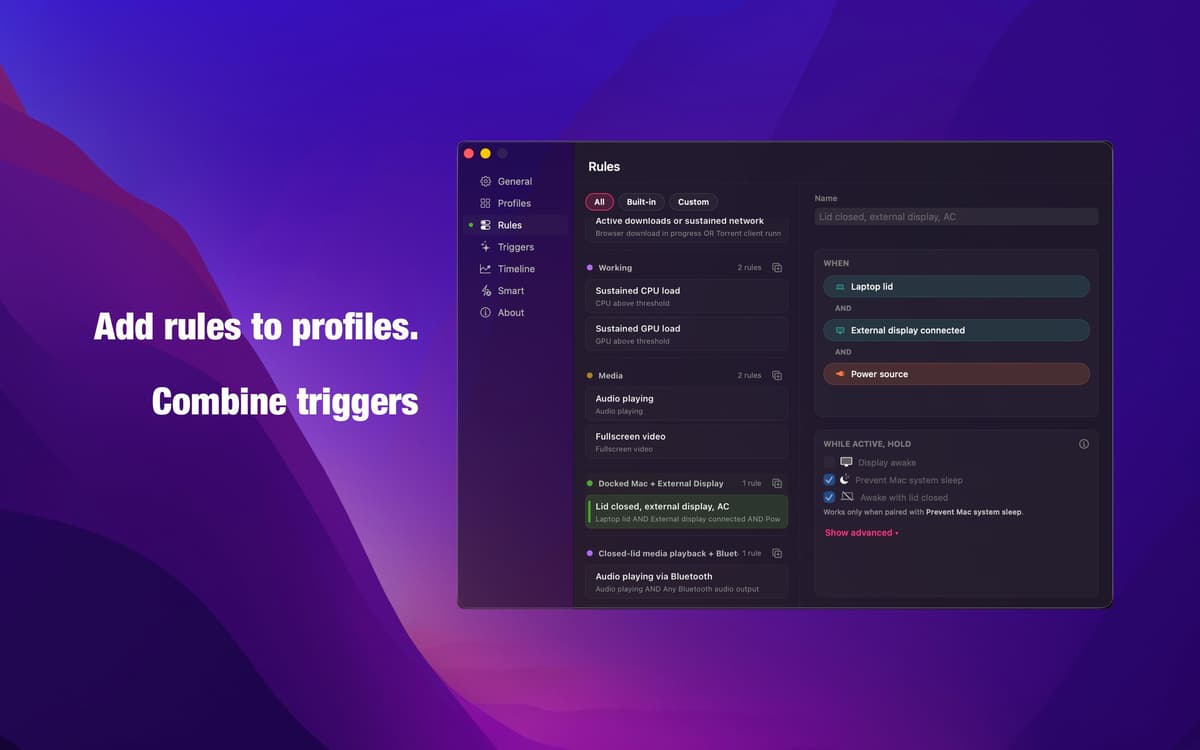
Editor de regras — lógica que faz o que você diz
Combine gatilhos com lógica AND, OR e NOT para criar a condição exata que você precisa. Sem modos automáticos imprecisos, sem suposições. O mesmo mecanismo que impulsiona todos os perfis integrados está totalmente aberto para você — preciso, transparente e configurável do seu jeito.
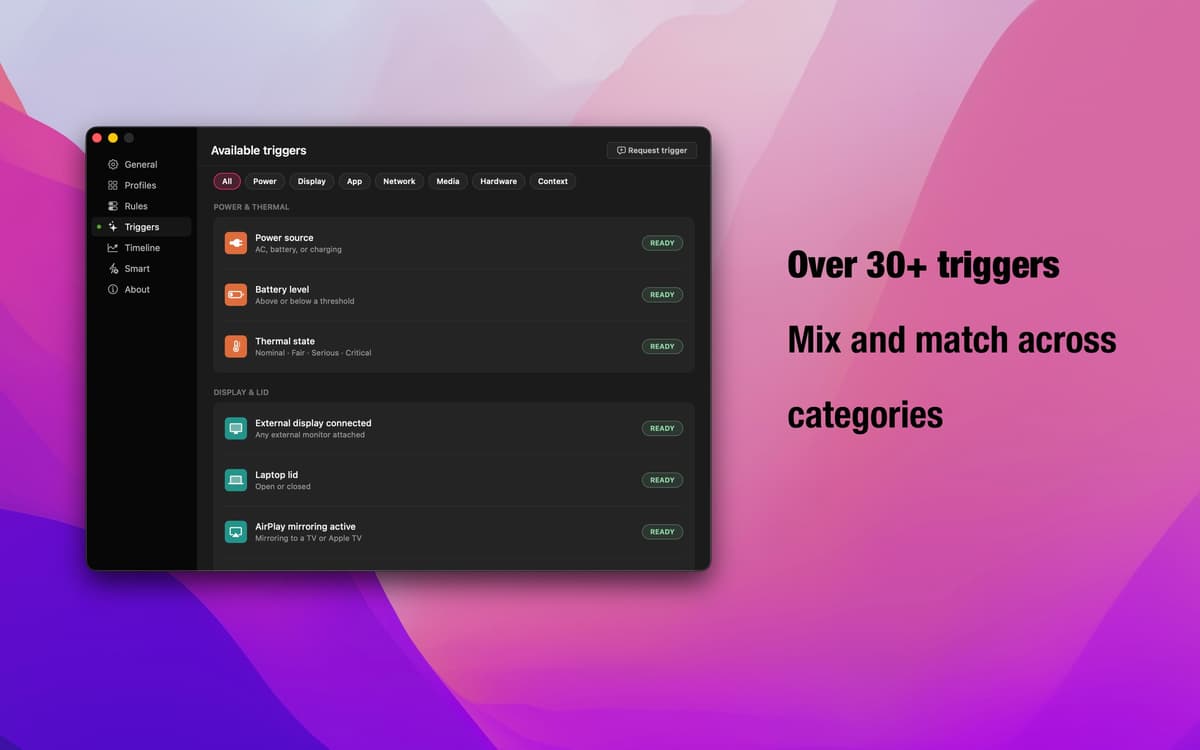
30+ gatilhos — todos os sinais do macOS
Estado da tampa, monitor externo, AirPlay, aplicativos em execução, downloads do navegador, reprodução de áudio, conexões Bluetooth, eventos do calendário, carga de CPU e GPU, janelas de horário, energia CA, taxa de transferência de rede — e muito mais. Combine categorias para cobrir qualquer fluxo de trabalho.
Substituições inteligentes — sua rede de segurança
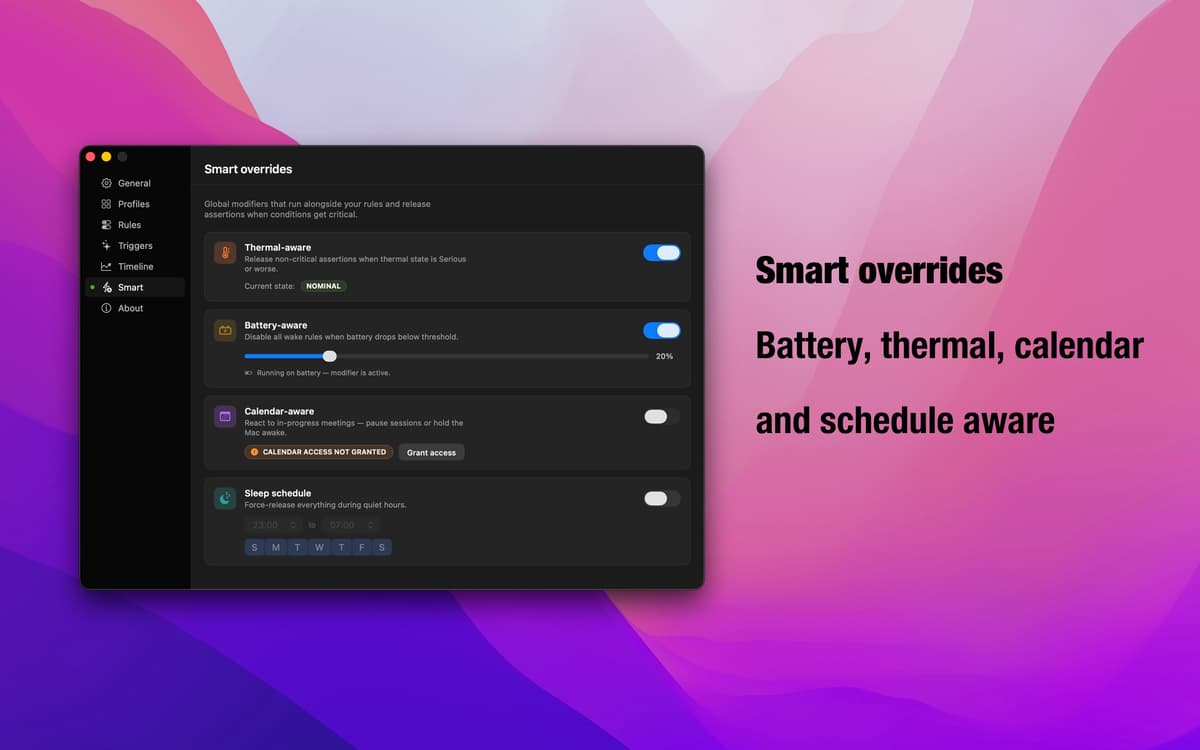
Bateria fraca? O Mac está sofrendo throttling devido ao superaquecimento? Reuniões consecutivas? Substituições inteligentes detectam essas condições e pausam automaticamente os perfis ativos. Você decide se cada substituição pausa a prevenção do modo de repouso ou mantém o Mac ativo. O Insomniac se adapta ao que está realmente acontecendo.
App da barra de menus — sempre presente, nunca intrusivo
O Insomniac fica quieto na sua barra de menus. Veja o que está ativo, troque de perfil ou ajuste as configurações sem interromper seu fluxo. Sem ícone no Dock, sem janelas de configuração em tela cheia — só os controles que você precisa, quando precisar.
Obtenha centenas de apps com o Membership
Obtenha um membership do Setapp e use centenas de apps estelares numa única assinatura.
Experimente grátis por 7 dias. Depois, pague um valor único.
Instale o Setapp no Mac
Explore apps para Mac, iOS e web. Encontre formas fáceis de lidar com as tarefas do dia a dia.

Obtenha o app que chamou sua atenção
Aquele app especial está esperando você no Setapp. Instale‑o com um clique.

Insomniac
Escolha uma assinatura
Um ou mais apps com um membership do Setapp. Obtenha os apps que você quer.

Obtenha centenas de apps com o Membership
Obtenha um membership do Setapp e use centenas de apps estelares numa única assinatura.
Experimente grátis por 7 dias. Depois, pague um valor único.
1
Instale o Setapp no Mac
Explore apps para Mac, iOS e web. Encontre formas fáceis de lidar com as tarefas do dia a dia.
2
Obtenha o app que chamou sua atenção
Aquele app especial está esperando você no Setapp. Instale‑o com um clique.
Insomniac
3
Escolha uma assinatura
Um ou mais apps com um membership do Setapp. Obtenha os apps que você quer.
A casa dos melhores apps
Desde tarefas rotineiras e de planejamento a atividades criativas e de programação, encare suas tarefas com os apps do Setapp.

TypingMind
IU alternativa para conversar com IA
gere ou resuma textos
use uma biblioteca de ações
IA

Spark Mail
Gerencie e‑mails
IA

CleanMyMac
Limpe os detritos

Bartender
Personalize a barra de menus

CleanShot X
Capturas de tela versáteis

Luminar Neo
Edite suas fotos
IA

ClearVPN
Conecte‑se com mais segurança

Craft
Trabalhe com documentos
IA
Insomniac
Mantenha seu Mac ativo com inteligência