
JoyCast
Reuniões com áudio melhor
Mac
Versão 26.5.17.0
macOS 13.0 ou posterior
52.3 MB
1 idiomas
Chega de ambientes barulhentos, latidos de cachorro ou espaços com muito eco que arruinam suas ligações. O JoyCast transforma instantaneamente o microfone do Mac num microfone com qualidade de estúdio, para que cada reunião, aula ou gravação tenha um som limpo e profissional, sem nenhum equipamento extra nem ajustes complicados.
Clareza de microfone de estúdio no Mac
Remoção automática de ruído
Grave áudio limpo para vídeos e podcasts
Confira a câmera antes das ligações
Recursos do JoyCast
Aprimore instantaneamente o microfone do Mac
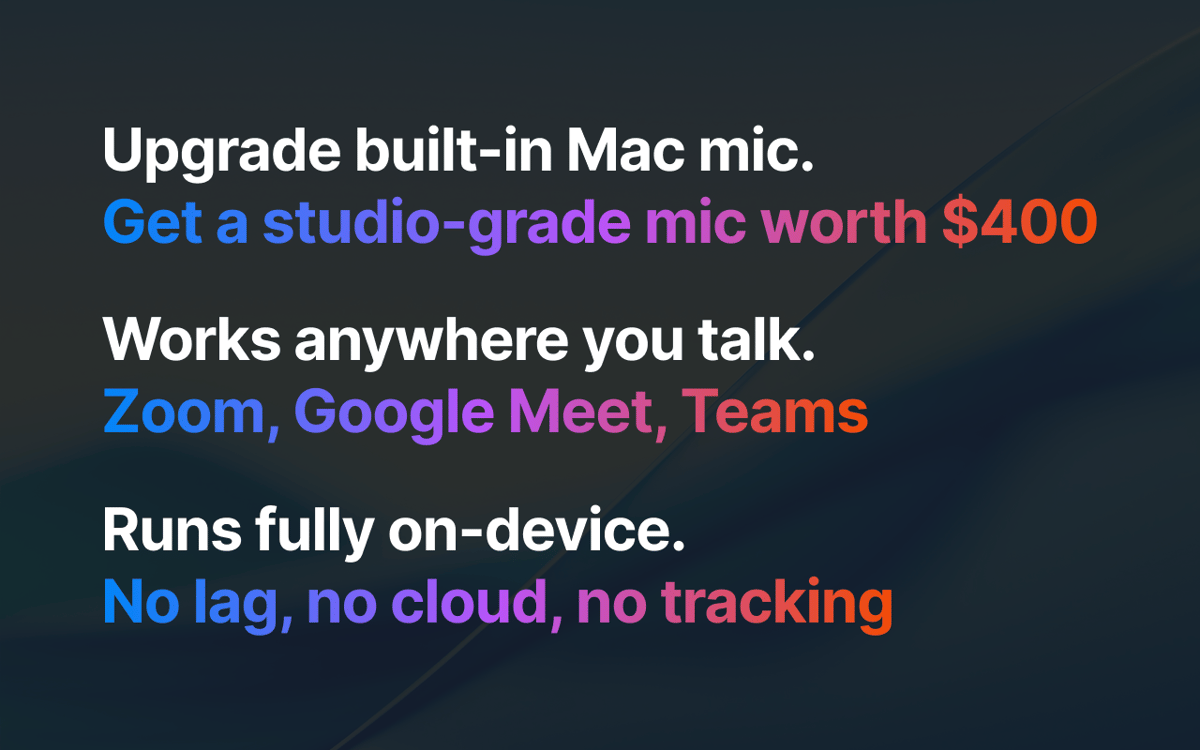
Basta uma configuração simples para que o JoyCast remova o ruído de fundo, melhore a sua voz com aprimoramentos sutis e mantenha o áudio consistente. Ele funciona perfeitamente no Zoom, Google Meet, Teams, Slack ou em qualquer app que use o microfone. Basta selecionar o microfone do JoyCast como dispositivo de entrada nos apps que você usa.
Pré-visualize a câmera antes de entrar
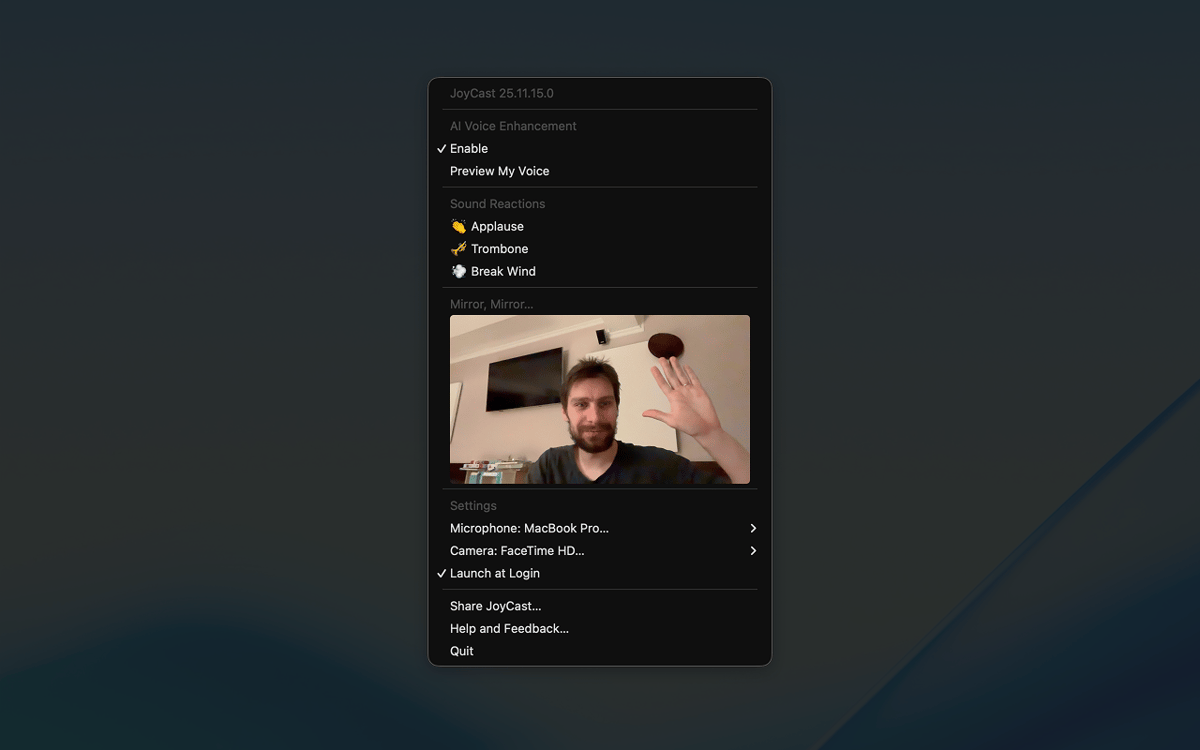
Não entre numa ligação sem checar sua aparência. Com o recurso de espelho, você vê a câmera do Mac direto na barra de menus para verificar o enquadramento, ajustar a iluminação e conferir se é preciso arrumar algo.
Mais personalidade com as reações de áudio
A tensão pode ser alta em reuniões, aulas e ligações, dificultando criar aquele engajamento. Com as reações de áudio do JoyCast, você reproduz pequenos clipes de áudio (como aplausos, risadas e outros efeitos) durante as ligações para quebrar o gelo, deixar o clima mais leve e enfatizar os pontos principais.
Classificações e avaliações
JoyCast
•
78 classificações
Mitchel
9 de set. de 2026
Versão do app: 26.5.17.0
The app stopped working after about a week. I tried a complete reinstall, but nothing has helped. I’ve also contacted the developer several times and haven’t received any response. I think Setapp really needs to improve the level of support it expects from developers on the platform. We’re paying customers, but at the moment it feels like some developers stop caring about support once their app is included in Setapp.
jkristine
21 de ago. de 2026
Versão do app: 26.5.17.0
Works amazingly, wish there was a yearly or one-time subscription option
Daniel
17 de fev. de 2026
Versão do app: 26.2.11.0
I couldn’t tell any difference between having this on or off.
Resposta do Desenvolvedor
23 de fev. de 2026
Hey, Daniel 👋. I'm sorry JoyTap caused you inconvenience. Sorry 🙏. I'd love to help, but I'm missing some details. Feel free to email me at [email protected]. Always at your service!
Obtenha centenas de apps com o Membership
Obtenha um membership do Setapp e use centenas de apps estelares numa única assinatura.
Experimente grátis por 7 dias. Depois, pague um valor único.
Instale o Setapp no Mac
Explore apps para Mac, iOS e web. Encontre formas fáceis de lidar com as tarefas do dia a dia.

Obtenha o app que chamou sua atenção
Aquele app especial está esperando você no Setapp. Instale‑o com um clique.

JoyCast
Escolha uma assinatura
Um ou mais apps com um membership do Setapp. Obtenha os apps que você quer.

Obtenha centenas de apps com o Membership
Obtenha um membership do Setapp e use centenas de apps estelares numa única assinatura.
Experimente grátis por 7 dias. Depois, pague um valor único.
1
Instale o Setapp no Mac
Explore apps para Mac, iOS e web. Encontre formas fáceis de lidar com as tarefas do dia a dia.
2
Obtenha o app que chamou sua atenção
Aquele app especial está esperando você no Setapp. Instale‑o com um clique.
JoyCast
3
Escolha uma assinatura
Um ou mais apps com um membership do Setapp. Obtenha os apps que você quer.
A casa dos melhores apps
Desde tarefas rotineiras e de planejamento a atividades criativas e de programação, encare suas tarefas com os apps do Setapp.

TypingMind
IU alternativa para conversar com IA
gere ou resuma textos
use uma biblioteca de ações
IA

Spark Mail
Gerencie e‑mails
IA

CleanMyMac
Limpe os detritos

Bartender
Personalize a barra de menus

CleanShot X
Capturas de tela versáteis

Luminar Neo
Edite suas fotos
IA

ClearVPN
Conecte‑se com mais segurança

Craft
Trabalhe com documentos
IA
JoyCast
Reuniões com áudio melhor