JoyTap
Adicione sons de digitação ao teclado
Mac
Versão 26.1.30.0
macOS 14.0 ou posterior
21.6 MB
1 idiomas
O JoyTap traz sons de teclado mecânico para o teclado silencioso do seu Mac. Este aplicativo simples da barra de menus reproduz sons autênticos de switches enquanto você digita — em todos os apps, de editores de código a e-mails. Seja você um desenvolvedor trabalhando em código ou um escritor escrevendo seu próximo artigo, o feedback de áudio torna a digitação mais satisfatória e ajuda você a se manter concentrado por sessões mais longas.
Adicione sons de teclado mecânico ao seu Mac
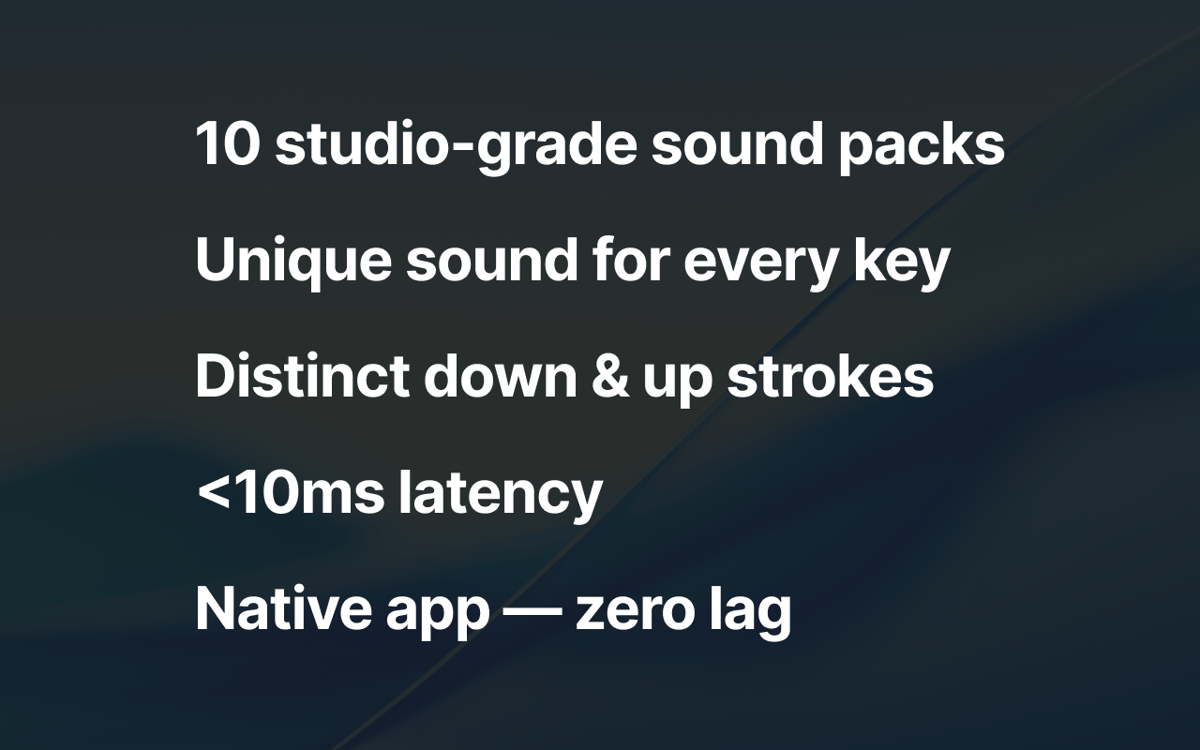
10+ perfis de switches autênticos
Controle o volume e acesse pela barra de menus
Desfrute da digitação em qualquer app do macOS
Recursos do JoyTap
Escolha entre sons autênticos de switches mecânicos
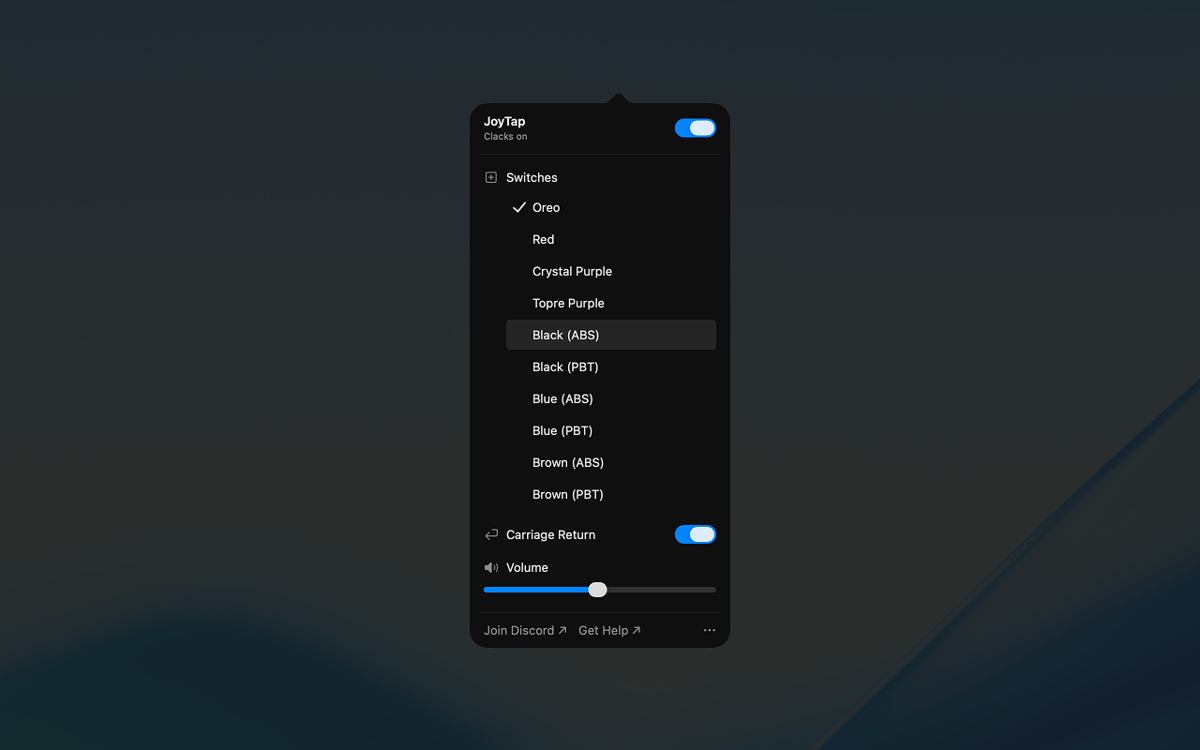
Selecione entre mais de 10 perfis de switches realistas baseados em switches mecânicos reais — Oreo, Crystal Purple, Topre Purple e switches lineares e táteis clássicos, tanto em variantes ABS quanto PBT. Cada perfil captura as características sonoras distintas de sua contraparte física, de thocks profundos a cliques nítidos.
Acesse controles pela barra de menus
O JoyTap fica na sua barra de menus para acesso rápido. Ative ou desative os sons instantaneamente quando precisar de silêncio, alterne entre diferentes perfis de switches com um único clique e personalize as configurações sem interromper seu fluxo de trabalho.
Ajuste fino do volume para combinar com seu ambiente
Ajuste o nível de som independentemente para se adequar a qualquer situação. Aumente quando estiver trabalhando sozinho para máxima satisfação, ou diminua quando precisar ficar quieto em espaços compartilhados ou durante chamadas.
Classificações e avaliações
JoyTap
•
141 classificações
Rach Safdieh
26 de ago. de 2026
Versão do app: 26.1.30.0
It’s a great app but uses a tonnnn of memory
Bikram Choudhury
5 de ago. de 2026
Versão do app: 26.1.30.0
It’s fun. I never realised that I typed so fast!
Aditya Balasubramanian
29 de jun. de 2026
Versão do app: 26.1.30.0
4.5/5
Obtenha centenas de apps com o Membership
Obtenha um membership do Setapp e use centenas de apps estelares numa única assinatura.
Experimente grátis por 7 dias. Depois, pague um valor único.
Instale o Setapp no Mac
Explore apps para Mac, iOS e web. Encontre formas fáceis de lidar com as tarefas do dia a dia.

Obtenha o app que chamou sua atenção
Aquele app especial está esperando você no Setapp. Instale‑o com um clique.

JoyTap
Escolha uma assinatura
Um ou mais apps com um membership do Setapp. Obtenha os apps que você quer.

Obtenha centenas de apps com o Membership
Obtenha um membership do Setapp e use centenas de apps estelares numa única assinatura.
Experimente grátis por 7 dias. Depois, pague um valor único.
1
Instale o Setapp no Mac
Explore apps para Mac, iOS e web. Encontre formas fáceis de lidar com as tarefas do dia a dia.
2
Obtenha o app que chamou sua atenção
Aquele app especial está esperando você no Setapp. Instale‑o com um clique.
JoyTap
3
Escolha uma assinatura
Um ou mais apps com um membership do Setapp. Obtenha os apps que você quer.
A casa dos melhores apps
Desde tarefas rotineiras e de planejamento a atividades criativas e de programação, encare suas tarefas com os apps do Setapp.

TypingMind
IU alternativa para conversar com IA
gere ou resuma textos
use uma biblioteca de ações
IA

Spark Mail
Gerencie e‑mails
IA

CleanMyMac
Limpe os detritos

Bartender
Personalize a barra de menus

CleanShot X
Capturas de tela versáteis

Luminar Neo
Edite suas fotos
IA

ClearVPN
Conecte‑se com mais segurança

Craft
Trabalhe com documentos
IA
JoyTap
Adicione sons de digitação ao teclado