
Kepter
Find files by sight, not name
Mac
Versão 1.3.8
macOS 26.0 ou posterior
12.4 MB
1 idiomas
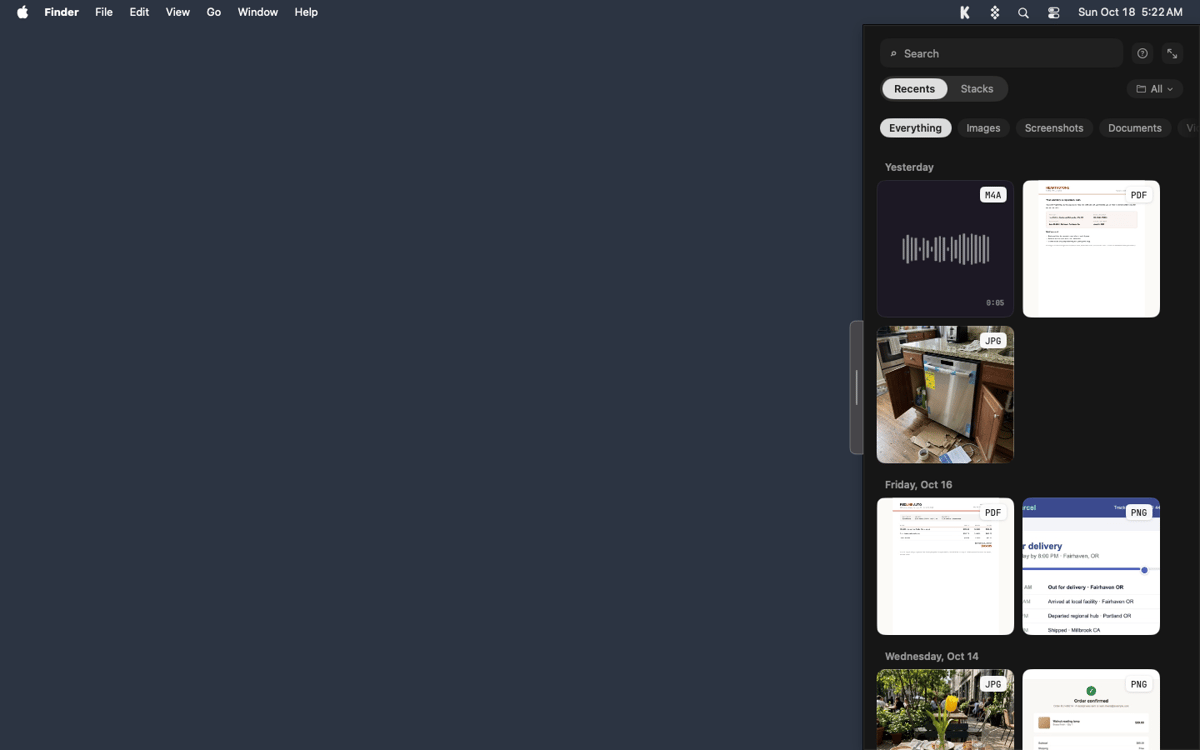
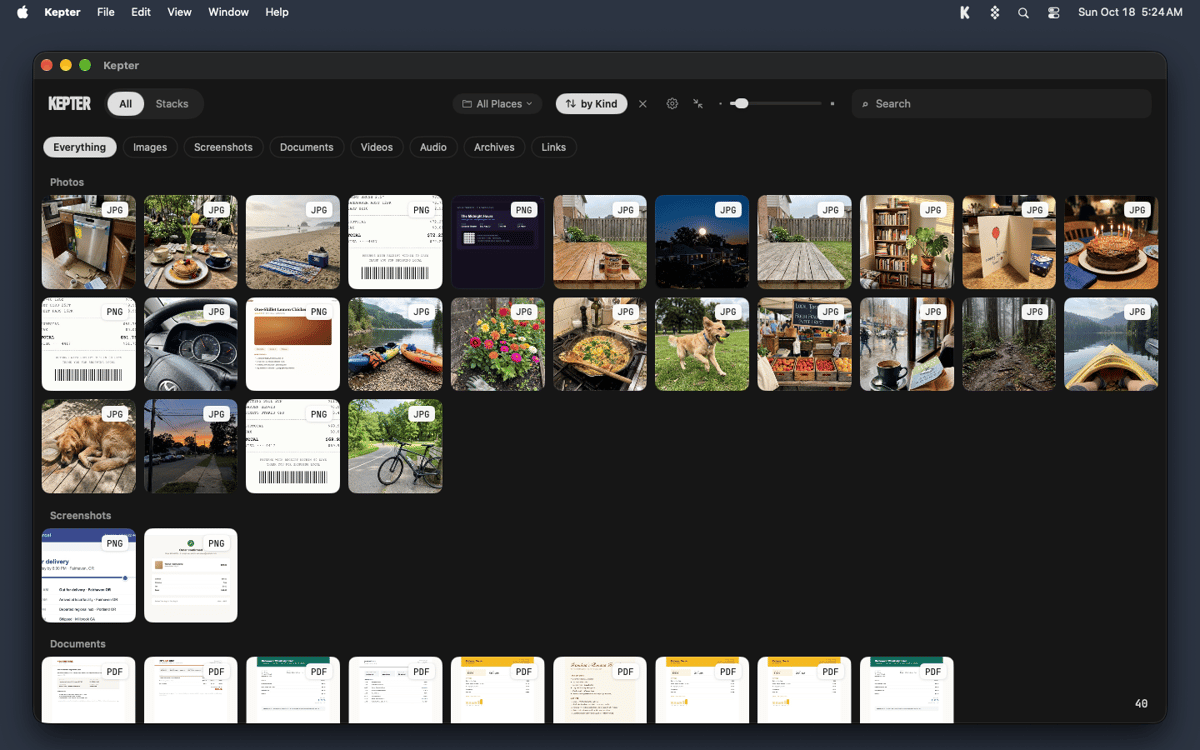
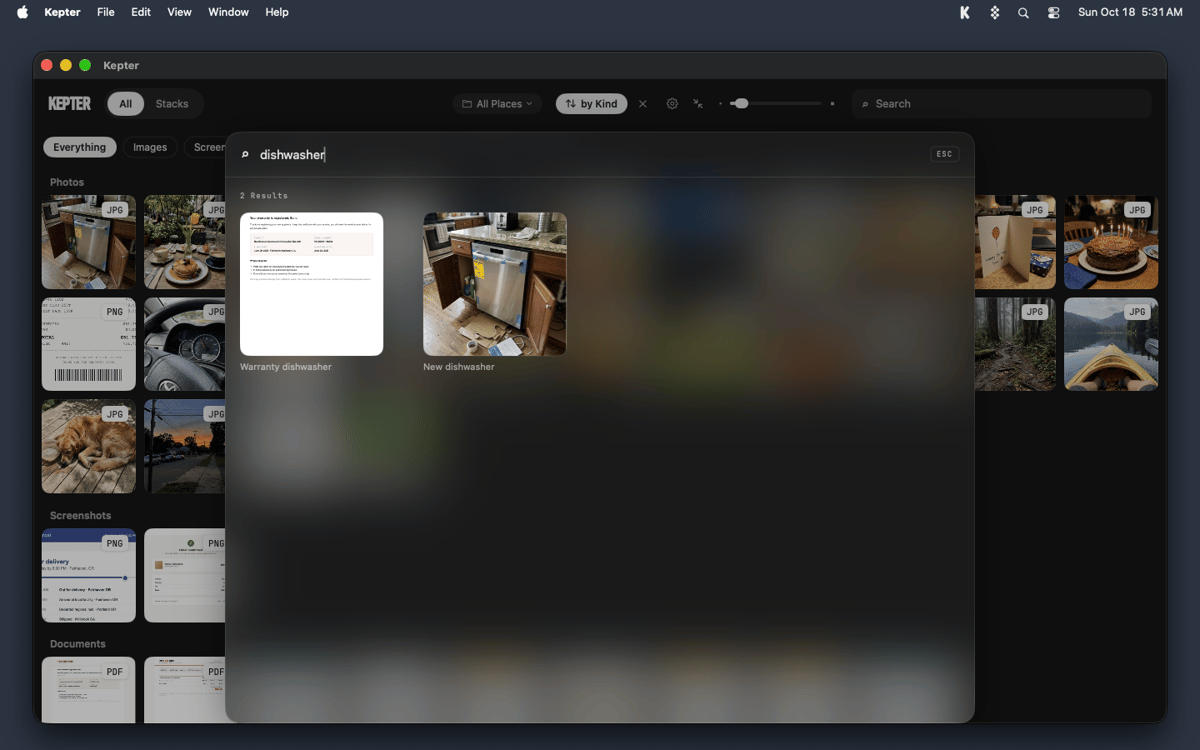
Kepter is a visual file finder for Mac that shows what you’ve saved, so you don’t have to remember it. It watches the folders you choose and lays your files out as tiles in a drawer at the edge of your screen. You recognize your own stuff on sight, with no file name or folder needed. Find also looks inside files, so scans and recordings turn up by what’s in them.
Find a file you saved last week
Spot a screenshot without its name
Search inside scans and recordings
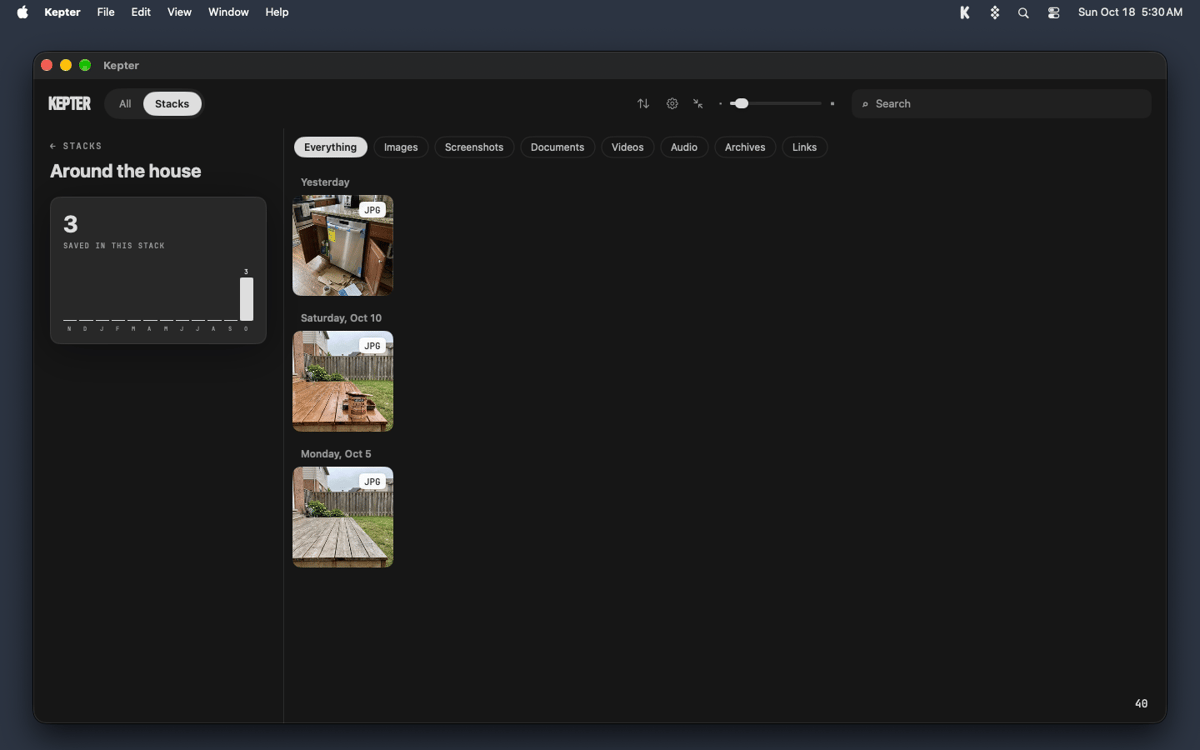
Keep related files together in stacks
Recursos do Kepter
A drawer for everything you save
Pick Desktop, Documents, Downloads, or any folder, and Kepter shows what lands there as tiles in a drawer at the edge of your screen. Setup takes 2 screens, and tiles start arriving while you watch. A week later, you’ll still know your file when you see it.
Open and manage files without leaving the drawer
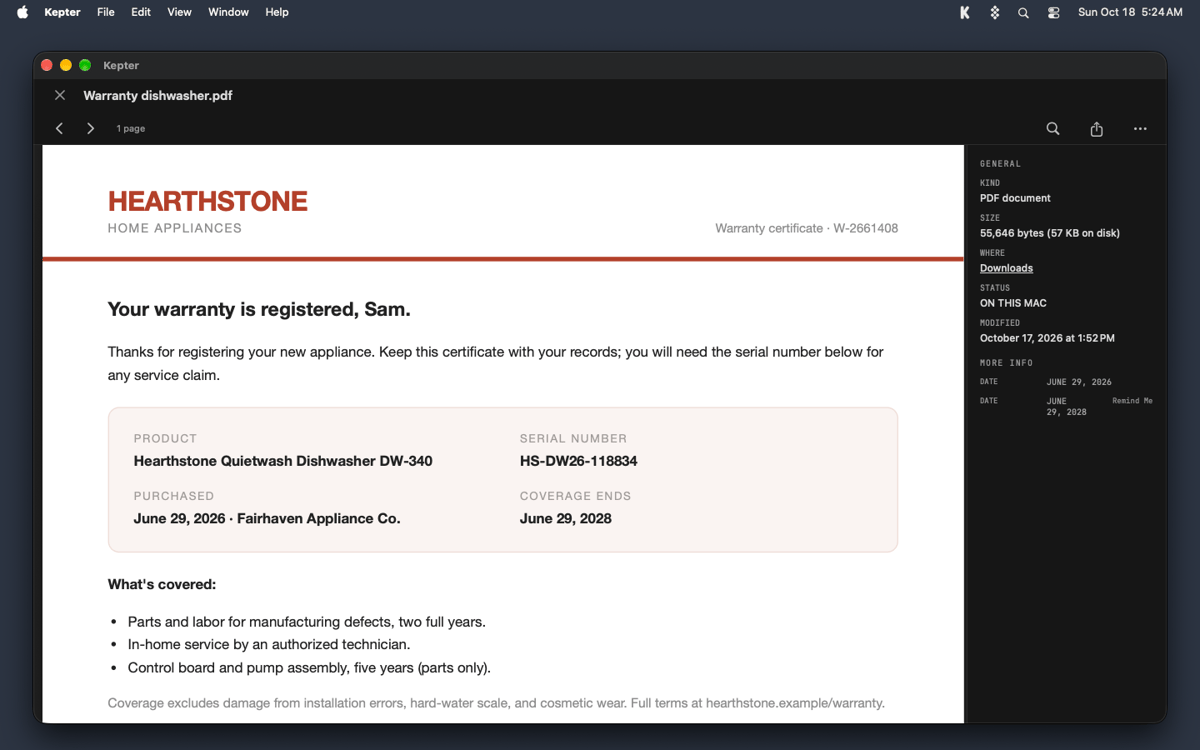
Double-click a tile to open the file right in Kepter. Right-click for Get Info, Rename, or Move to Trash. Rename and Move to Trash act on the real file, just like in Finder, and Command-Z undoes either one.
Stacks for files that belong together
Right-click a tile and choose Add to Stack to start your own. Contracts, trip photos, and that one recipe PDF can all hang out in one place.
Find that looks inside your files
Press Option-Space to search by what’s inside a file, not only by its name. Kepter reads the words in scans and recordings too, so you can find a recording by what was said. The slower reading waits until you step away from your Mac. Open a recording and macOS asks once whether Kepter can use Speech Recognition. Kepter never opens your microphone.
Your files stay put
Kepter never copies your files and never moves one on its own. Move to Trash puts a file in your Trash, nowhere else. Everything stays on your Mac. Kepter reads files where they sit, so if you delete the original, Kepter loses it too.
Obtenha centenas de apps com o Membership
Obtenha um membership do Setapp e use centenas de apps estelares numa única assinatura.
Experimente grátis por 7 dias. Depois, pague um valor único.
Instale o Setapp no Mac
Explore apps para Mac, iOS e web. Encontre formas fáceis de lidar com as tarefas do dia a dia.

Obtenha o app que chamou sua atenção
Aquele app especial está esperando você no Setapp. Instale‑o com um clique.

Kepter
Escolha uma assinatura
Um ou mais apps com um membership do Setapp. Obtenha os apps que você quer.

Obtenha centenas de apps com o Membership
Obtenha um membership do Setapp e use centenas de apps estelares numa única assinatura.
Experimente grátis por 7 dias. Depois, pague um valor único.
1
Instale o Setapp no Mac
Explore apps para Mac, iOS e web. Encontre formas fáceis de lidar com as tarefas do dia a dia.
2
Obtenha o app que chamou sua atenção
Aquele app especial está esperando você no Setapp. Instale‑o com um clique.
Kepter
3
Escolha uma assinatura
Um ou mais apps com um membership do Setapp. Obtenha os apps que você quer.
A casa dos melhores apps
Desde tarefas rotineiras e de planejamento a atividades criativas e de programação, encare suas tarefas com os apps do Setapp.

TypingMind
IU alternativa para conversar com IA
gere ou resuma textos
use uma biblioteca de ações
IA

Spark Mail
Gerencie e‑mails
IA

CleanMyMac
Limpe os detritos

Bartender
Personalize a barra de menus

CleanShot X
Capturas de tela versáteis

Luminar Neo
Edite suas fotos
IA

ClearVPN
Conecte‑se com mais segurança

Craft
Trabalhe com documentos
IA
Kepter
Find files by sight, not name