
KeyCue
Trabalhe rápido com atalhos
Mac
Versão 11.1.1
macOS 12.4 ou posterior
8 MB
3 idiomas
Para que você trabalhe mais rápido, o macOS oferece atalhos para os comandos mais comuns. Mas quem consegue memorizar todos eles? Com o KeyCue, você tem uma visão geral instantânea dos recursos de cada app e trabalha com mais eficiência desde o início.
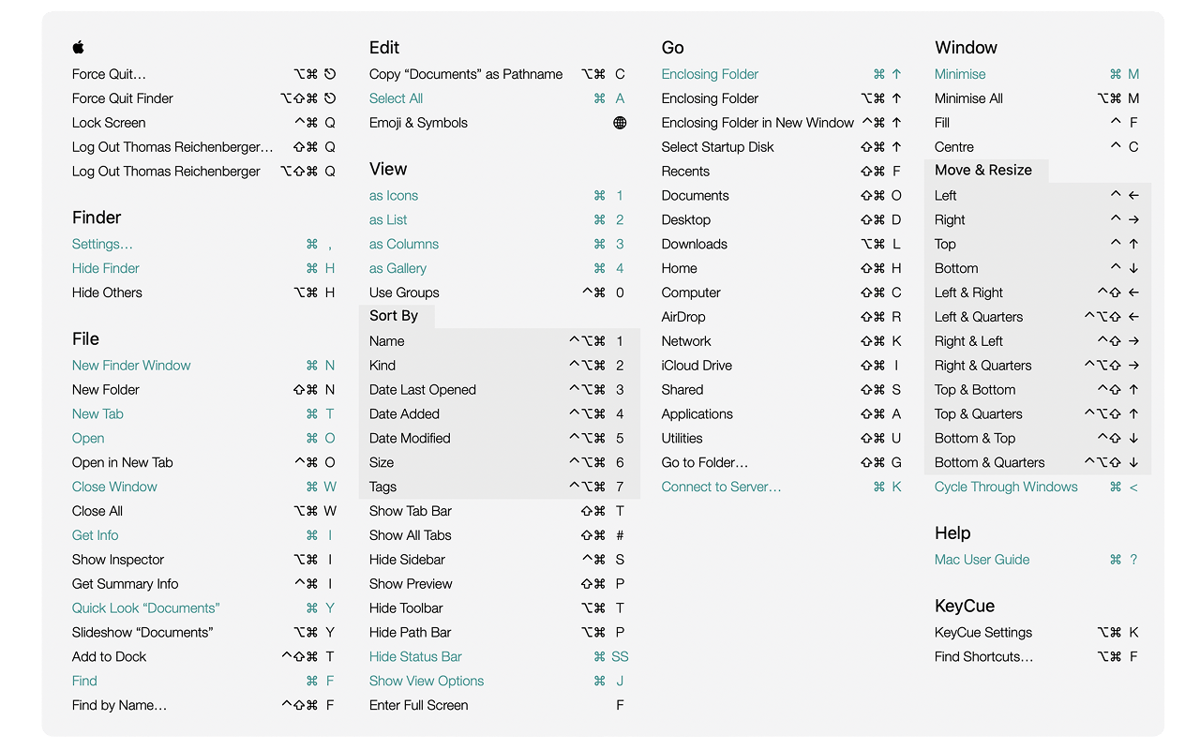
Veja todos os atalhos na barra de menus
Crie atalhos personalizados
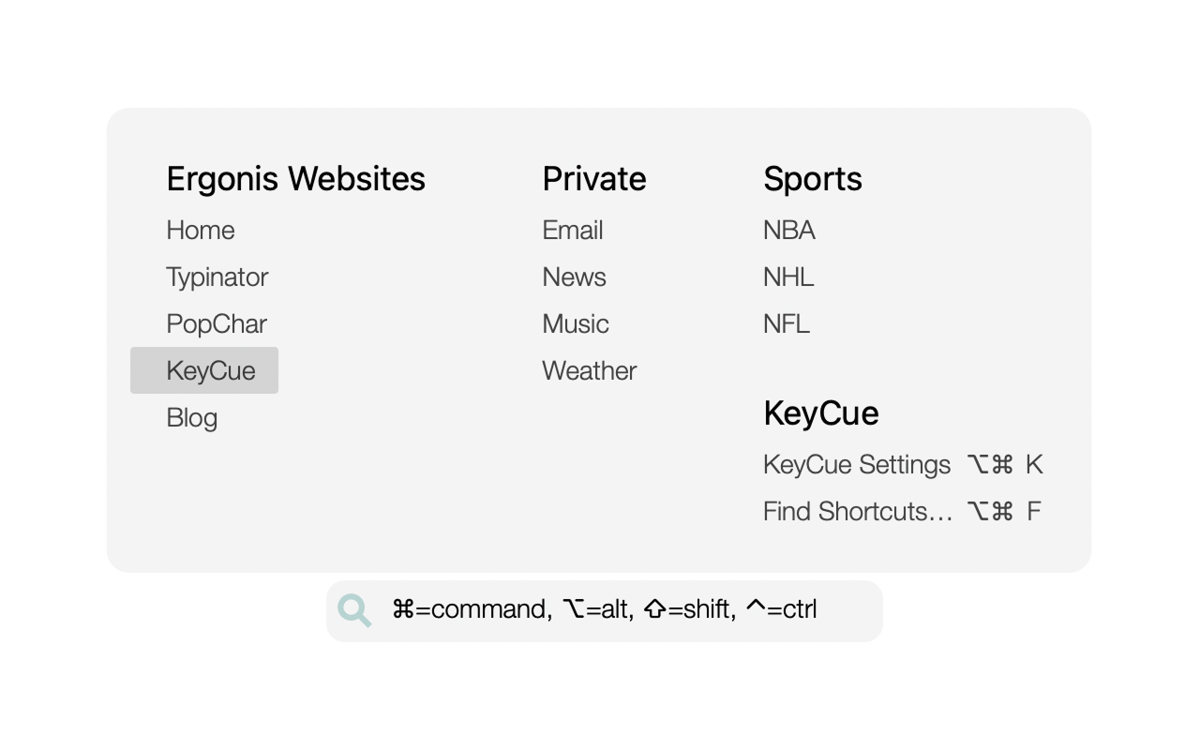
Acesse arquivos, pastas e sites velozmente
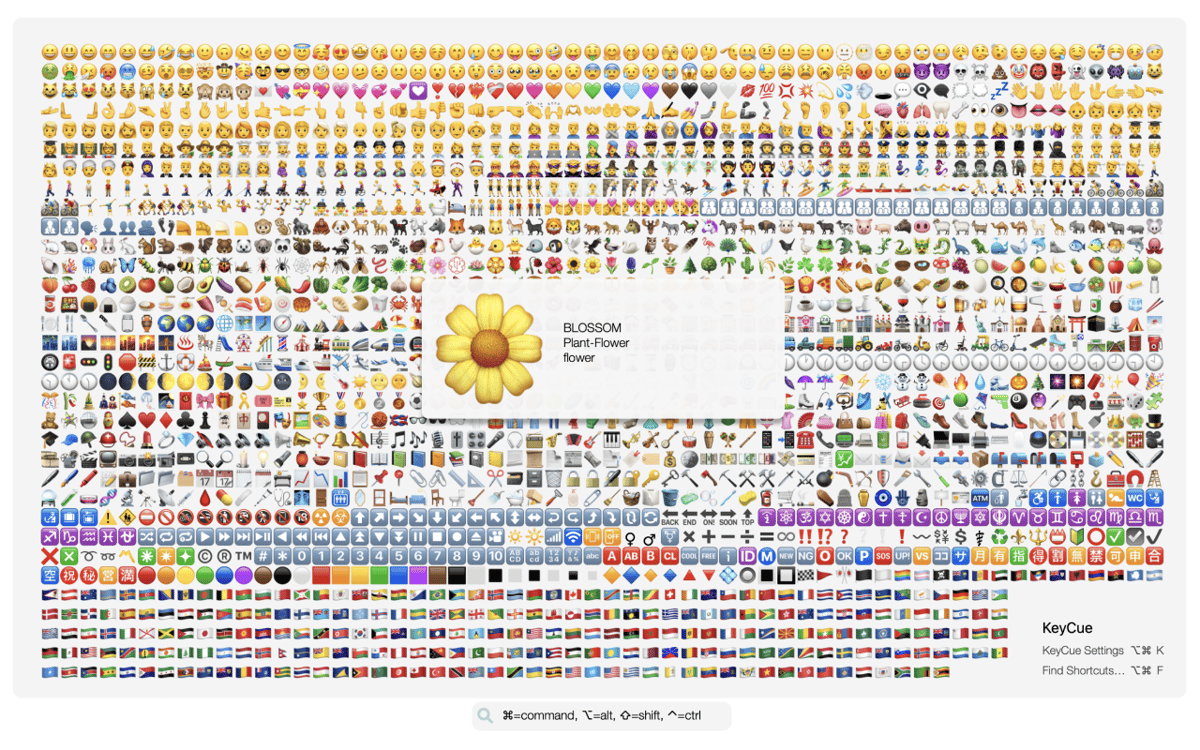
Busque e insira emojis rapidamente
Recursos do KeyCue
Veja os atalhos rapidamente
Mantenha a tecla ⌘ pressionada para ver uma lista com todos os atalhos do app atual, além dos atalhos que funcionam por todo o sistema. A busca de atalhos é fácil. Basta pressionar a tecla ou parte do atalho que você se lembra e ver o KeyCue destacar todos os comandos correspondentes. Se você não se lembra do atalho, digite palavras‑chave (como “captura de tela” ou “ampliar”) para que o KeyCue encontre o que você quer.
Personalize os atalhos
Se você não gosta do atalho padrão que um app oferece, por que não mudá‑lo? Com o KeyCue, é fácil criar atalhos personalizados ou modificar atalhos existentes. Por exemplo, você pode ter um atalho para ativar seu app favorito ou para acessar uma parte específica de um projeto. Assim, você trabalha de forma mais pessoal e eficiente.
Abra arquivos, pastas e URLs velozmente
Já se cansou de perder tempo procurando arquivos em pastas? Com o KeyCue, você acessa rapidamente as pastas que mais usa e explora seu conteúdo com um só atalho. Se você visita certos sites com regularidade, use o KeyCue para chegar lá em instantes. Crie uma lista dos URLs que você mais usa e abra‑os com um único atalho!
Busque e insira emojis rapidamente
Não é fácil buscar emojis no macOS. As listas de opções são longas e o foco vai embora quando tentamos adivinhar a palavra‑chave certa. Por permitir que você explore seus favoritos e recentes, o KeyCue simplifica o processo de deixar suas mensagens mais divertidas. Também é possível usar palavras‑chave para buscar emojis.
Classificações e avaliações
KeyCue
•
164 classificações
A Mo
16 de ago. de 2026
Versão do app: 11.1.1
I was unsure at first, not knowing if it would be updated or have issues but I’m definitely glad I finally tried this app! Idk why I always feel the urge to change the default shortcuts of every single app I ever use, but I do. For years I have used several sticky notes apps, so they sit neatly in the corner of my screen for all of the many shortcuts I need to remember or change. This is a lot better. I’ve only noticed a couple small things but I’ll just mention one but when the settings window is open, it stays in the front, on top of everything and that can be a little tedious when trying to quickly click something else but have to move the window off to the side or below it.. not a big deal tho. Anyways, this solves many of the issues with my previous system! Thank you!
Jason Wu
3 de jul. de 2026
Versão do app: 11.1.1
good app willl use again
Resposta do Desenvolvedor
3 de jul. de 2026
That's great to hear, could you be so nice to change the vot then to "UP" ;-) ... we're happy you like it.
Nadir Palacios
15 de abr. de 2026
Versão do app: 11.1.1
Good app
Obtenha centenas de apps com o Membership
Obtenha um membership do Setapp e use centenas de apps estelares numa única assinatura.
Experimente grátis por 7 dias. Depois, pague um valor único.
Instale o Setapp no Mac
Explore apps para Mac, iOS e web. Encontre formas fáceis de lidar com as tarefas do dia a dia.

Obtenha o app que chamou sua atenção
Aquele app especial está esperando você no Setapp. Instale‑o com um clique.

KeyCue
Escolha uma assinatura
Um ou mais apps com um membership do Setapp. Obtenha os apps que você quer.

Obtenha centenas de apps com o Membership
Obtenha um membership do Setapp e use centenas de apps estelares numa única assinatura.
Experimente grátis por 7 dias. Depois, pague um valor único.
1
Instale o Setapp no Mac
Explore apps para Mac, iOS e web. Encontre formas fáceis de lidar com as tarefas do dia a dia.
2
Obtenha o app que chamou sua atenção
Aquele app especial está esperando você no Setapp. Instale‑o com um clique.
KeyCue
3
Escolha uma assinatura
Um ou mais apps com um membership do Setapp. Obtenha os apps que você quer.
A casa dos melhores apps
Desde tarefas rotineiras e de planejamento a atividades criativas e de programação, encare suas tarefas com os apps do Setapp.

TypingMind
IU alternativa para conversar com IA
gere ou resuma textos
use uma biblioteca de ações
IA

Spark Mail
Gerencie e‑mails
IA

CleanMyMac
Limpe os detritos

Bartender
Personalize a barra de menus

CleanShot X
Capturas de tela versáteis

Luminar Neo
Edite suas fotos
IA

ClearVPN
Conecte‑se com mais segurança

Craft
Trabalhe com documentos
IA
KeyCue
Trabalhe rápido com atalhos